Use this feature during the initial setup of the product catalog.
👉 This step is part of the Initial Setup Checklist and must be completed before creating categories and products.
In Edelion, all billable items are managed as products. These include both:
Services (e.g. care services, treatments)
Physical products (e.g. materials, consumables)
Catalogs act as containers for these products as well as product categories. They allow you to structure products logically and separate different domains.
Care Services
Additional Services
Gastro Items
👉 In simple setups, a single catalog is usually sufficient.
Go to:
Administration → Configurations → Residents Billing → Product Catalog → Catalogs
Click the + icon
Create a new catalog
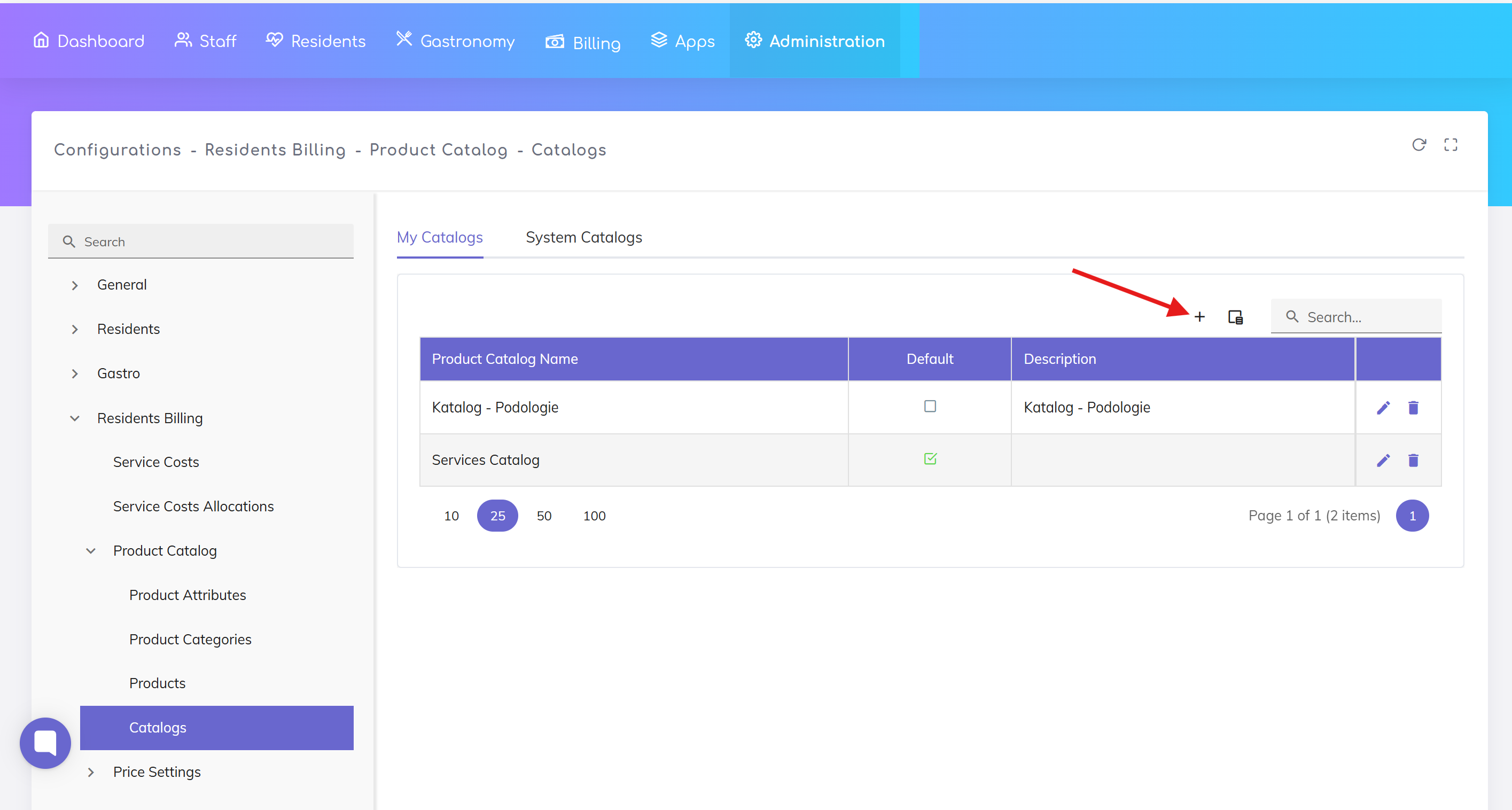
When creating a catalog, the following fields are available:
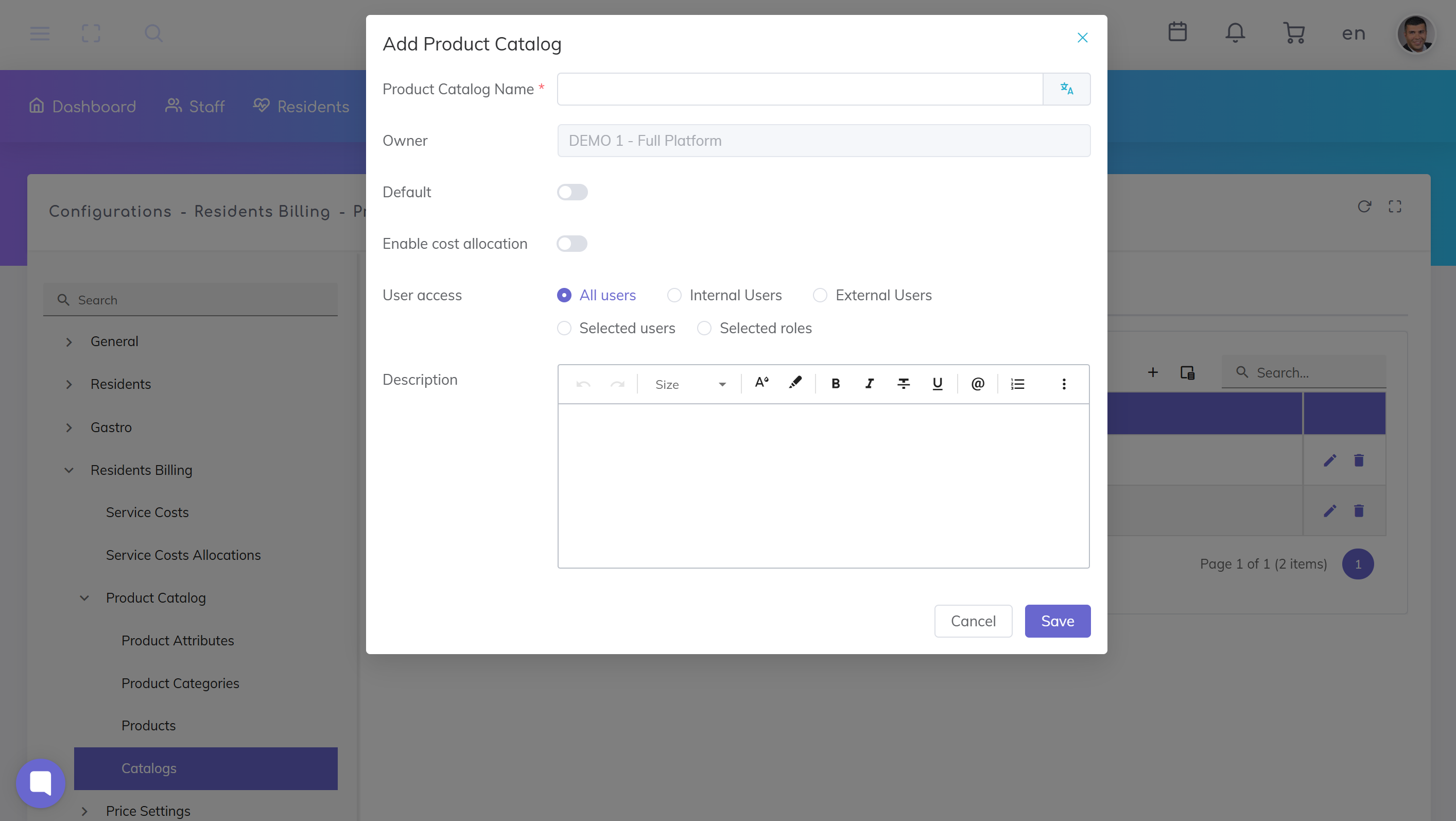
Catalog Name: Name of the catalog.
👉 This name is displayed in the system and should be clear and unique.
Owner: Shows the organization the catalog belongs to.
👉 This field is automatically set and usually cannot be changed.
Default: Marks the catalog as the default catalog.
👉 The default catalog may be preselected in the system.
💡 Recommendation: Use this only for your main catalog.
Enable Cost Allocation: Enables cost allocation for this catalog.
👉 Relevant if items from this catalog should be included in care cost allocation (KVG).
💡 Recommendation:
Enable for care-related catalogs
Disable for simple services
User Access: Defines who can access this catalog.
Options:
All Users
Internal Users
External Users
Selected Users or Roles
👉 Important for access control and visibility.
Description: Optional free-text field.
👉 Can be used for:
Internal notes
Clarification of catalog purpose
Click Save to create the catalog.
Catalogs must be created before product categories
A catalog can contain multiple categories and products
Changes may impact your catalog structure
Start with a simple setup (e.g. one main catalog)
Use multiple catalogs only when there is a clear separation of domains
Use clear and consistent naming conventions
Set Up Product Catalog
Set up the core catalog structure that defines the products and services available for billing in your care home.
We're here to help. Please feel free to contact us.

