The Dashboard App on the Main Menu bar consists of Dashboards and Reports.
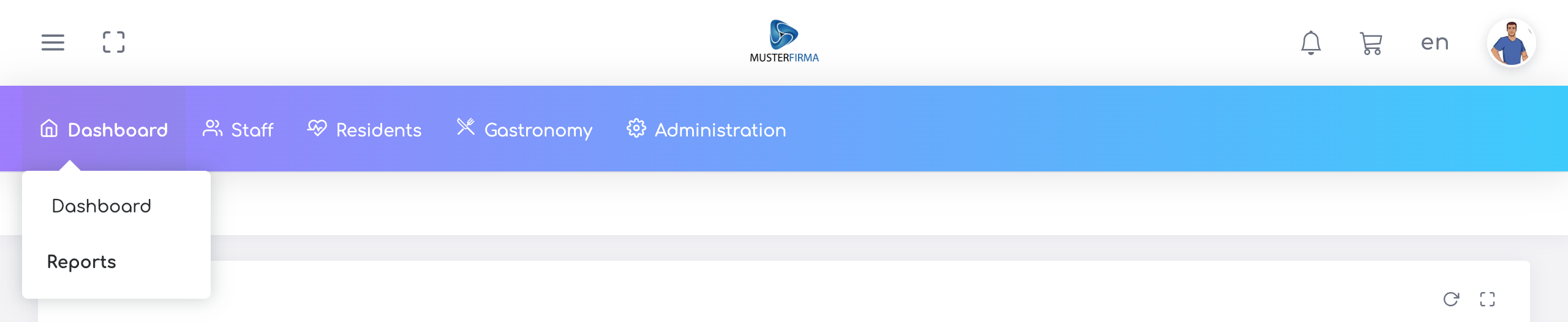
Dashboards are data visualization tools that display specific metrics, data, and KPIs. Reports contain data in table form.
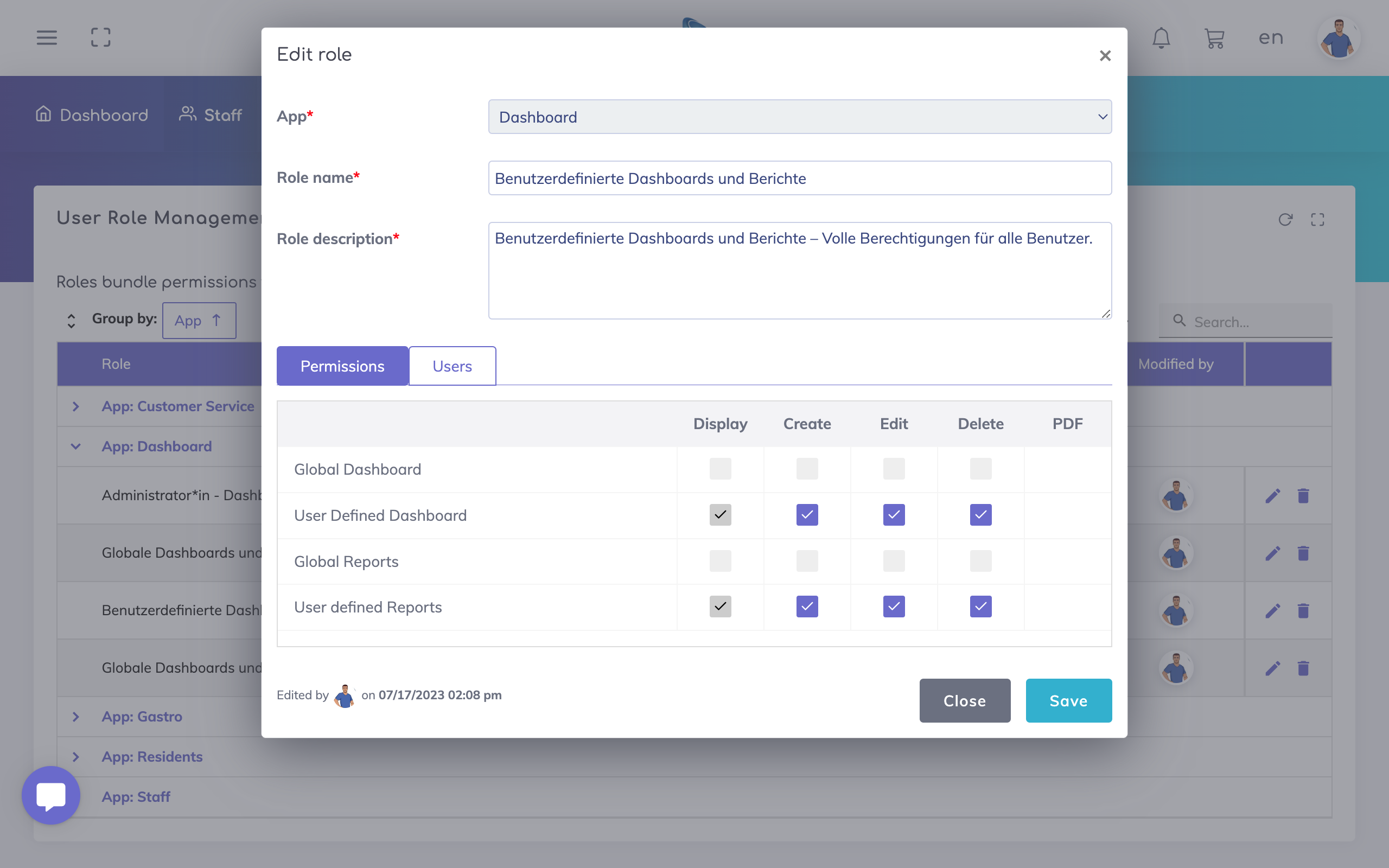
The user role for the Dashboard App comprises of Display, Create, Edit & Delete permissions for Dashboards and Reports.
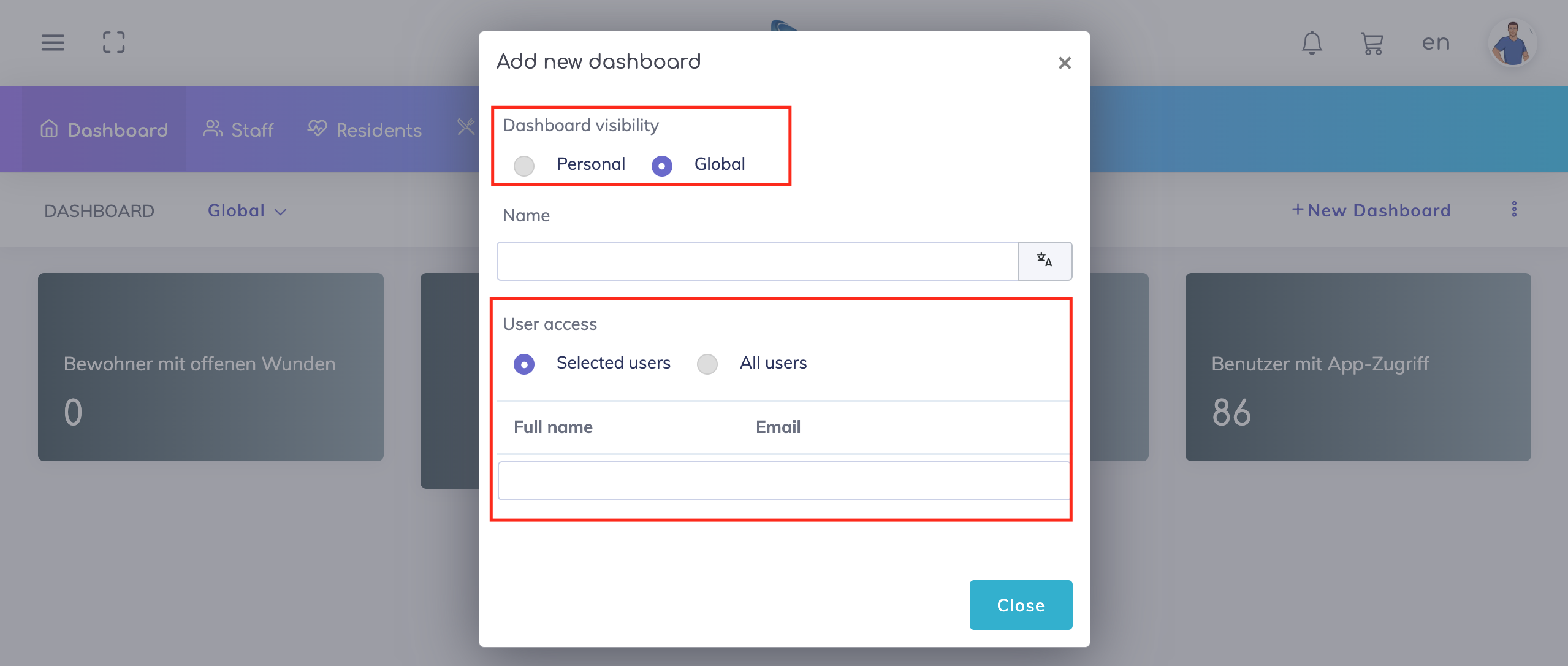
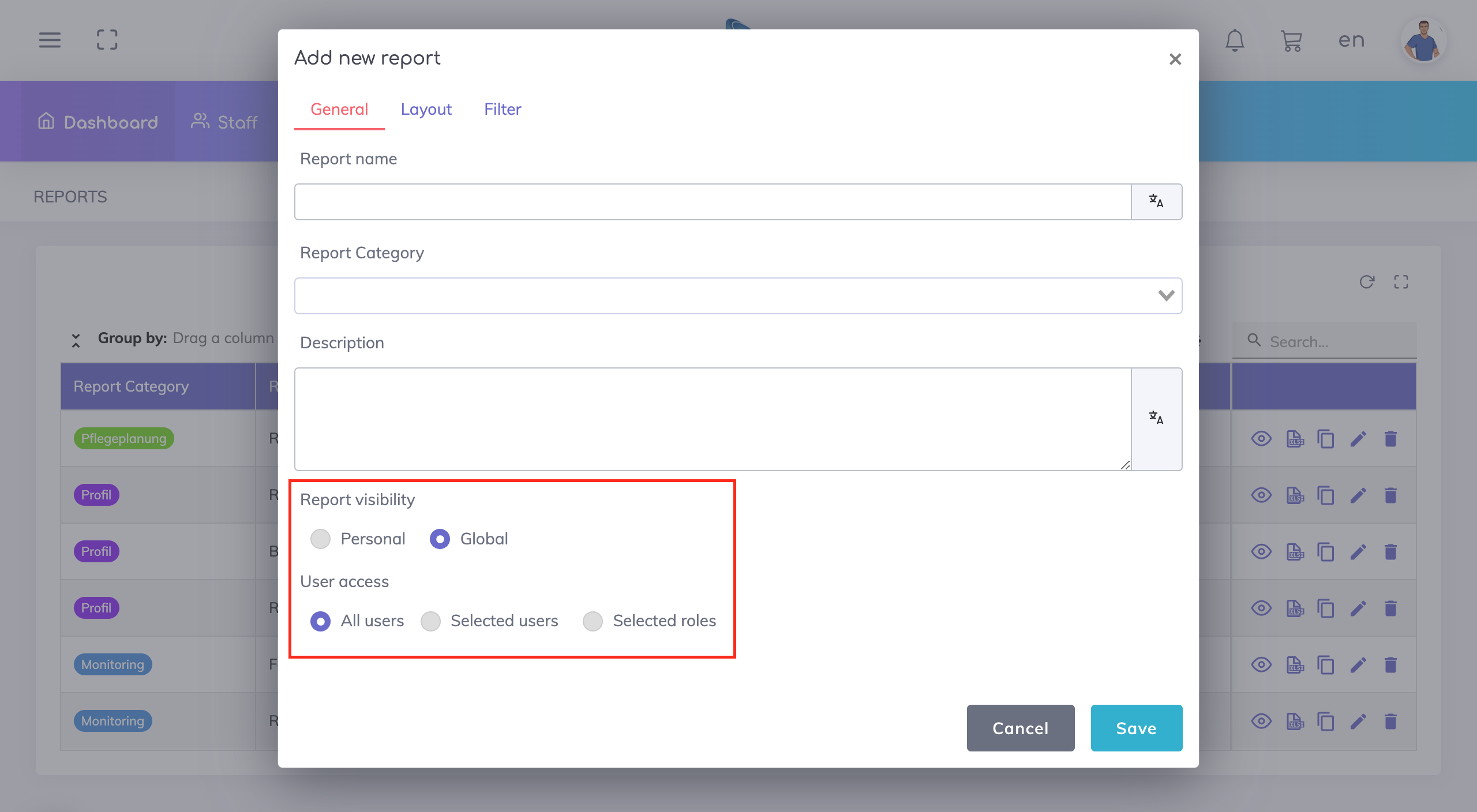
The users who are assigned to this role will have these permissions for only those dashboards or reports where access has been granted (see section below: User Access).
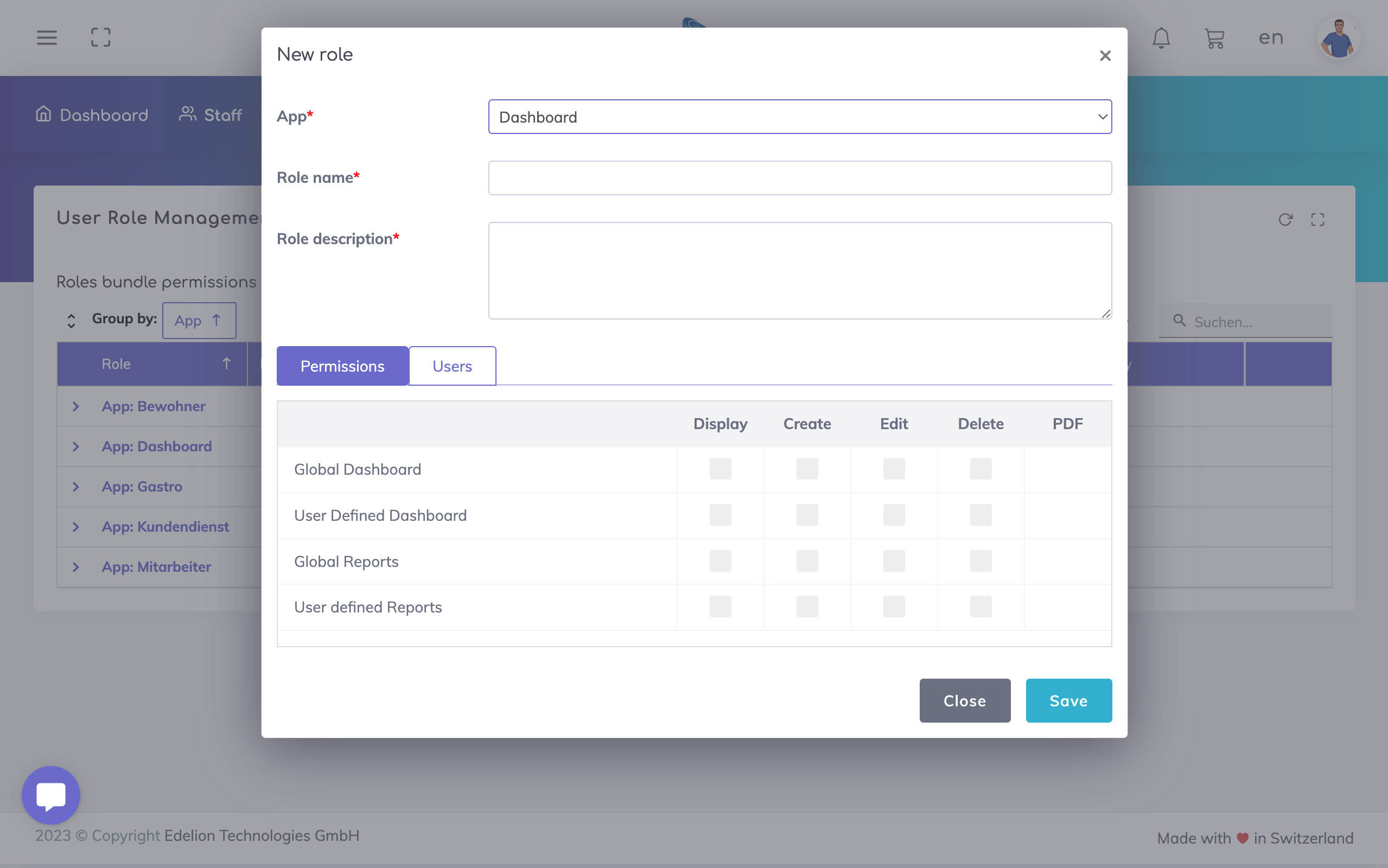
Note: A user who is not assigned to at least one user role for the Dashboard App will not be able to access any Dashboards or Reports under the Dashboard App on the main menu.

User Roles define the general access and permissions for dashboards and reports, but access to individual dashboards and reports is defined within the respective dashboards and reports.
Let's explore the concept behind this.
Dashboards and reports can be of two types: personal or global.
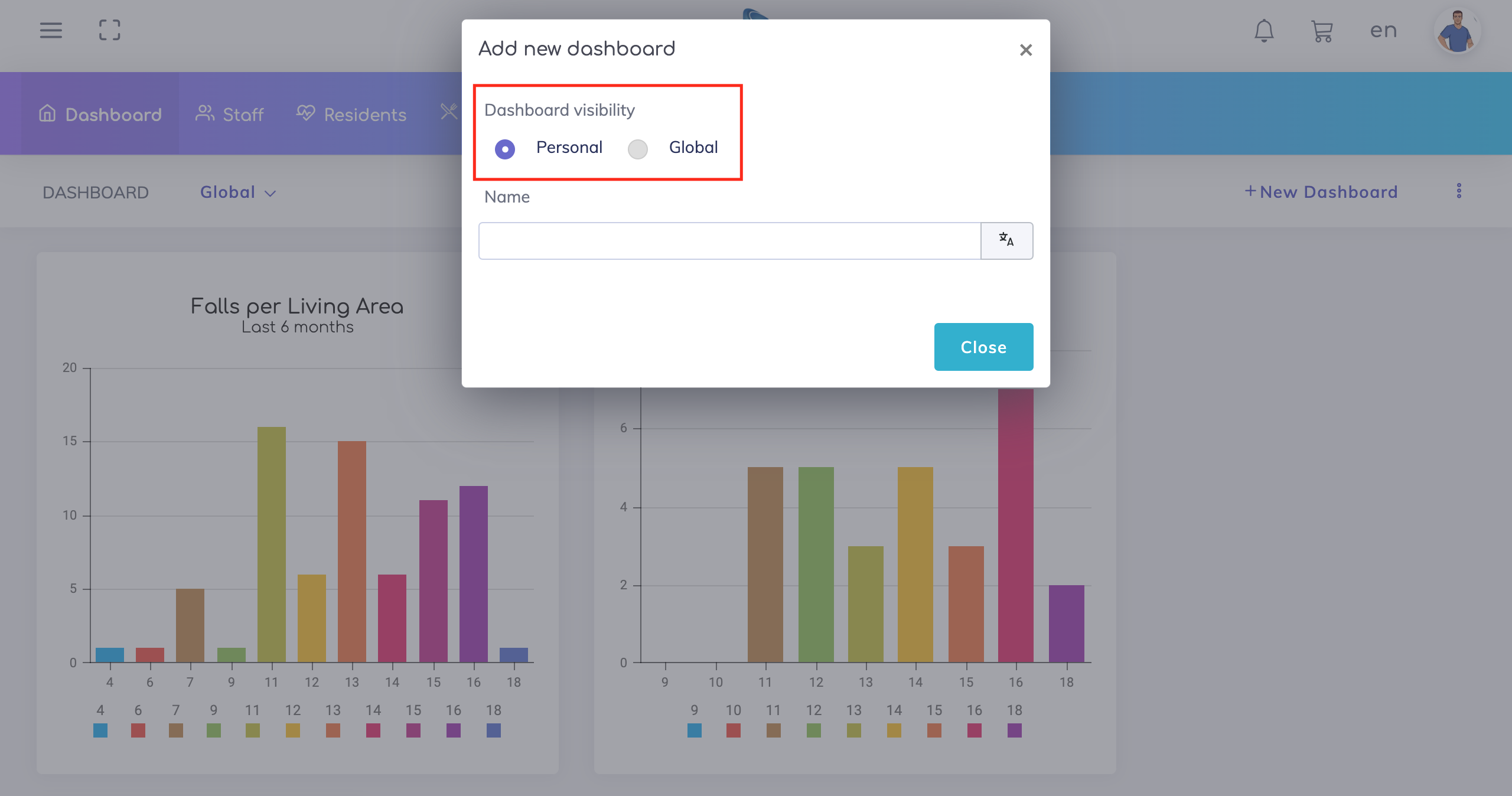
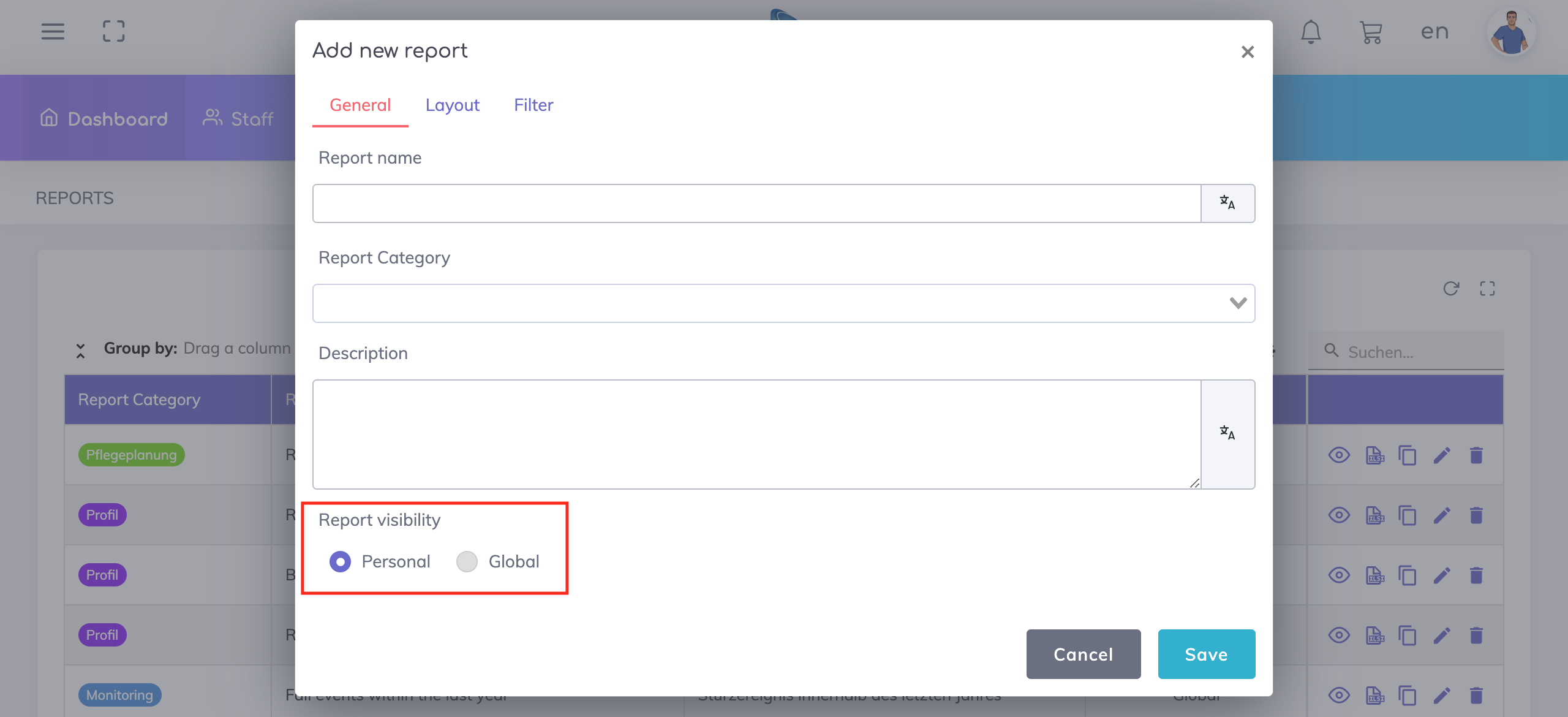
Personal dashboards / reports have the following properties:
They are user-specific (only visible to the user who created them).
Any changes made to these do not impact other users.
A user is able to Display, Create, Edit and/or Delete personal dashboards and reports only if the user is assigned to a user role with permissions as shown below (the permission levels can be adjusted according to your preferences).
Global dashboards / reports have the following properties:
They are available for multiple users.
Any changes made to these impact other users.
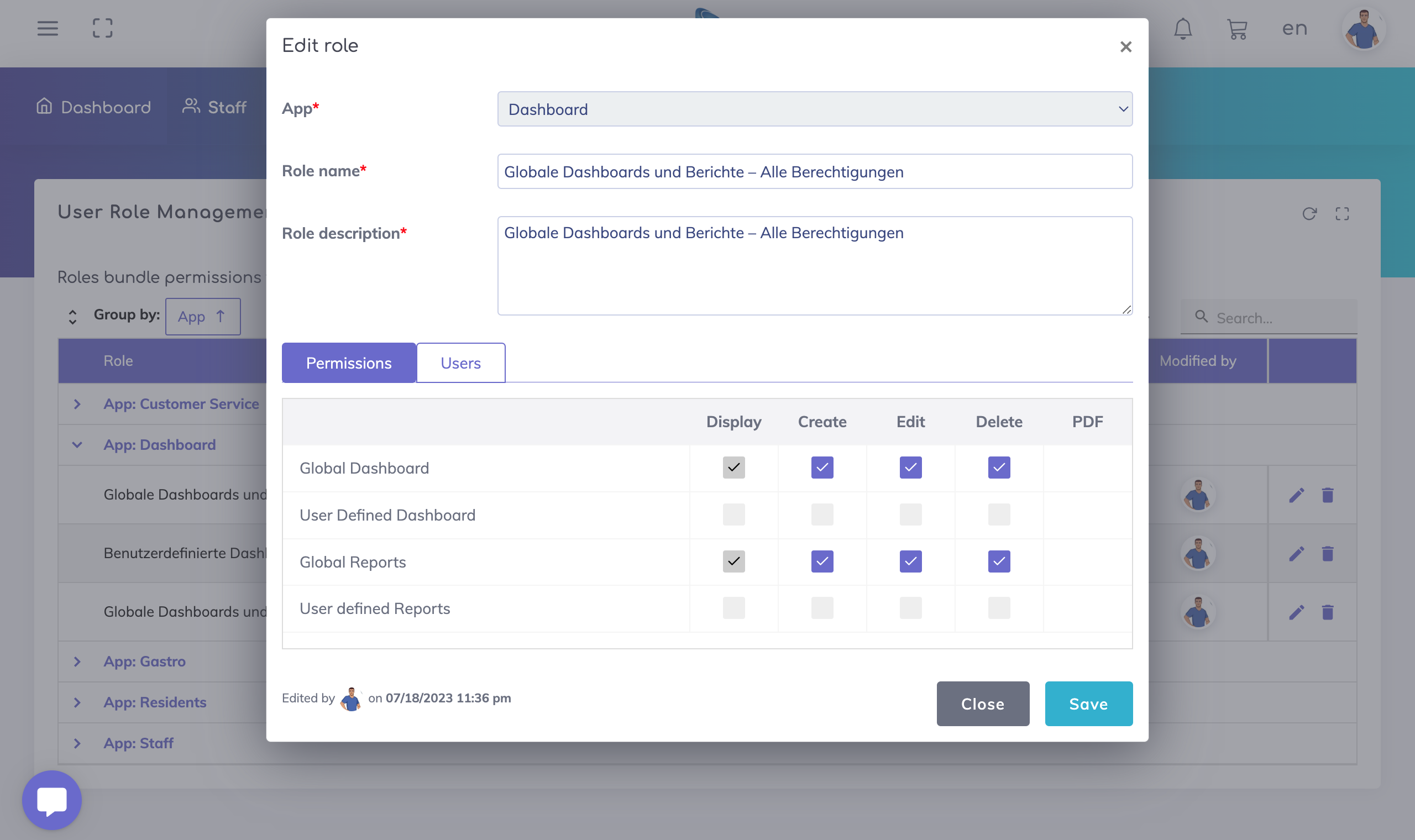
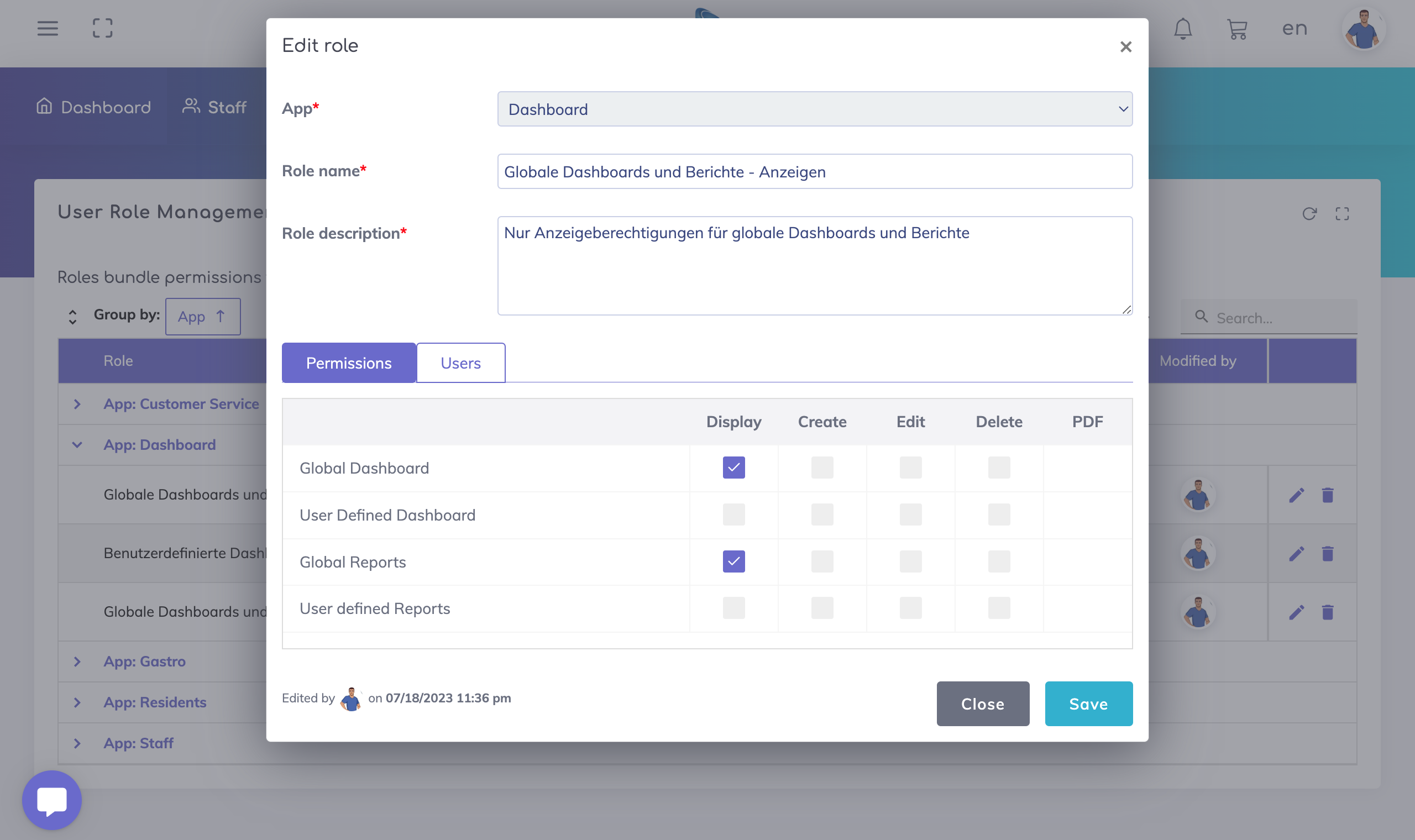
A user is able to Display, Create, Edit and/or Delete global dashboards and reports only if the user is assigned to a user role with permissions as shown below (the permission levels can be adjusted according to your preferences).
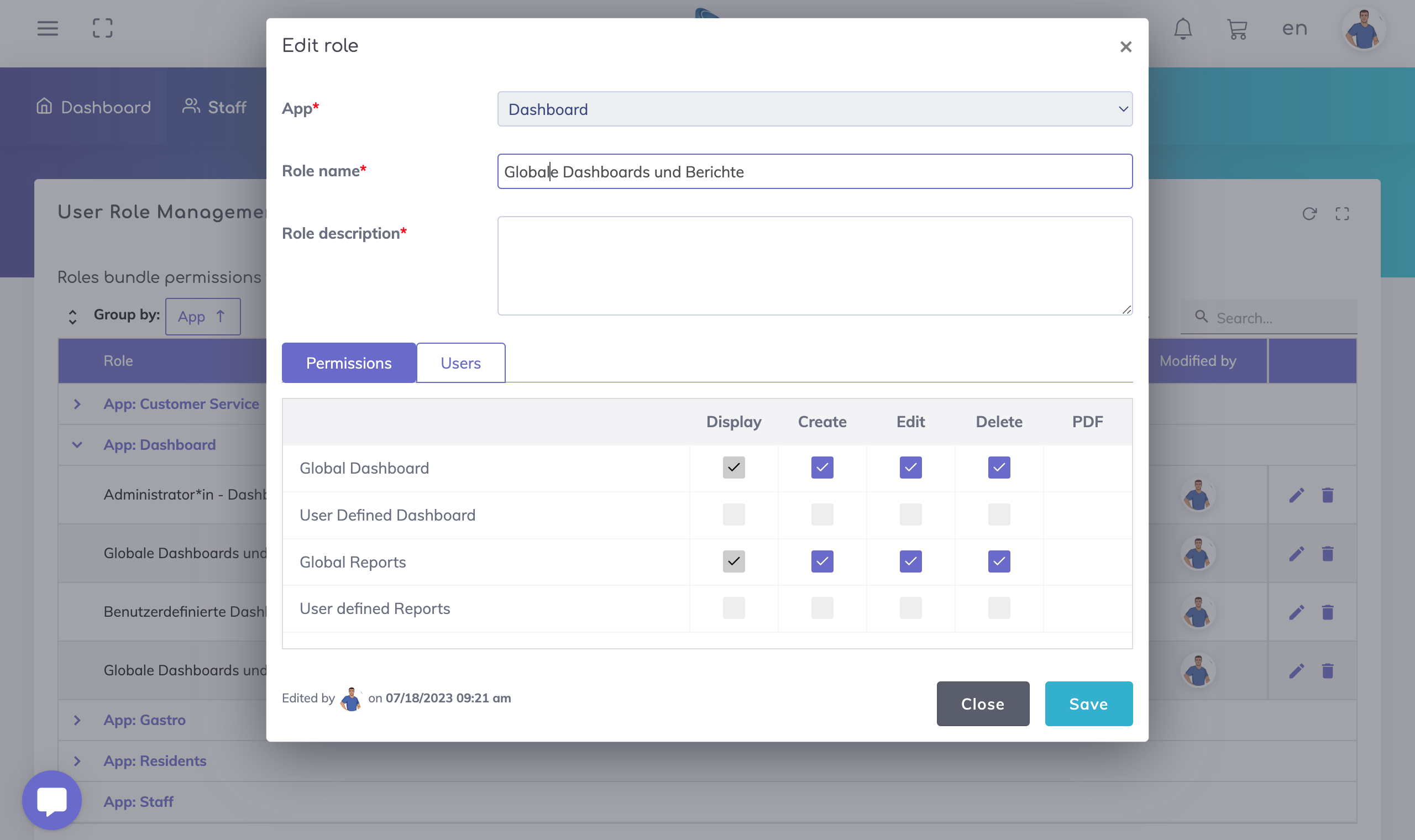
Pro Tip: As global dashboards and reports would be available to a large audience, we recommend to have different user roles for global dashboards and reports as shown below.
User role for global dashboards and reports with create/edit/display/delete permissions - this is recommended for administrators or team leads.
User role for global dashboards and reports with only display permissions - this is recommended for general team members.
Why do have the concept of User Access?
Global dashboards and reports can be tailored for specific user groups. For example, users managing an organization may be interested in administrative insights as compared to users leading different departments who may be interested in operational insights.
Thus with global reports, it is possible to provide access to a specific report to all users, selected users or users with selected roles.
Similarly with global dashboards, it is possible to provide access to a specific dashboard to all users or to selected users.
We are happy to help. Please feel free to contact us.

