

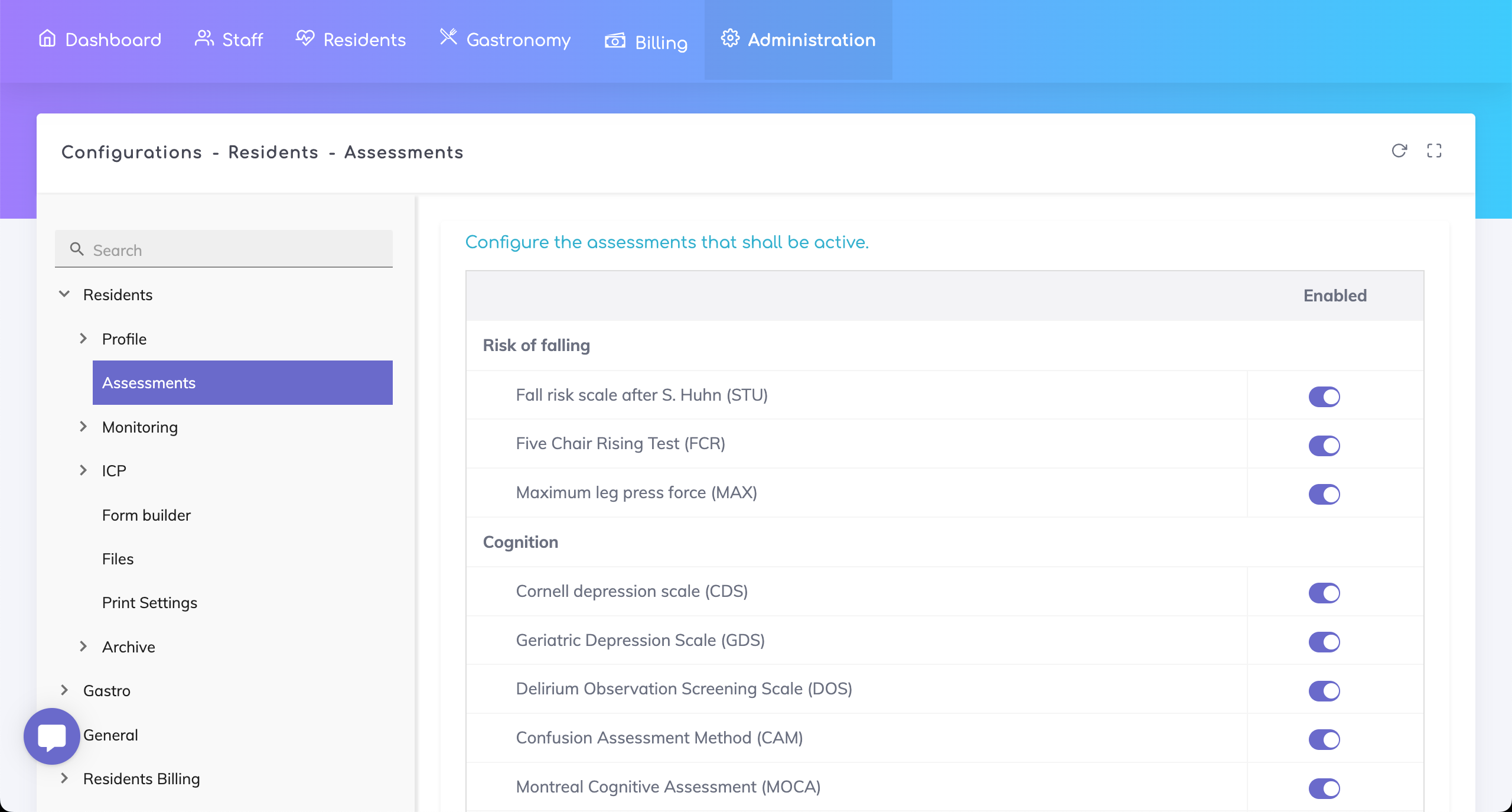
As an Administrator, you have the possibility to select which assessments are available for use.
The configuration for Assessments can be accessed as follows under the Admin Configurations page:
Configurations > Residents > Assessments
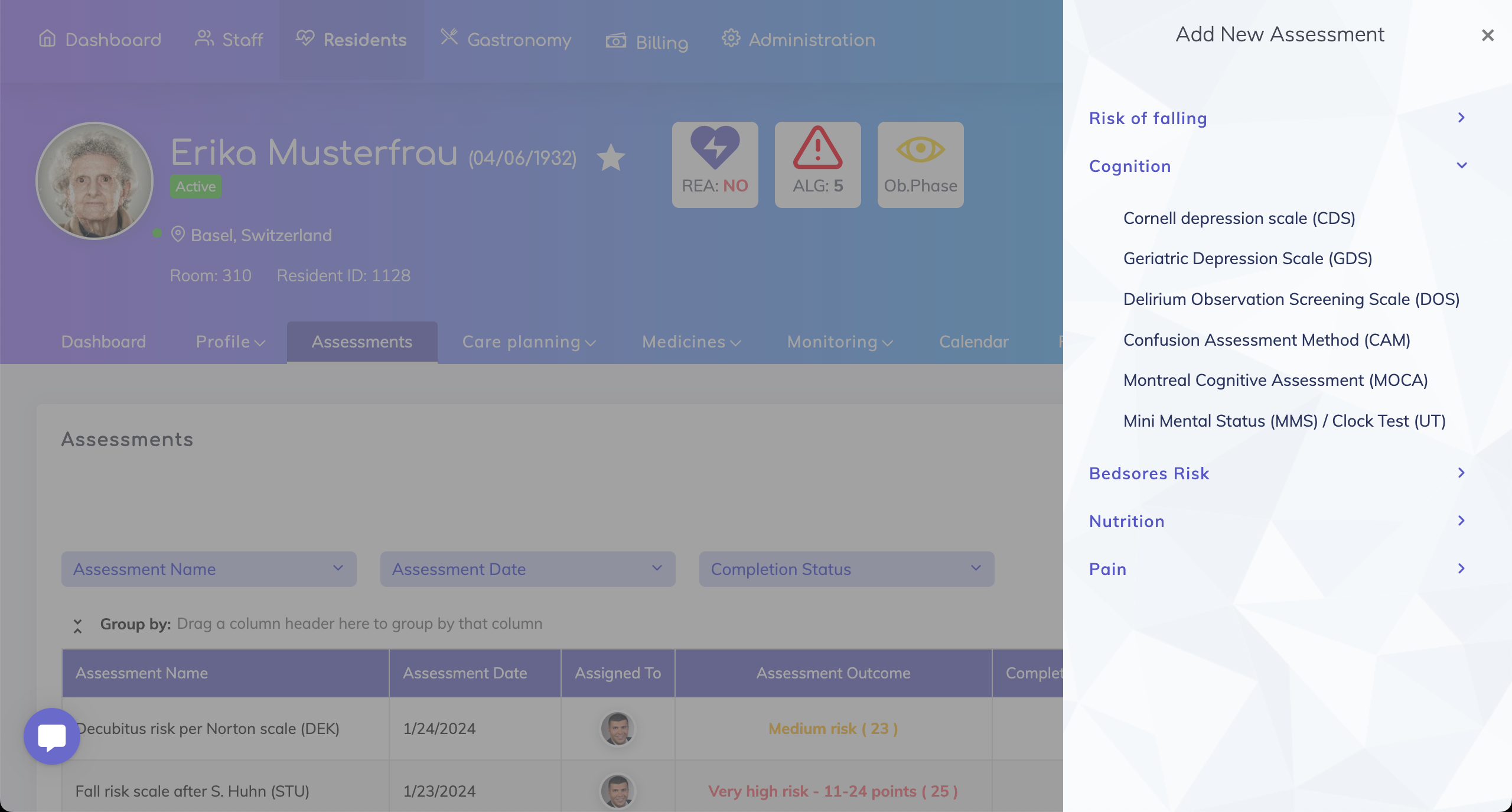
The active assessments will appear when adding a new assessment for a Resident in the Assessments section.
Still got questions?
We are happy to help. Please feel free to contact us.