

The Residents List is available under the main menu of the Residents App.

Residents List and Tiles
The residents are visible as tiles or as a list.

Tile View
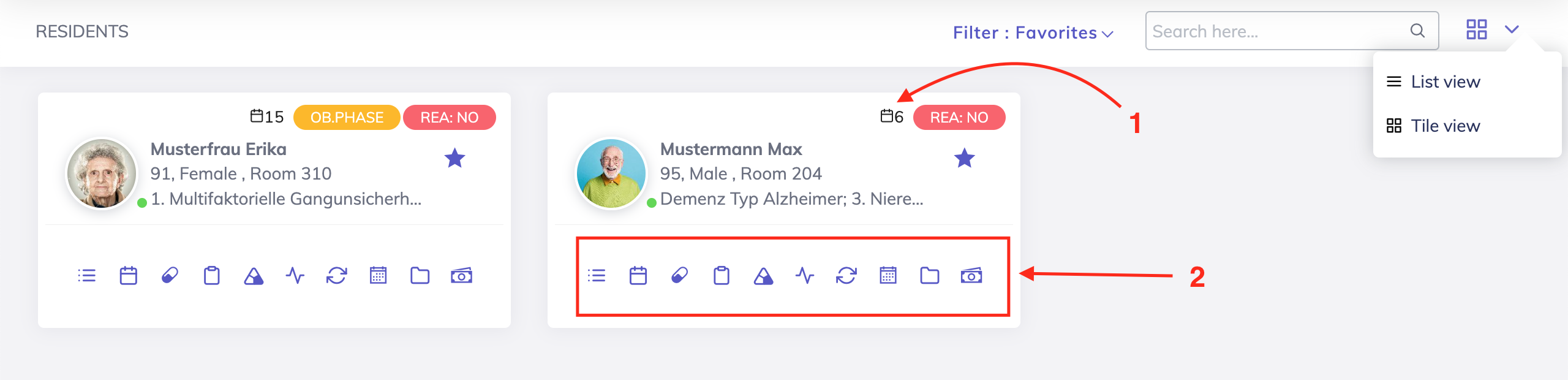
The tiles display key resident information such as Full Name, Age, Gender, Room, REA Status, Ongoing Observation Phase and Medical Diagnoses.
Functions available are:
View resident's tasks for today.
Navigate to the respective section of the resident's record e.g. medications, vitals, wounds etc. by clicking on the respective icons.
List View
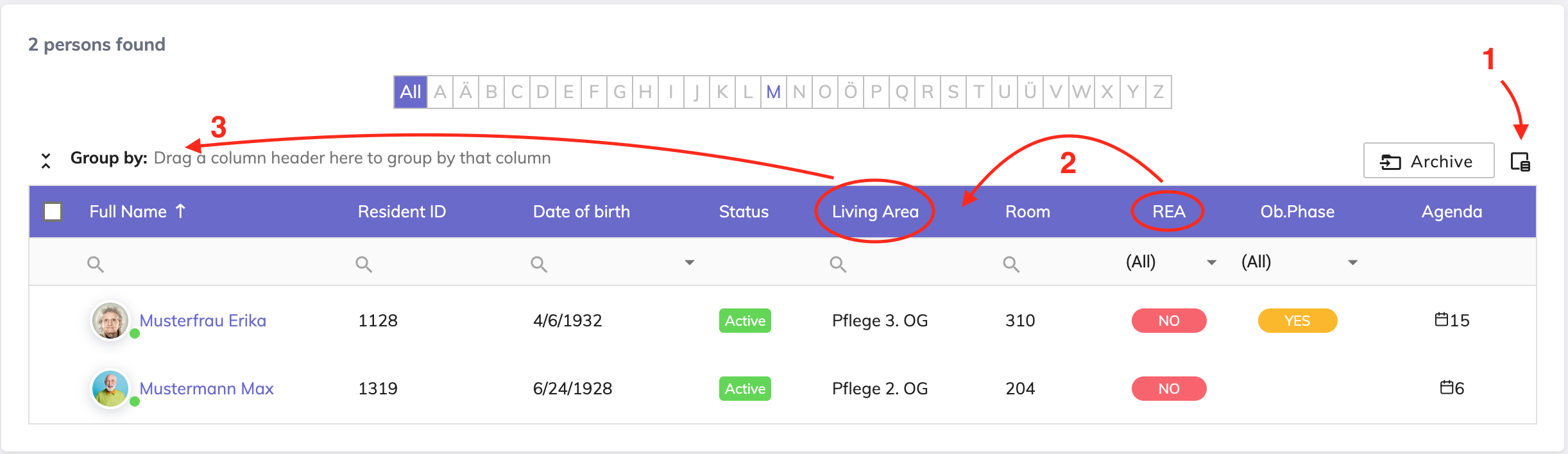
The list shows the residents in a tabular format.
Functions available are:
Show or hide columns on the overview using the column selector.
Arrange the columns in the order you like by dragging the desired column to the required position.
Group the data by dragging the desired columns to the "Group by" area. Grouping using multiple fields is possible.
Still got questions?
We're here to help. Please feel free to contact us.