

The Living Will is available under the section "Profile" of the resident record.
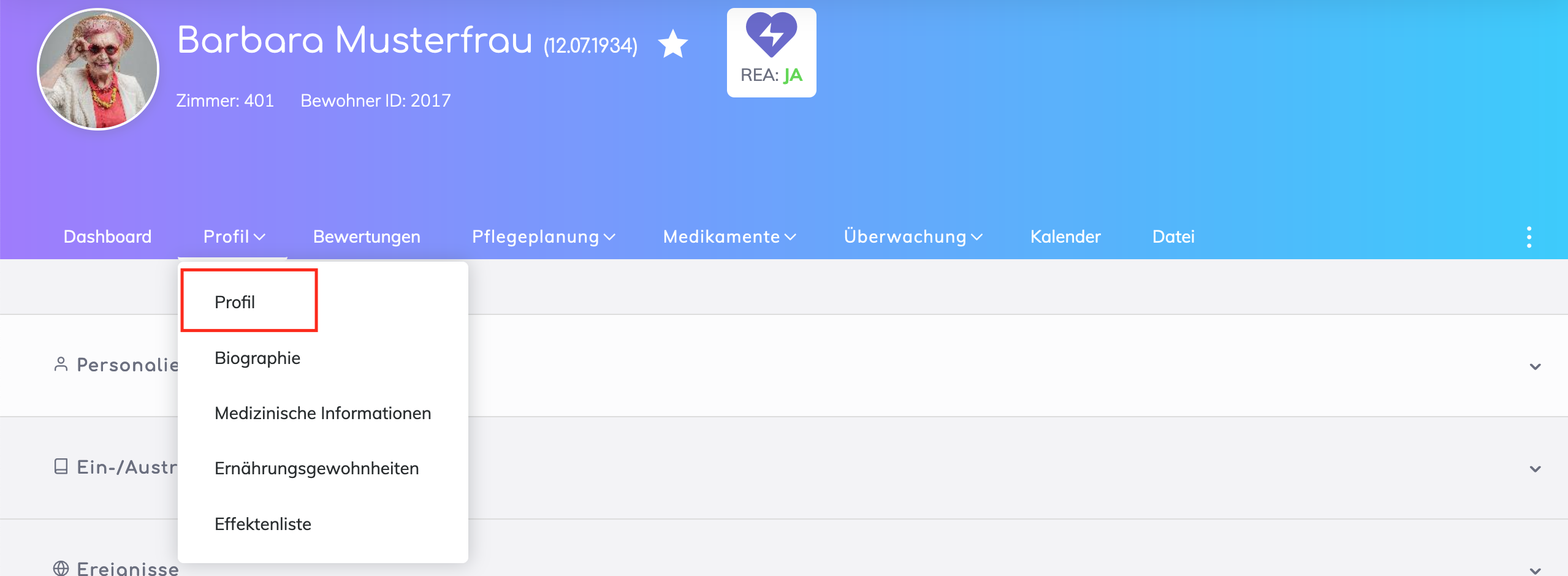
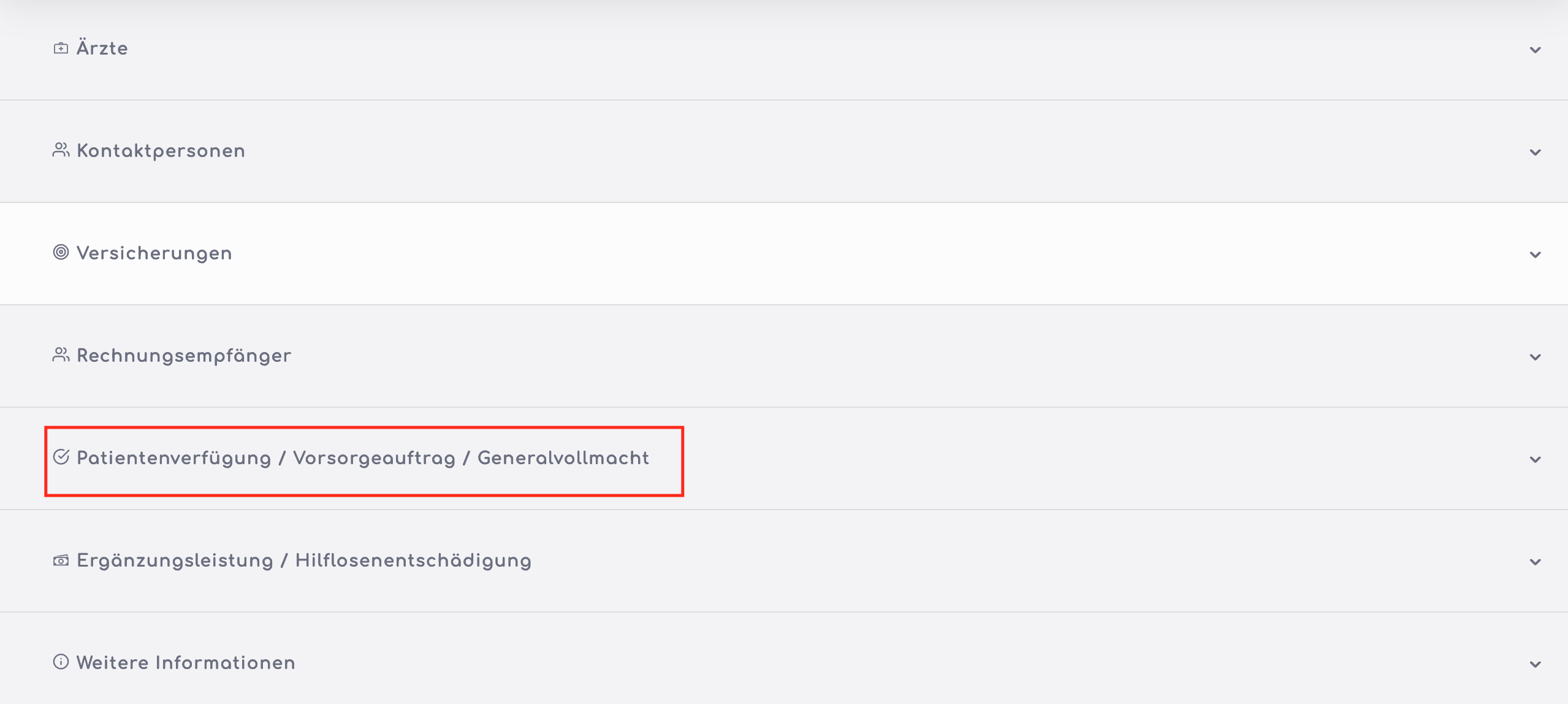
4 Step Process
Click on the Edit button located at the end of the Living Will form.
(Note: If the edit button is not visible for you, then you may be missing authorisations. Your local administrator can help you for this).
The form has a 4 step wizard:
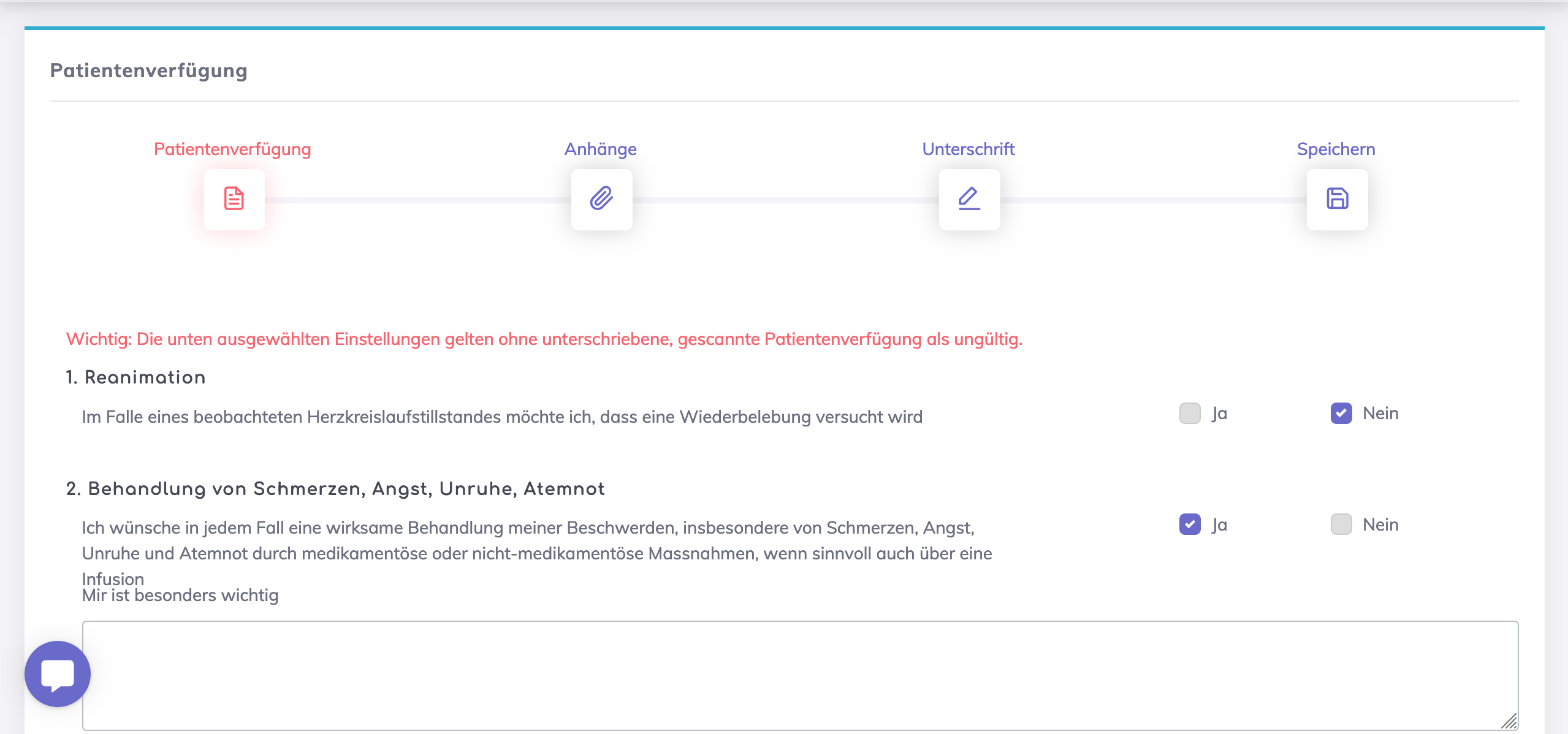
Living Will Details - The wishes of the patient are specified here including specifying the REA-Status, Trusted Person, Doctor and the witnessing care person.
Trusted Persons:
Only those contact persons that are marked 'Authorised Representative' of the resident appear in the Trusted Persons dropdown list, manual entries are not possible.
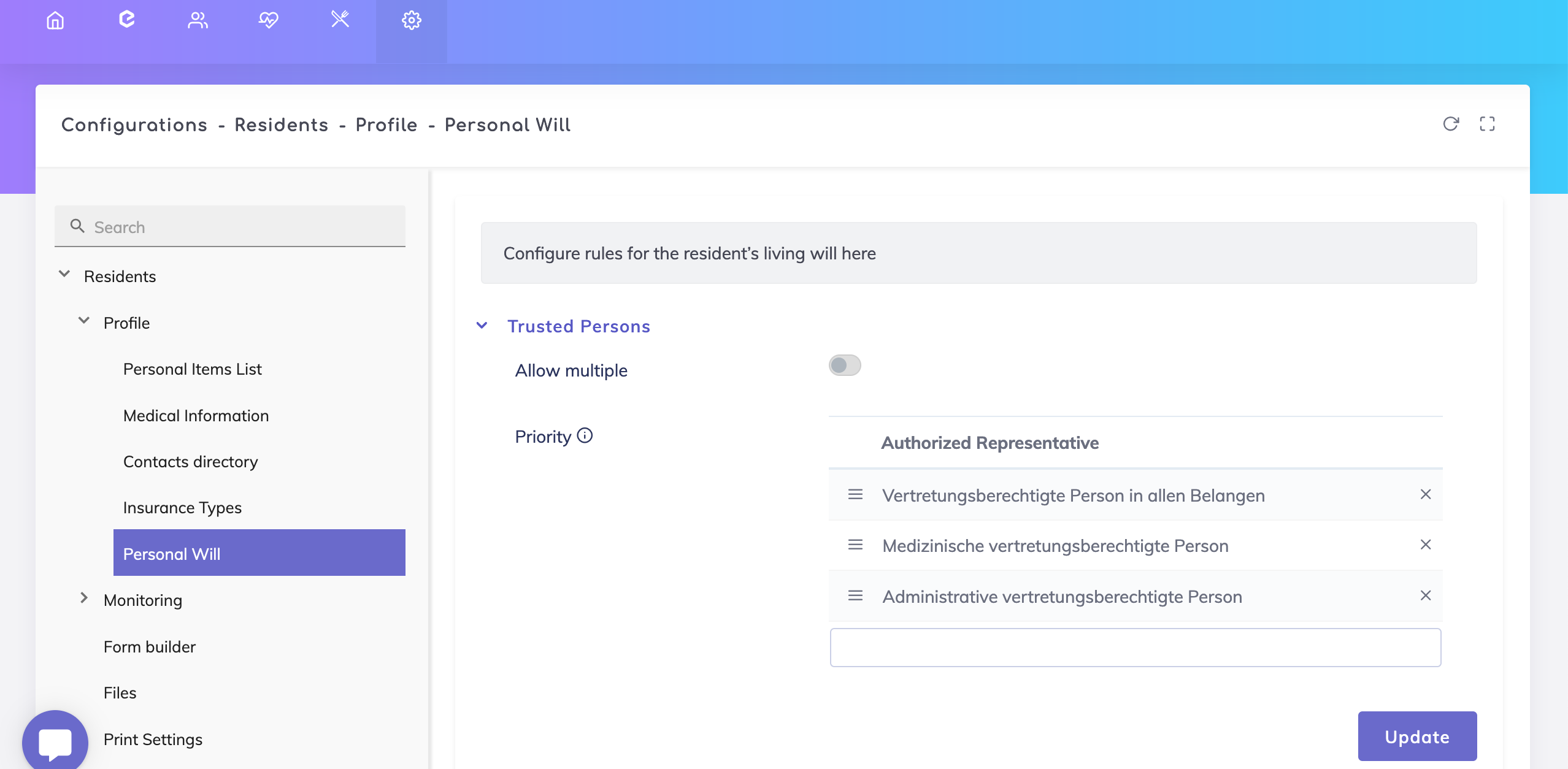
It is possible to enter either a single or multiple trusted persons depending on the configuration done (go to Administration > Configurations > Residents > Profile > Personal Will).
The sequence for selecting the type of authorised representative can be configured too. This means that if there are more than one authorised representatives available, then the person whose priority is higher should be selected. If not, then a warning message appears to inform you.
Attachments - Any paper signed documents should be uploaded here.
Signatures -
By default, there is always a signature area with date and location field for the resident. The signatures done previously are displayed, and a new signature may be created if required by clicking on the New button.
If a Trusted Person is entered on the Details section, then a signature area is also available for this person.
No signature areas are available for the care person or doctor.
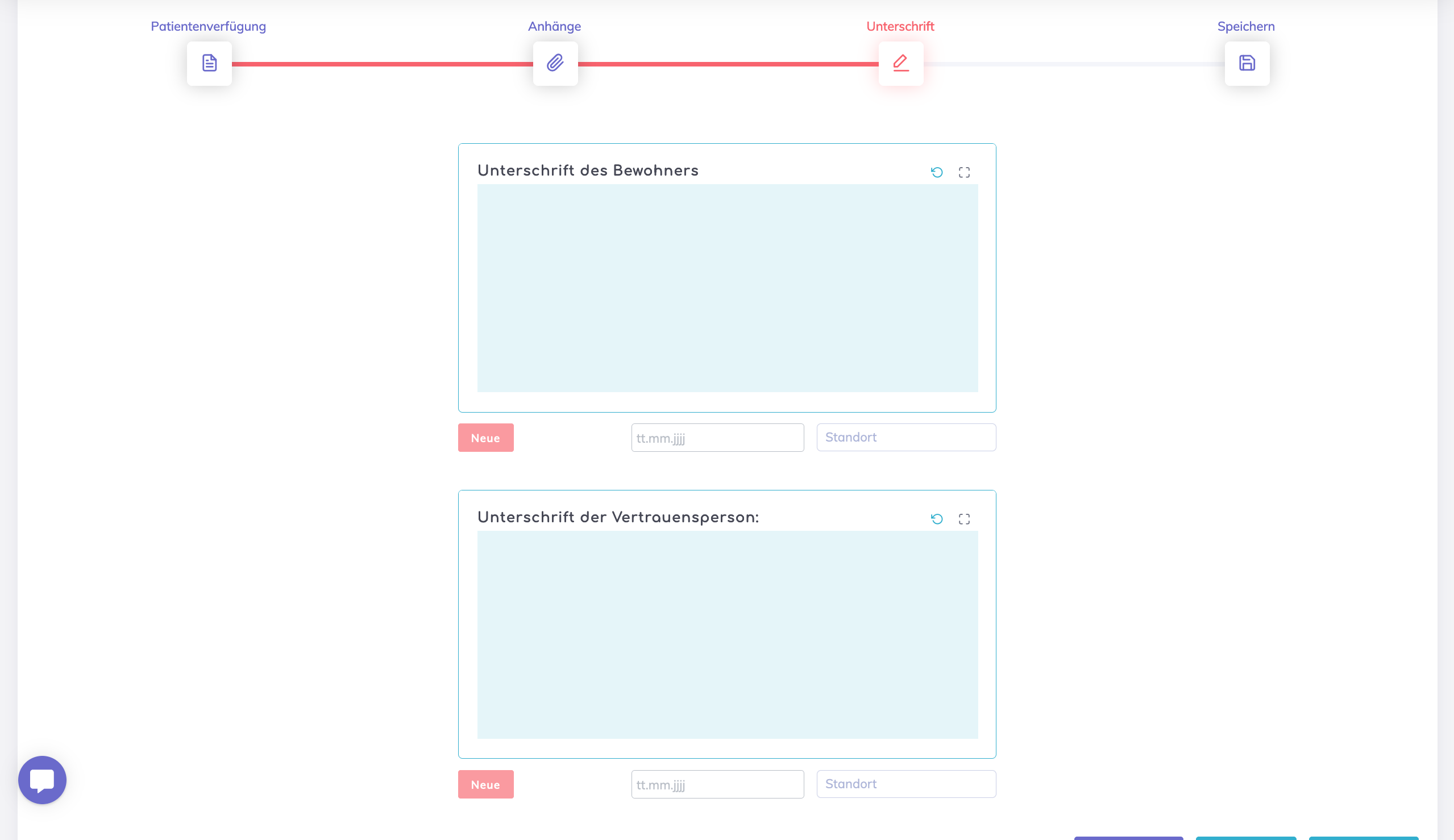
Save - On saving the form, the signatures are shown on the overview screen and are also available when exporting the Living Will as a PDF.
Evaluation of the patient's living will
It is possible to set up a periodic review and evaluation of the living will to check if the conditions maintained earlier are still valid or need to be updated.
Click on the Calendar icon as shown to set up the evaluation intervals.

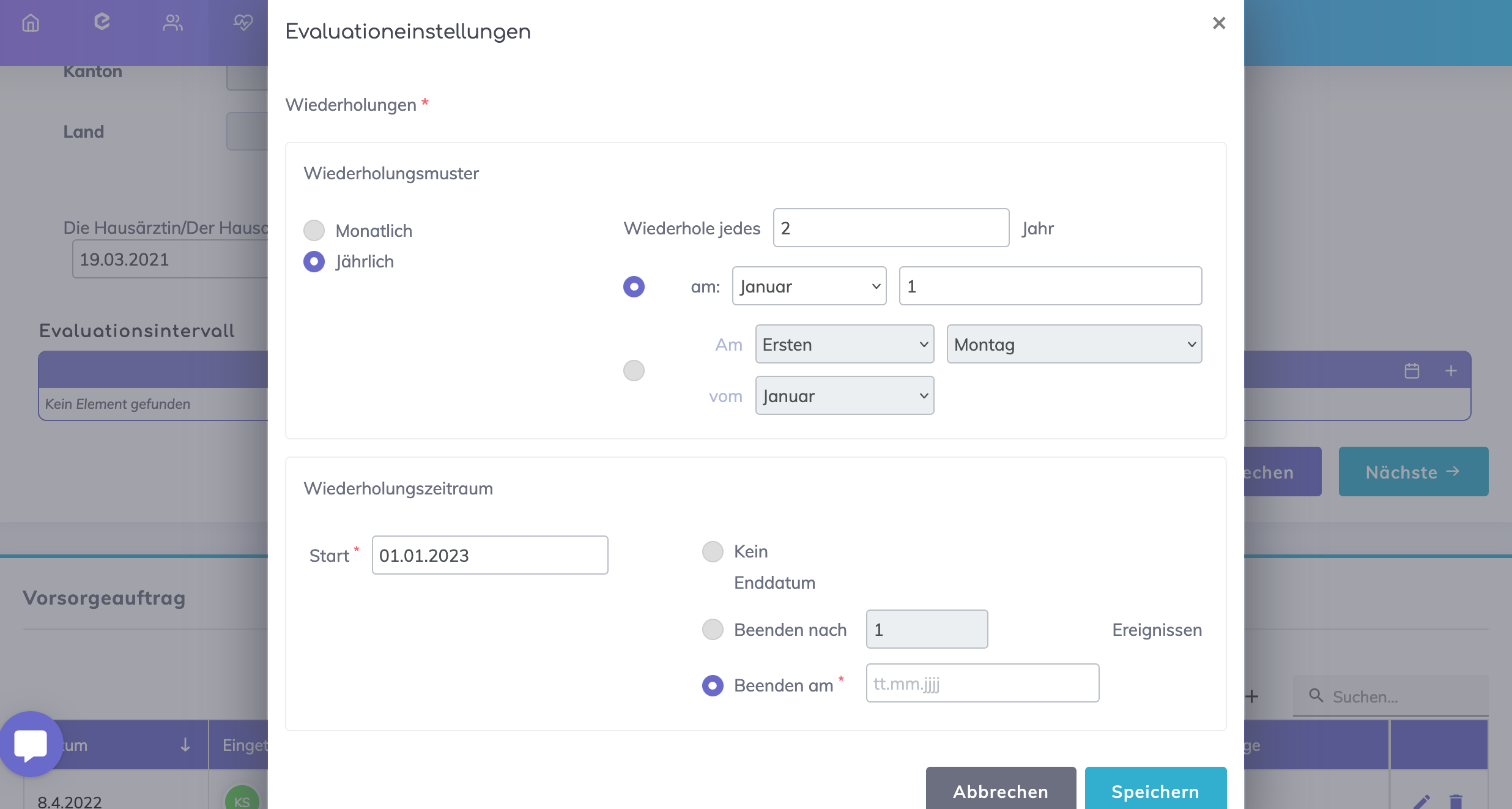
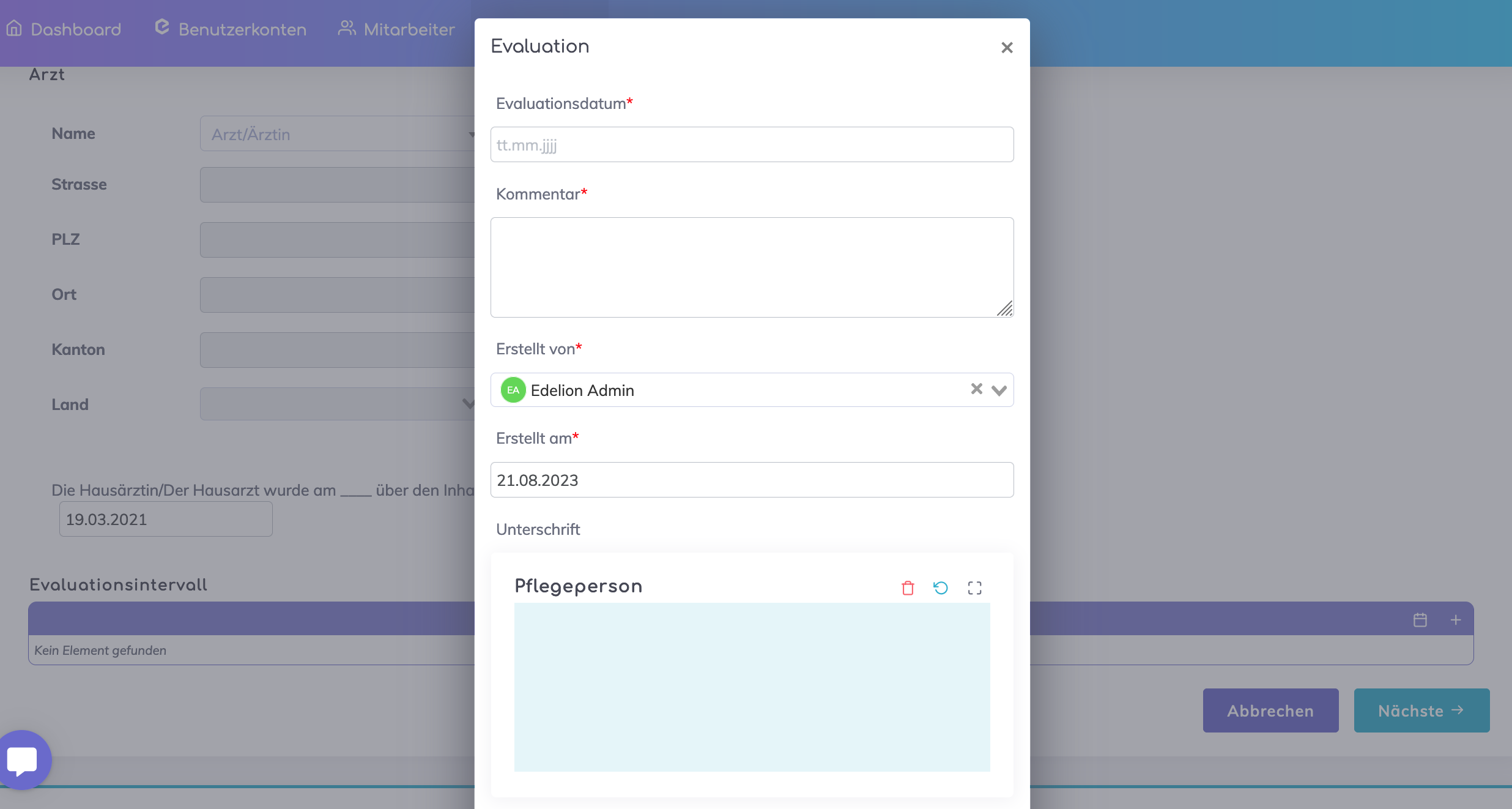
The individual evaluations can be added by clicking on the + symbol. Care persons may add their signatures when performing the evaluations. The form may be re-signed by the patient and the trusted person on the wizard 3rd step depending on the outcome of the evaluation.
Still got questions?
We're here to help. Please feel free to contact us.