

Creating the Pain Protocol
The following pain assessments can be created in the system :
Pain assessment for residents affected by cognitive impairments
Pain assessment for residents with other relevant conditions
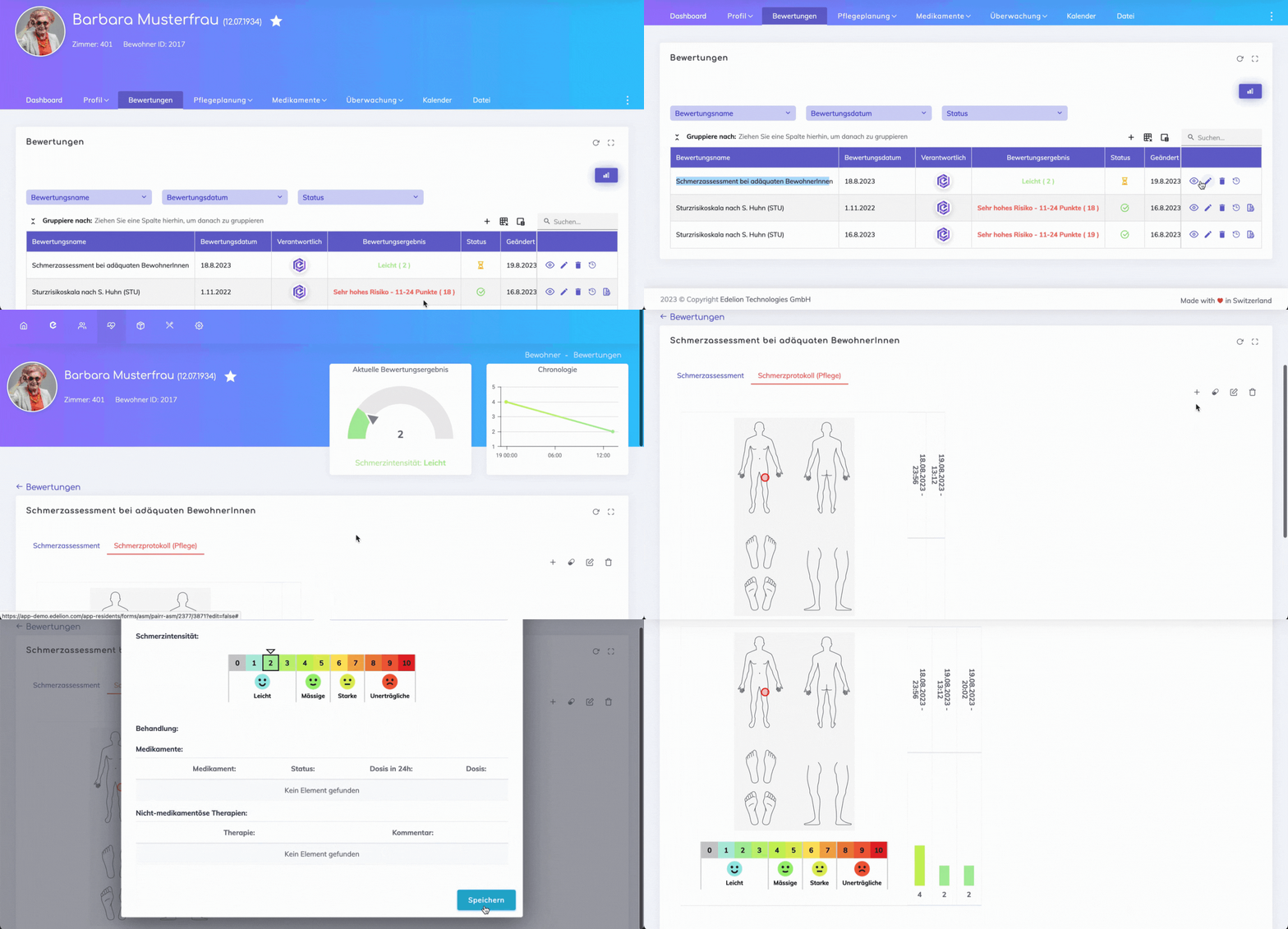
When a pain assessment is created, it is feasible to record and track the evolution of the pain over a period of time by utilizing the Pain Protocol form.
To access the Pain Protocol form, open the specific pain assessment. By default, you will find yourself on the "Pain Assessment" tab. Please navigate to the tab labeled "Pain Log (Care)".
The initial entry on the log is always the pain intensity recorded from the assessment. Create subsequent entries to log the pain progression by clicking on the + symbol.
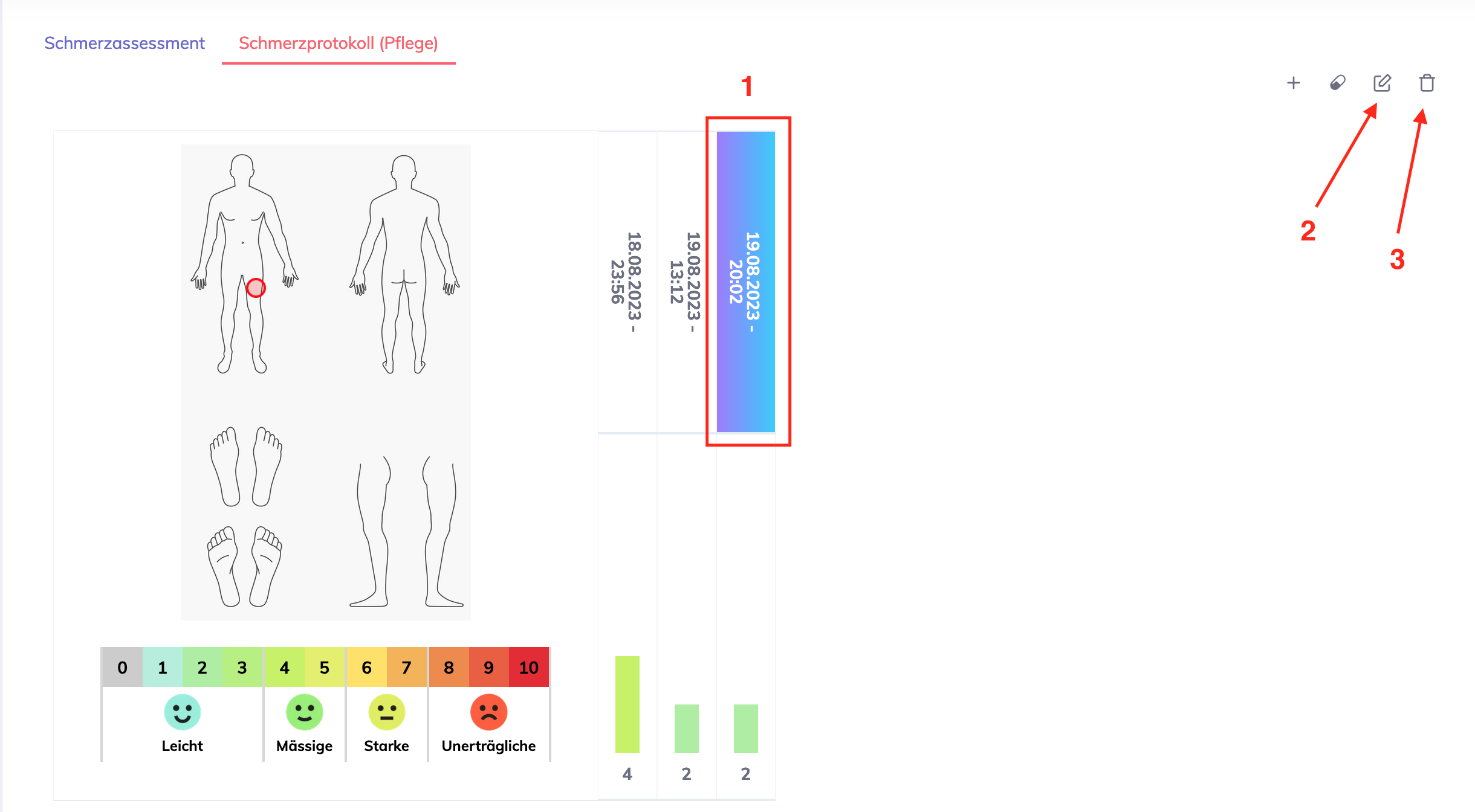
To edit or delete an entry, first select the relevant entry by clicking on the date (indicated with 1), then click on the pen symbol to edit (indicated with 2) or on the bin symbol to delete (indicated with 3).
If any pain medication is administered or pain therapy is provided, then configure this by clicking on the medication symbol. This opens the screen below with two sections (remember to save once done):
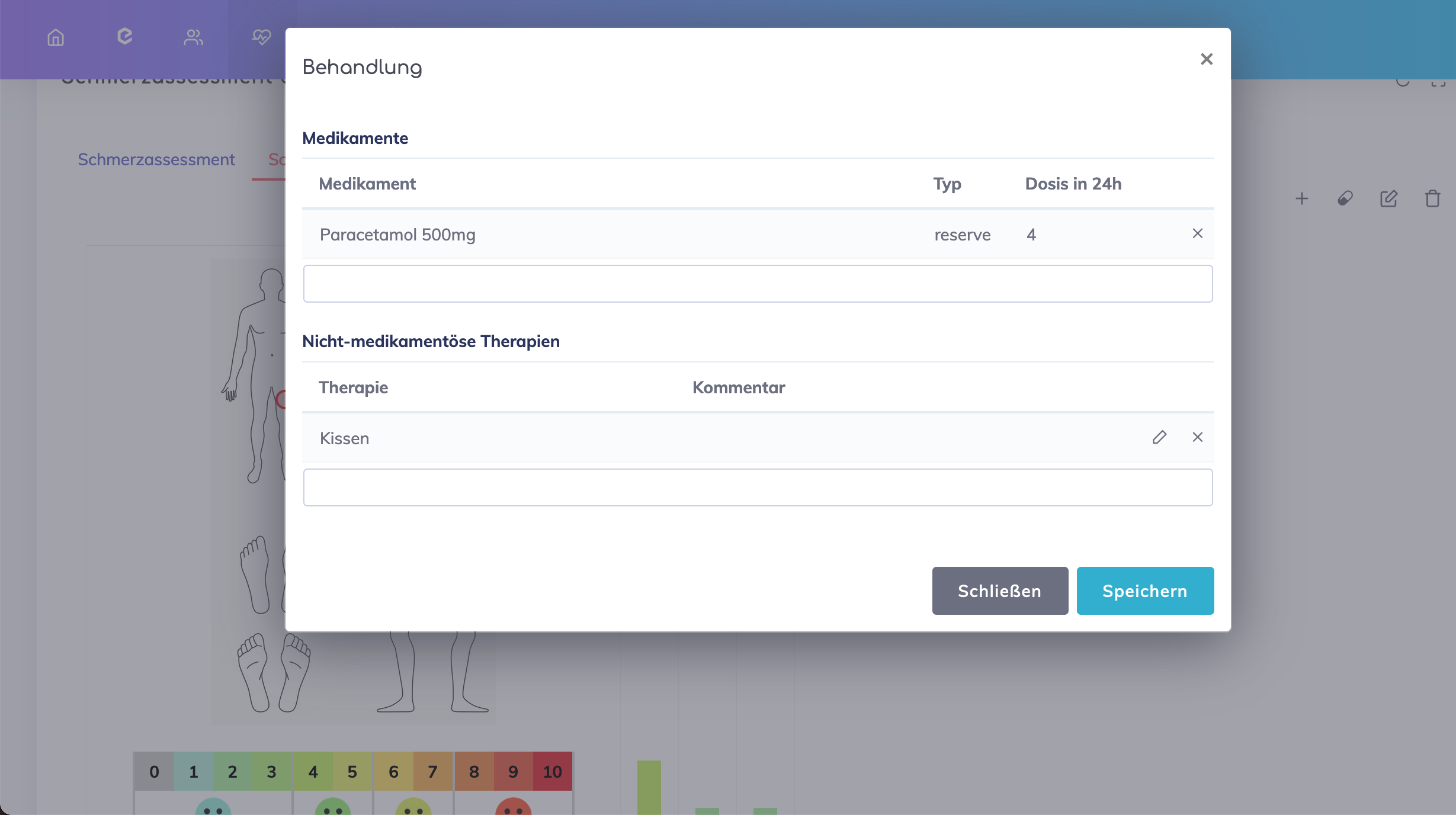
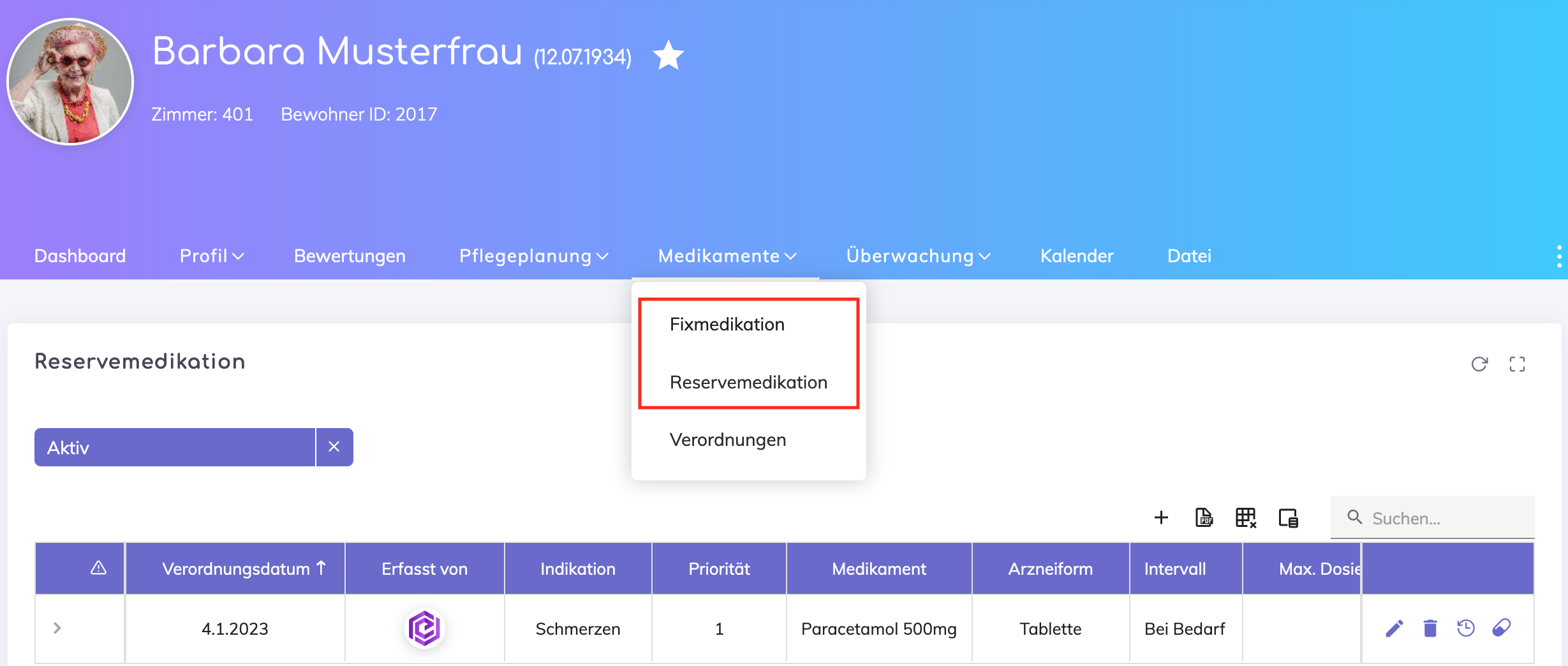
Medications - Select the required medication from the drop down list. Note that the medications shown here are the resident's medications that are already entered in the Medications section shown below.
Therapies - Enter the type of therapies to be provided.
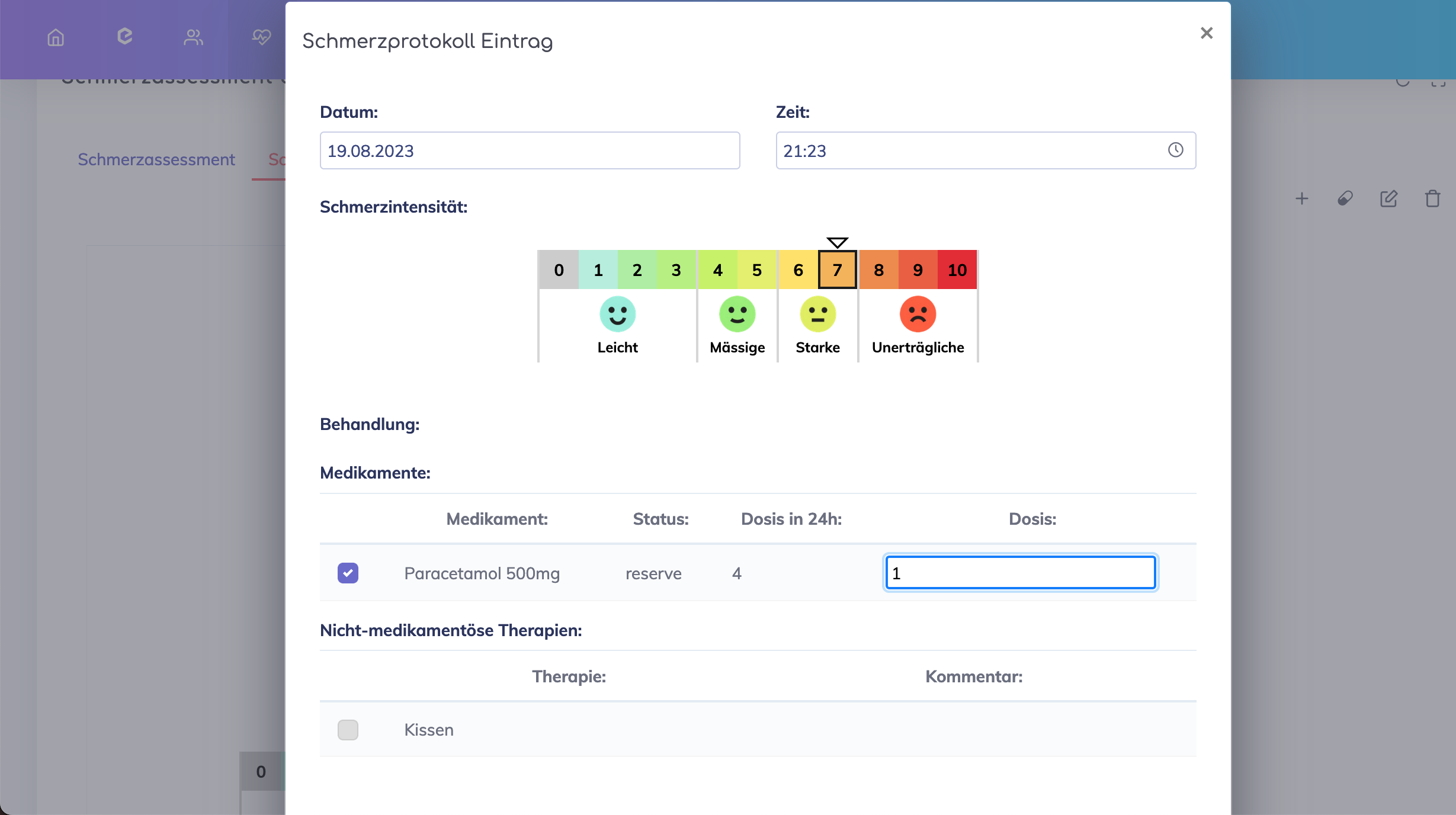
Once the medications and therapies are configured, these will appear in the pain protocol entry creation form. Select as applicable.
Remember: For medications, specify the dosage administered.
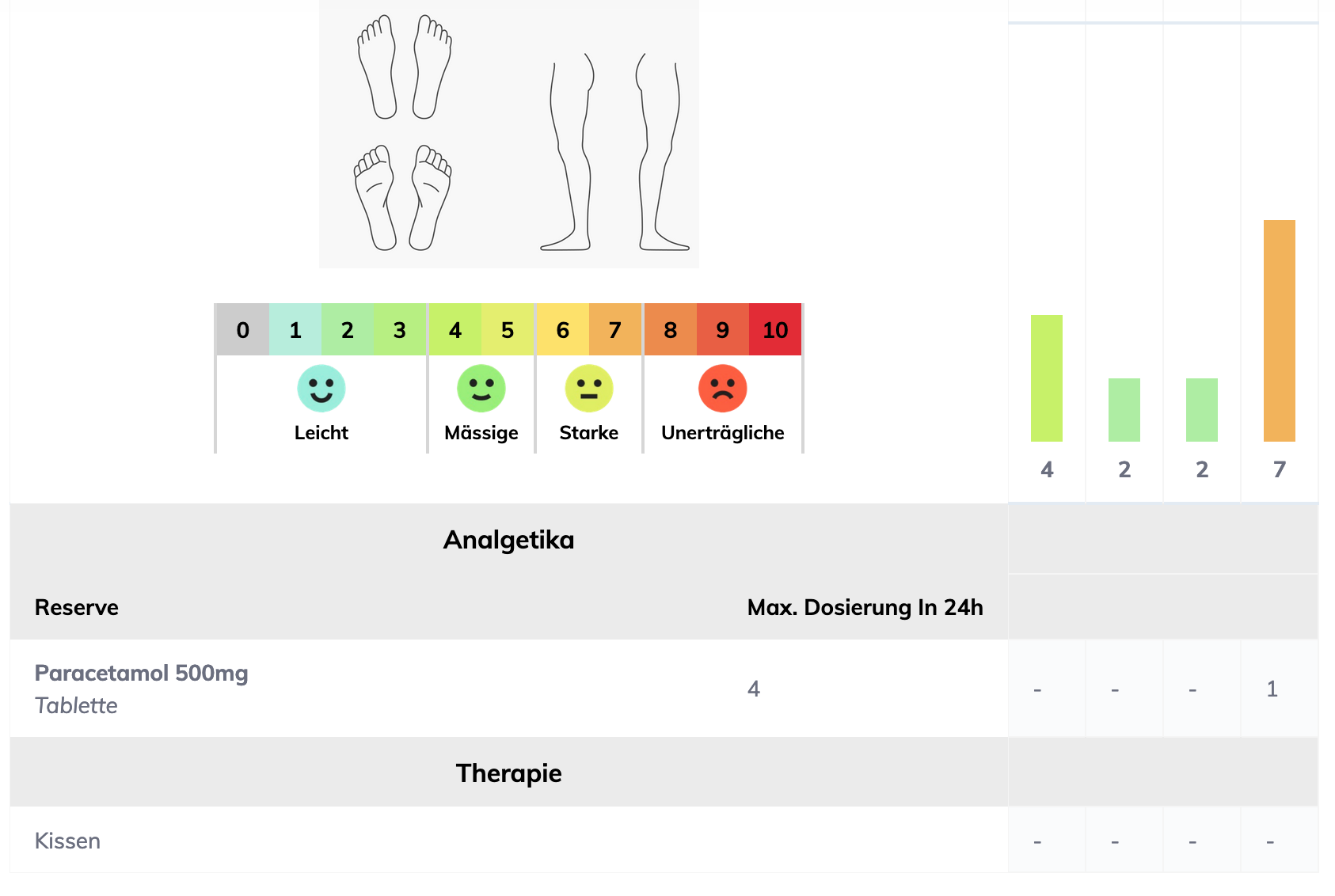
On saving the pain protocol entry, the pain progression is visible on the overview below.
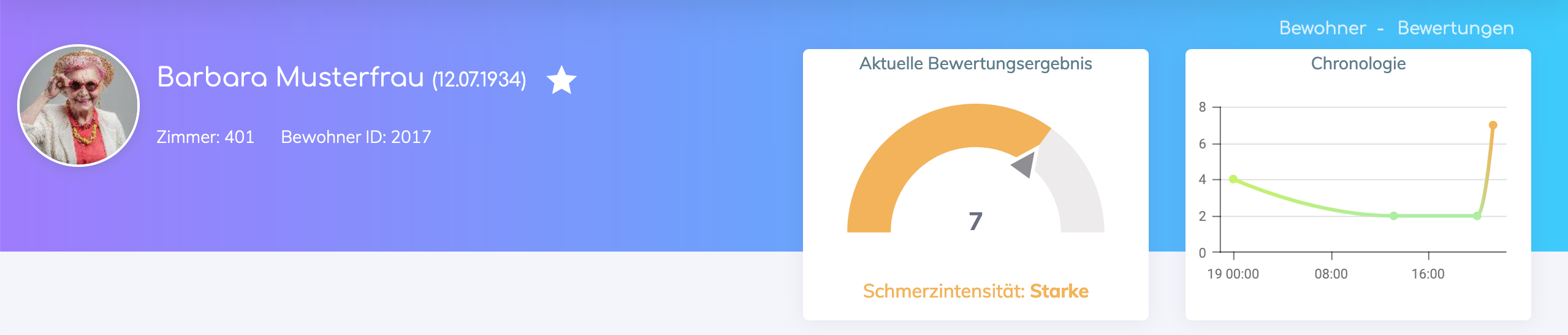
The Pain Intensity gauge displayed at the top shows the value from the latest recording. The chart displayed shows the pain progression for the current pain assessment.
Still got questions?
We're here to help. Please feel free to contact us.