

Admin Configuration
Retention Policy
The Retention Policy defines the period the data should be kept in the archive. The configuration for the retention policy is done by the Admin or a user with the necessary authorizations.
See Retention Policy Configuration article for more details.
User Role & Permissions for Data Archiving
Refer to this article for details about the user role and permissions.
Steps for Archiving Data
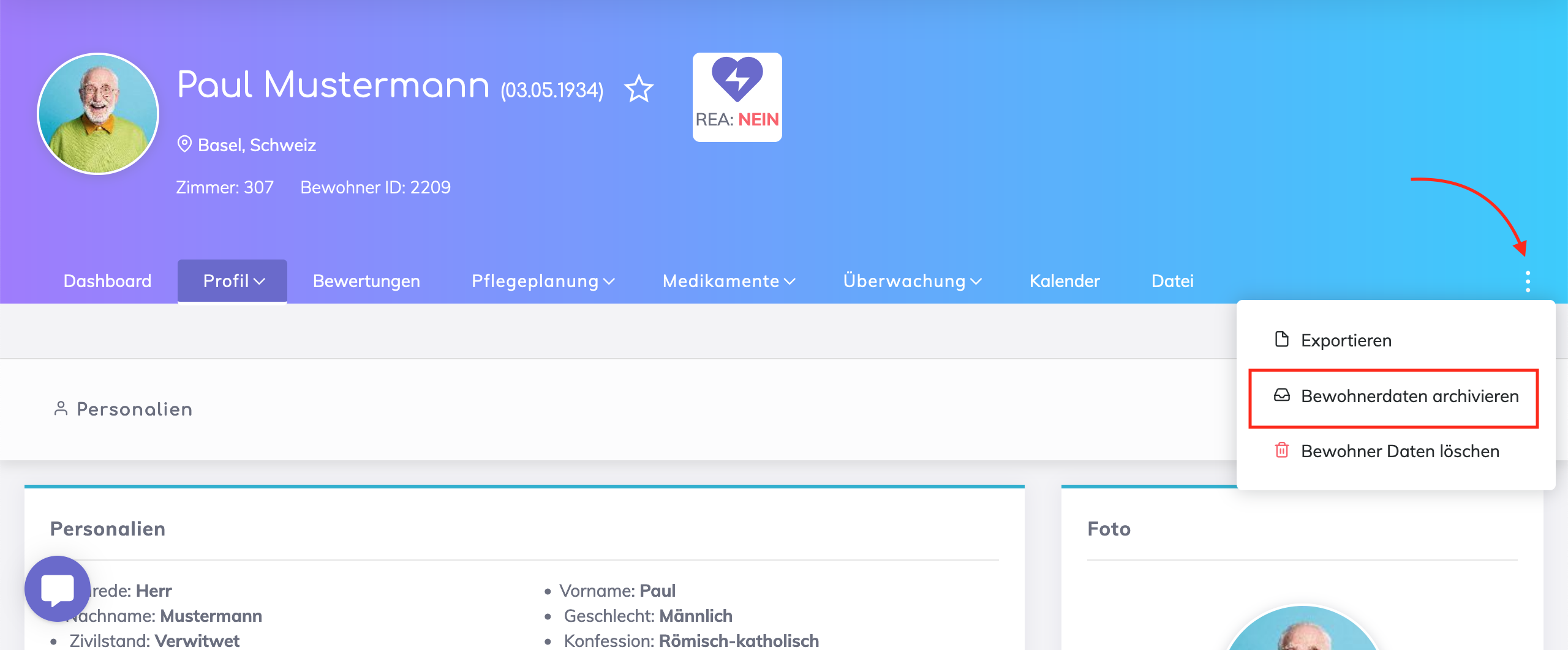
The option to archive a resident record is as shown below.
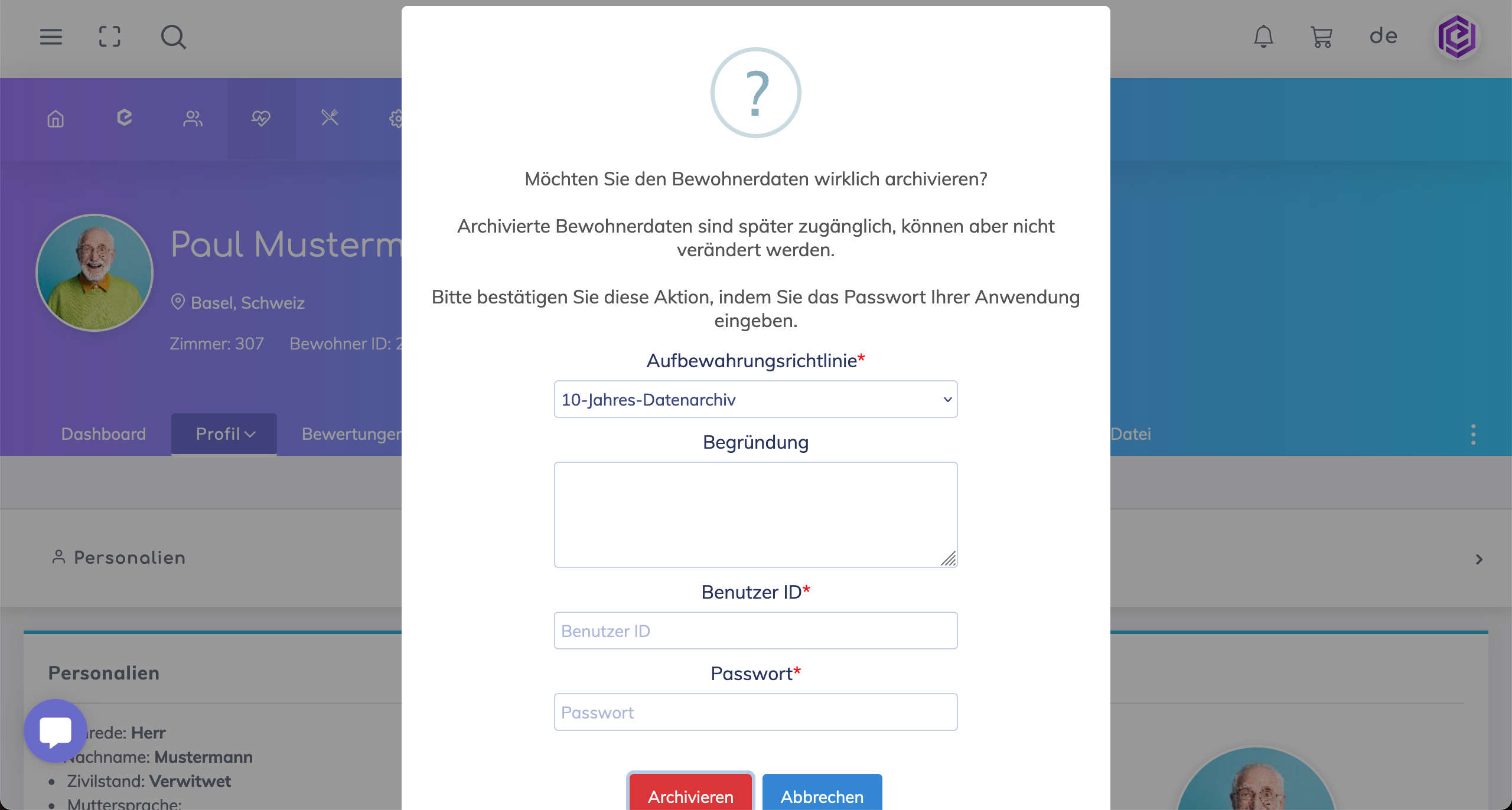
Select the appropriate retention policy, optionally provide a reason, and confirm this action with your credentials.
As soon as a data record is archived, the label "Archived" appears under the name.

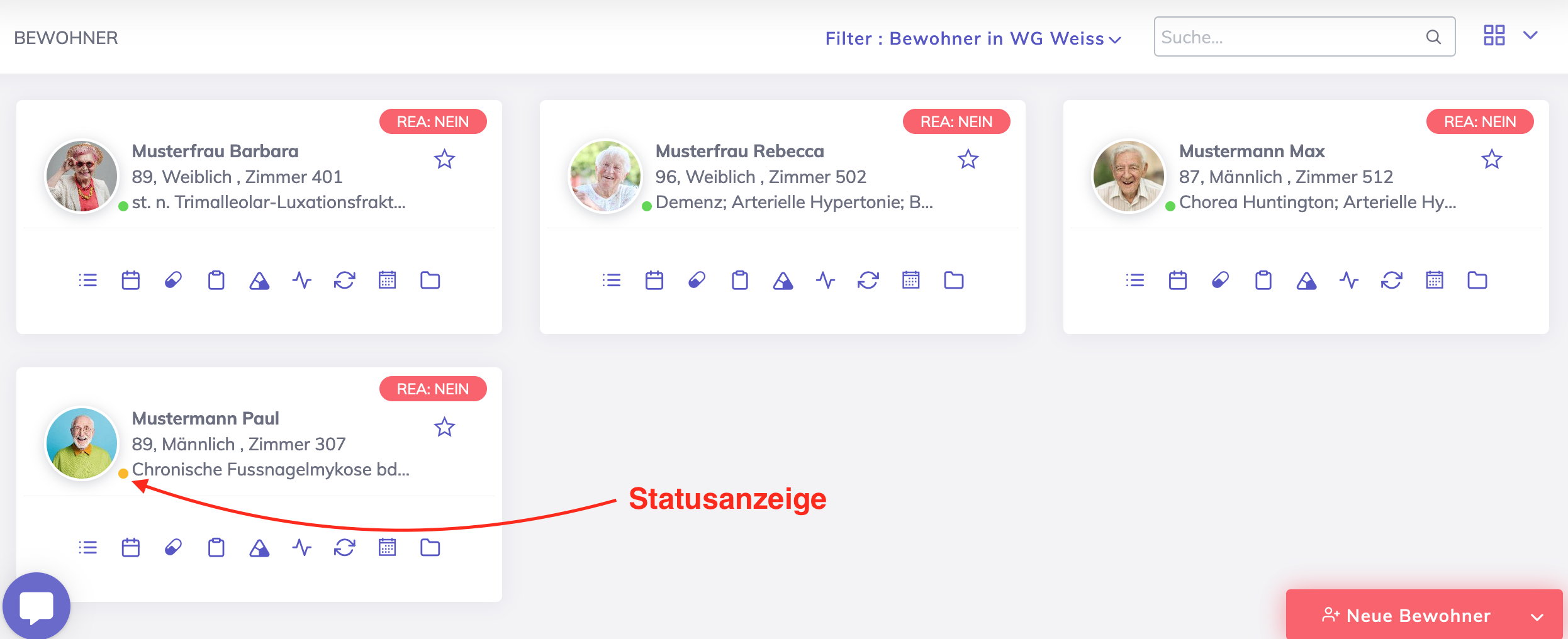
In the resident list, the yellow status color indicates that the resident record is in the archive.
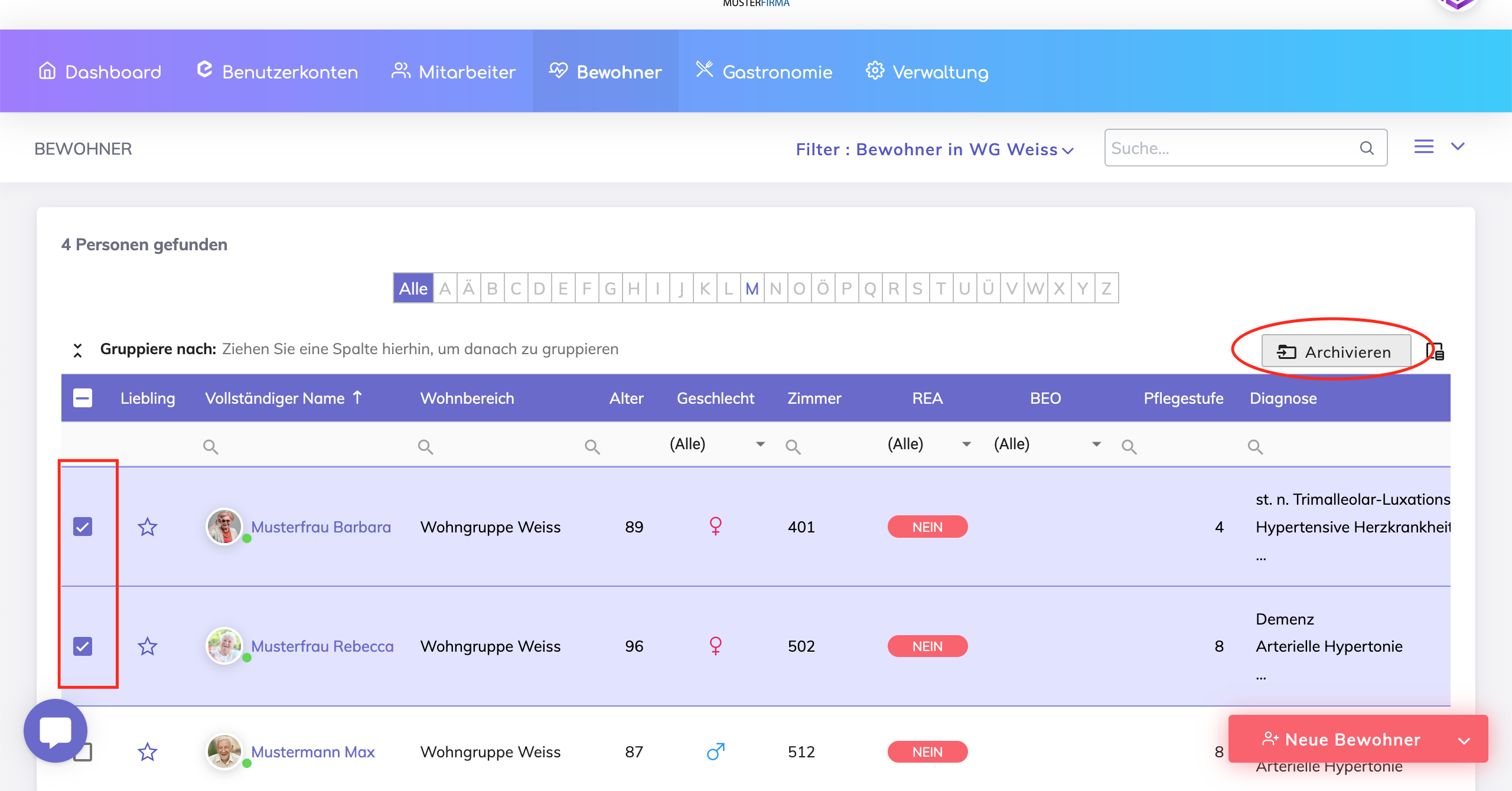
To archive multiple records at once, go to list view, select residents and click Archive.
View Archived Residents
Residents List with Filter
On the residents list, you can use the standard filter to view the residents that are archived as shown below.

Archived Residents List
The Archive List differs from the Residents List (with Filter) as it shows archiving specific information for each record i.e. archived on date, archived by, applicable retention policy and retention period, archive until date and retention status.
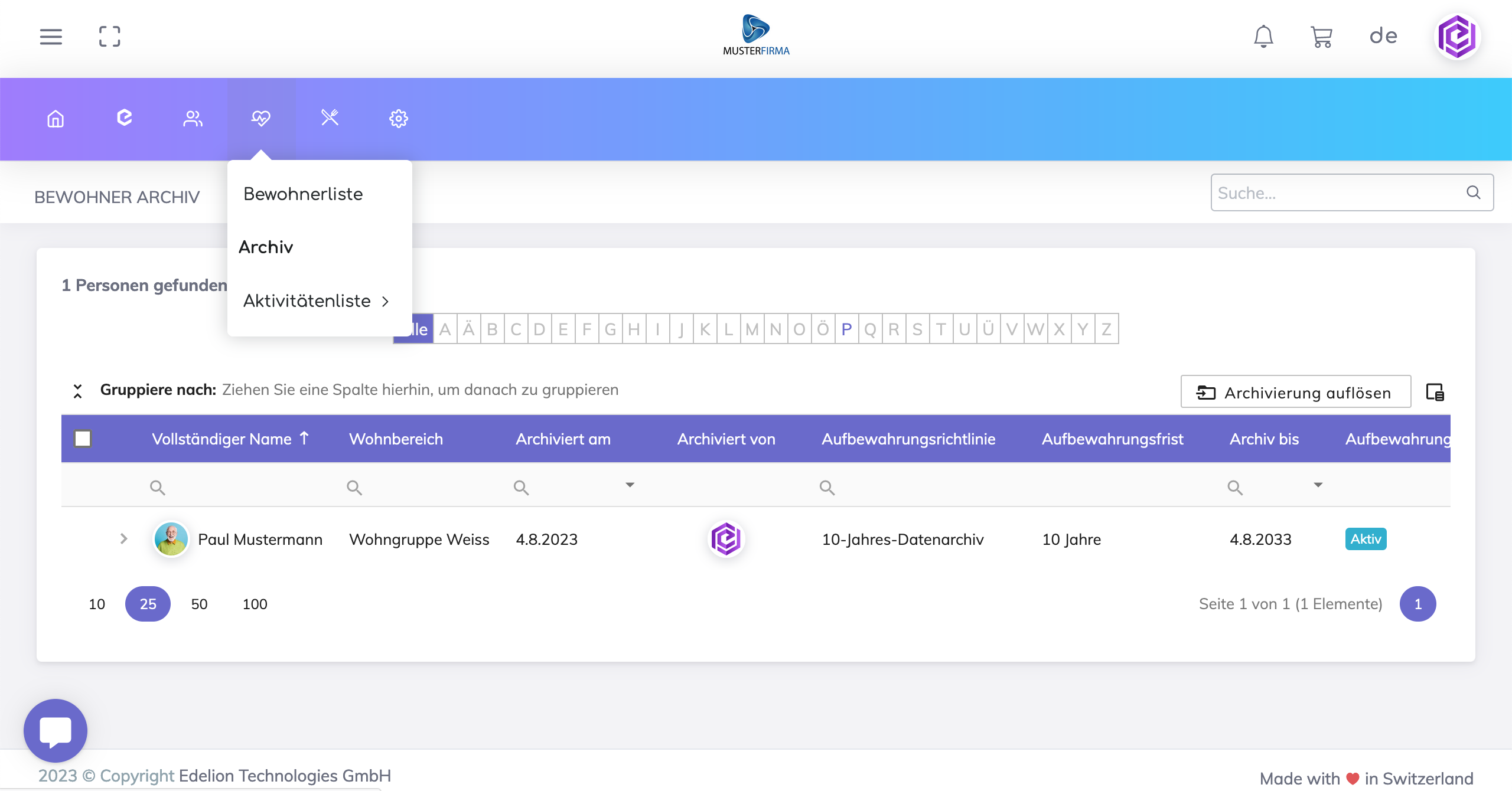
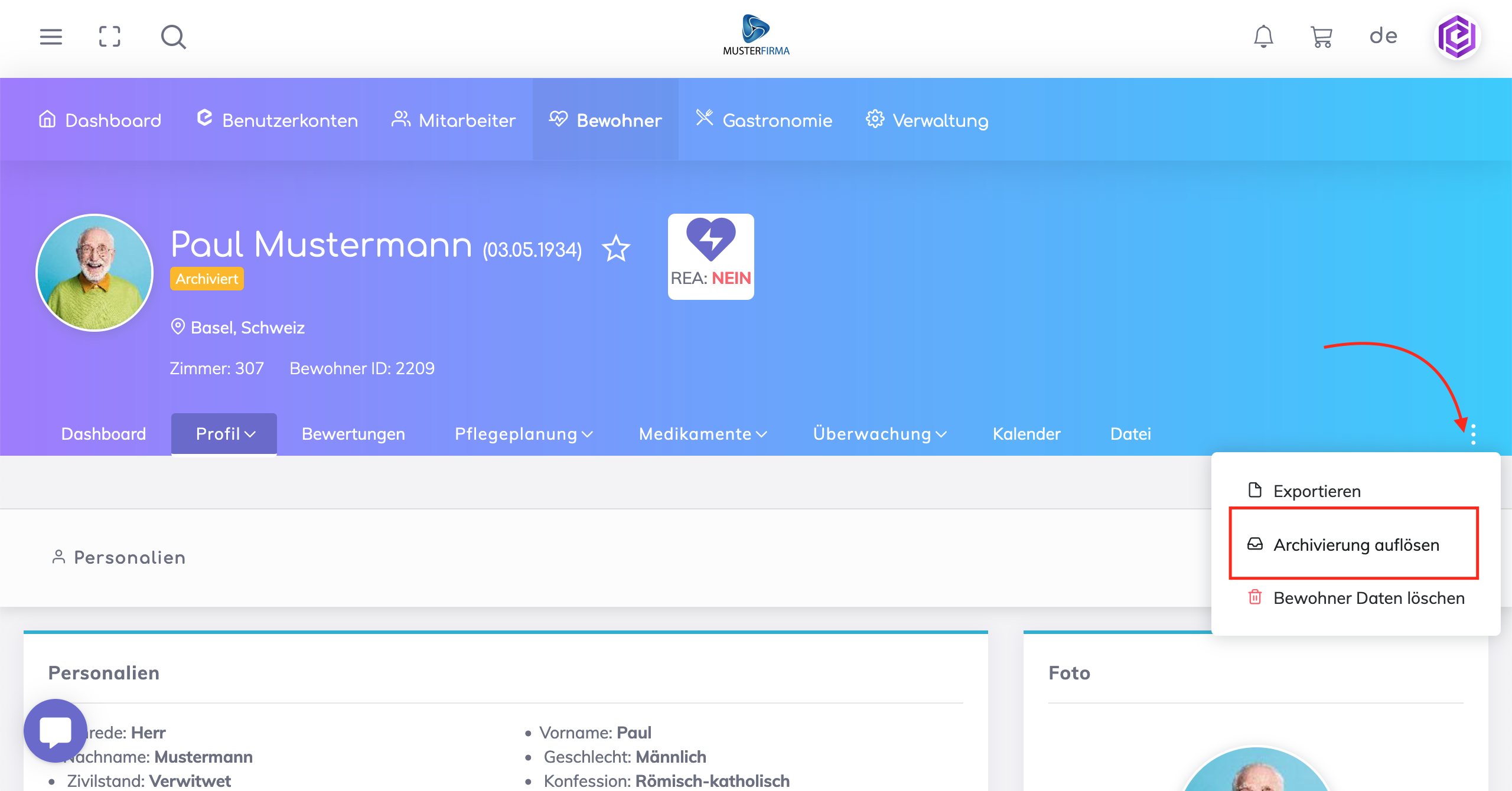
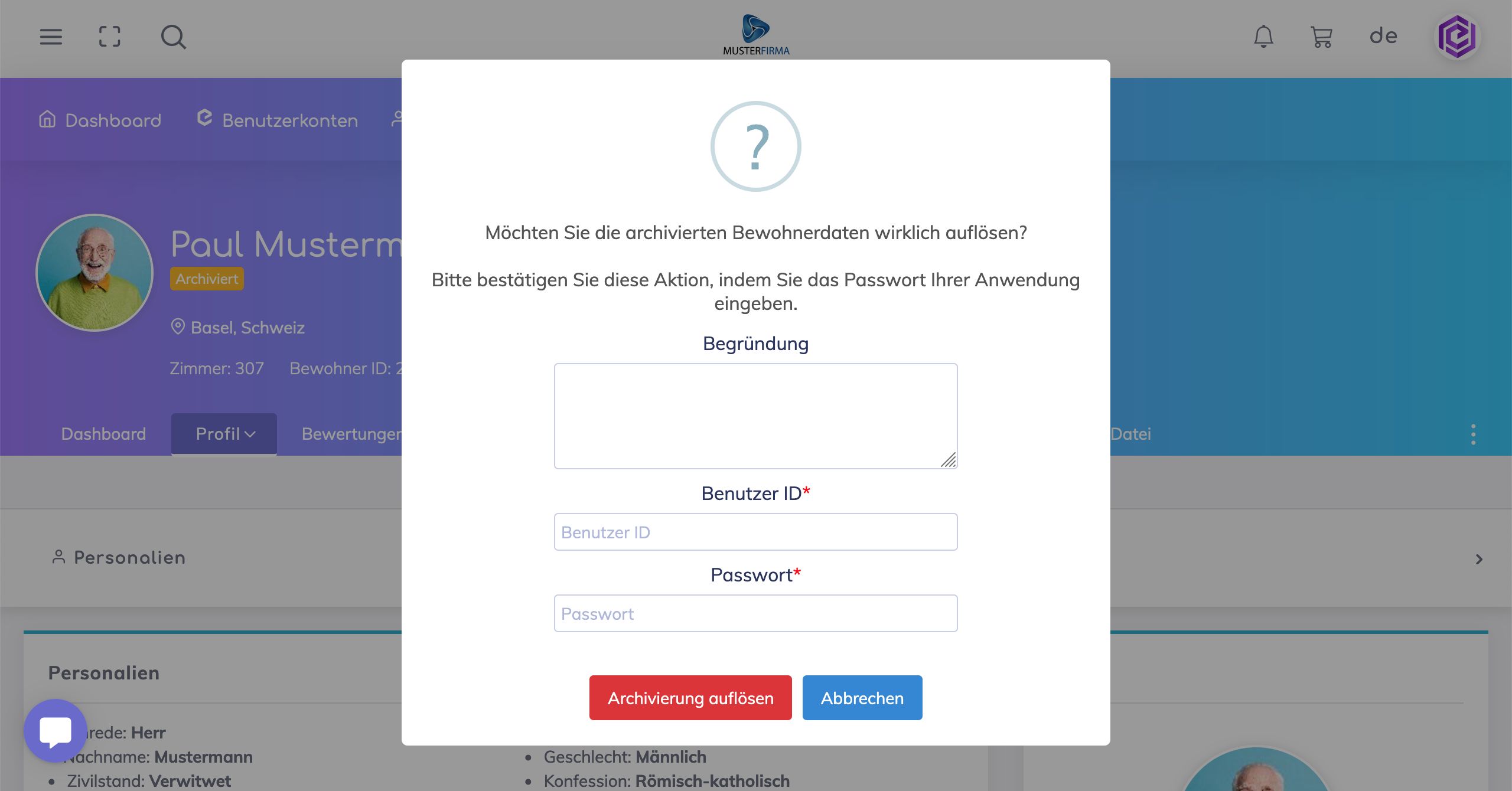
Remove record from archive
This action does not delete resident data. This action removes the record from the archive and moves the resident's status back to Active, Inactive, or Deceased.
Good to know
Once a resident record is archived, changes to the data are not permitted. If changes need to be done, then the resident record should be removed from the archive.
Still got questions?
We're here to help. Please feel free to contact us.