


If your care center locations and departments are not yet setup, then please refer to the Admin Guide below.
Onboarding Guide for Administrators
This guide will help administrators through the essential configuration and setup steps.
Create new resident records on the application by clicking the "New Resident" button, prominently positioned at the bottom right corner of the Resident List screen.
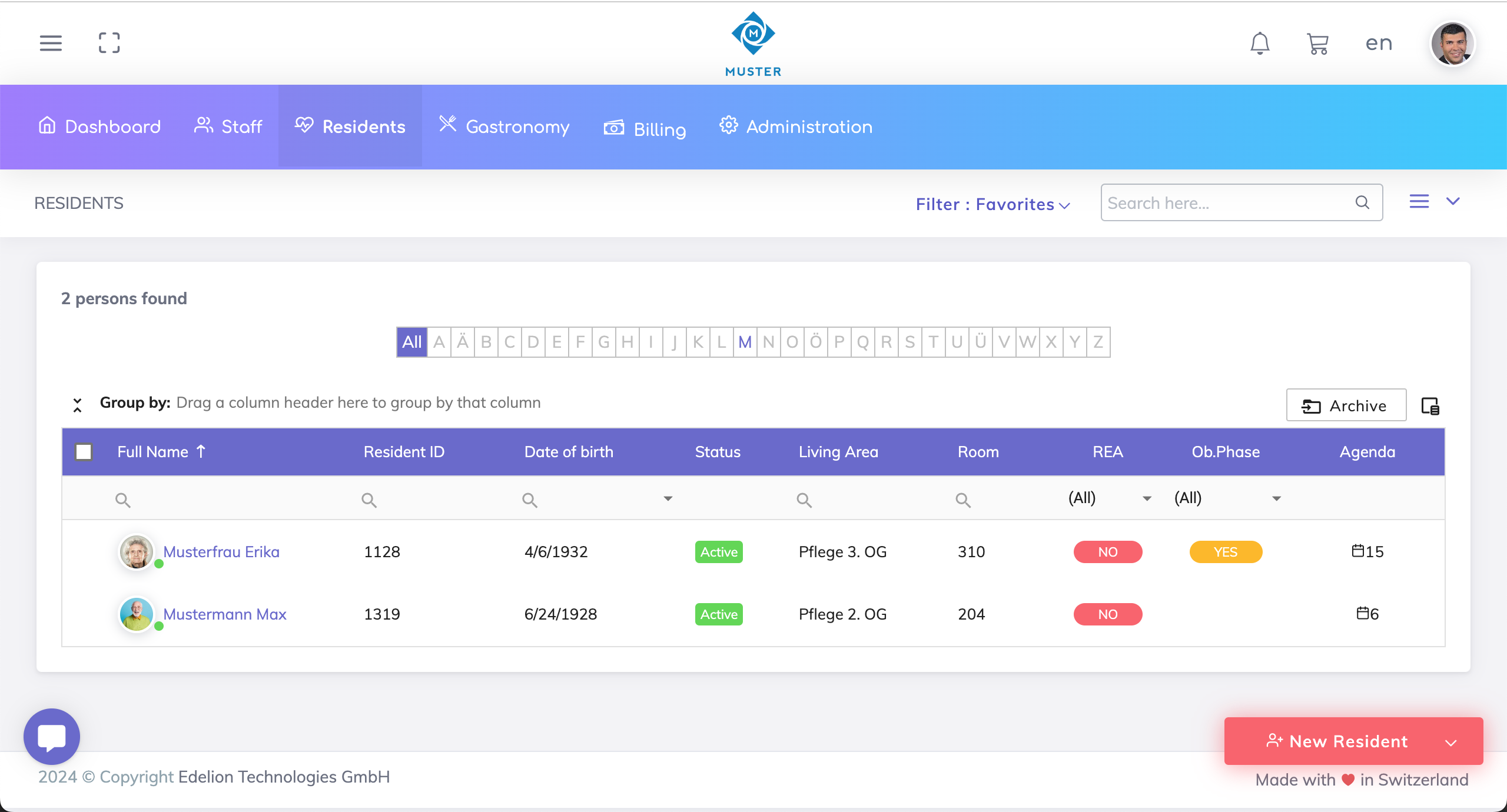
There are two alternatives for creating a resident record:
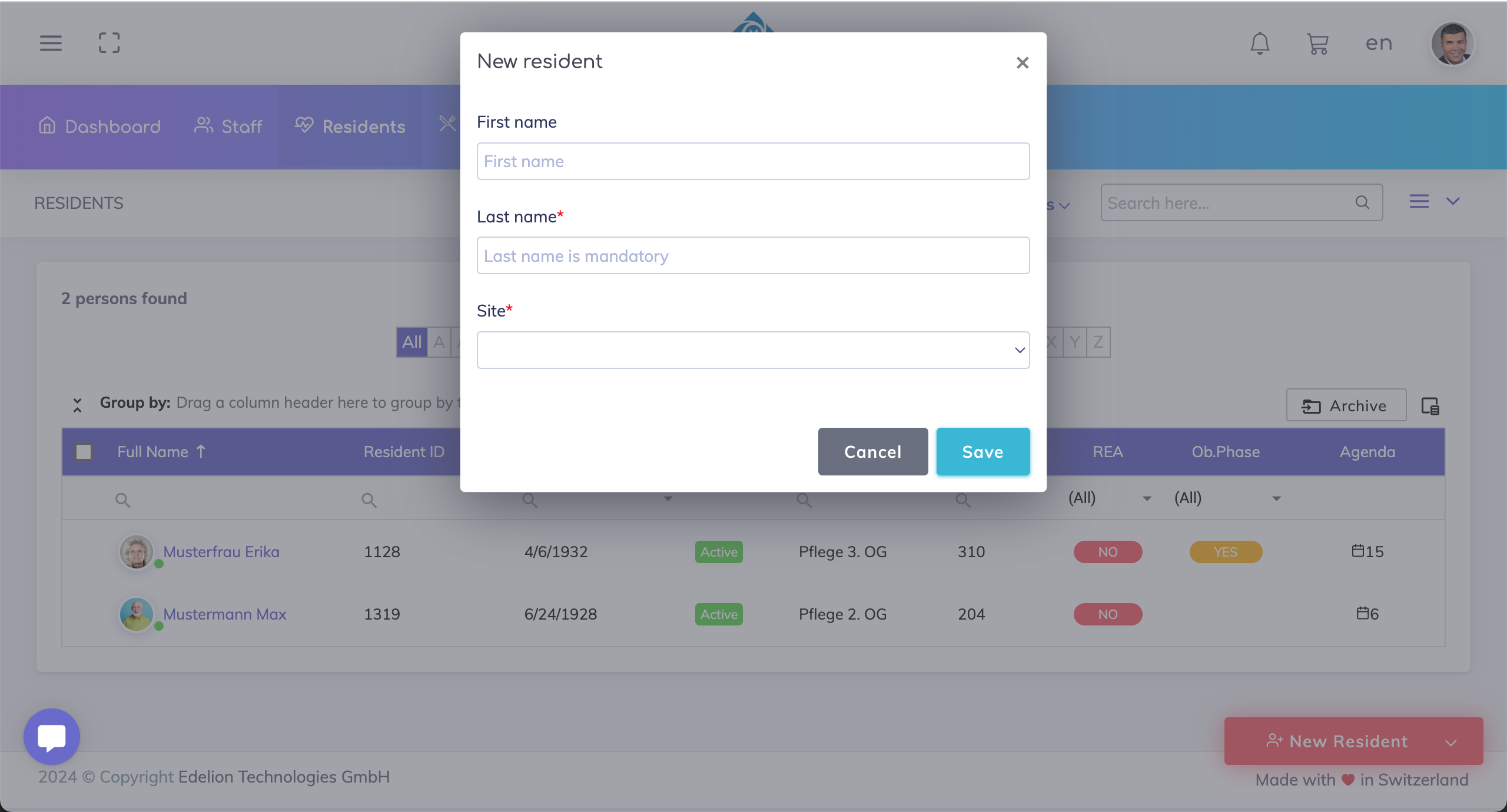
Quick Entry
The last name and site fields are mandatory.
Full Form
The last name and site fields are mandatory. Scroll down and press save.
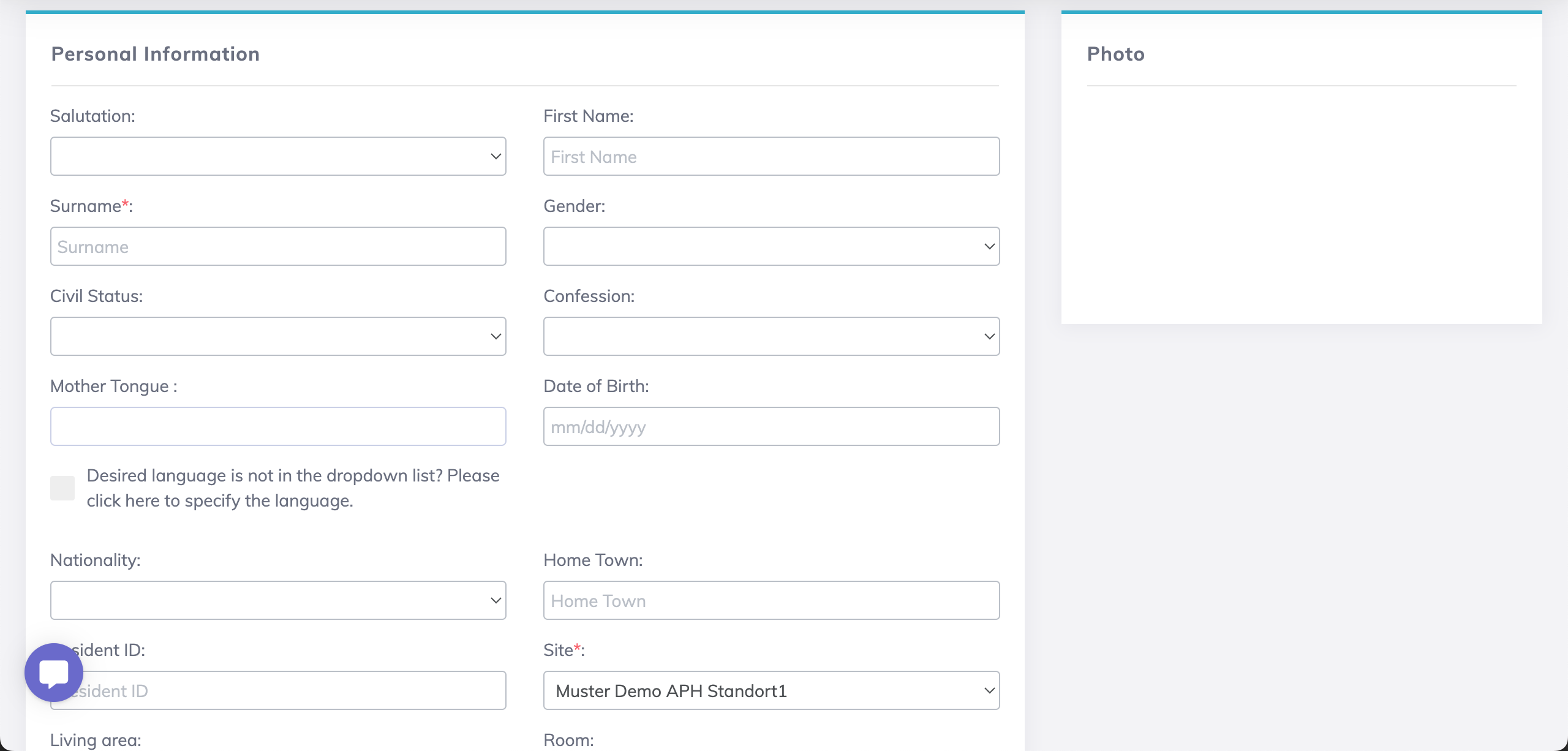
The resident's photo can be added after the resident record is created.
Resident Status
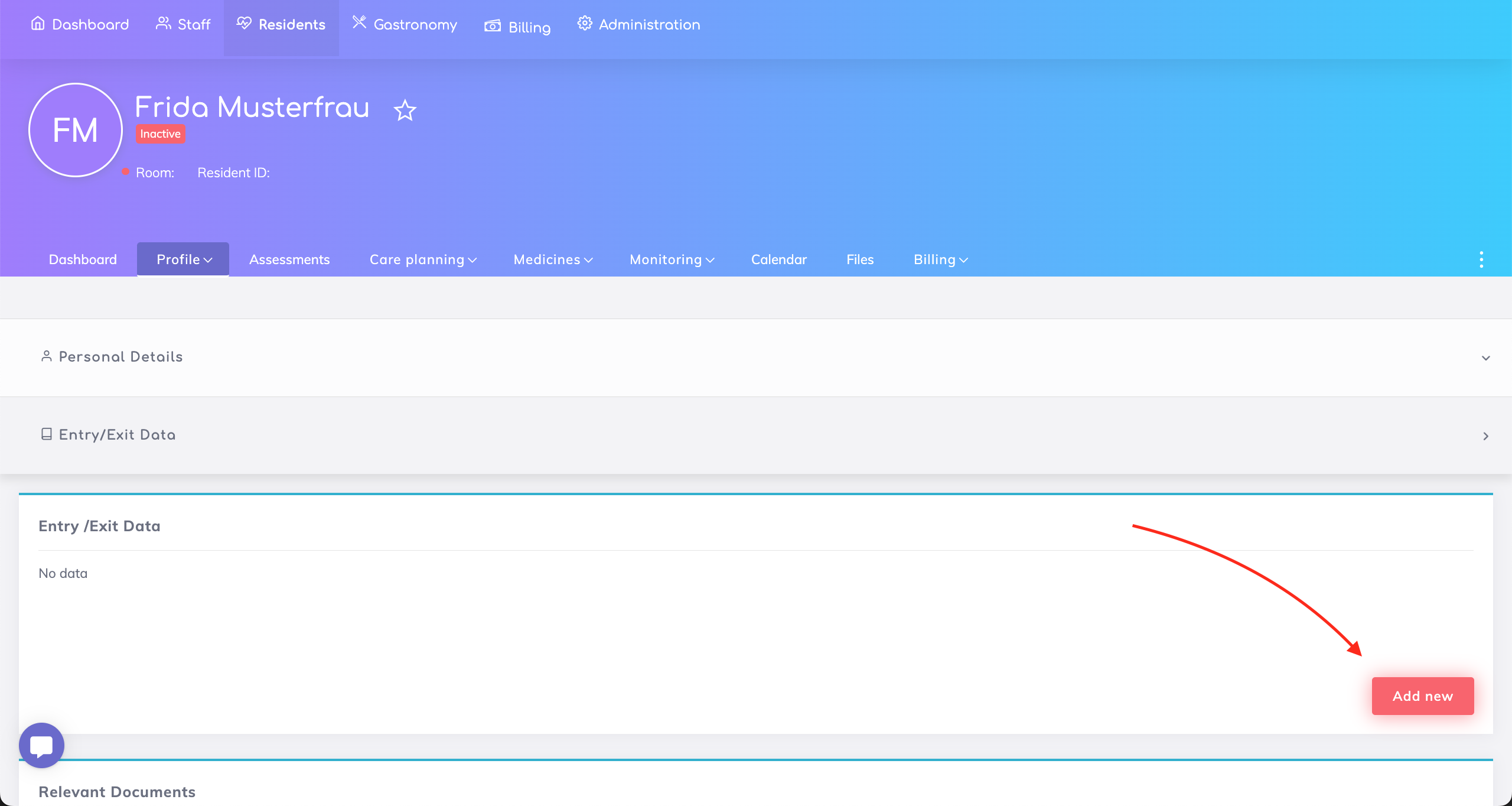
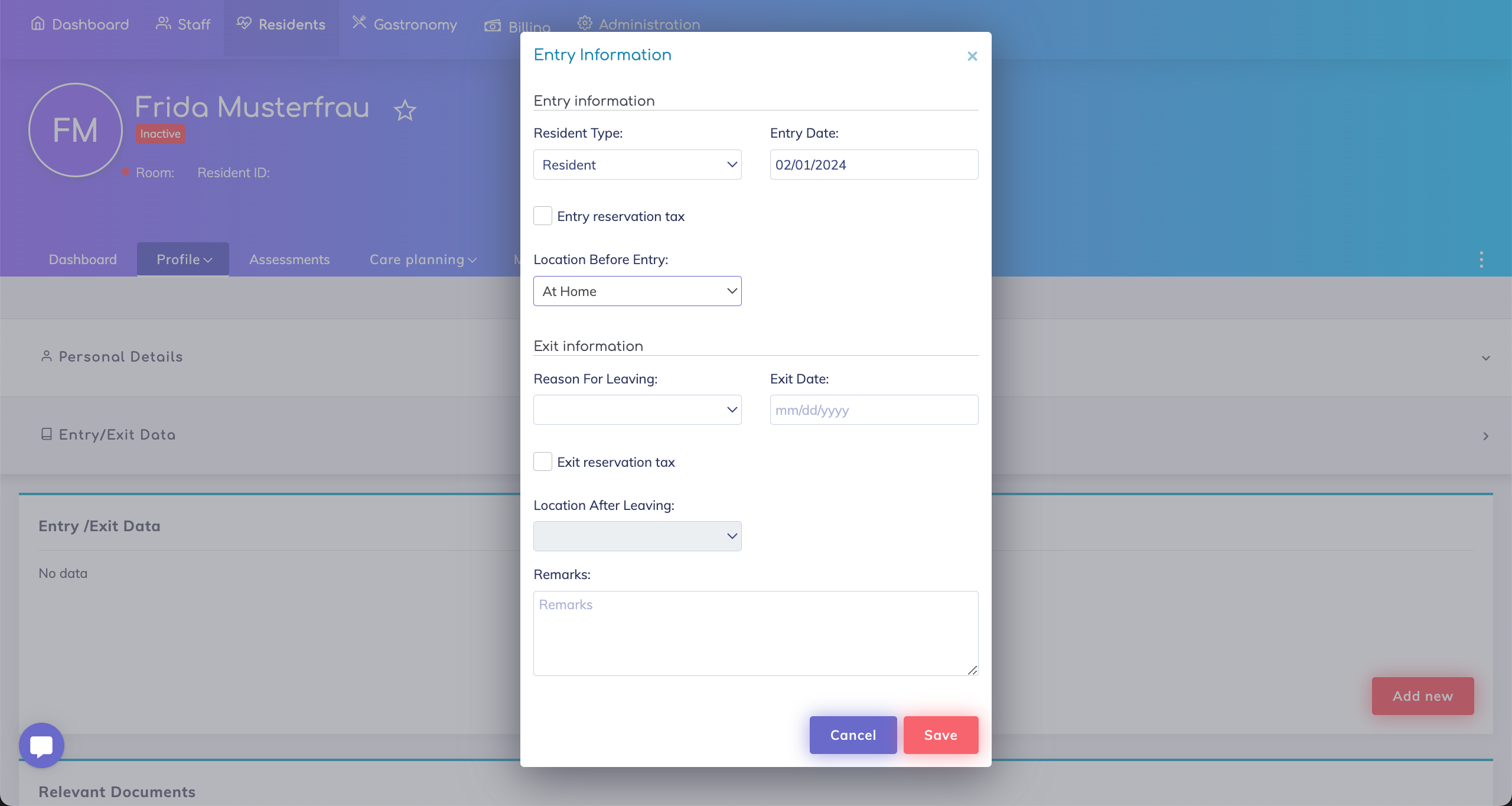
When a new resident record is created in the system, the status of the resident is "Inactive". You can locate this resident using the standard filters "All" or "Inactive". To change the status of the resident to "Active", go to the resident profile section "Entry/Exit Data" and add a new record with an entry date.
Still got questions?
We're here to help. Please feel free to contact us.