

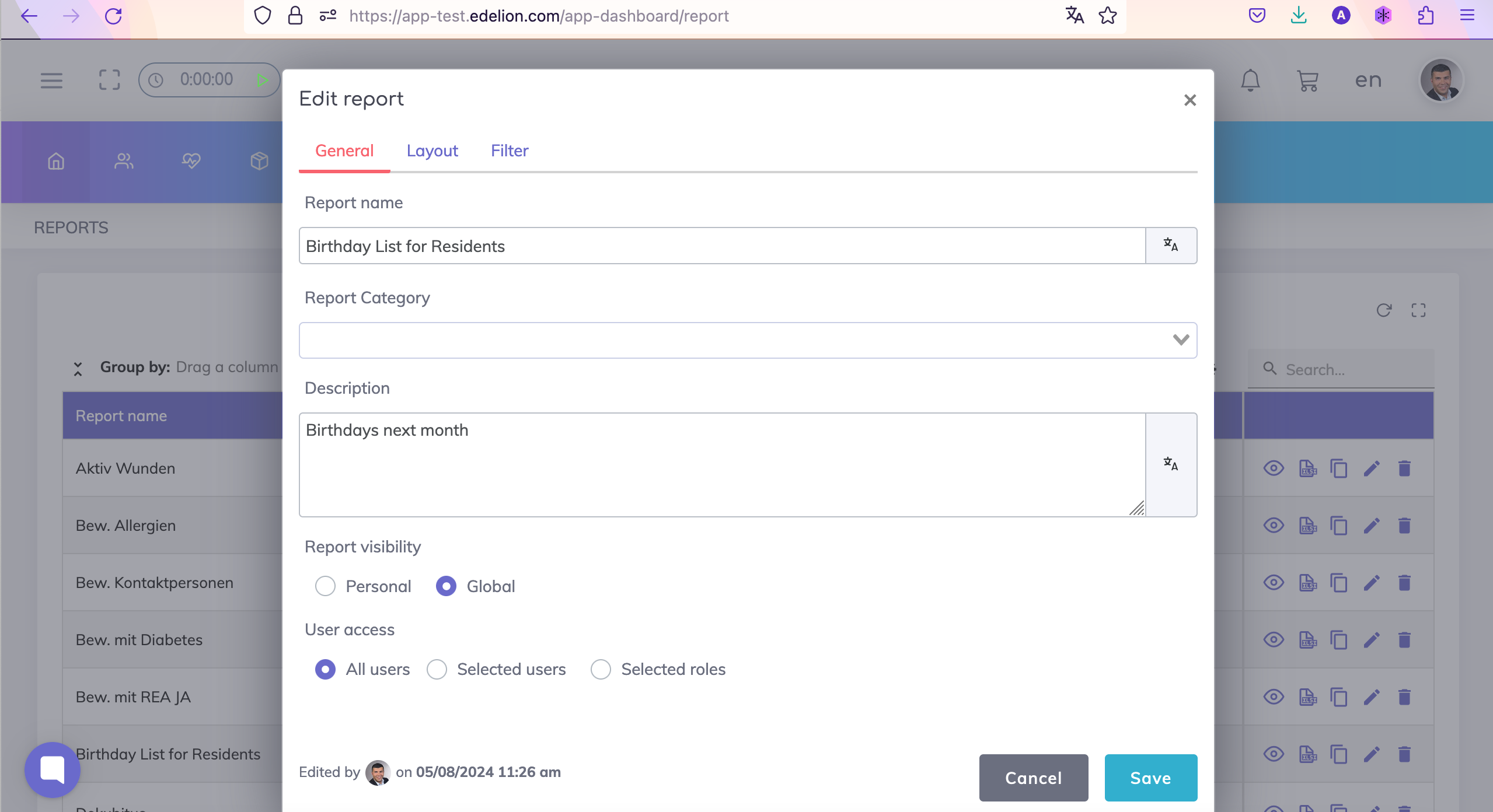
Step 1: Specify the report name, report visibility and users who can access the report. Optionally specify the report description and the report category (categories can be adjusted by your Administrator).
Step 2: Select the fields that should be visible on the layout of your report. Optionally specify if any columns need to be grouped or sorted. In this example, the data will be sorted by the Birthdate.

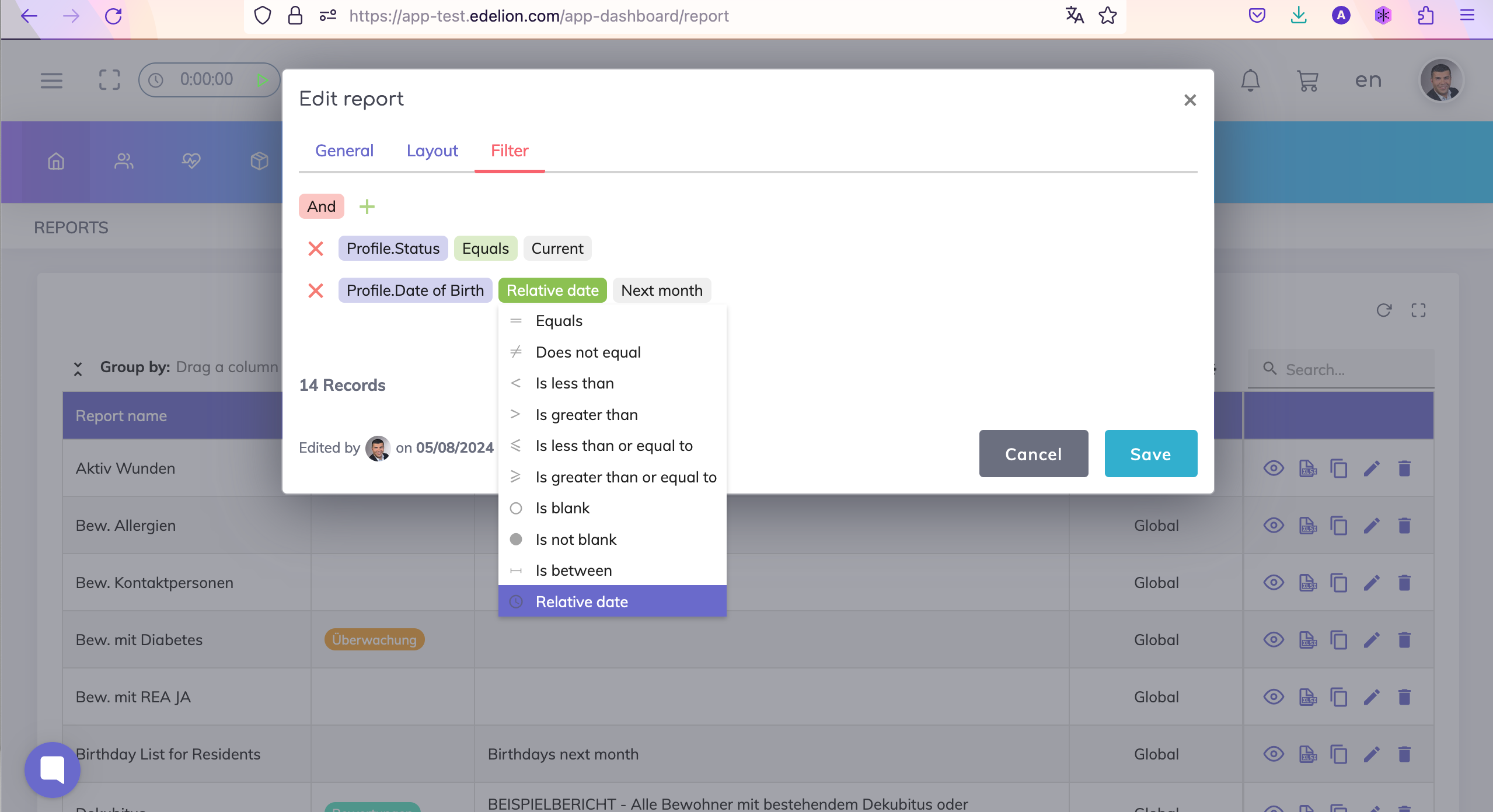
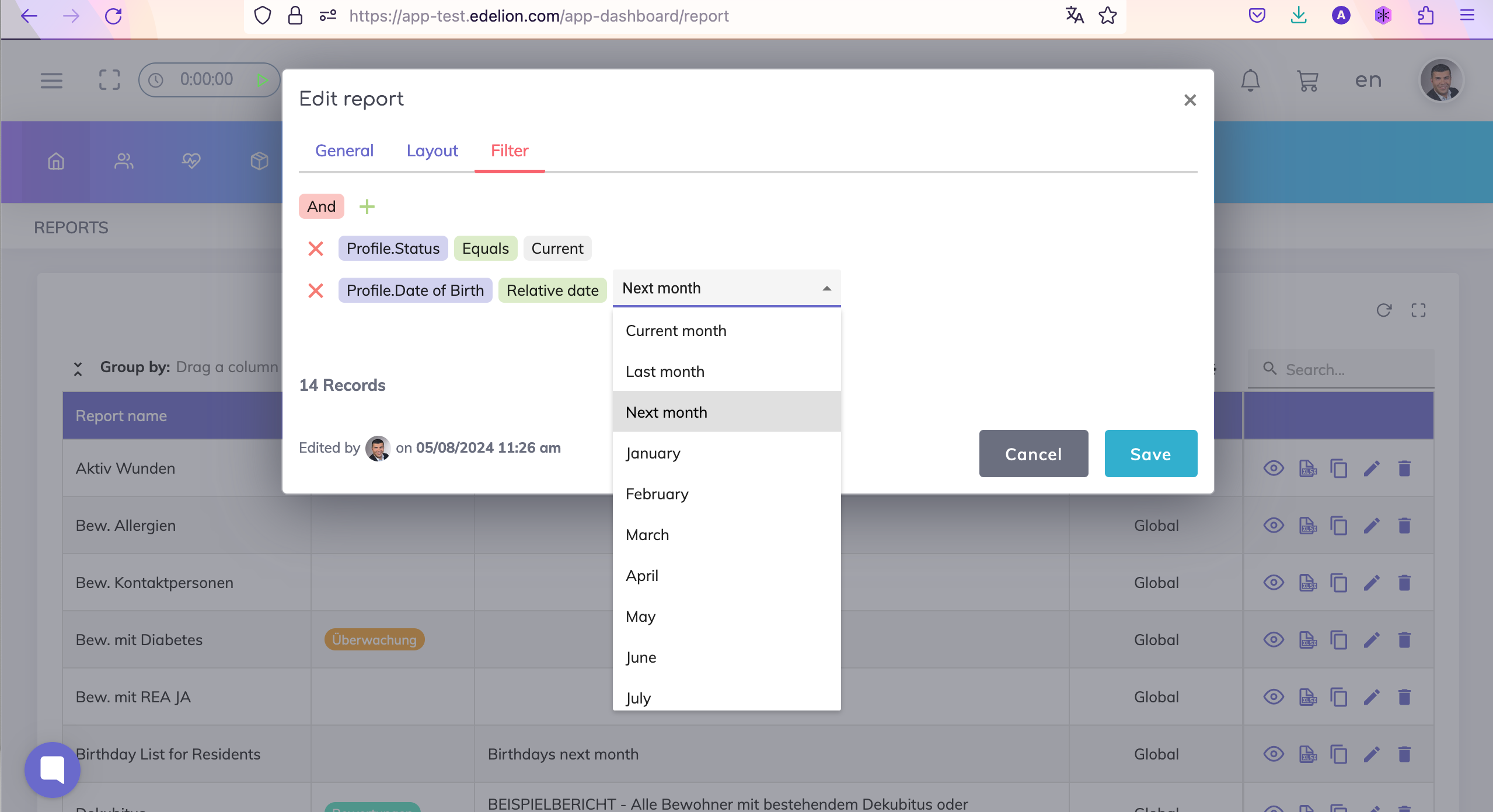
Step 3: On the Filter tab, select the Birth Date field and use the option "Relative date" and enter for which period you would like to view the birthdays. In this example, a list is created for the birthdays next month.
Optionally narrow done your search results for current residents by using the resident status field as shown.
Still got questions?
We're here to help. Please feel free to contact us.