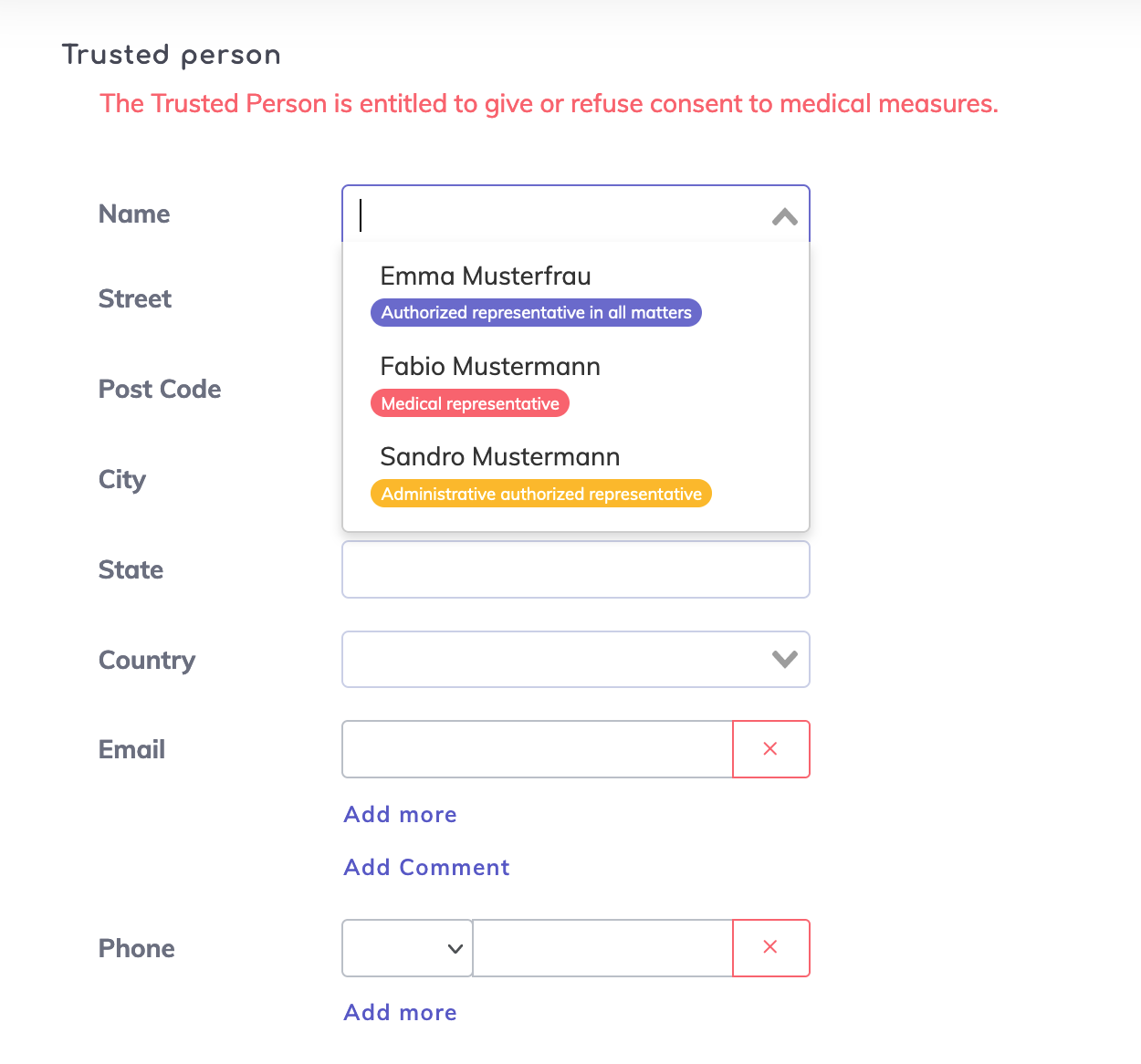
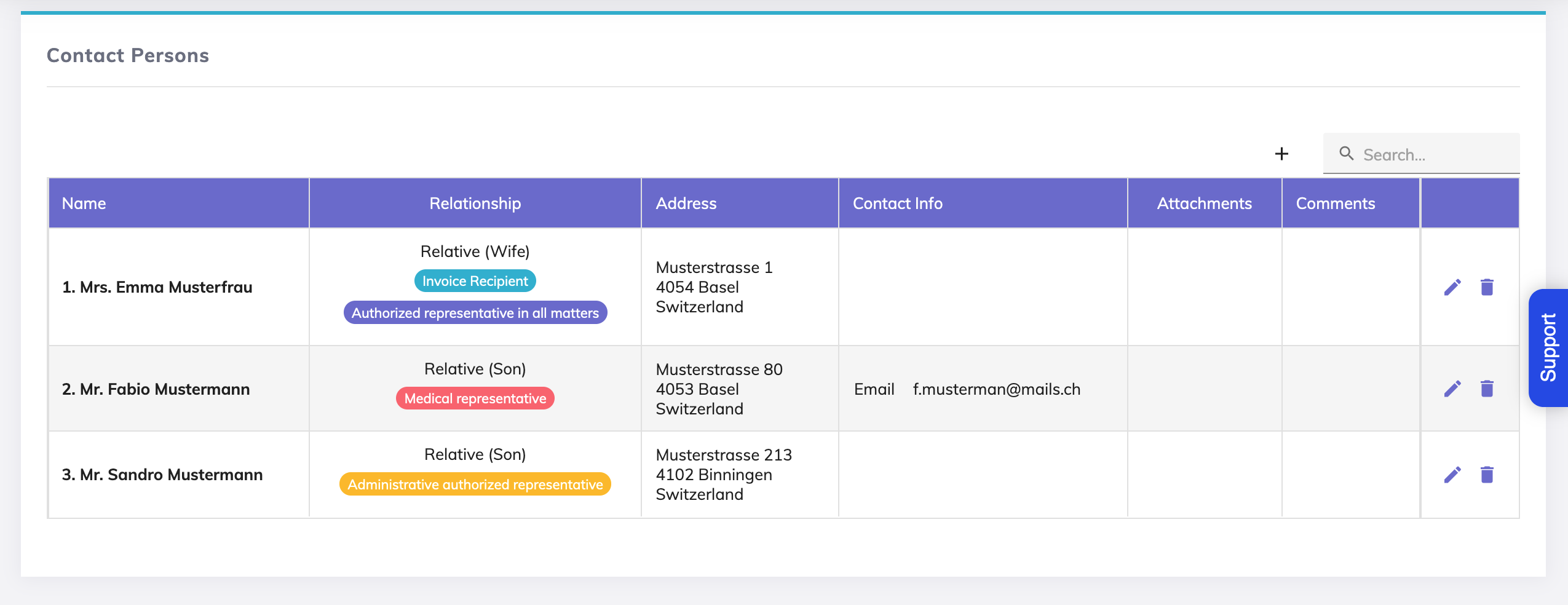
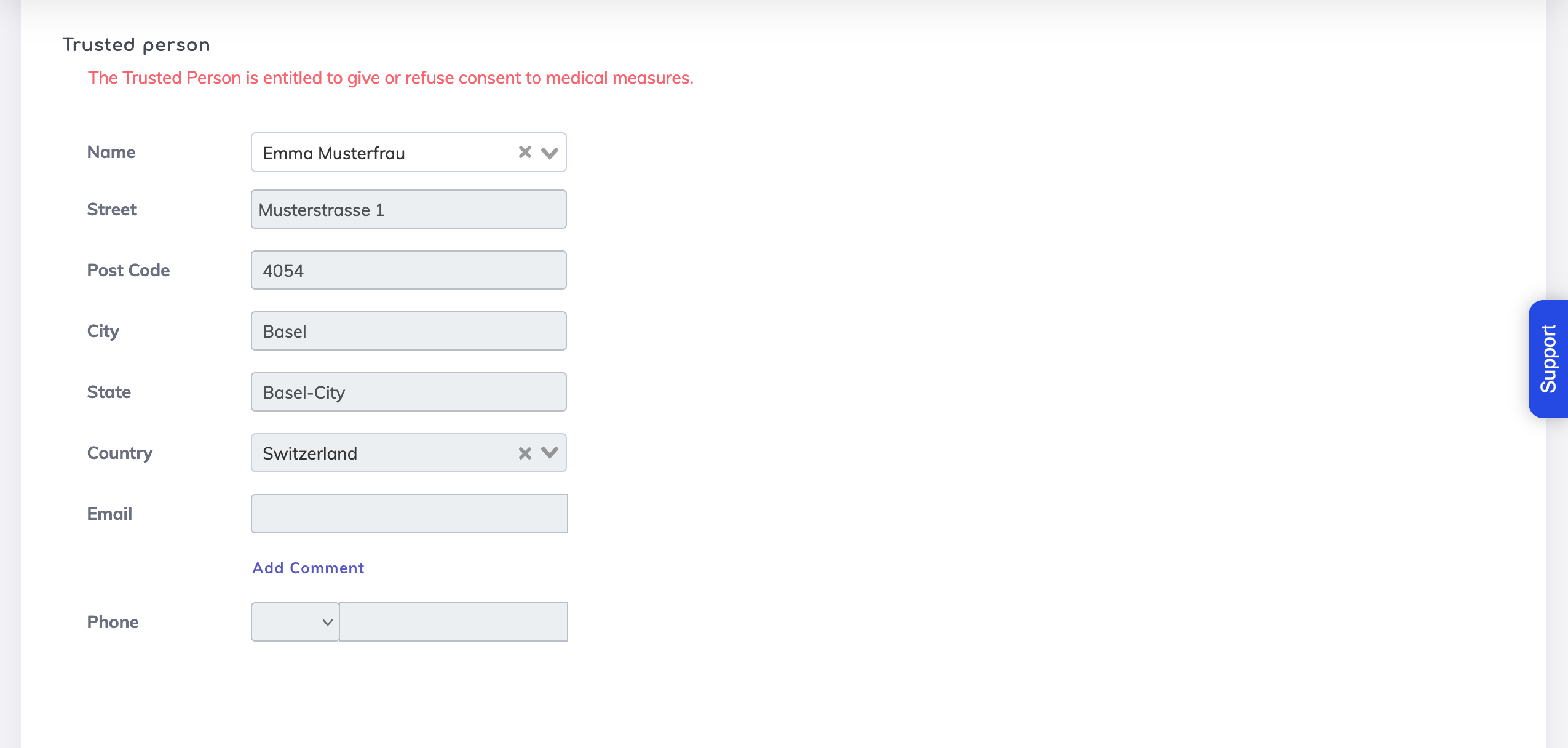
On the Resident's Living Will, the Trusted Person dropdown field shows persons listed on the Resident's Contact Persons marked as Authorised Representatives. If no contacts are marked as authorised representatives, then on the Trusted Person field dropdown no persons will be available for selection.
Living Will > Trusted Person Field
Contact Persons
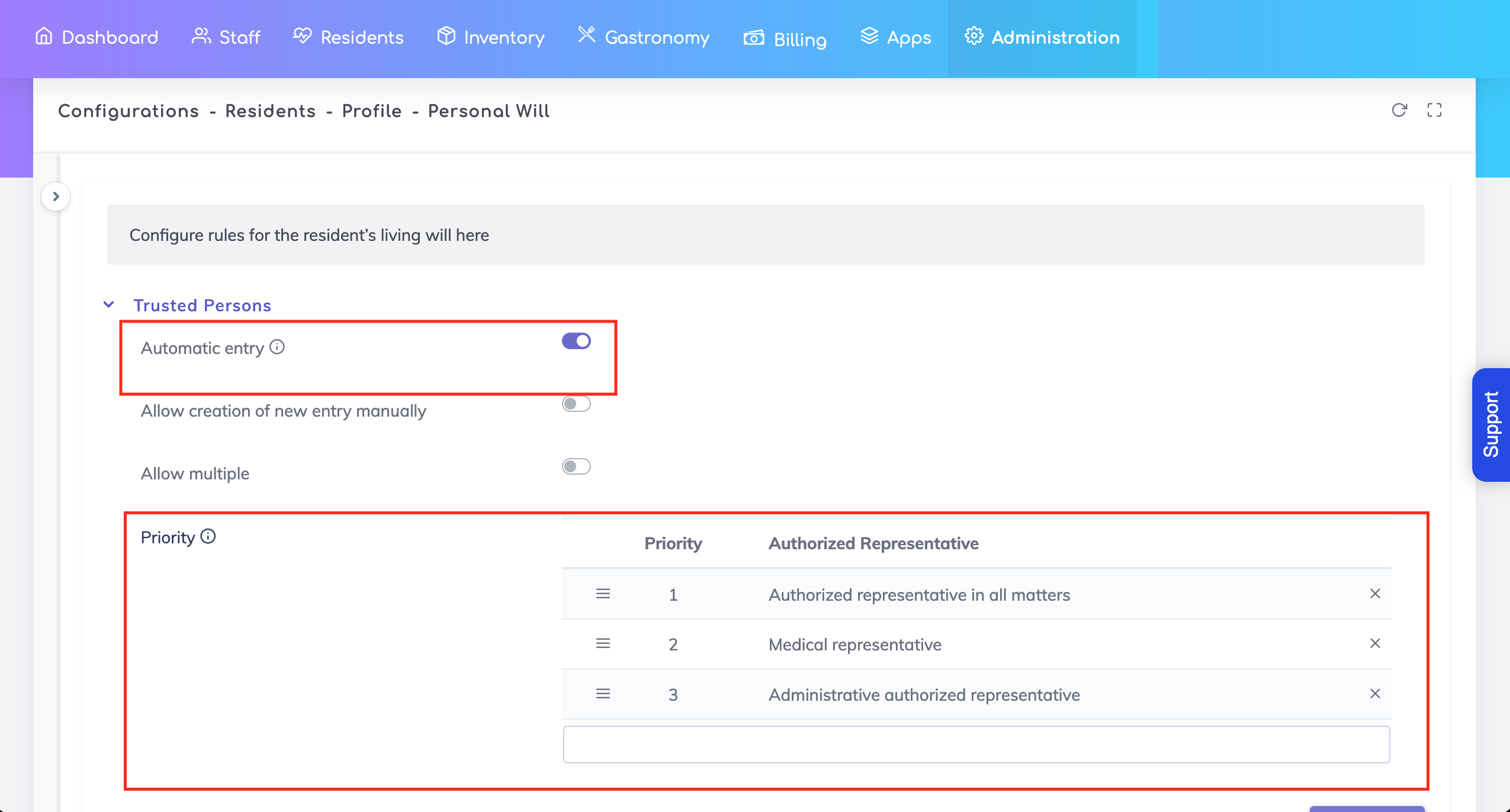
The following configuration options are available for your use.
You have the possibility to add an Authorised Representative as a Trusted Person automatically. To achieve this, go to the Admin Configuration section and switch ON the setting "Automatic entry".

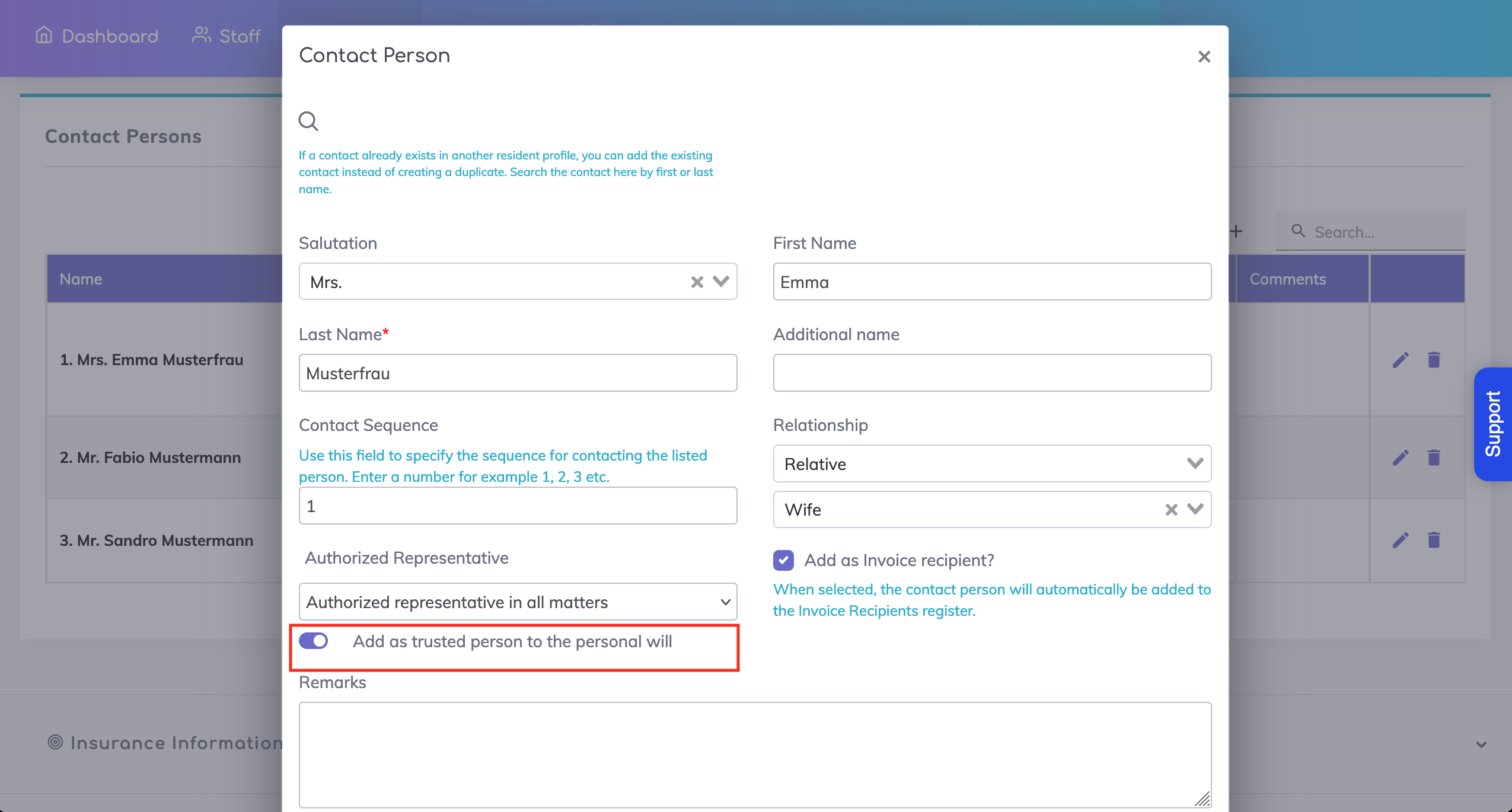
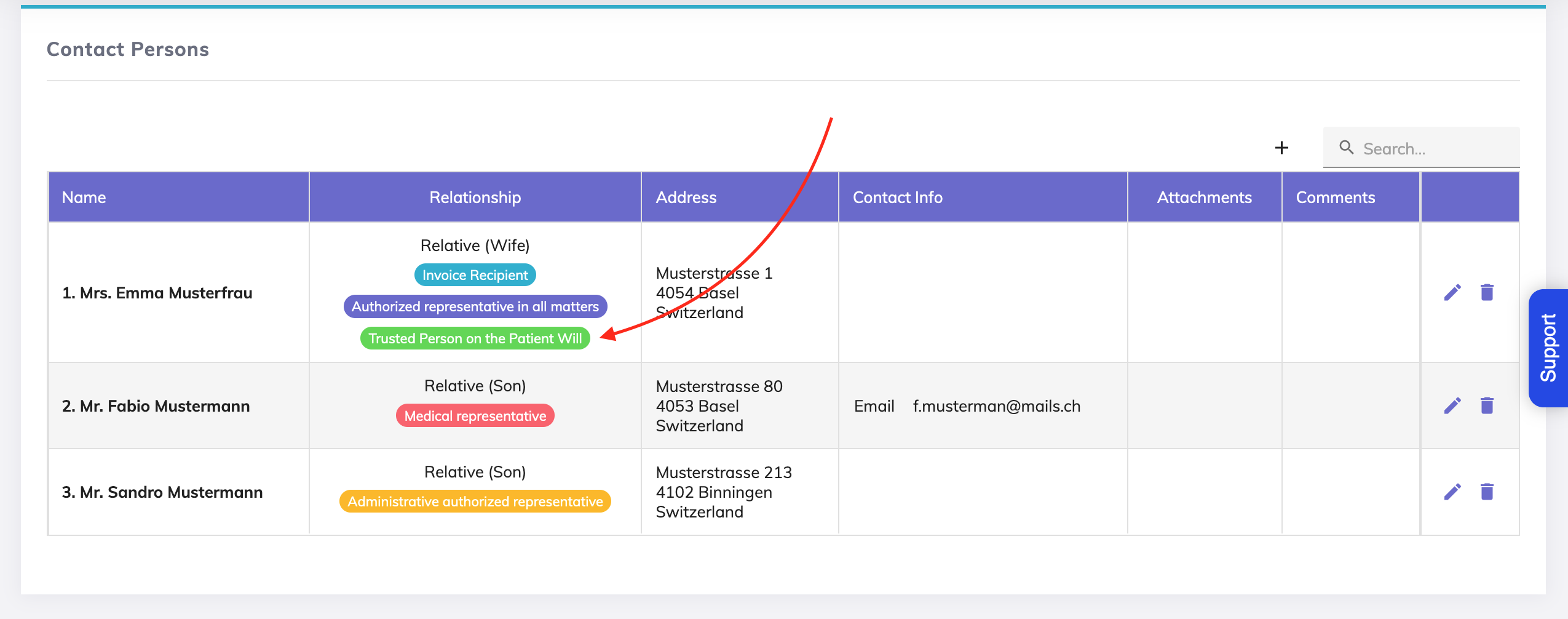
2.1.A - From the Contact Persons screen:
In Edit mode for the specific contact person, switch ON the field "Add as trusted person to the personal will" as shown.
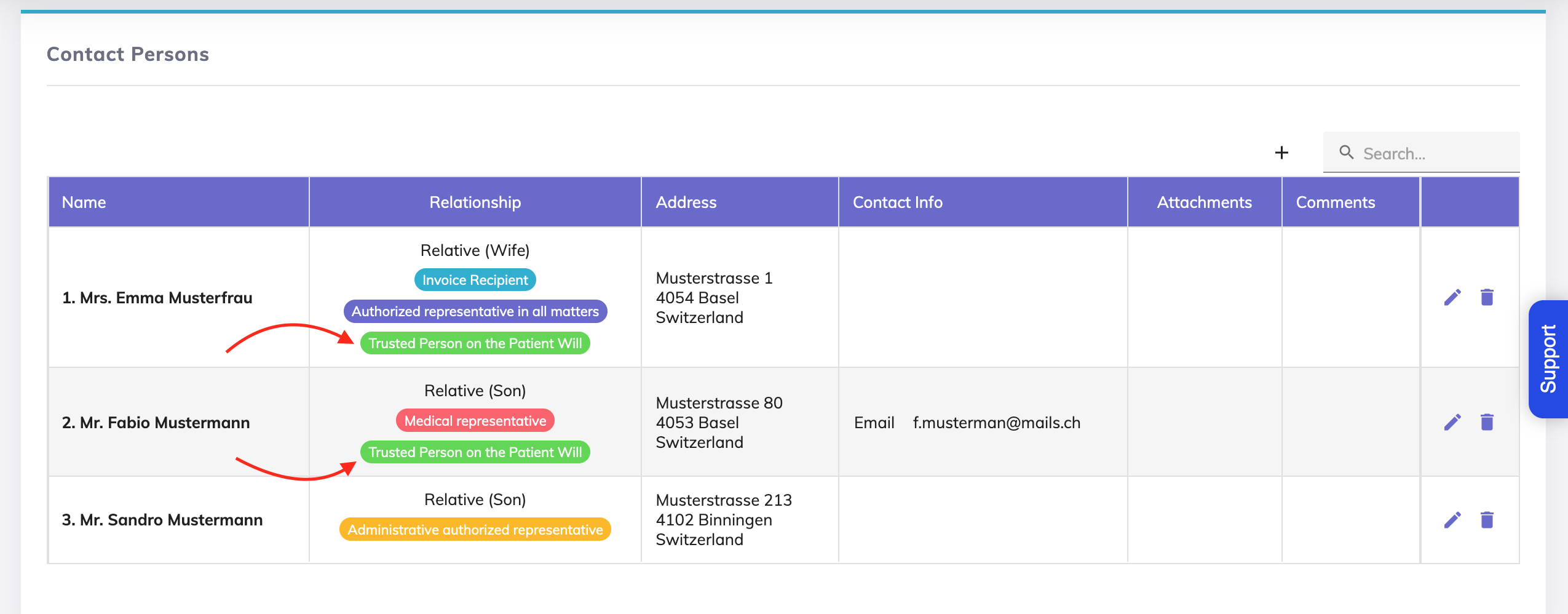
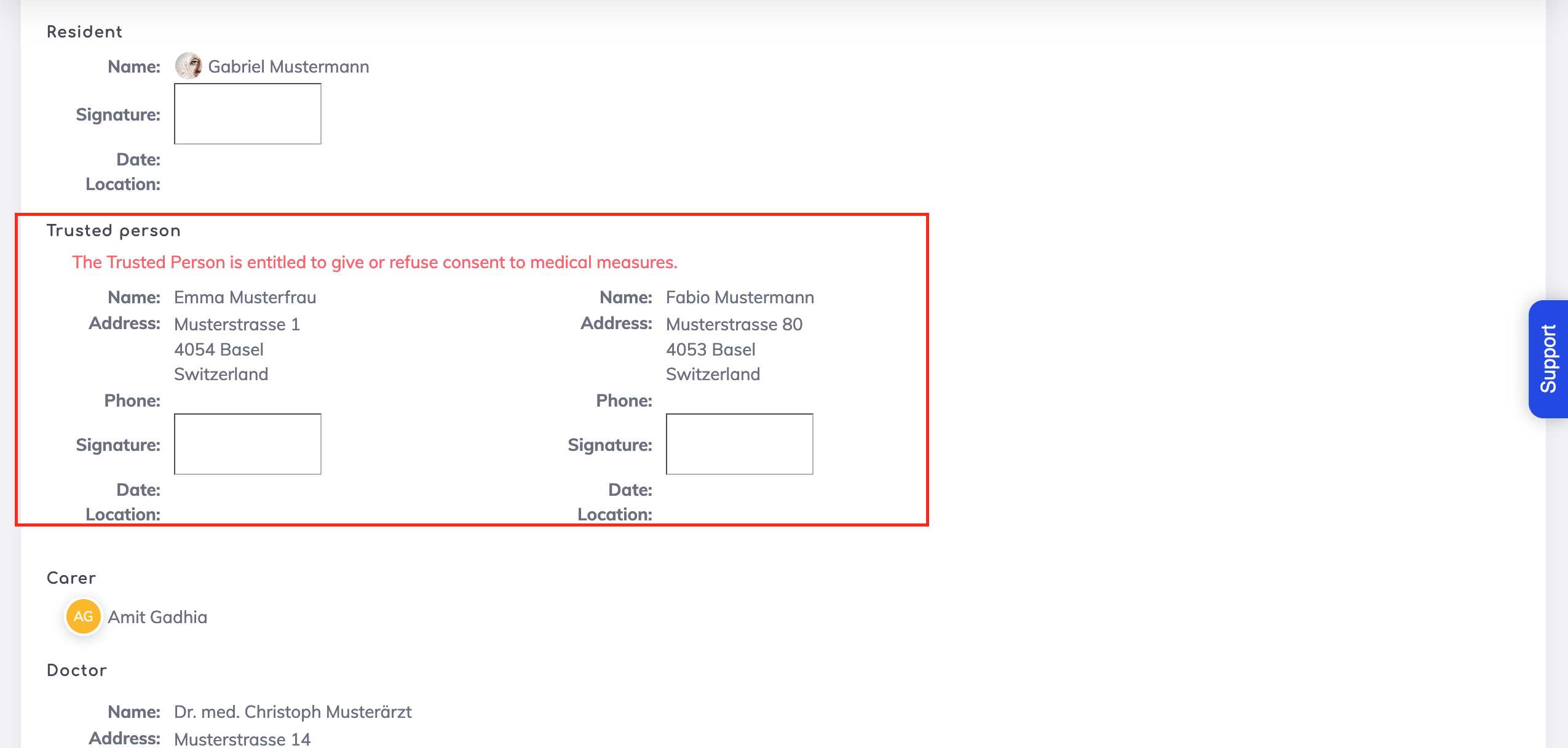
On saving, on the Contact Persons list, the Authorised Representative is indicated to be the Trusted Person. Additionally, this person is also automatically added to the Living Will.
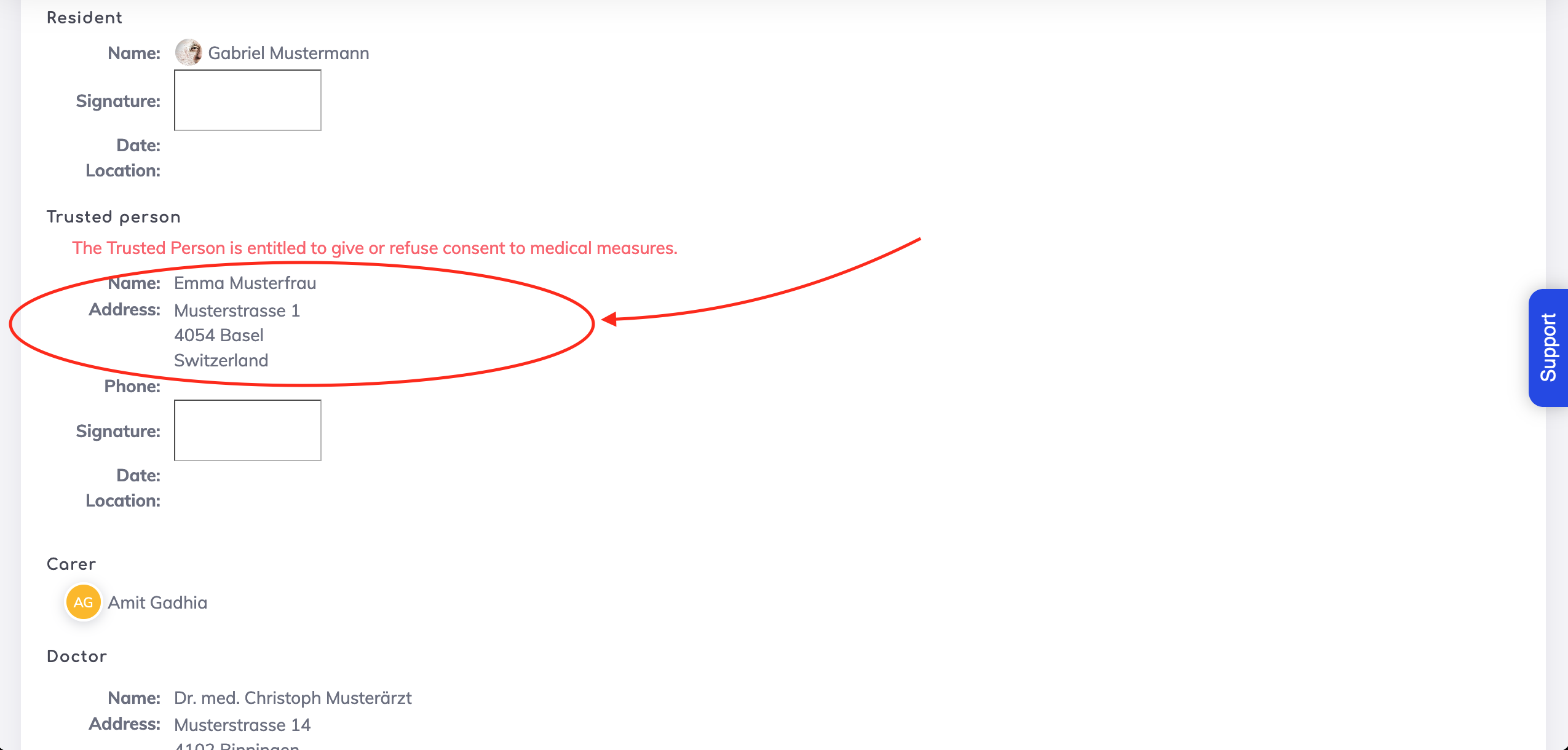
2.1.B - From the Living Will
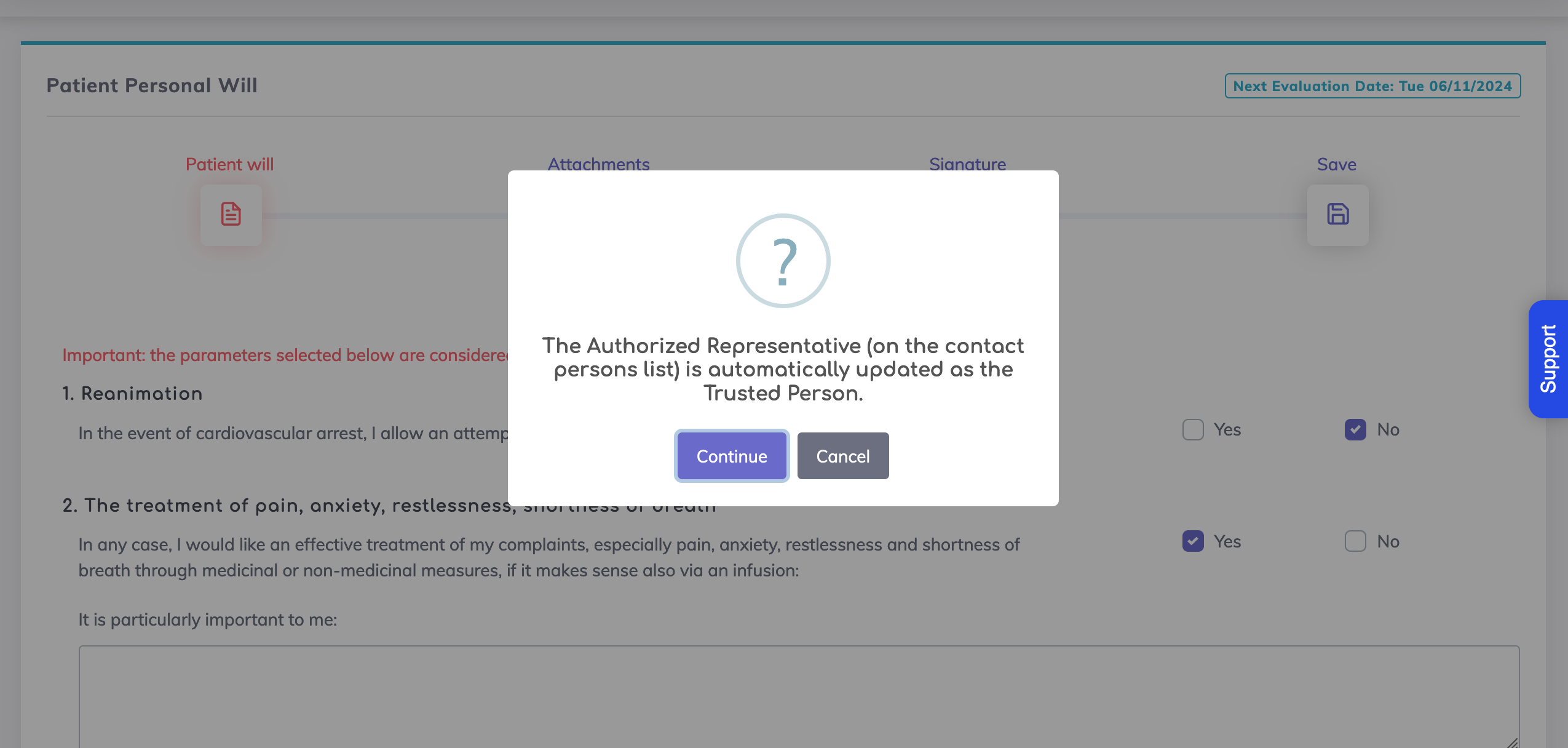
An alternate way of adding the Authorised Representative to the Living Will as a Trusted Person is from the Living Will.
If the authorised representatives are available,

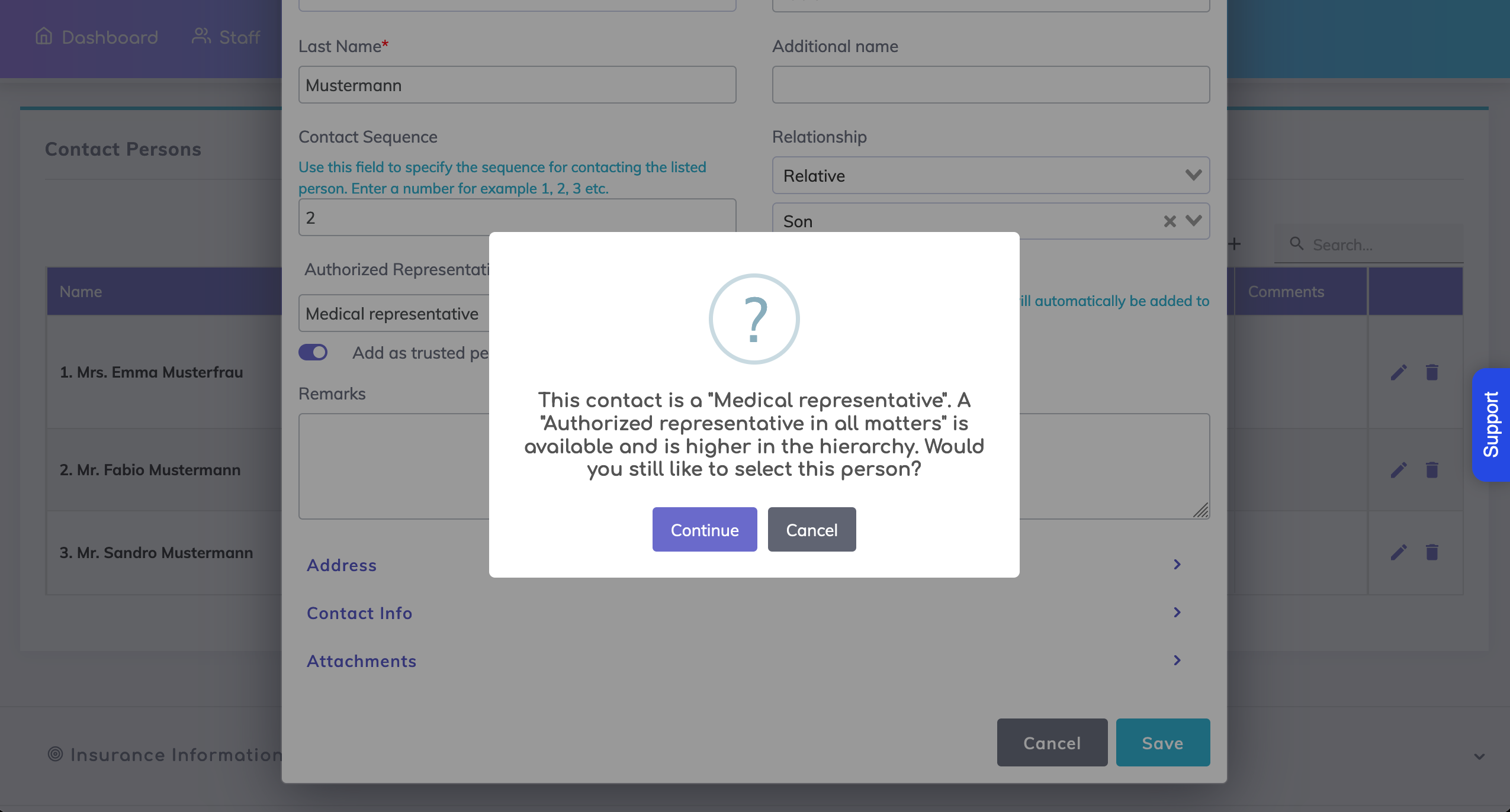
then simply edit the Living Will and you will see the message below asking you to update the trusted person.
Along with the "Automatic Entry" configuration, we recommend to also configure the priorities for the authorised representatives.
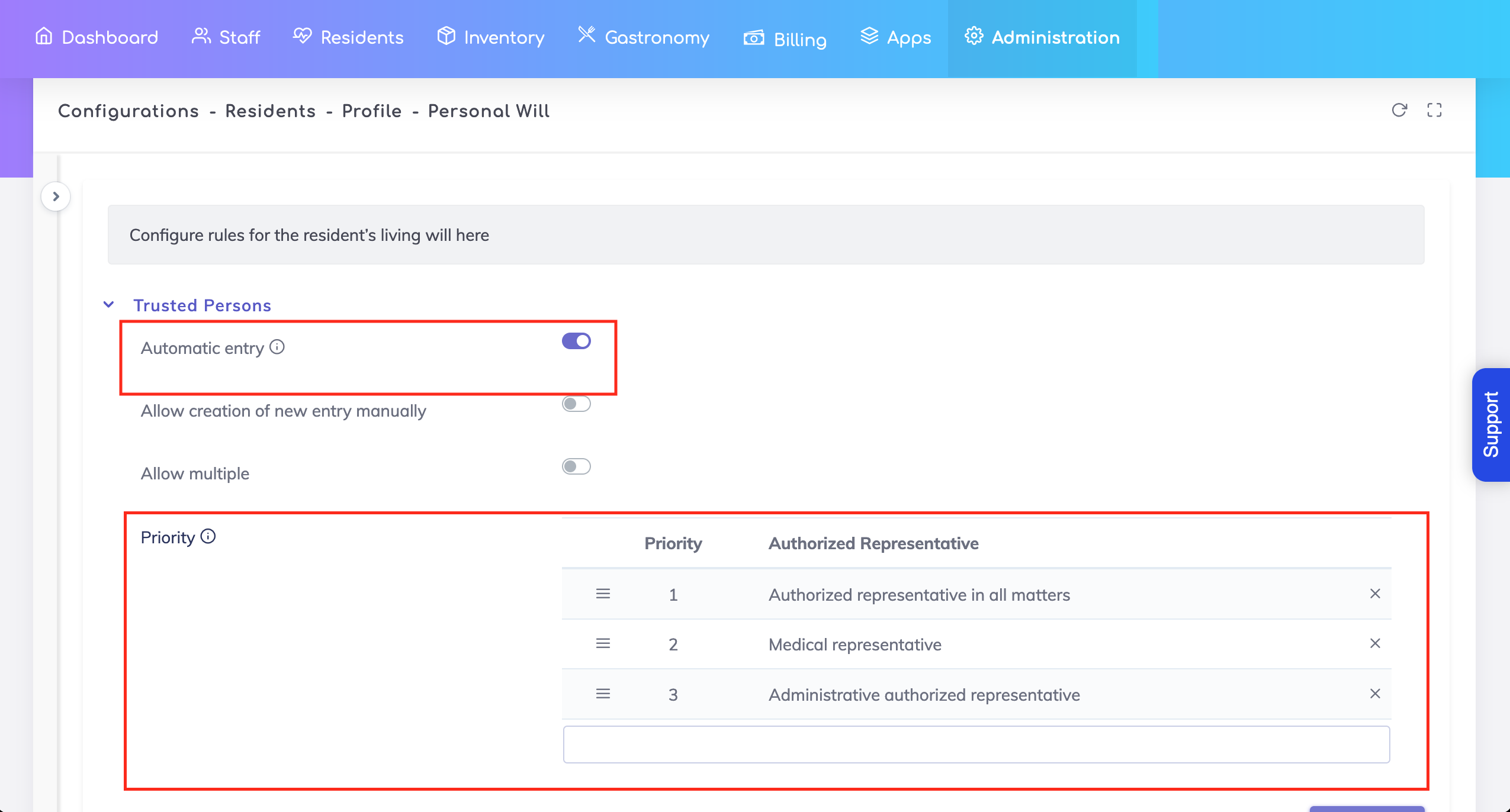
Let's see what this means with an example...
In this situation, Mrs. Emma Musterfrau has the highest priority, followed by Mr. Fabio Mustermann, and Mr. Sandro Mustermann has the lowest priority.
If the "Medical Representative" (Prio. 2) is marked as a Trusted Person but an "Authorised representative in all matters" (Prio. 1) is available,
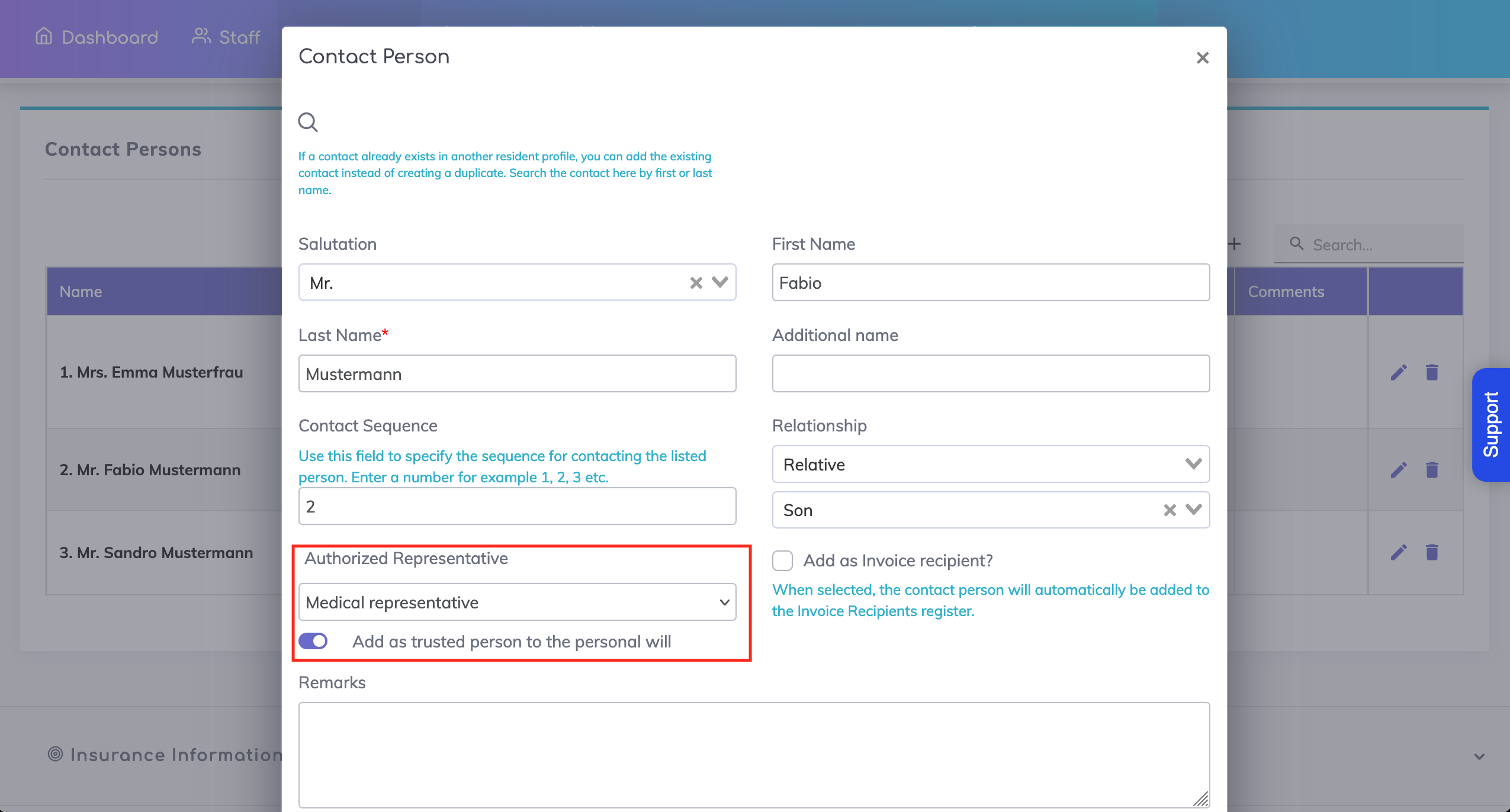
then a warning message will be shown.
By switching ON the option "Allow multiple", you will notice that the priorities configuration is hidden.
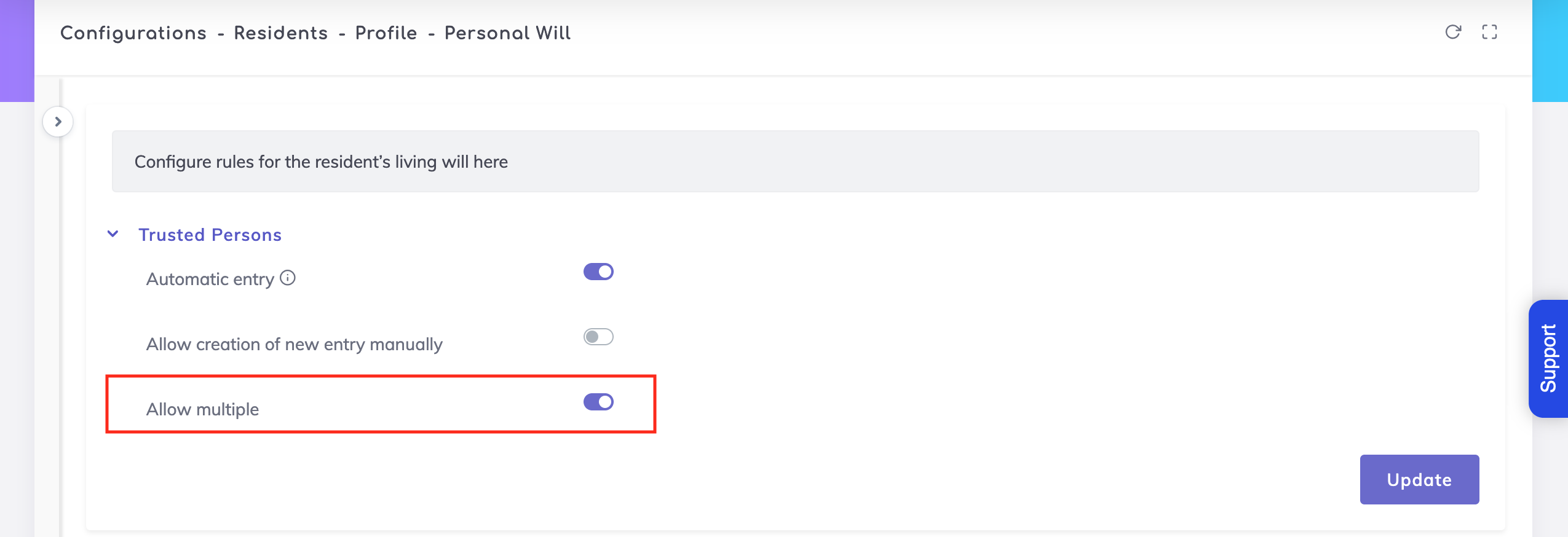
This means that multiple Authorised Representatives may be added to the Living Will as Trusted Persons.

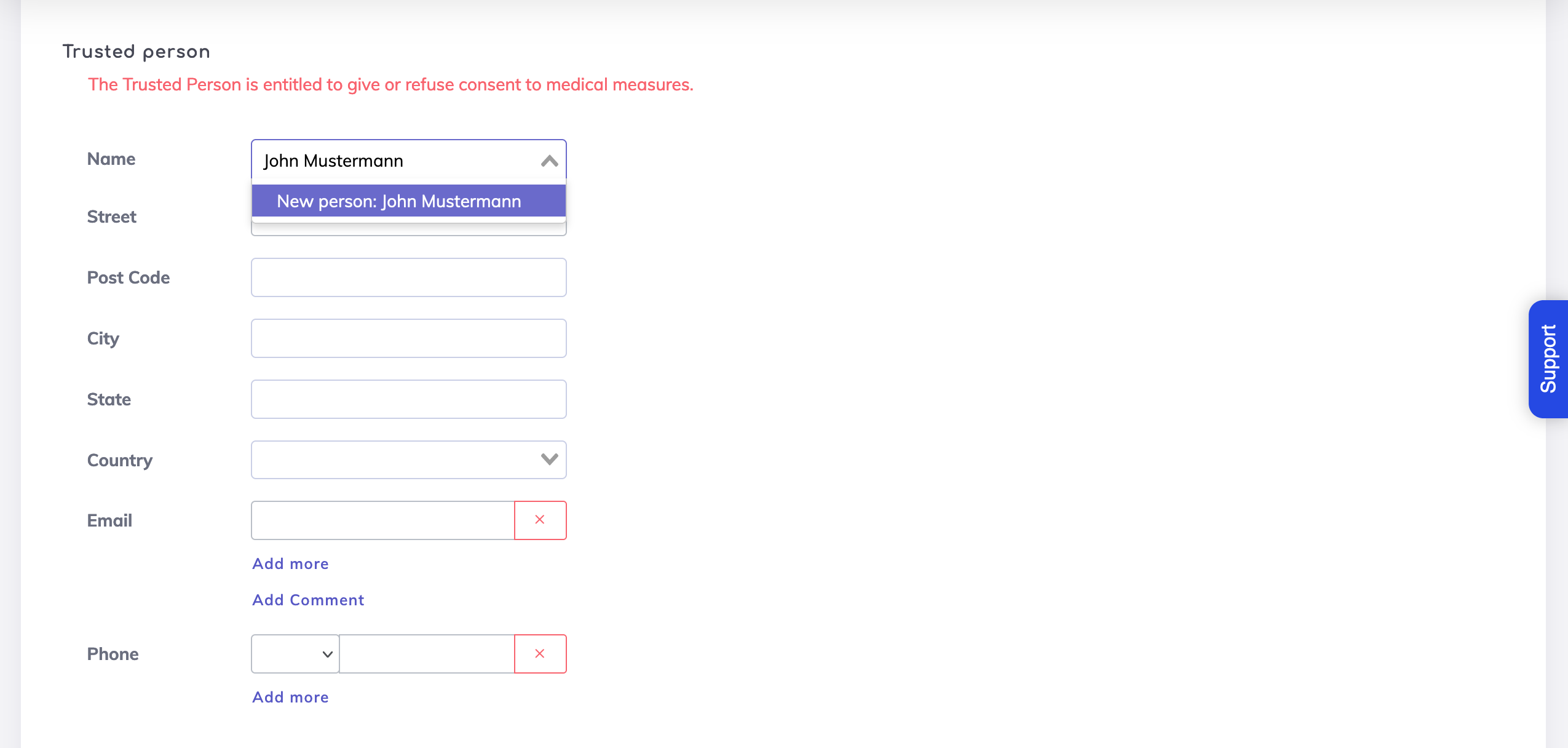
By switching ON the option "Allow creation of new entry manually", you will notice that the "Automatic entry" option will be switched OFF.

This option enables you to enter a new Trusted Person on the Living Will without this person being on the Contact Persons list. By adding this new Trusted Person manually here, the Contact Persons list will NOT be updated with this information.
We're here to help. Please feel free to contact us.

