We are excited to share with you the features we added most recently!
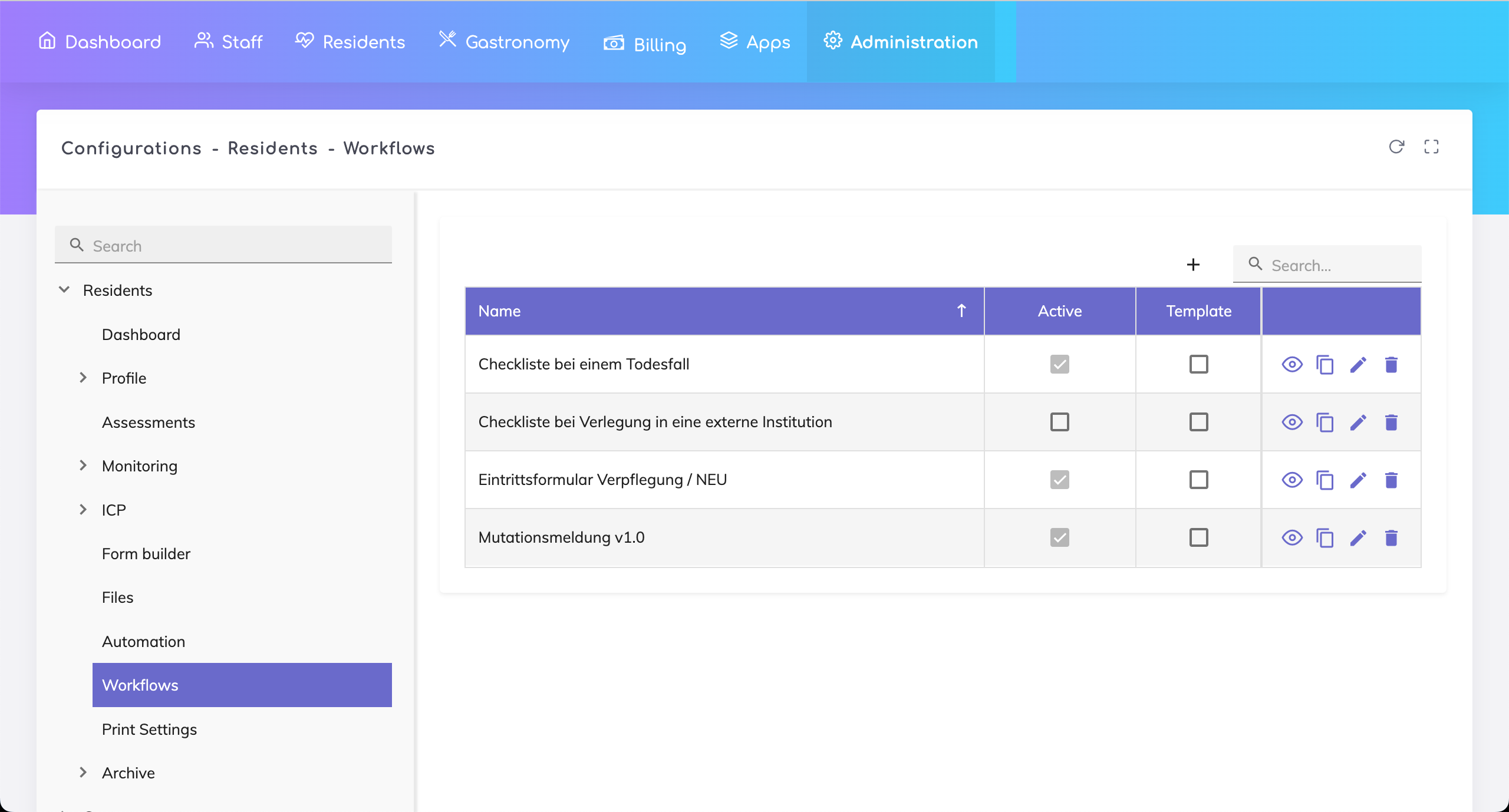
Workflows - This feature enables you to implement your process flows or checklists related to residents. Resident specific checklists or processes can be triggered directly from the resident profile.
These workflows can be setup in the Admin Configuration.
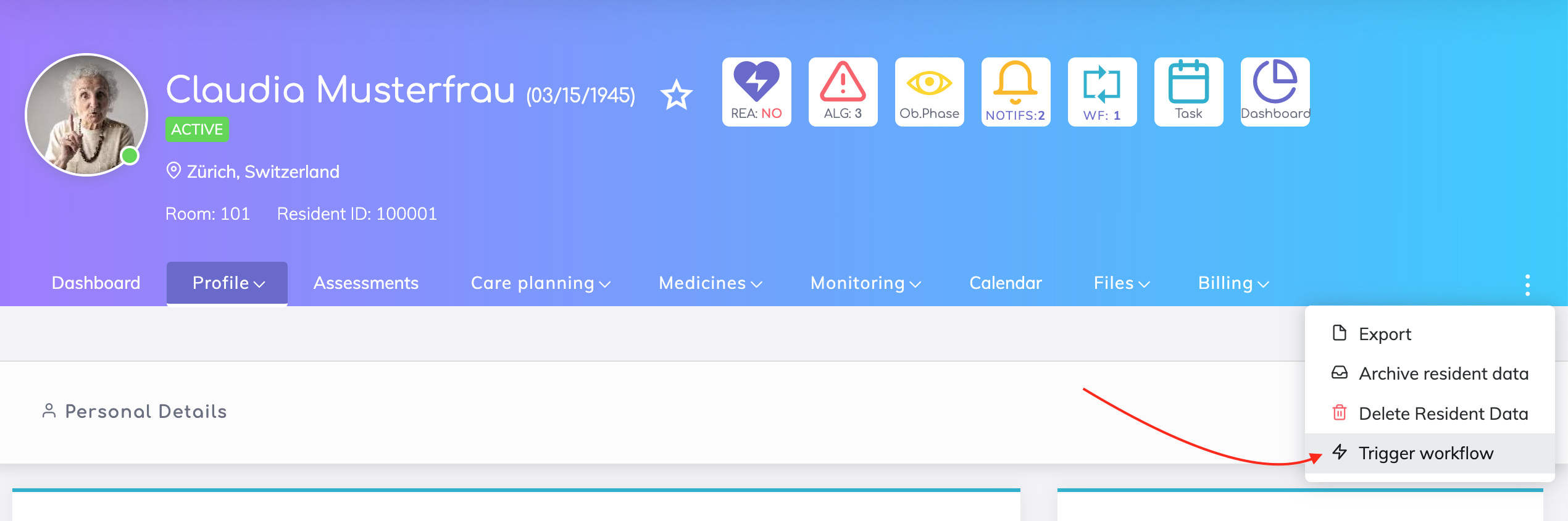
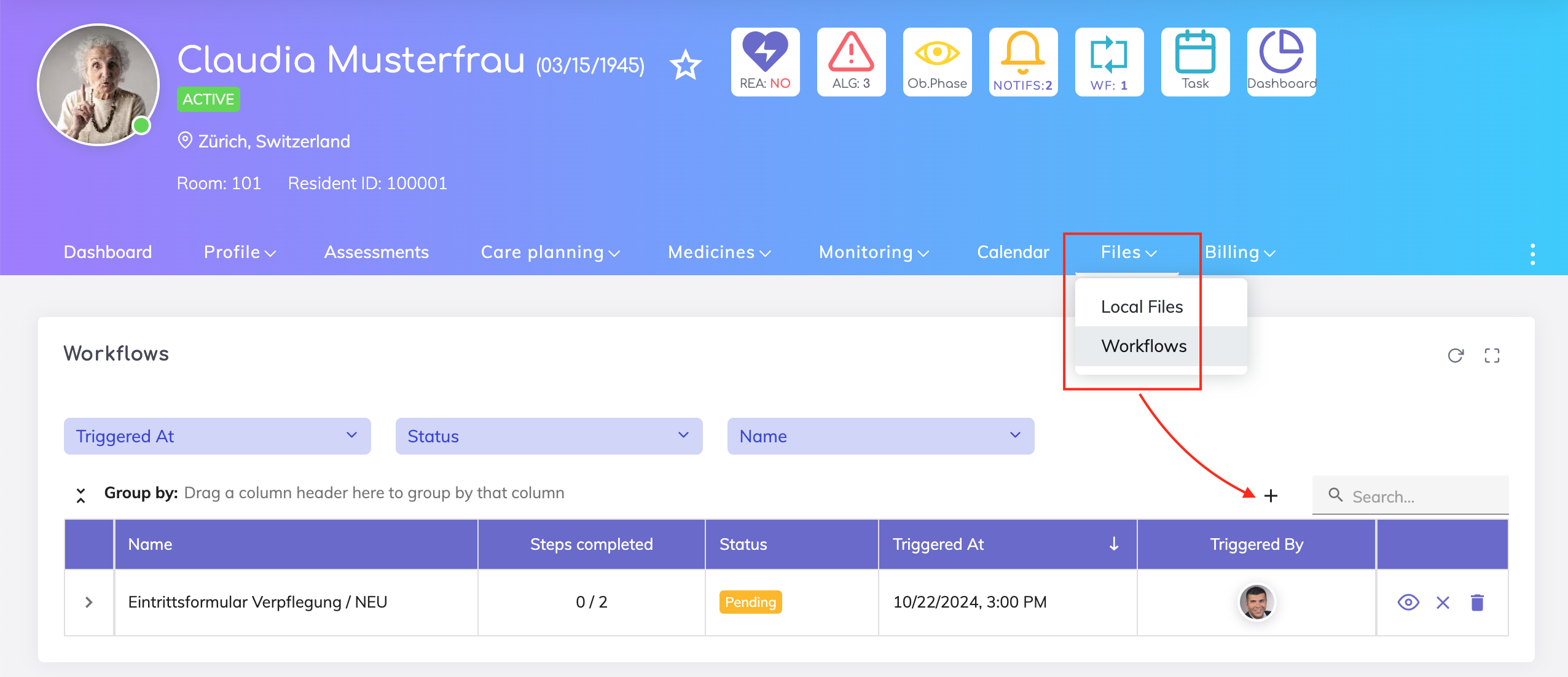
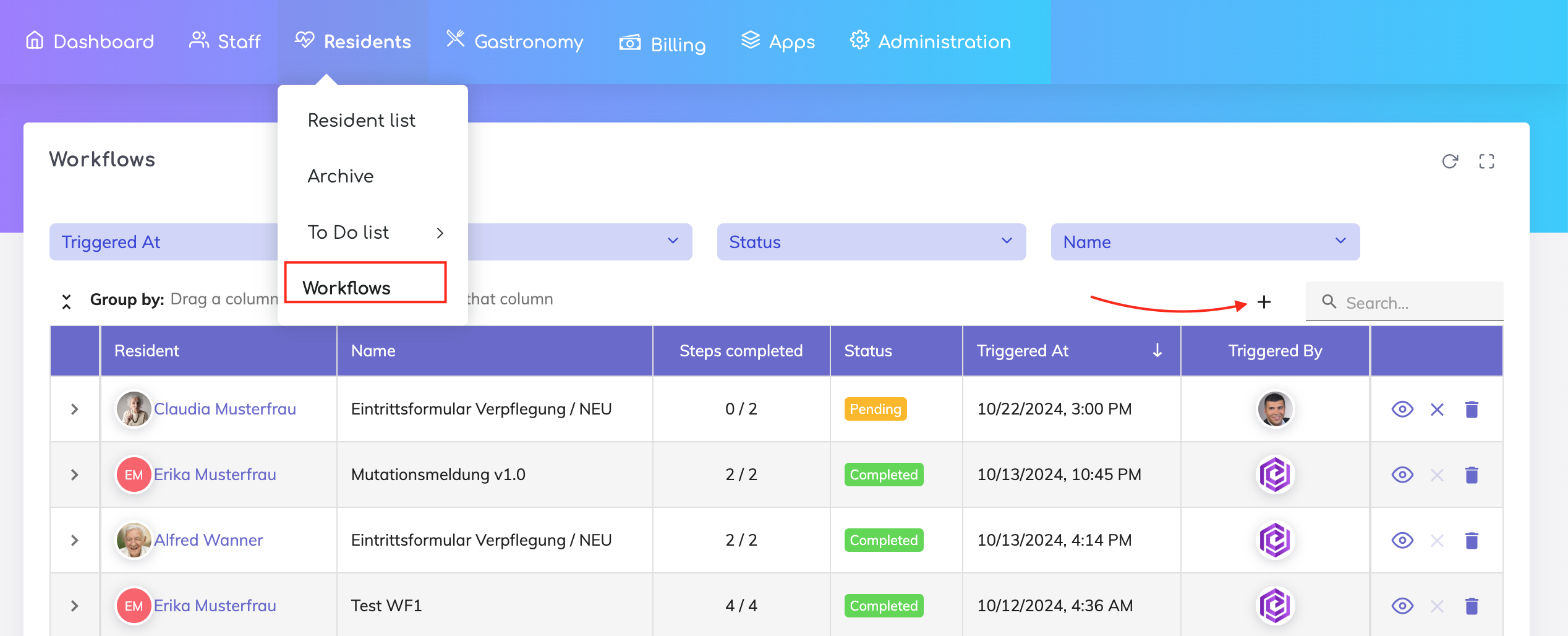
Once setup, these can be started either from the Resident Profile or from the Workflows Overview page.
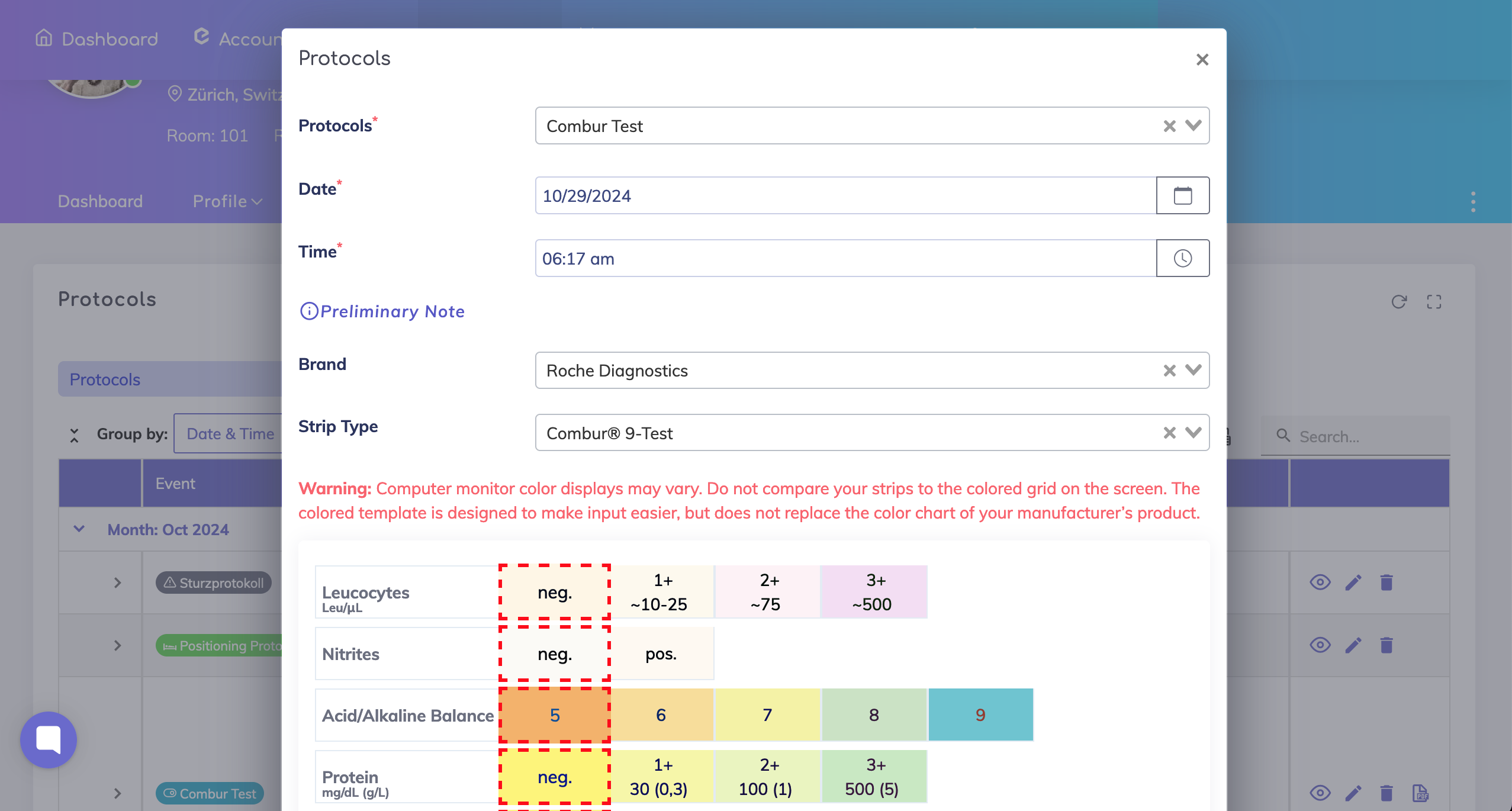
Combur Test
New test product added “combur® 9-Test” from Roche Diagnostics.
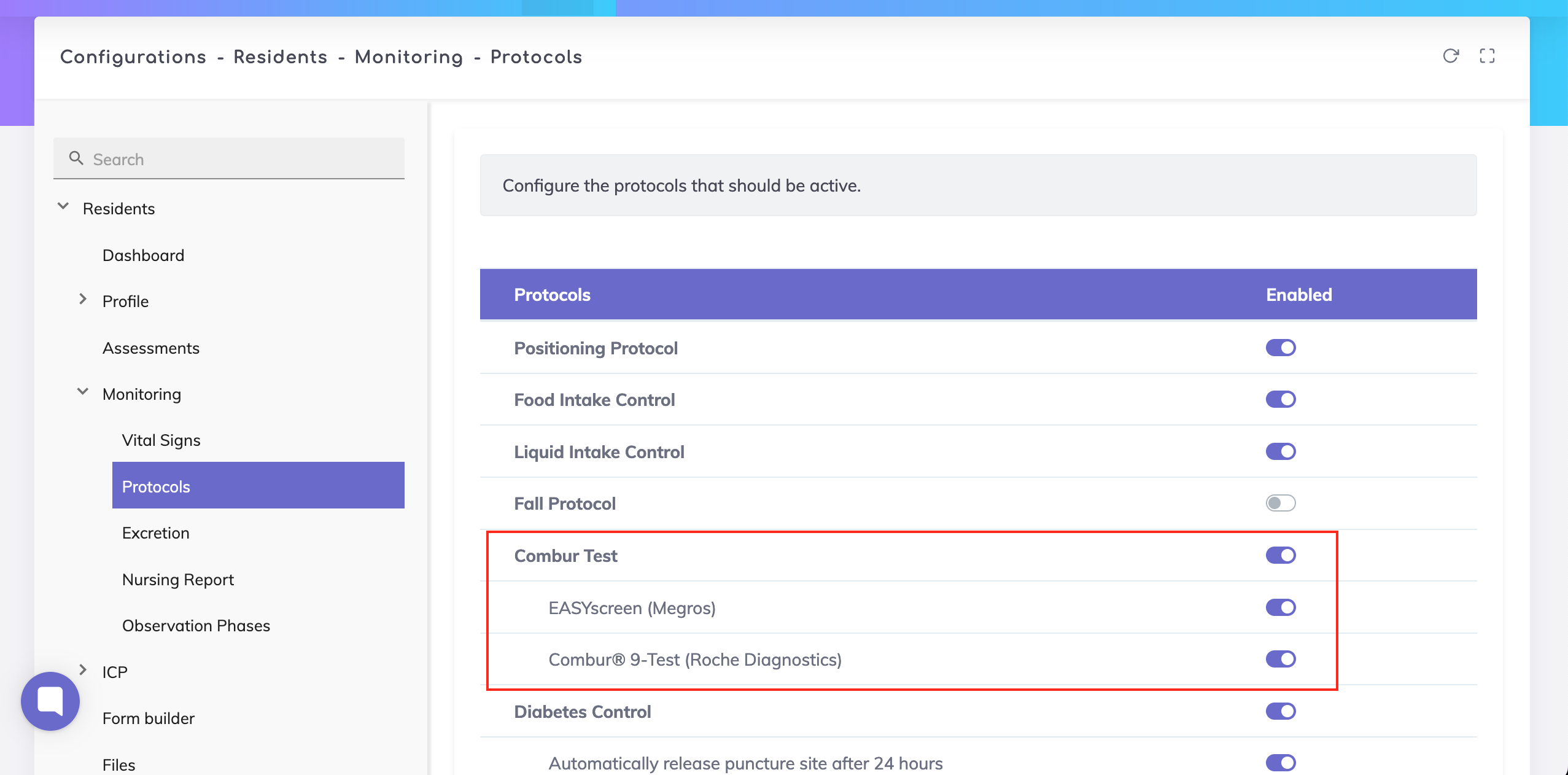
From the Admin Configuration, it is possible to enable or disable the products used.
PDF Exports
All assessments can be exported to PDF.
Wounds can be exported to PDF.
Combur Test can be exported to PDF.
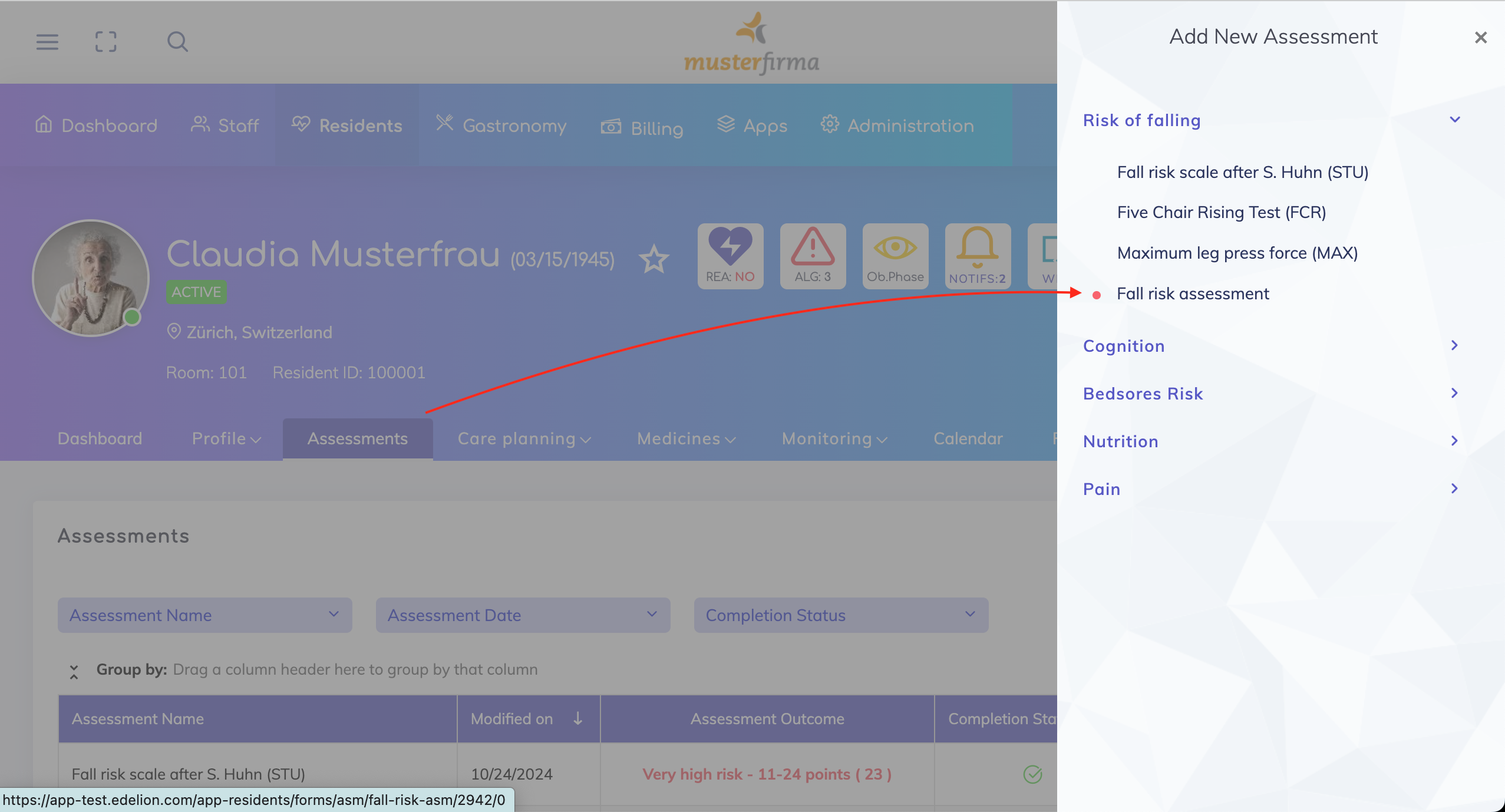
New "Fall Risk Assessment" added to the list of Assessments.
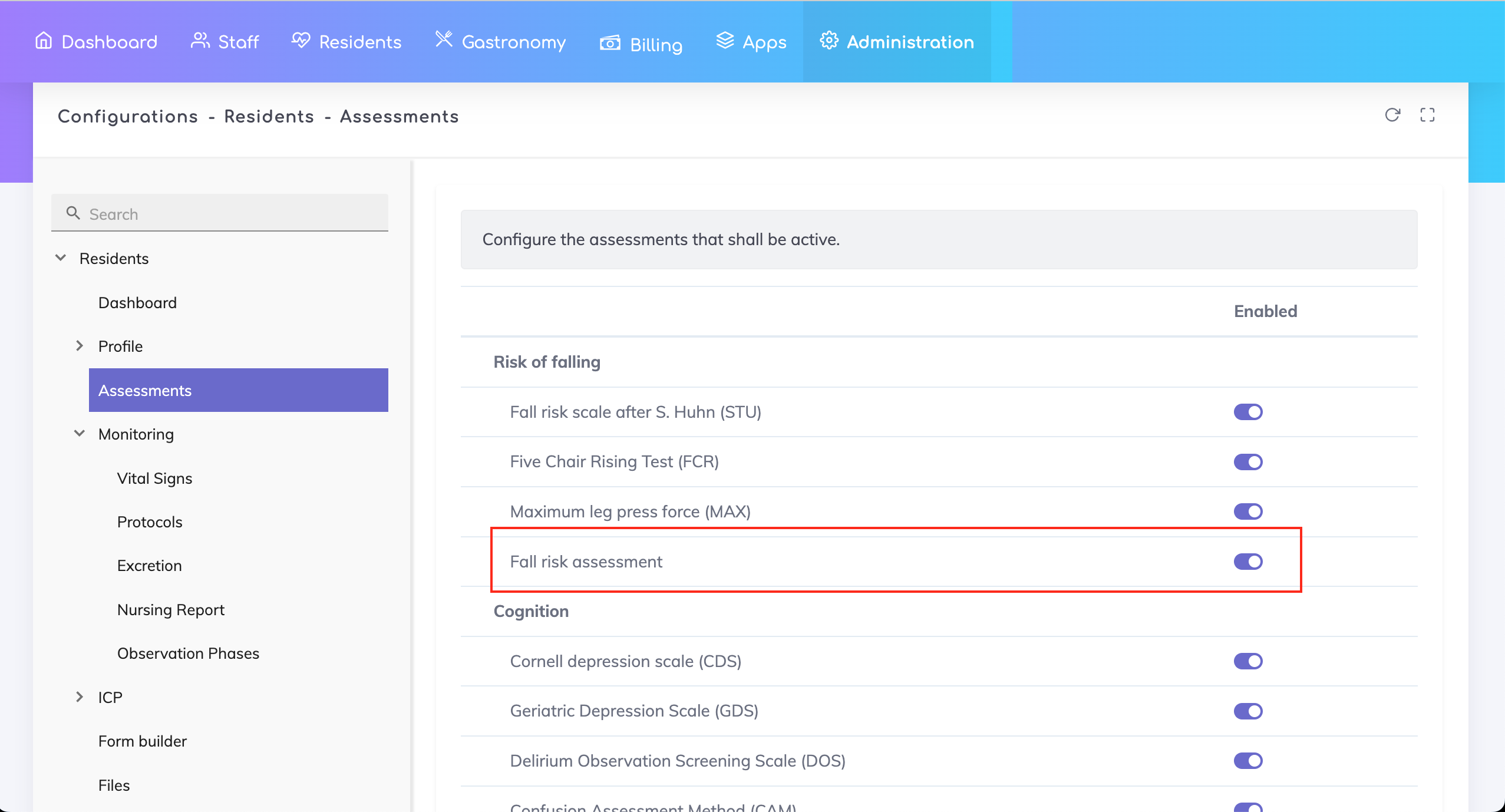
This assessment can enabled or disabled from the Admin Configuration.
Enabling or disabling standard protocols is now possible via the Admin Configuration.
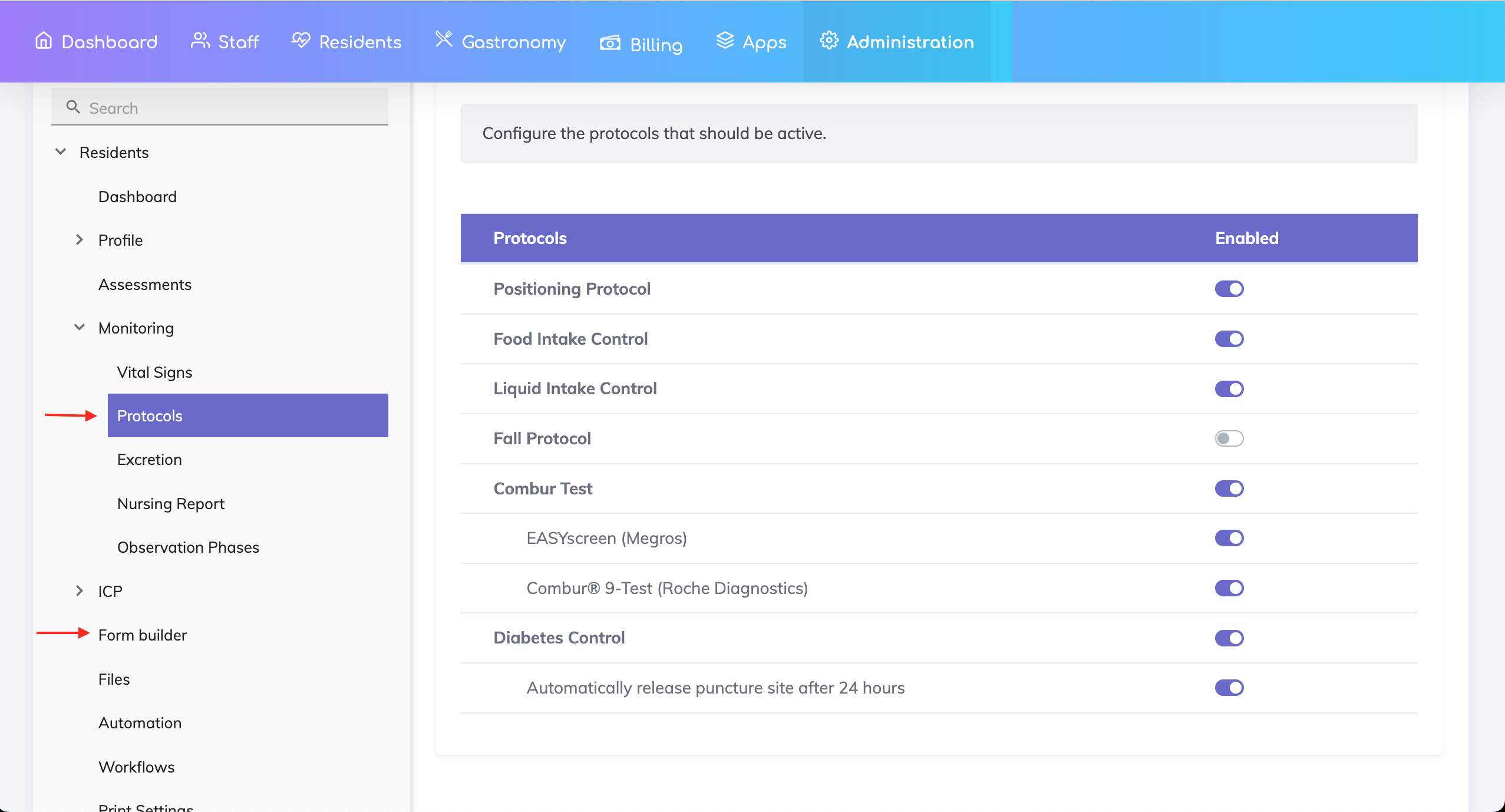
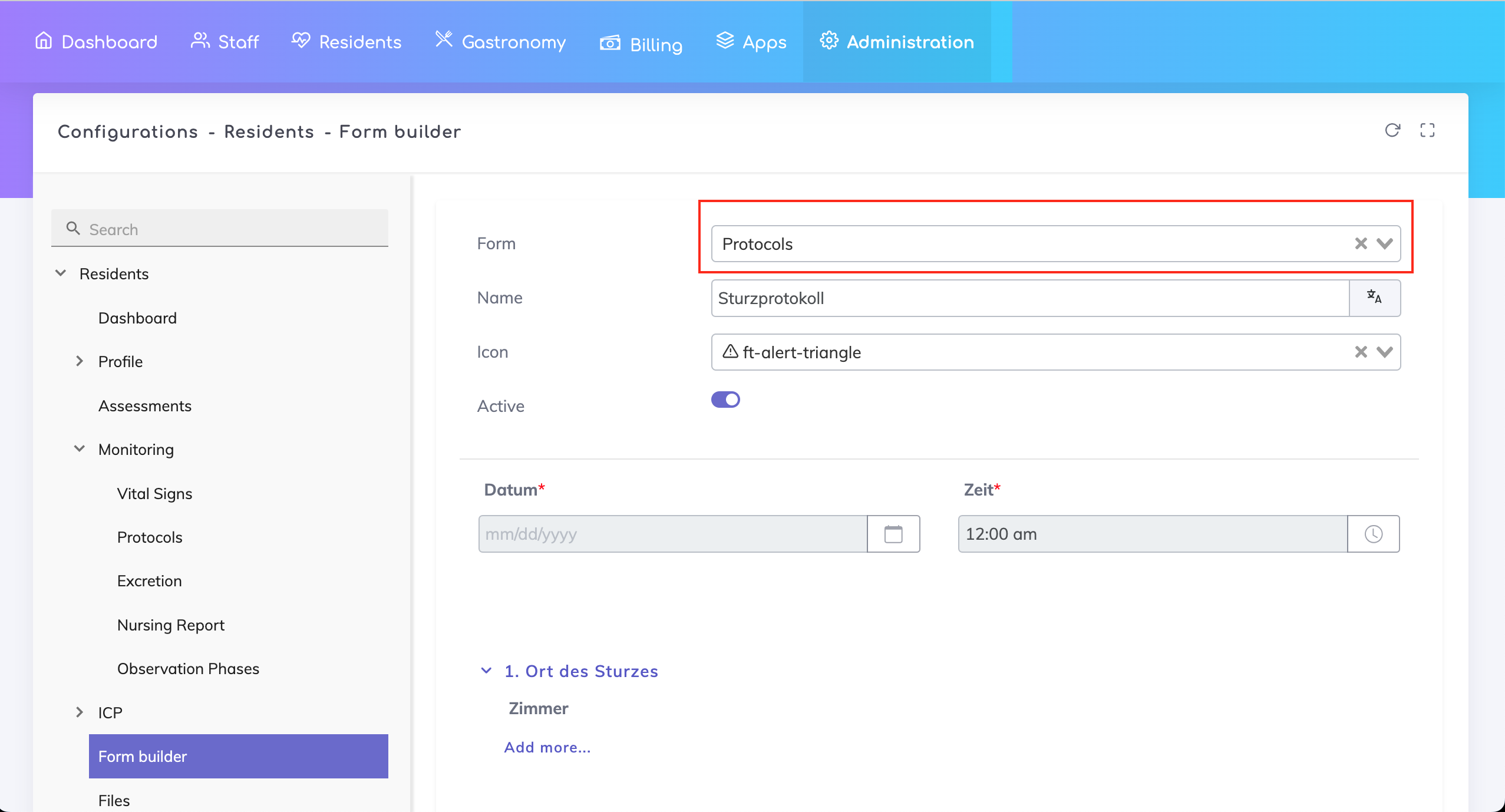
Custom protocols can also be built using the Form Builder. In the Form Builder, use the Form Type "Protocols" for custom protocols.
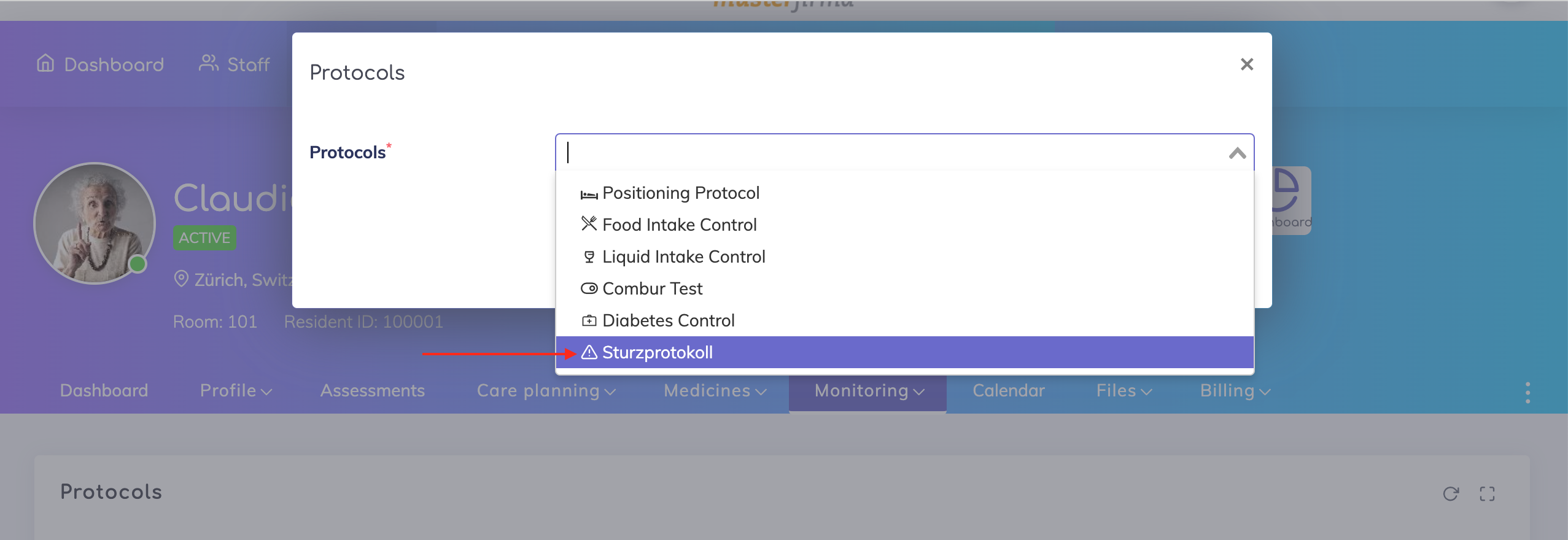
The name given to the custom protocol above will appear in the protocols list for the resident as shown.
Wounds Enhancements
Wound Therapy section renamed to Wound Status, in alignment with the industry naming.
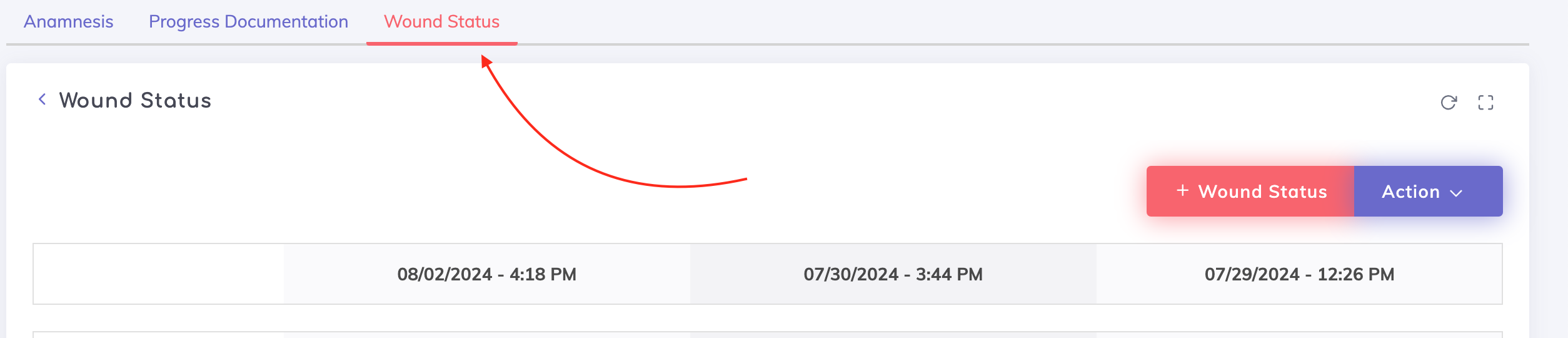
Option to add photo documentation to the Wound Status entry.
The "Remarks" field on the sections Wound Progress Documentation and Wound Status is renamed to “Wound description”. This field is now mandatory.
Option to show the Wound Description and the Photos at the top rather than at the bottom of the respective Wound Progress Documentation and Wound Status overview tables.
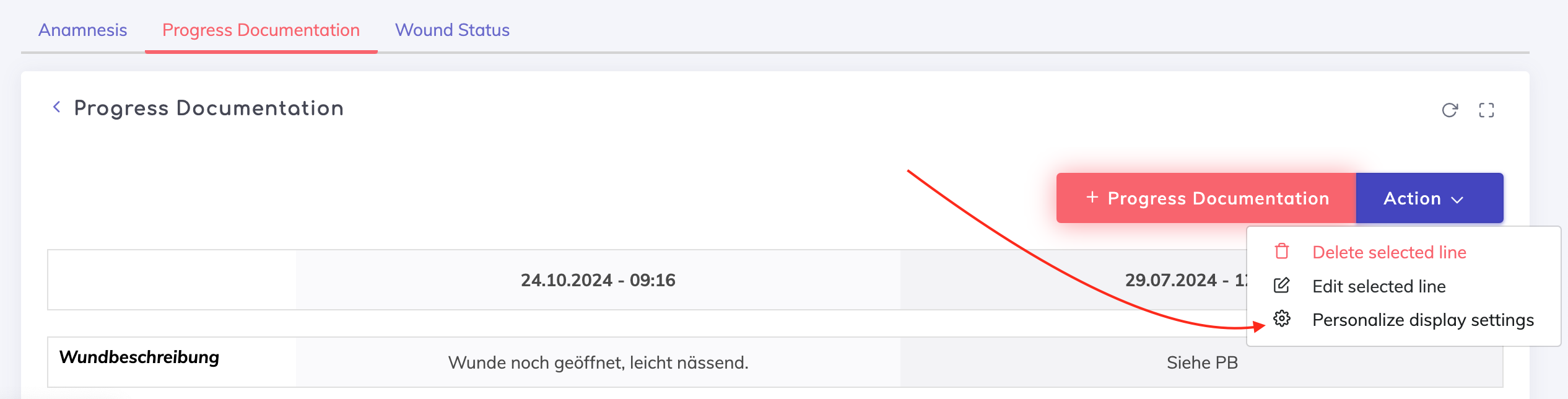
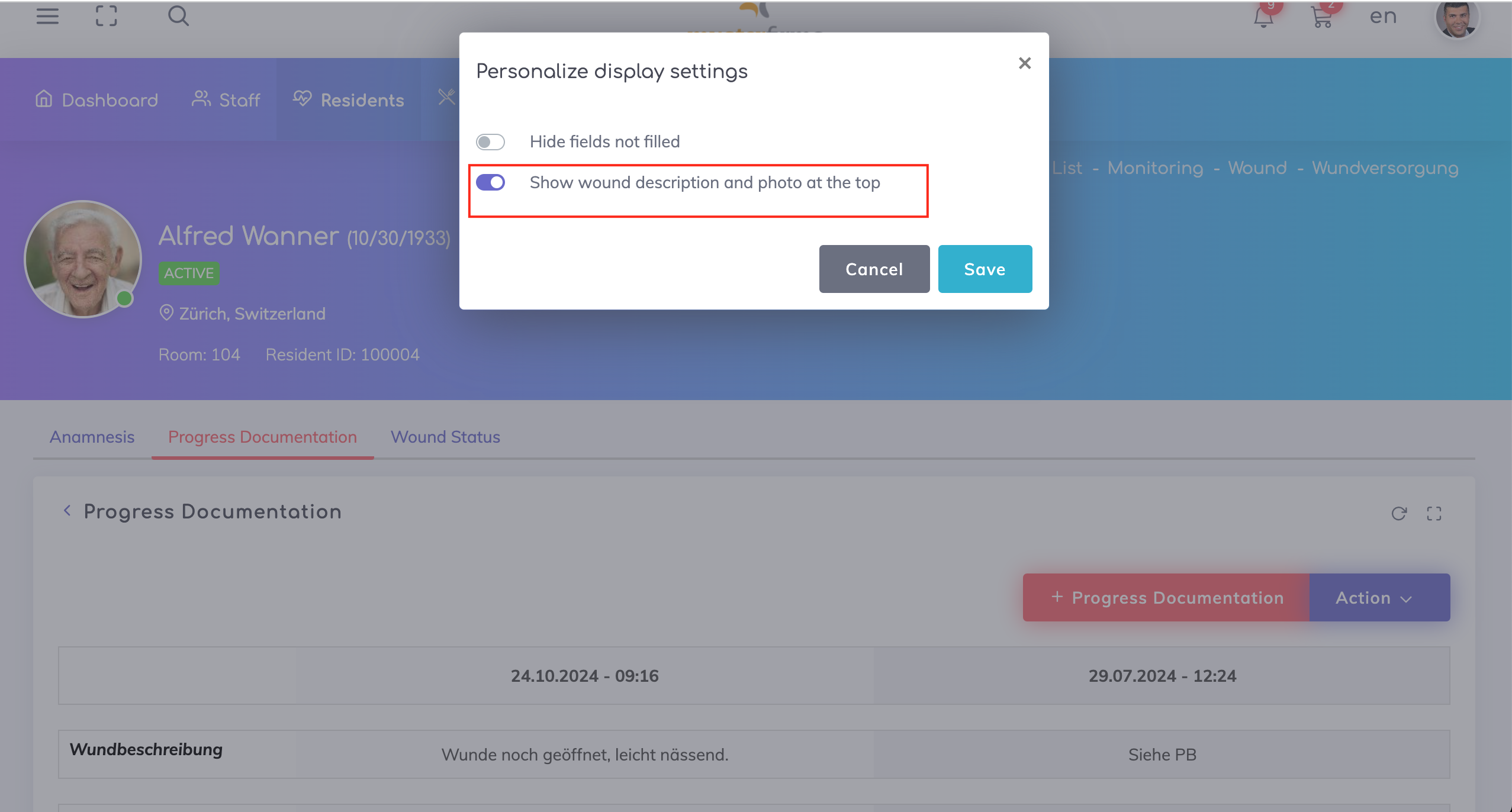
The possibility to duplicate the last entry for the Wound Status and Wound Progress Documentation is removed to ensure documentation is done correctly.
Wound Status can now be tracked on the Activity List i.e. a schedule can be maintained on how often the wound status is to be documented.
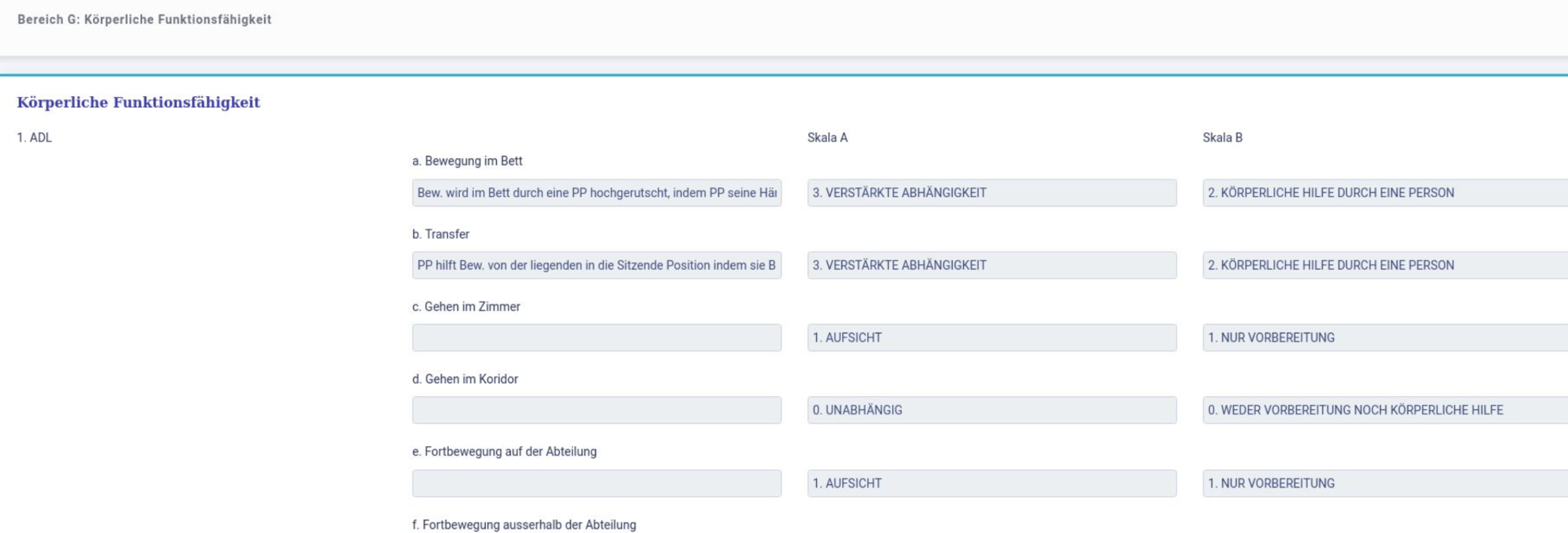
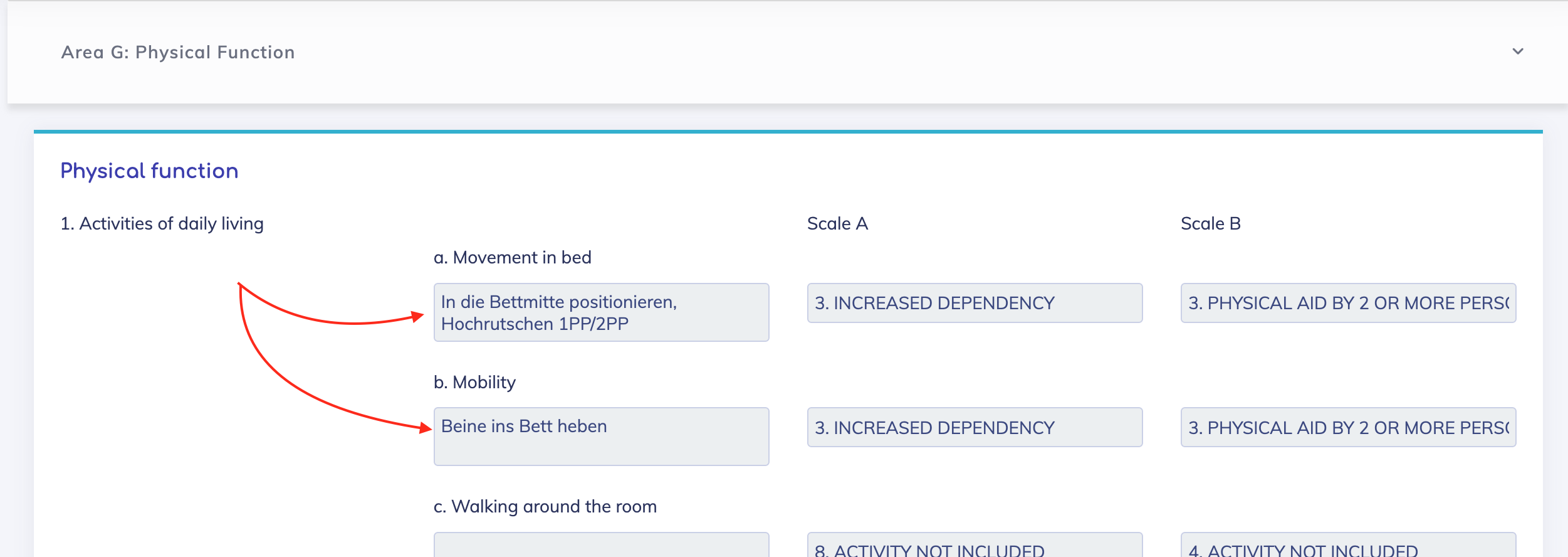
SPP - Section G Text field areas are now fully visible.
Before - Text was not wrapped.
After - Text is wrapped.
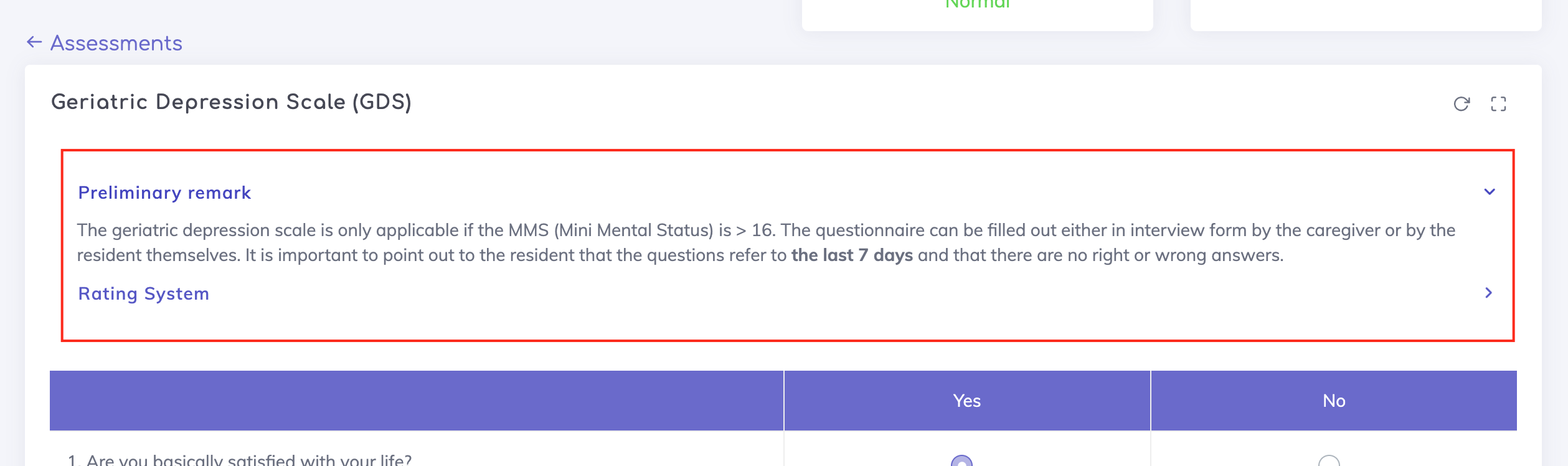
Assessments - For multiple assessments, the instructions for performing the assessment and the respective rating system are updated.
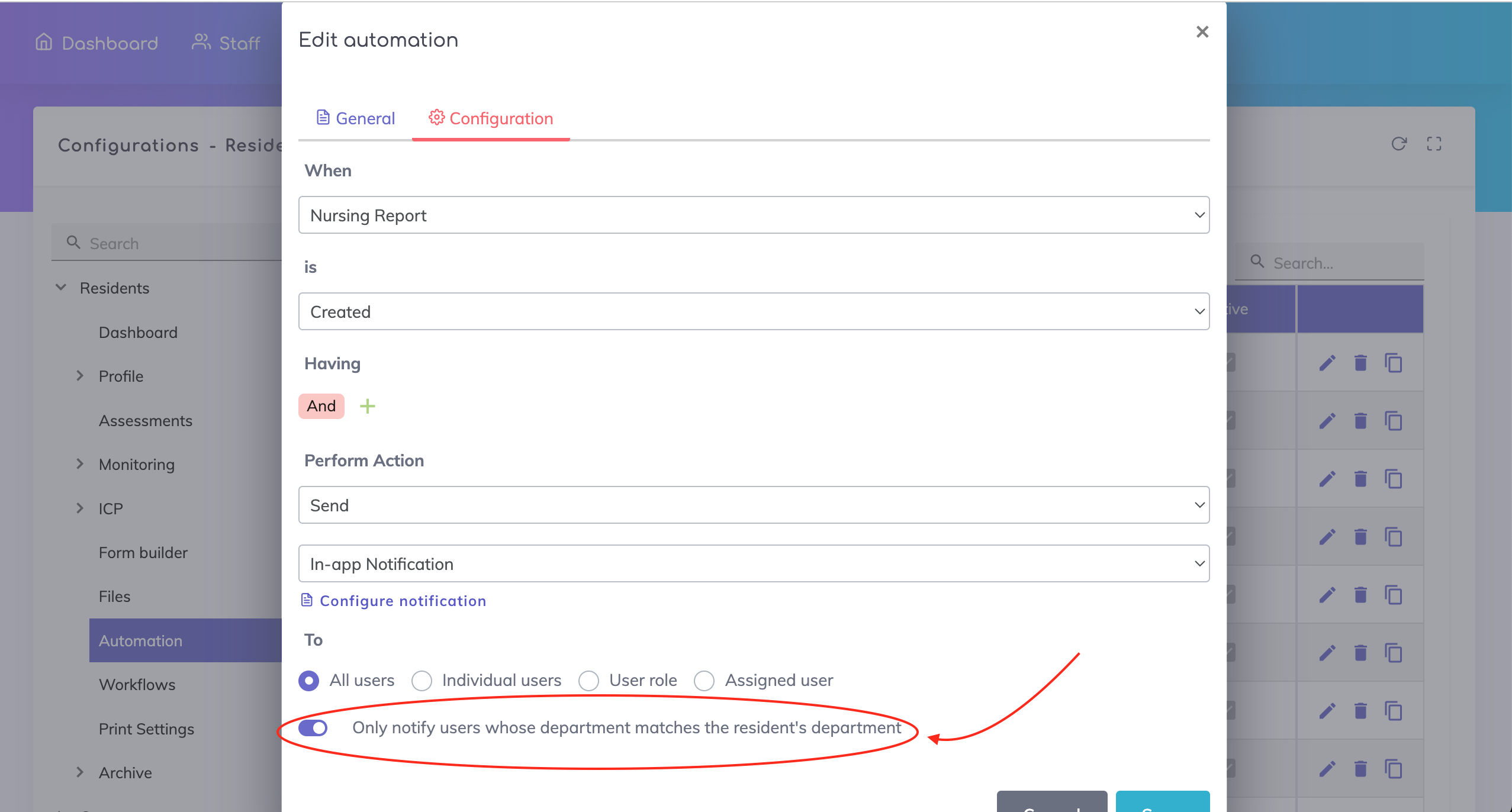
Notifications
Previously caregivers from all departments were notified about events related to residents. Now, only caregivers who are in the same department as the resident will be notified. Activate the switch below to enable this feature.
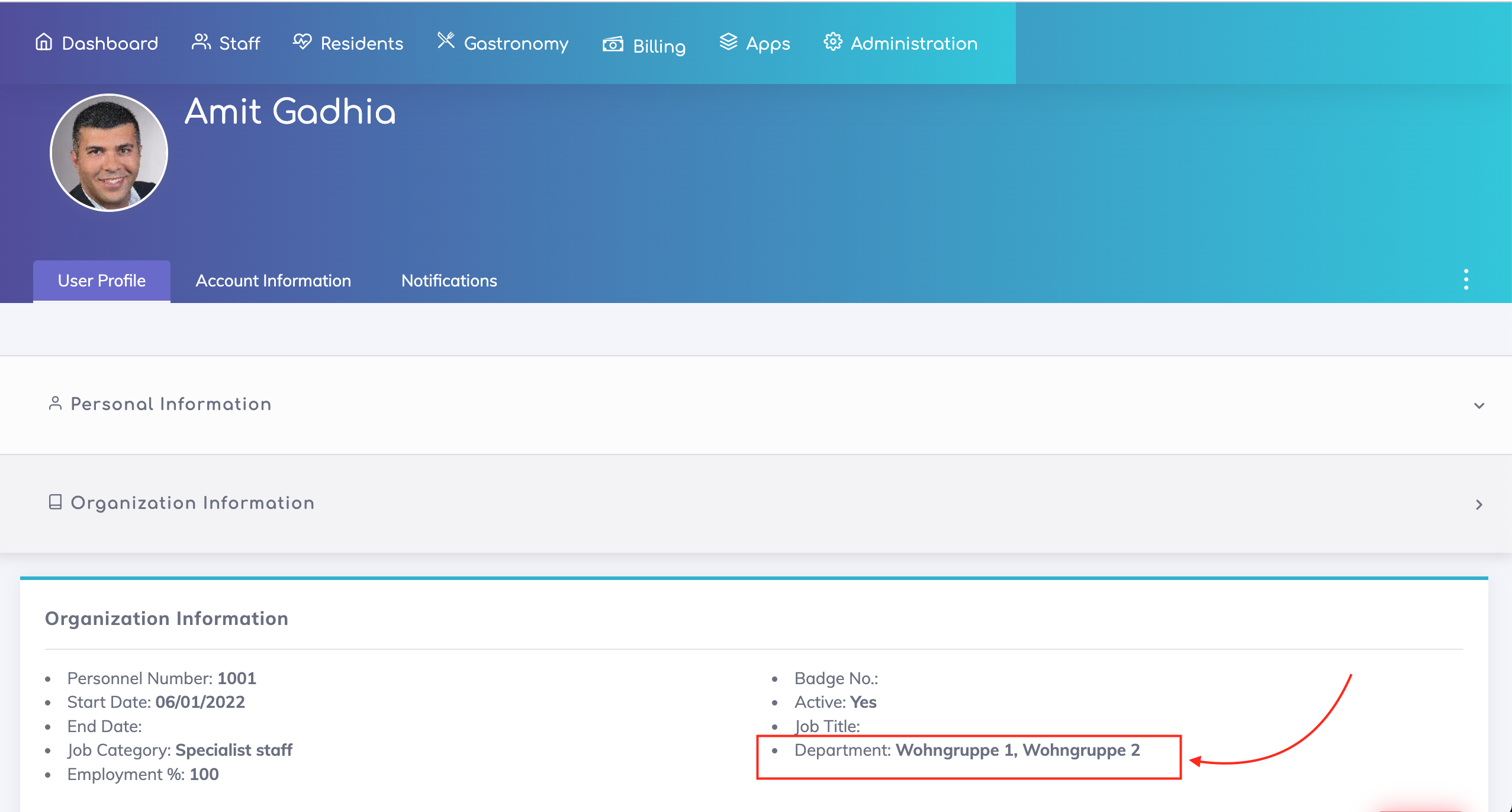
Additionally, the caregiver's department field should be selected as shown below in order to receive notifications for the respective departments. In the example below, this caregiver will receive notifications related to Wohngruppe 1 and Wohngruppe 2.
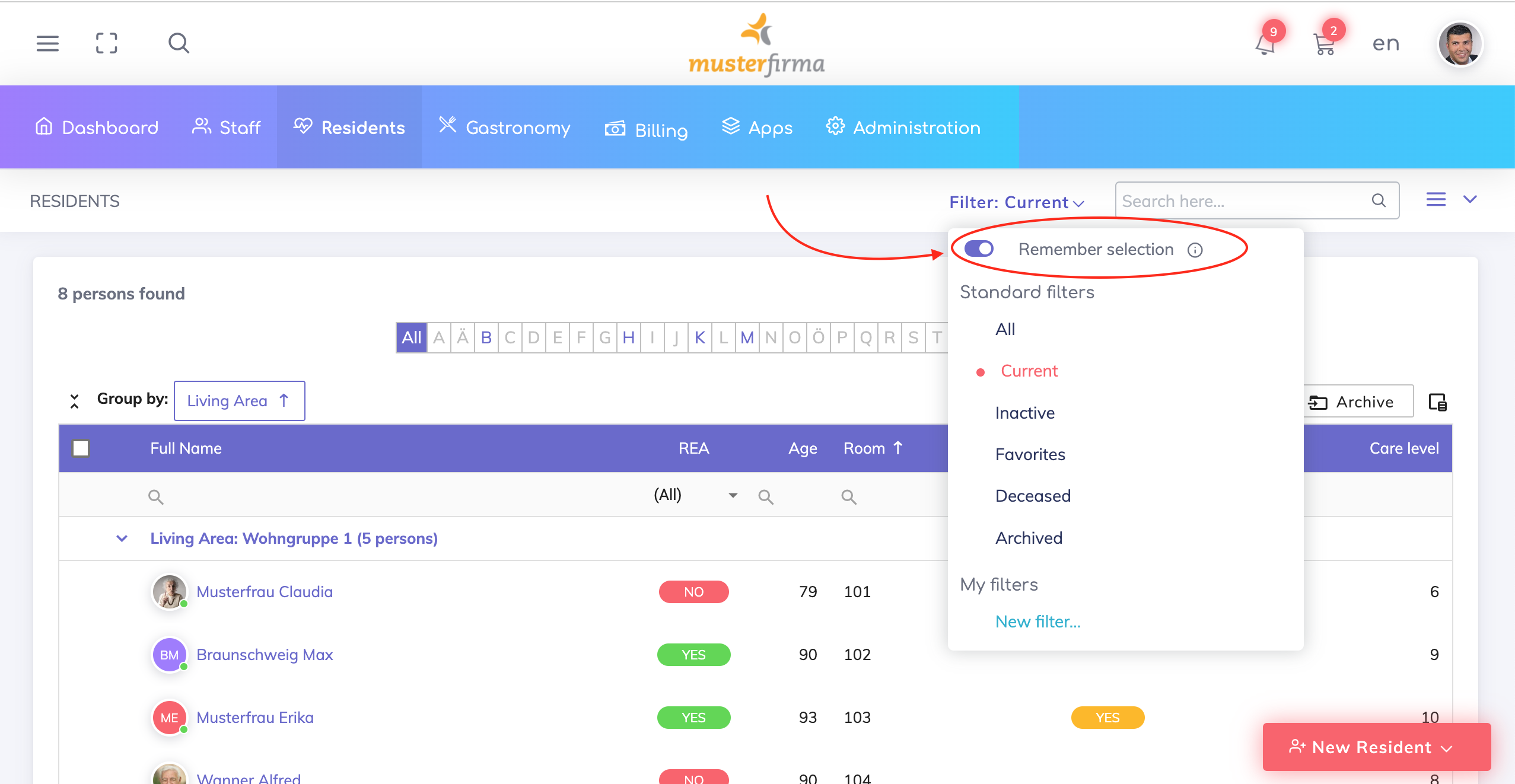
Residents List - Previously, the last used filter was always loaded when signing into the app. Now, we have included the switch shown below where you can choose:
If the previously selected filter should be loaded when signing into the app (Switch = ON) or;
If the standard filter "Current" residents should be loaded when signing into the app (Switch = OFF).
Form Builder - Multiple Improvements
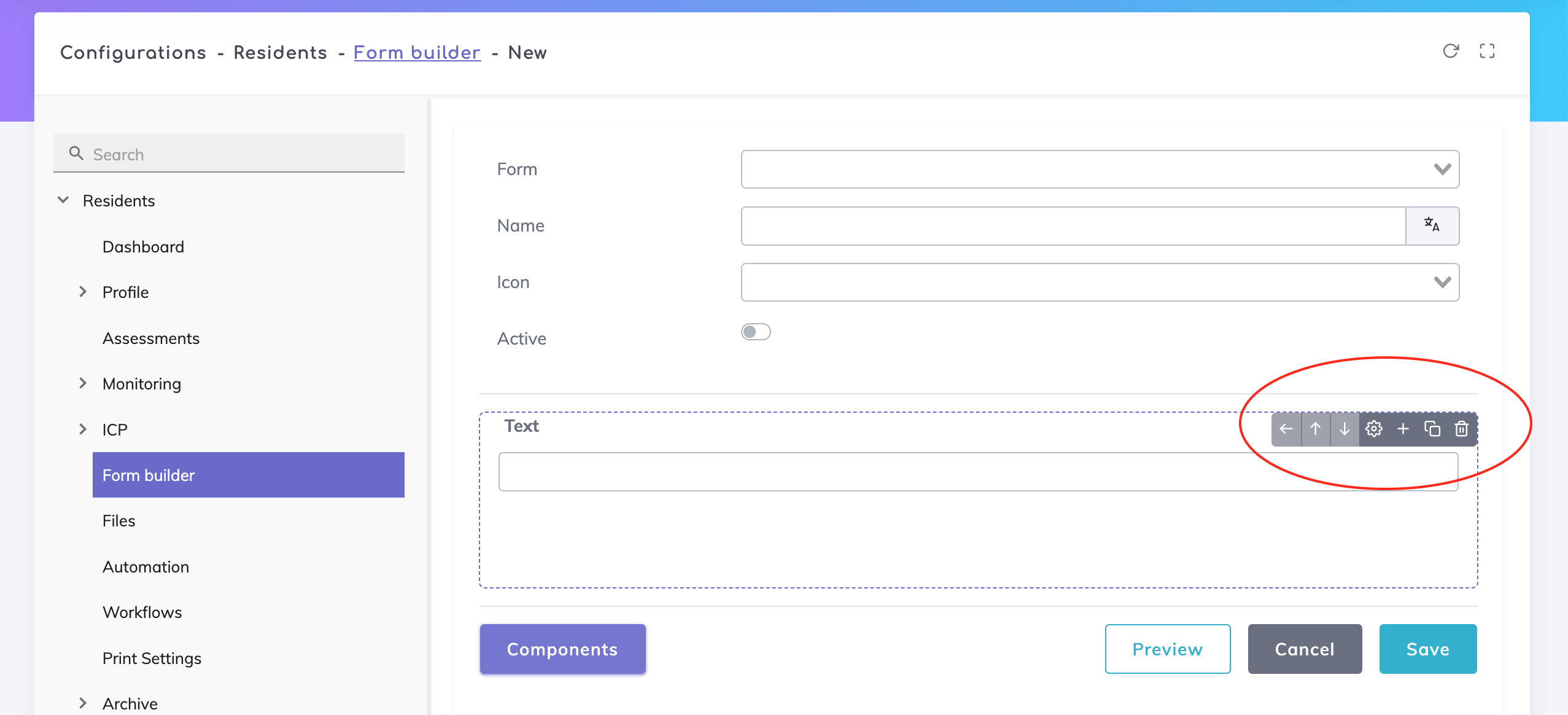
The following options are available on components that are added to your form:
move component left - the respective component is converted from a child to a sibling component.
move component up/down - moves the position of the respective component/component block either upwards or downwards.
add children components - use the + option to add children components under the component.
copy components - single components or component blocks can be duplicated.
delete components - single components or component blocks can be deleted.
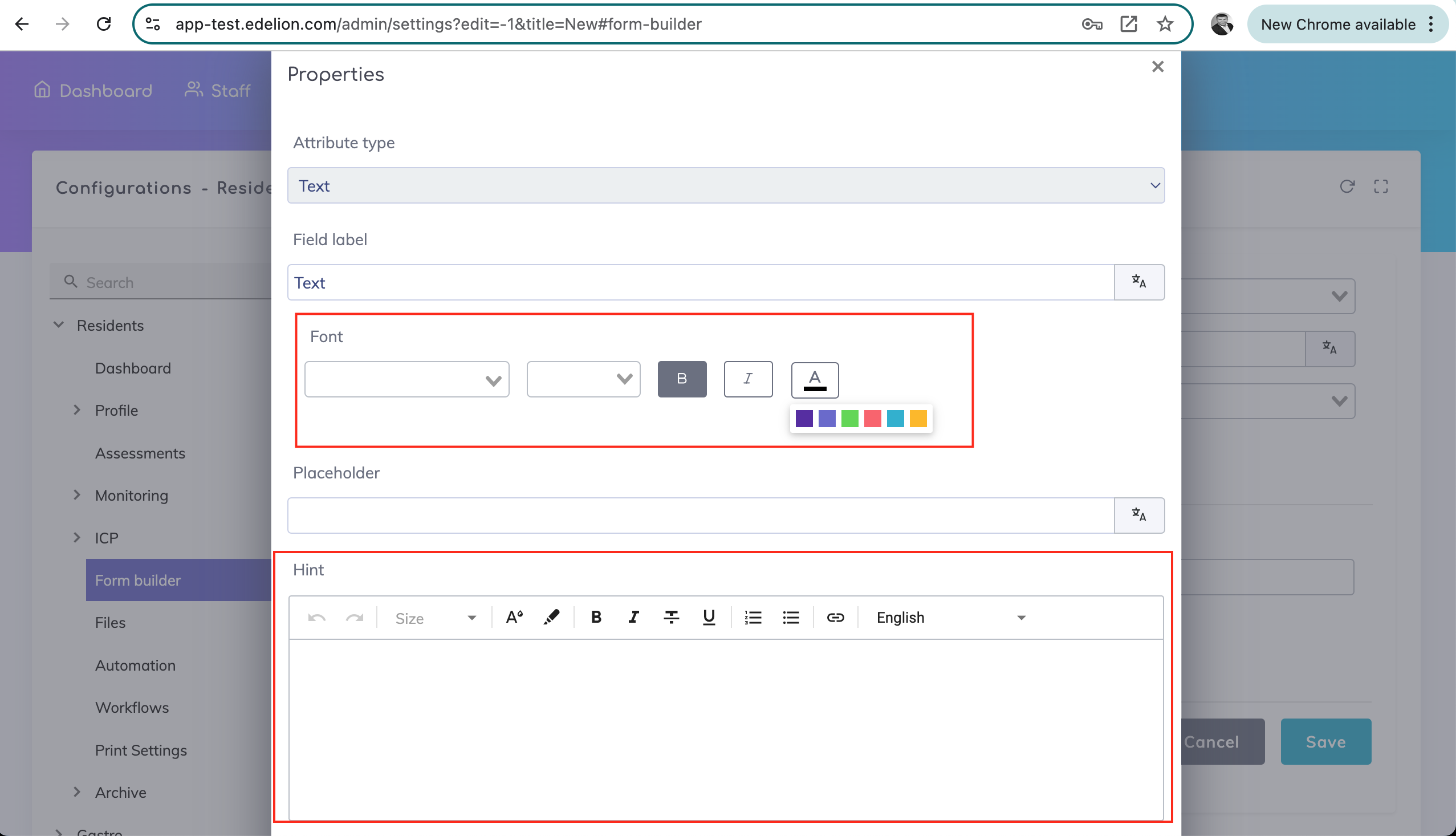
It is possible to add styling to the field labels as well as add information messages below the fields.
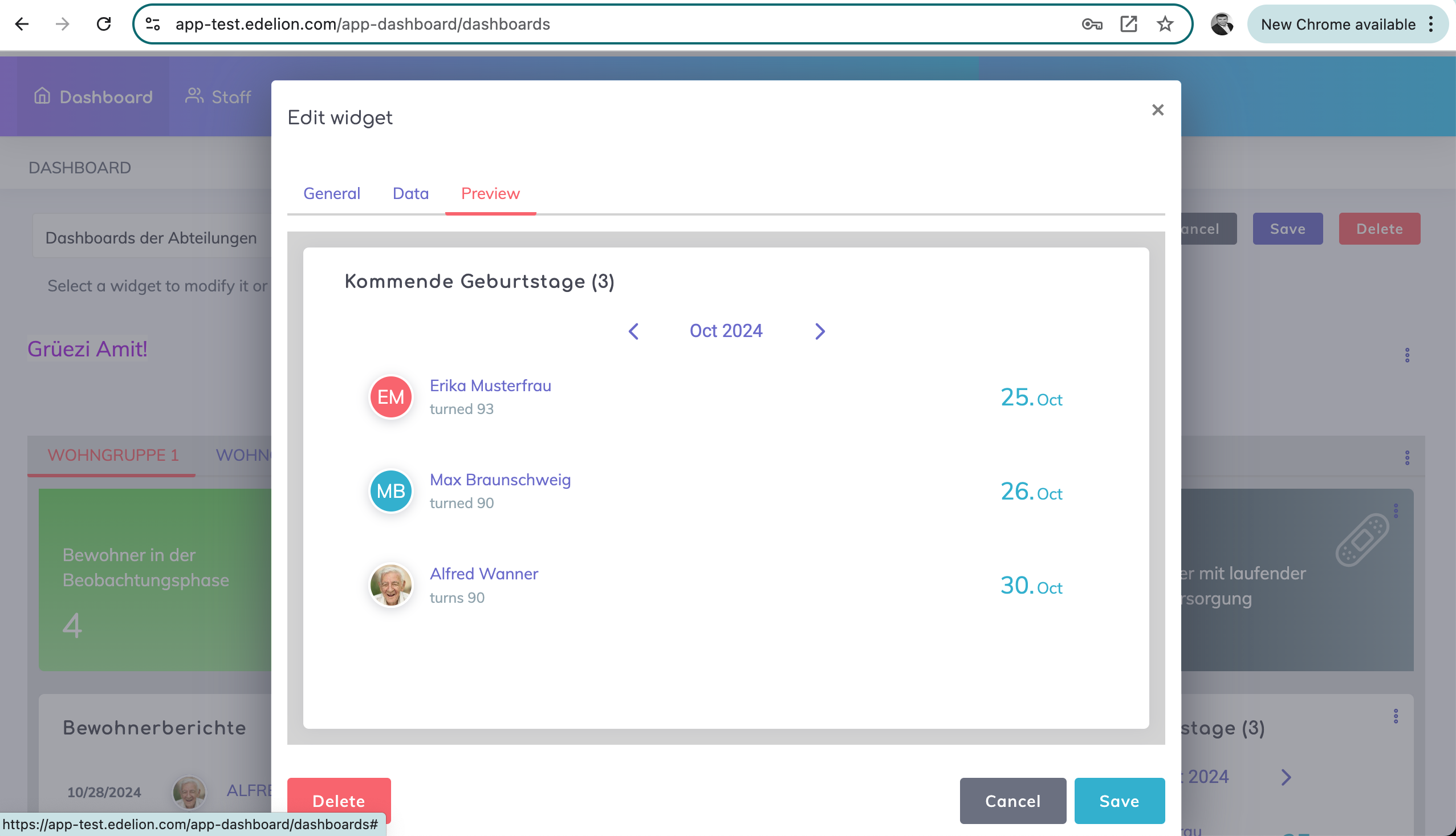
Dashboard Birthday Widget Improvement - It is possible now to specify a label (or widget title) and filtering is possible e.g. view only birthdays of residents in a specific department.
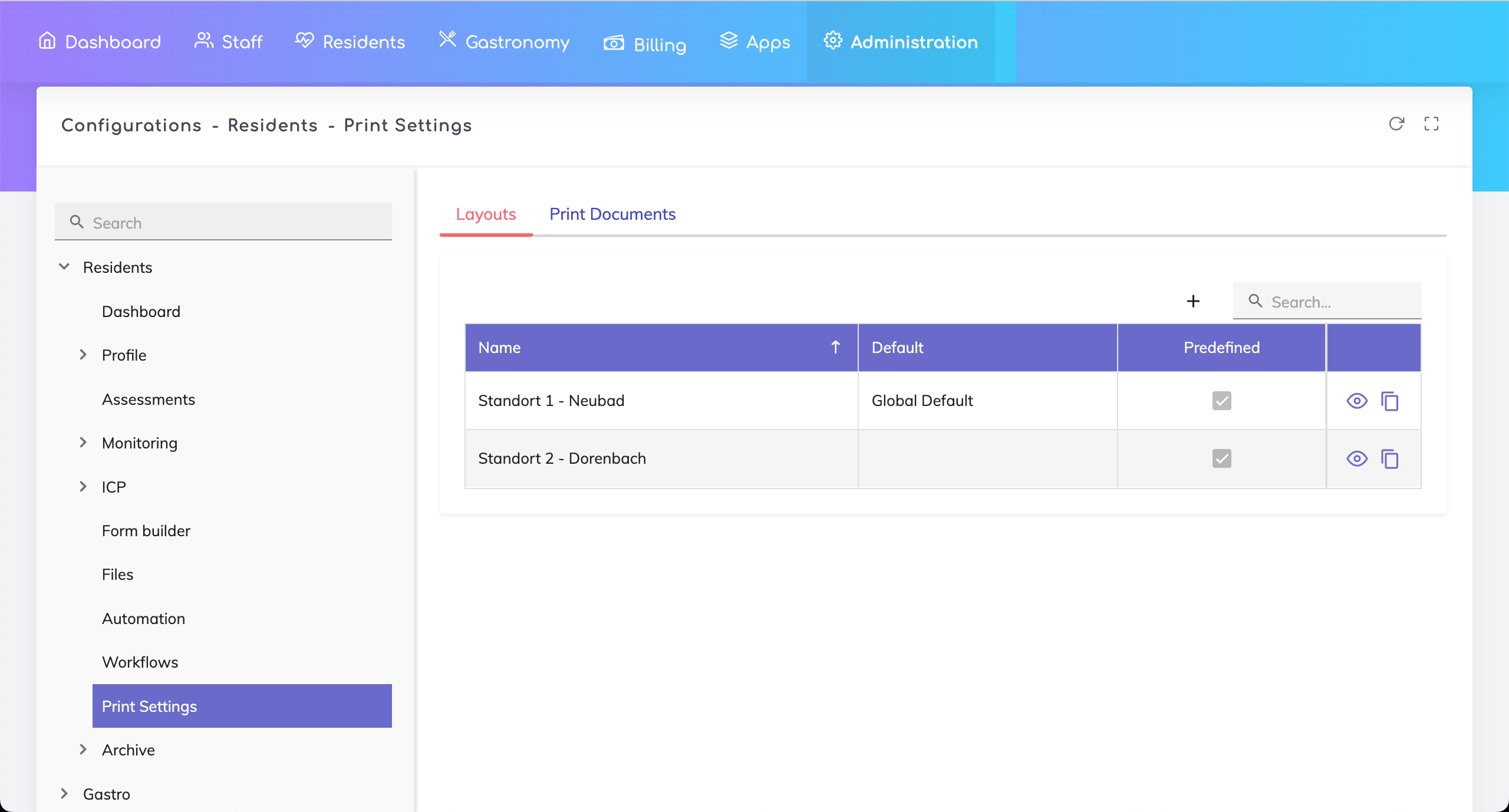
Improvement for Print Settings in the Admin Configuration
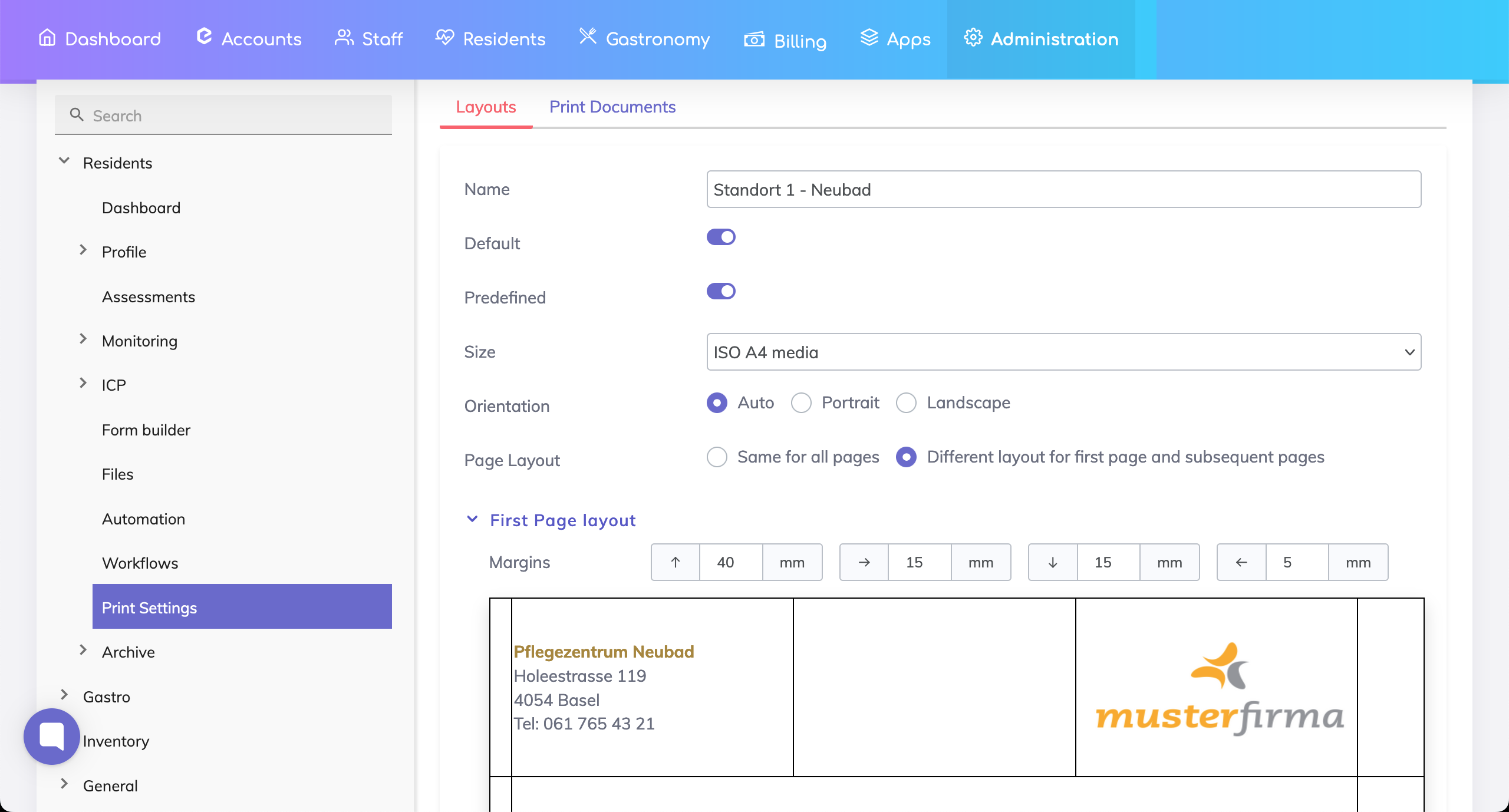
Multiple layouts can be defined - applicable in the case when there are multiple care center locations and each location would like to have its own address on the print outs.
Additionally, margins can be adjusted and custom text can also be printed as required within the margins.
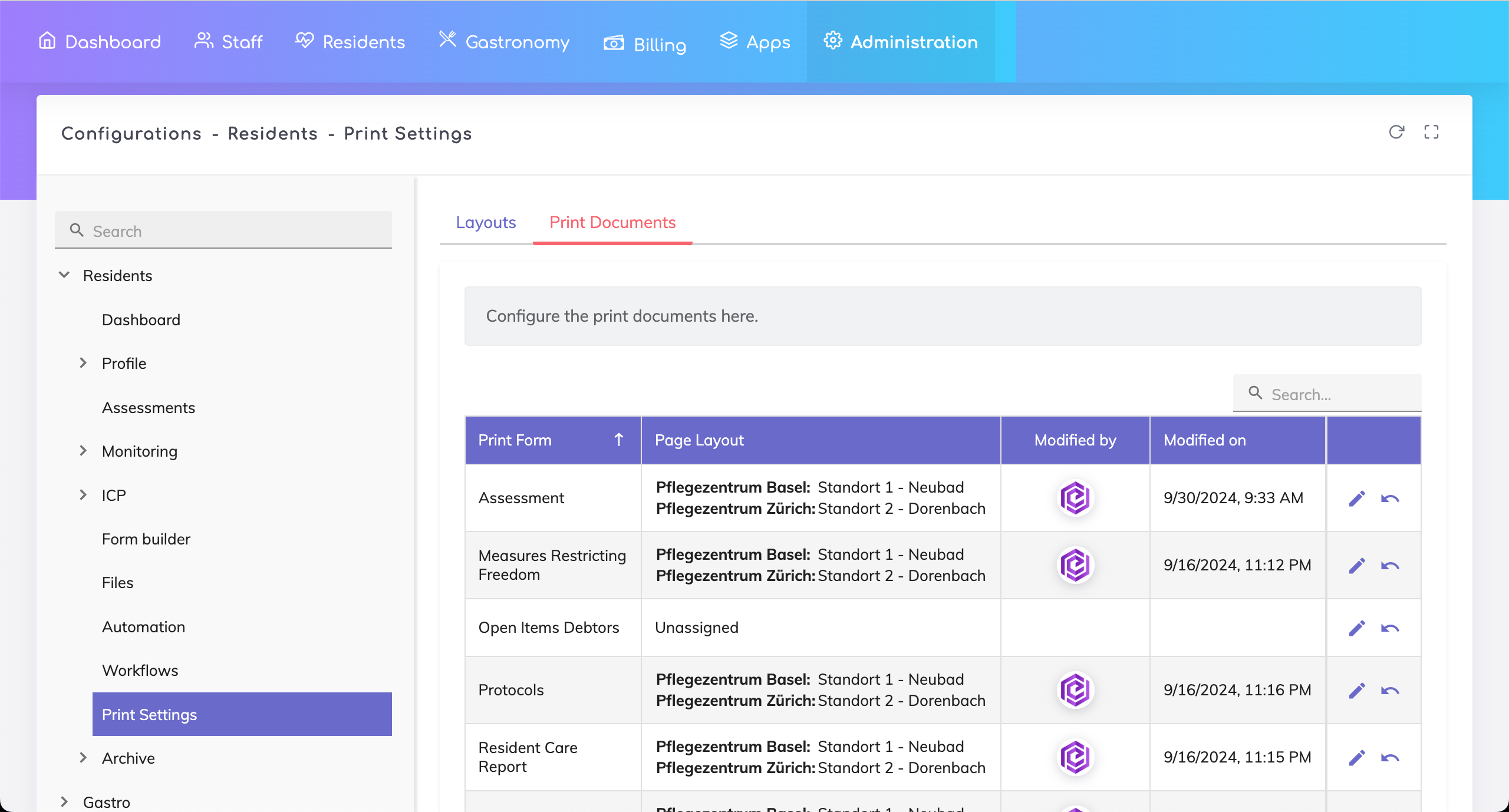
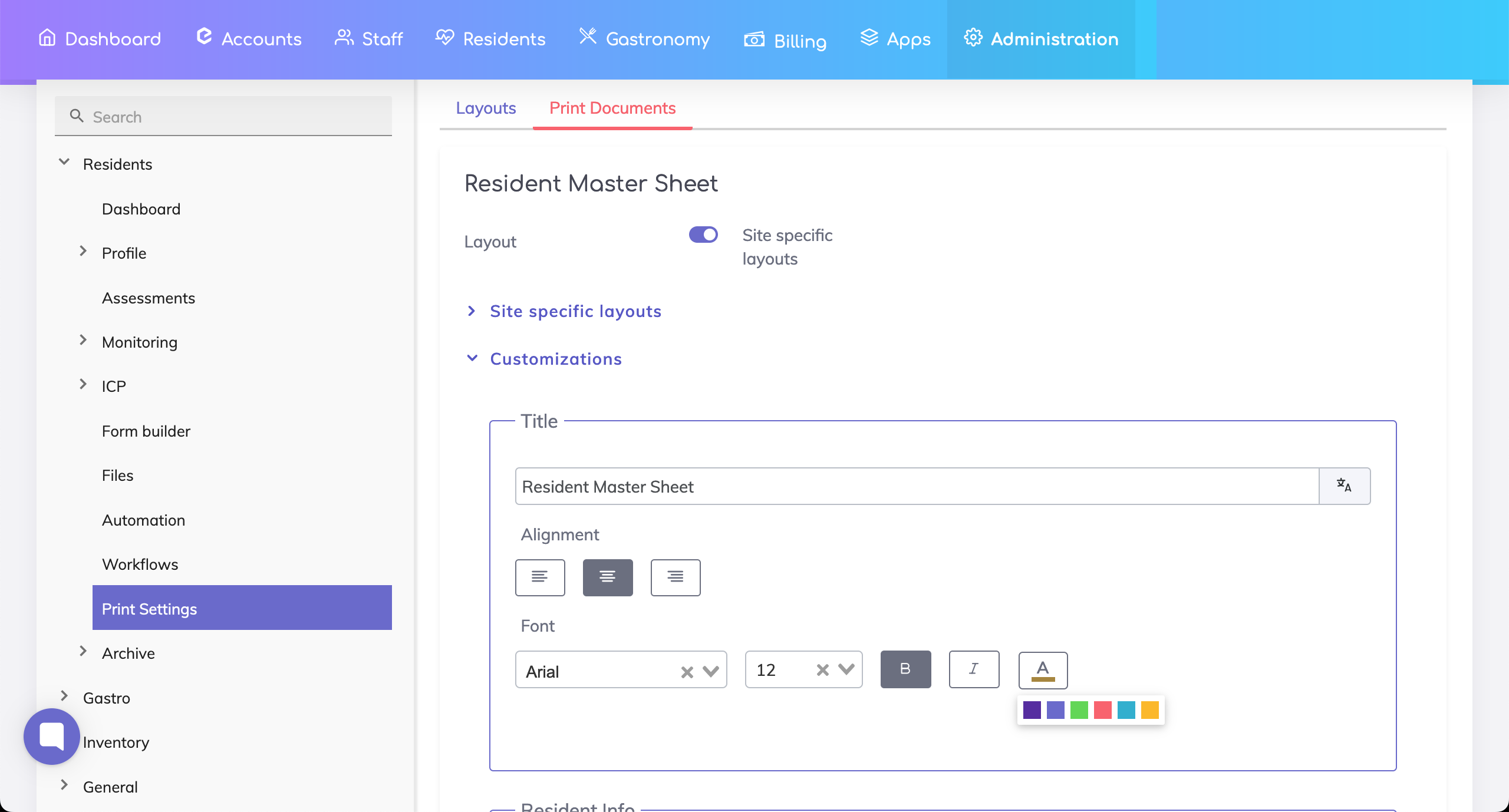
Settings for Individual Documents - Specific layouts can be assigned to different sites and formatting and styling possibilities added.
Signature function for Patient Living Will and Freedom Restricting Measures not working reliably - after saving, signatures do not appear at times.
Vitals recorded in the standard Fall Protocol form were not transferred to the Vital Signs section.
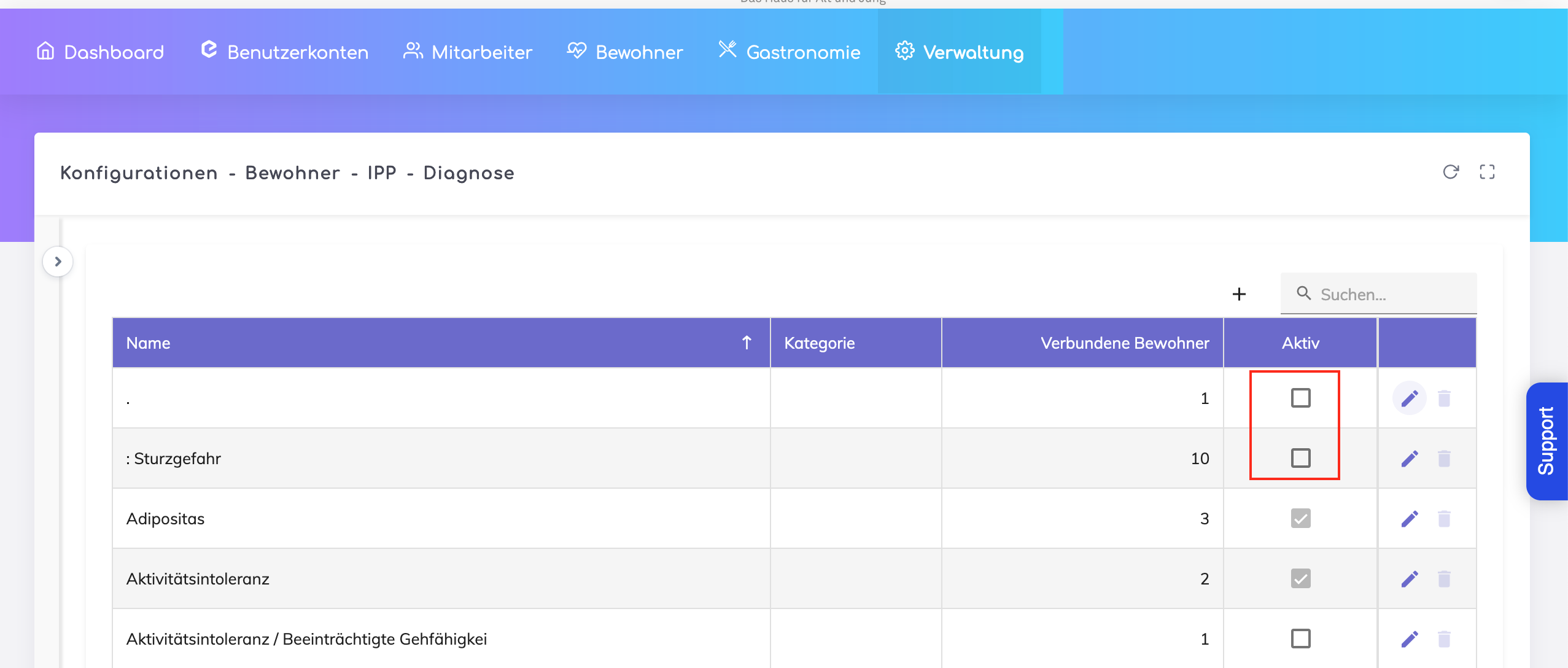
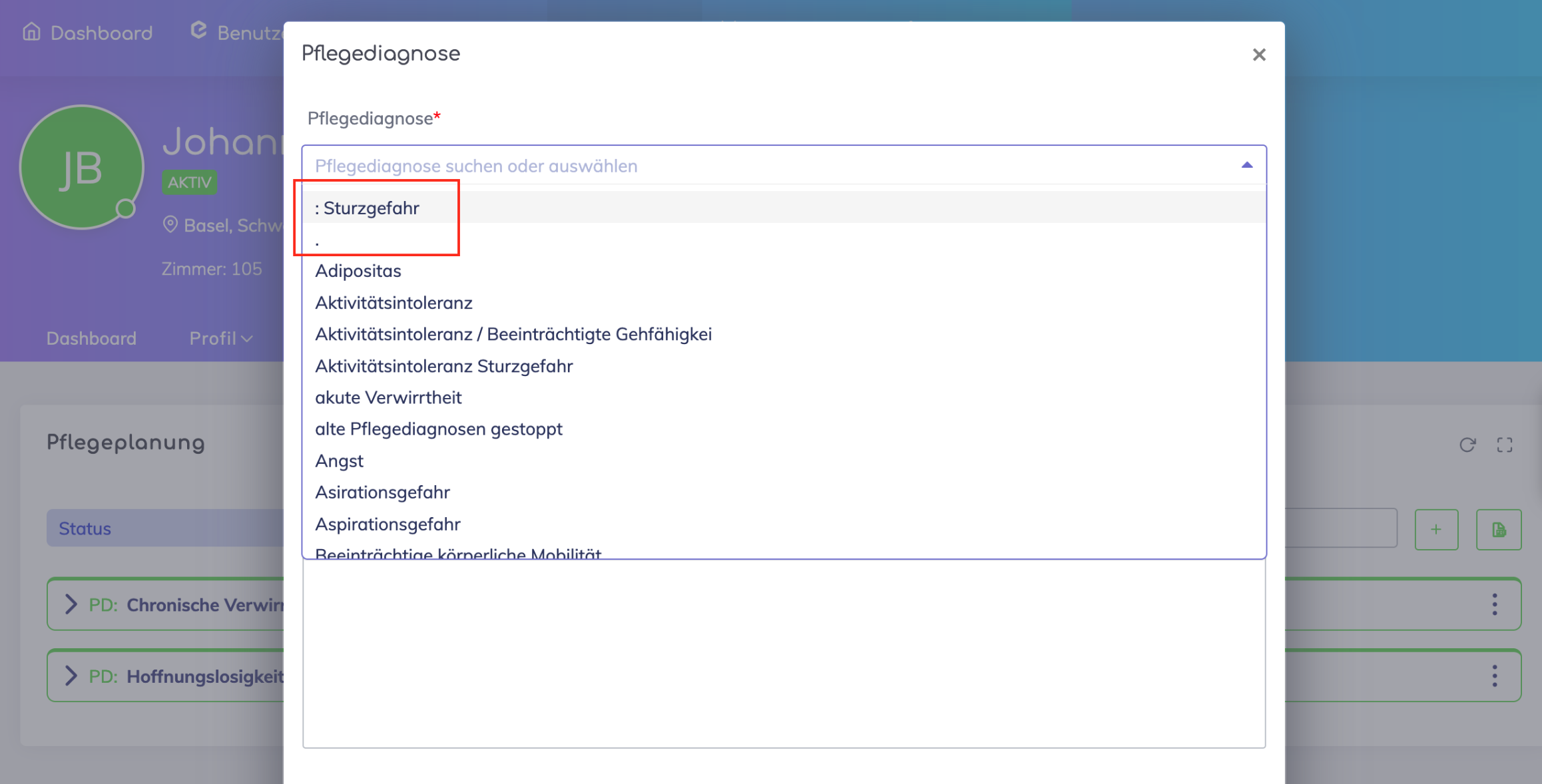
The various Diagnoses appearing in the dropdown list below were not fully appearing in the Admin Configuration.
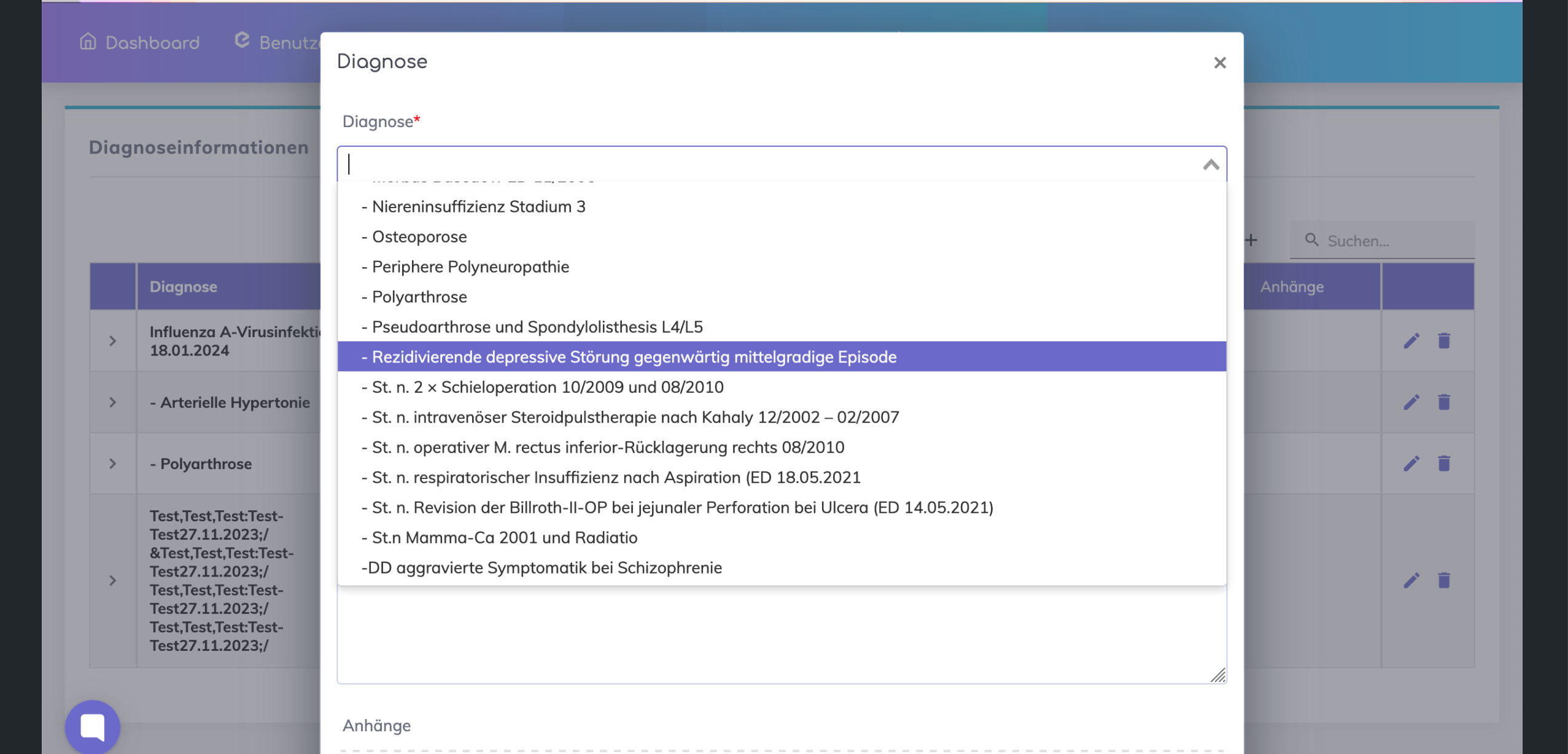
Deactivated diagnoses in the Admin Configuration appeared in the list in IPP.
We're here to help. Please feel free to contact us.

