We are excited to share with you the features we added most recently!
Multiple PDF exports for a single resident
For a single resident, it is possible to export multiple or all the data at once to PDFs to a single ZIP file.
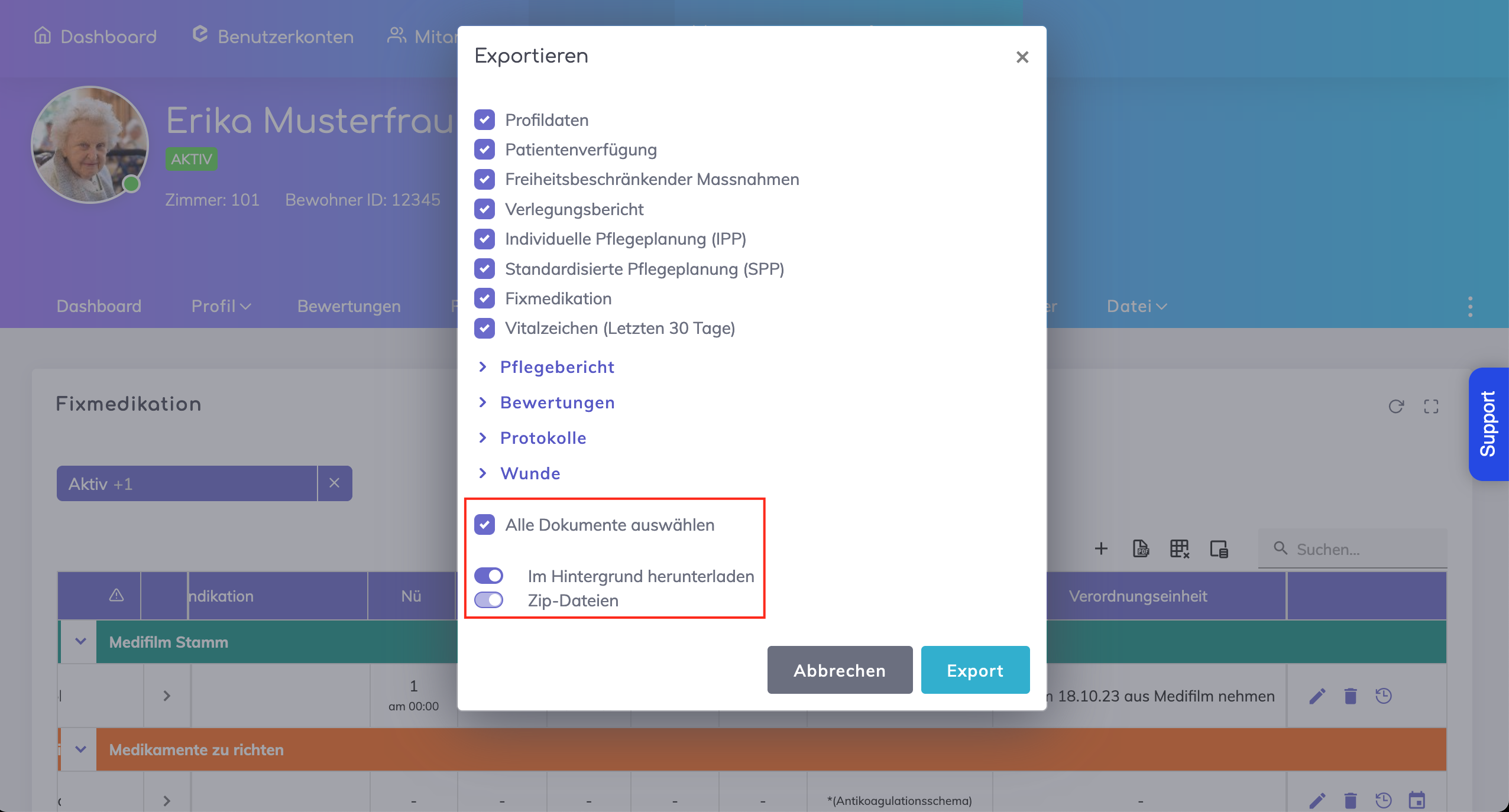
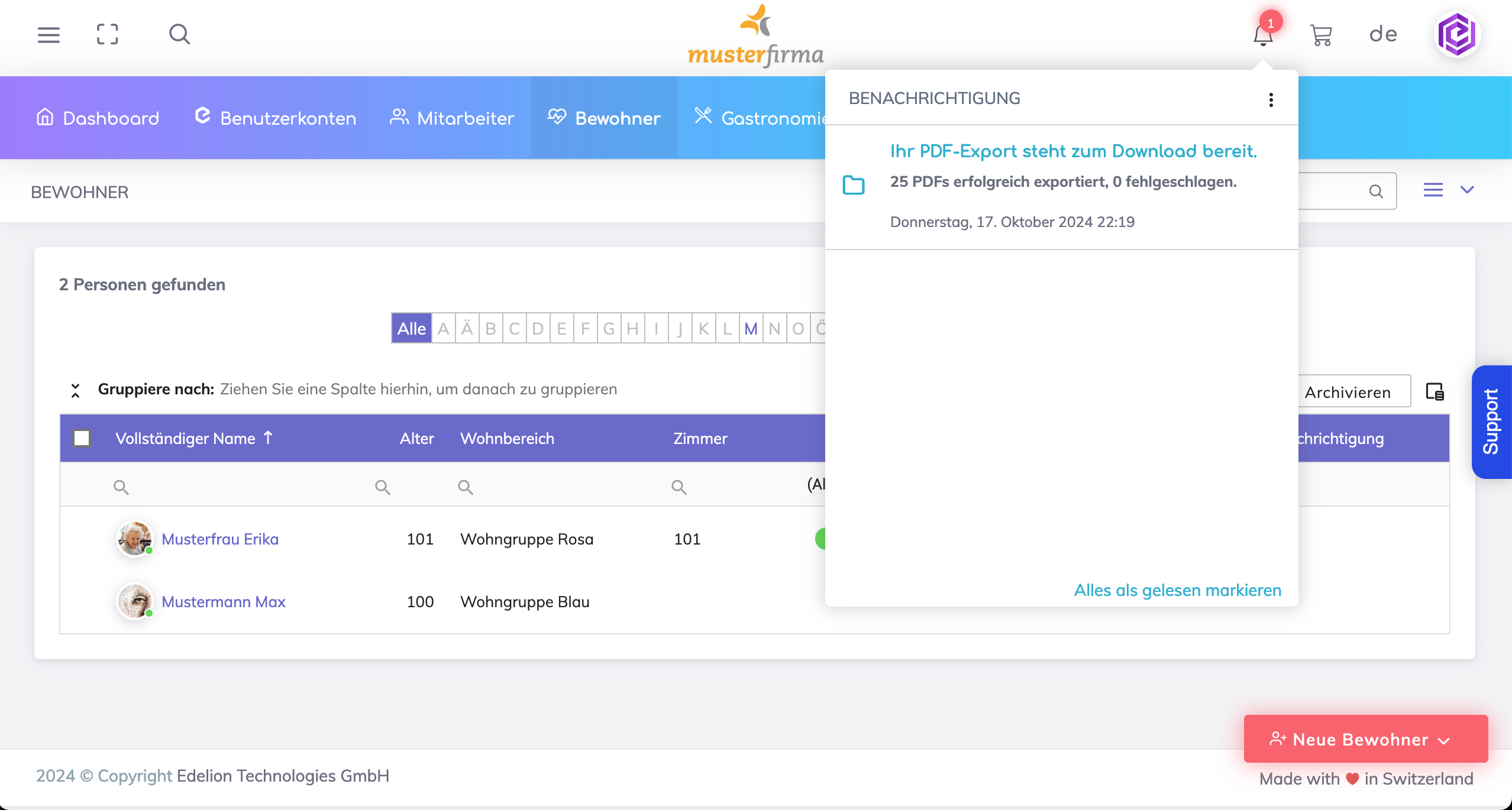
Additionally, the data export shall progress in the background and the user will be notified via an In-App notification when the export is complete.
Multiple PDF exports for multiple residents
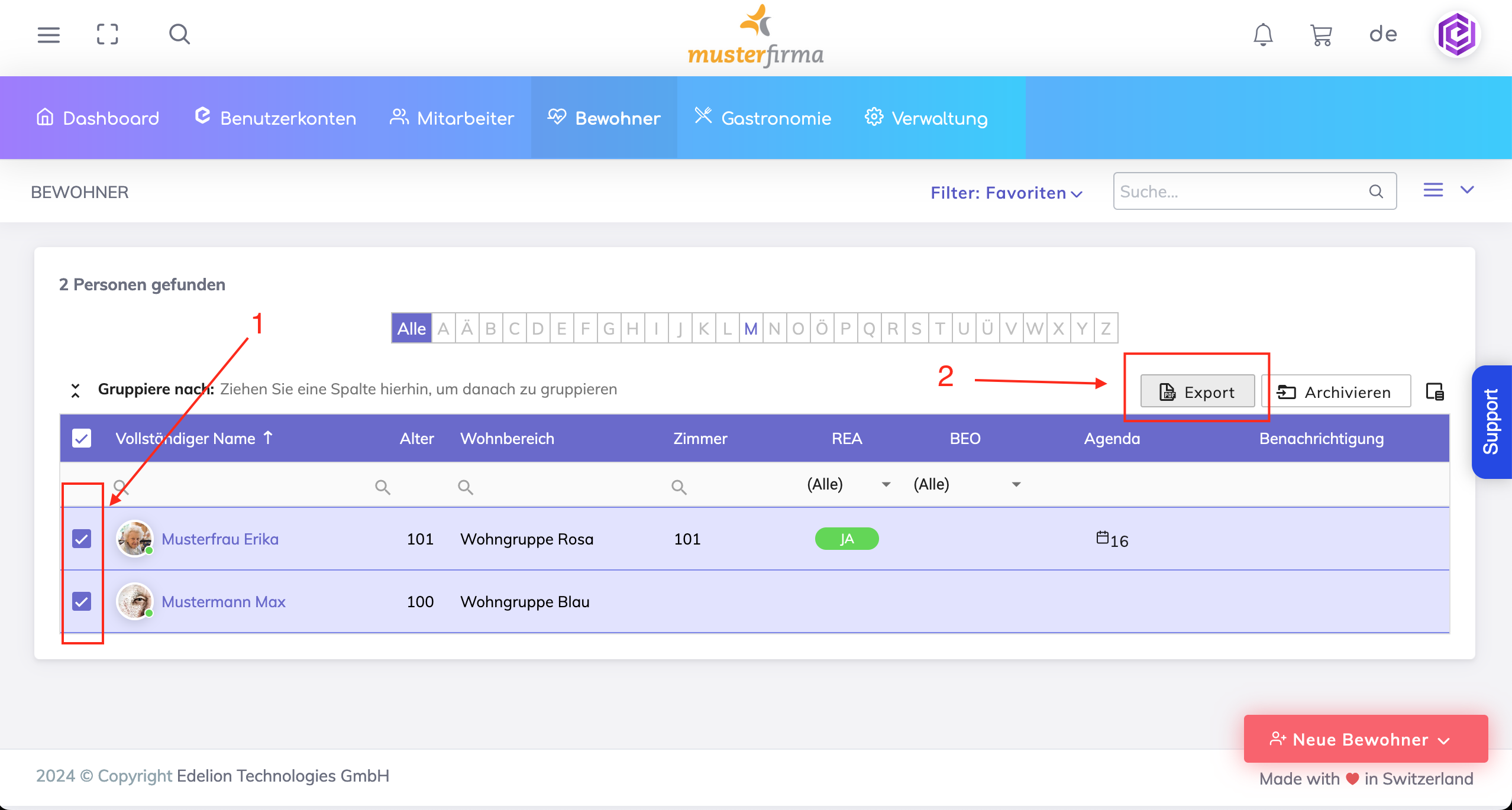
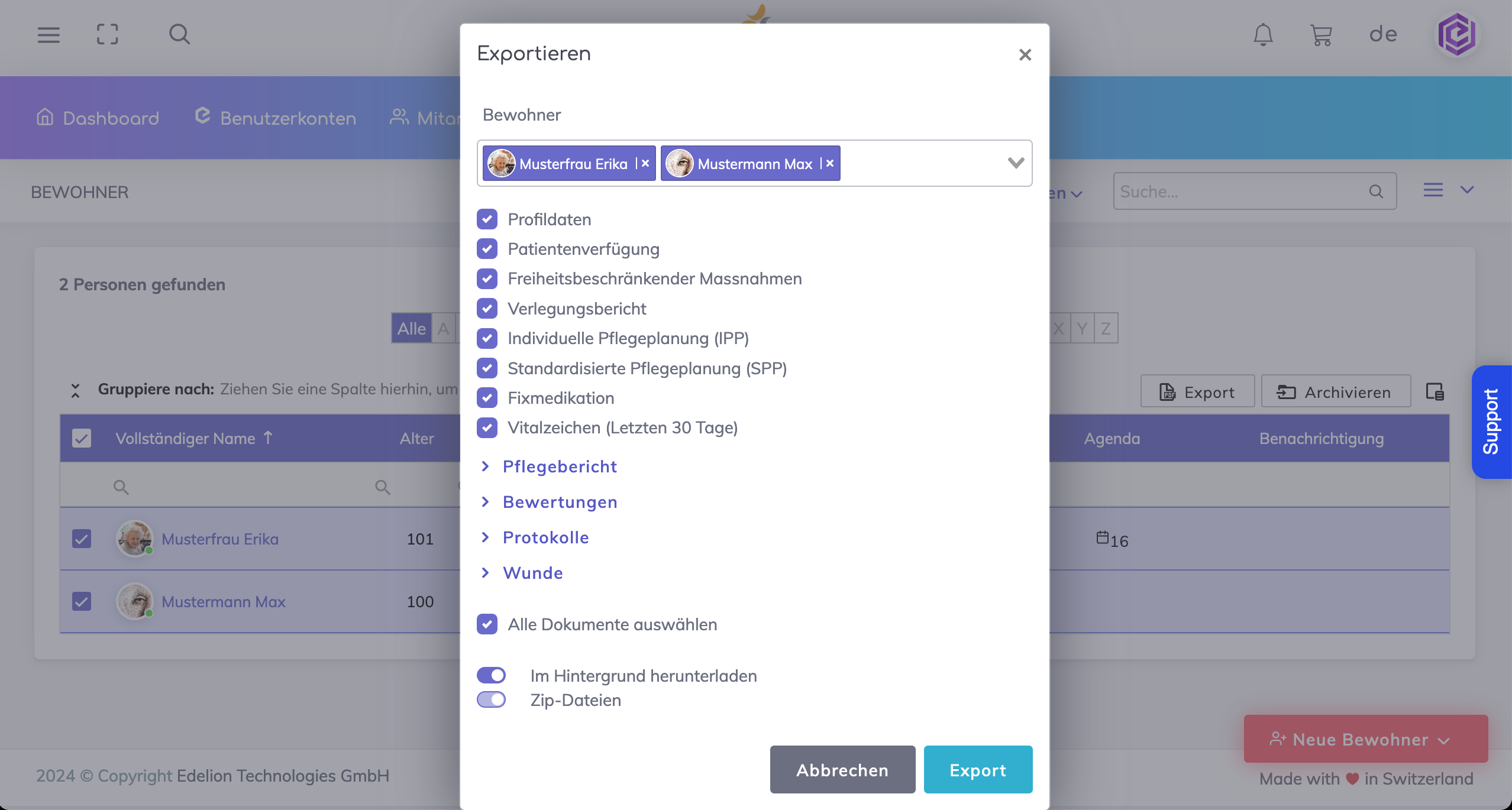
It is also possible to export multiple PDFs for multiple residents at a single time. From the Resident List, select the residents from the list (1) and then press the export button (2).
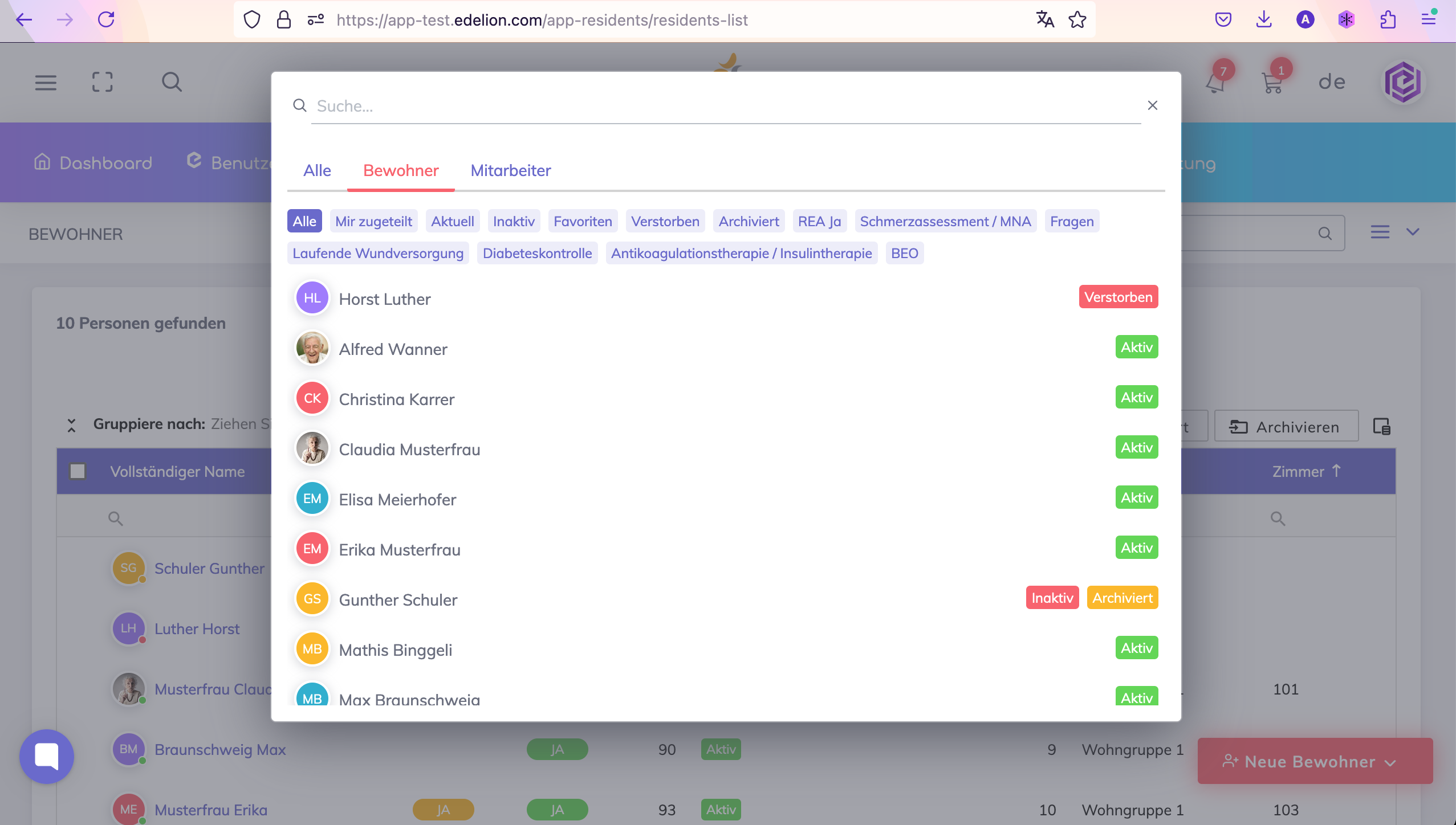
Search function - Searching for a resident or a employee is now easier with the search function located at the top as shown.

Configurable expiration period for registration confirmation - When a new user account is created, the user is receives an email with a link to perform a one-time verification of the email. The validity of the account verification was earlier 24 hours. However the validity is now configurable by the Administrator and can be changed to 7 days, 14 days or 30 days.
Profile Data PDF
The PDF contains a section where notes are printed. If no notes are available, then this section shall not be printed.
The resident's external telephone (maintained under: Profile > More information > c. Telephone connection > External telephone) is printed in the header section.
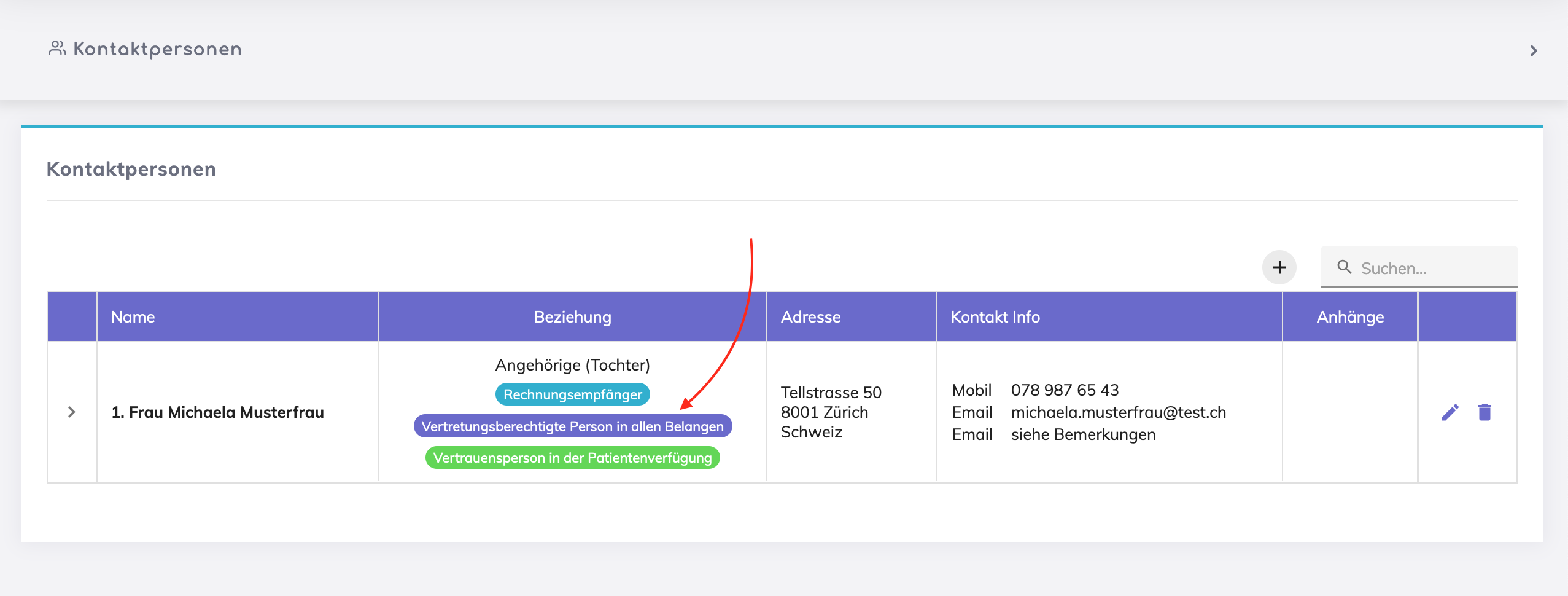
Same Authorised Representative type may not be selected twice for Contact Persons. In the example below, Mrs. Michaela Musterfrau, is selected as an Authorised Representative in all matters.
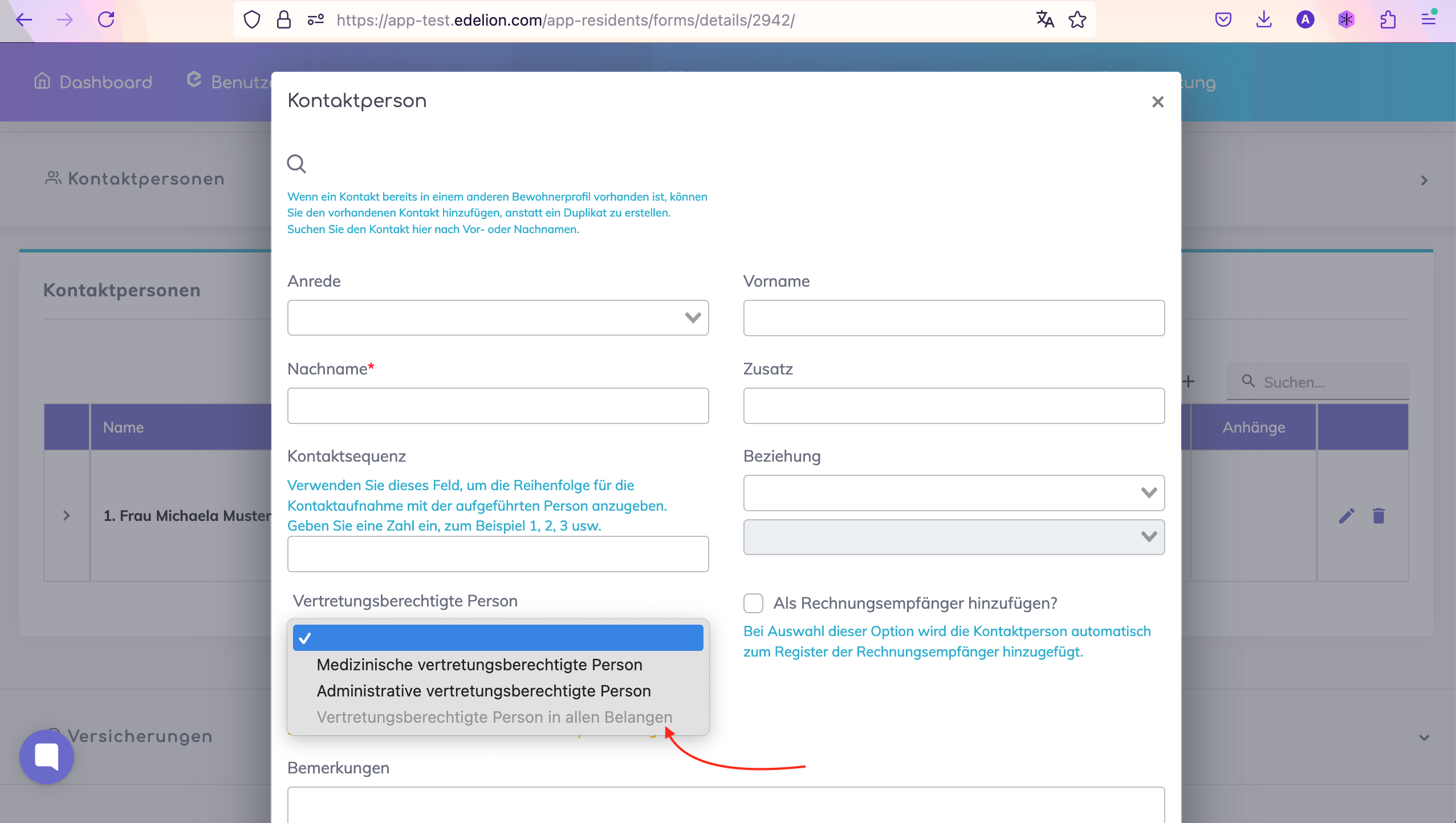
When adding another contact person for the same resident, it is not possible now to select the Authorised Representative type that has already been assigned to another contact person.
Transfer Report PDF Improvements
If the Patient Living Will and Freedom Restricting Measures are not created, then these will not be exported to the Transfer Report.
Medications Improvements
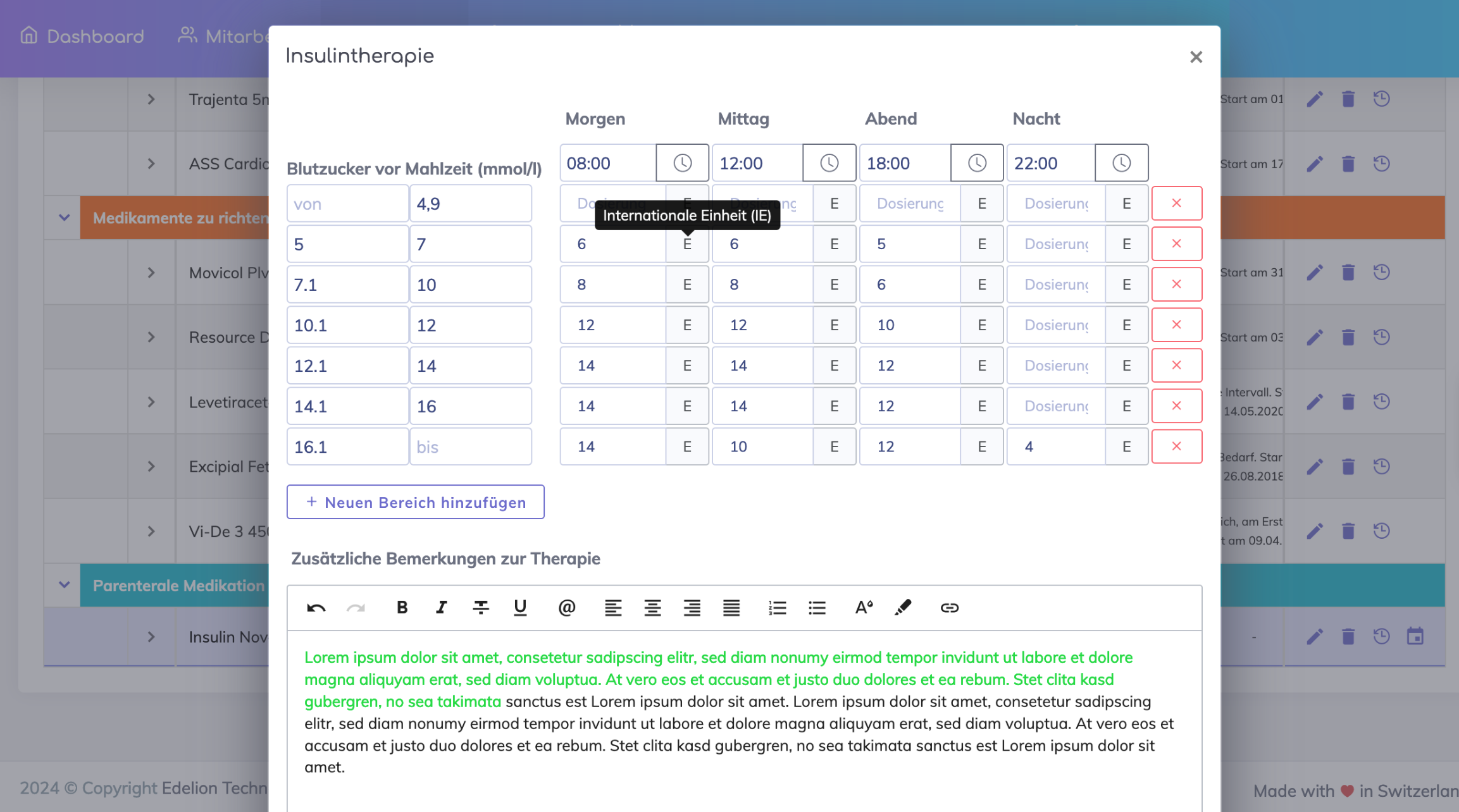
Insulin Schedules are exported to the Medications PDF and to the Transfer Report..
The insulin units shall be labeled next to the dosage field.
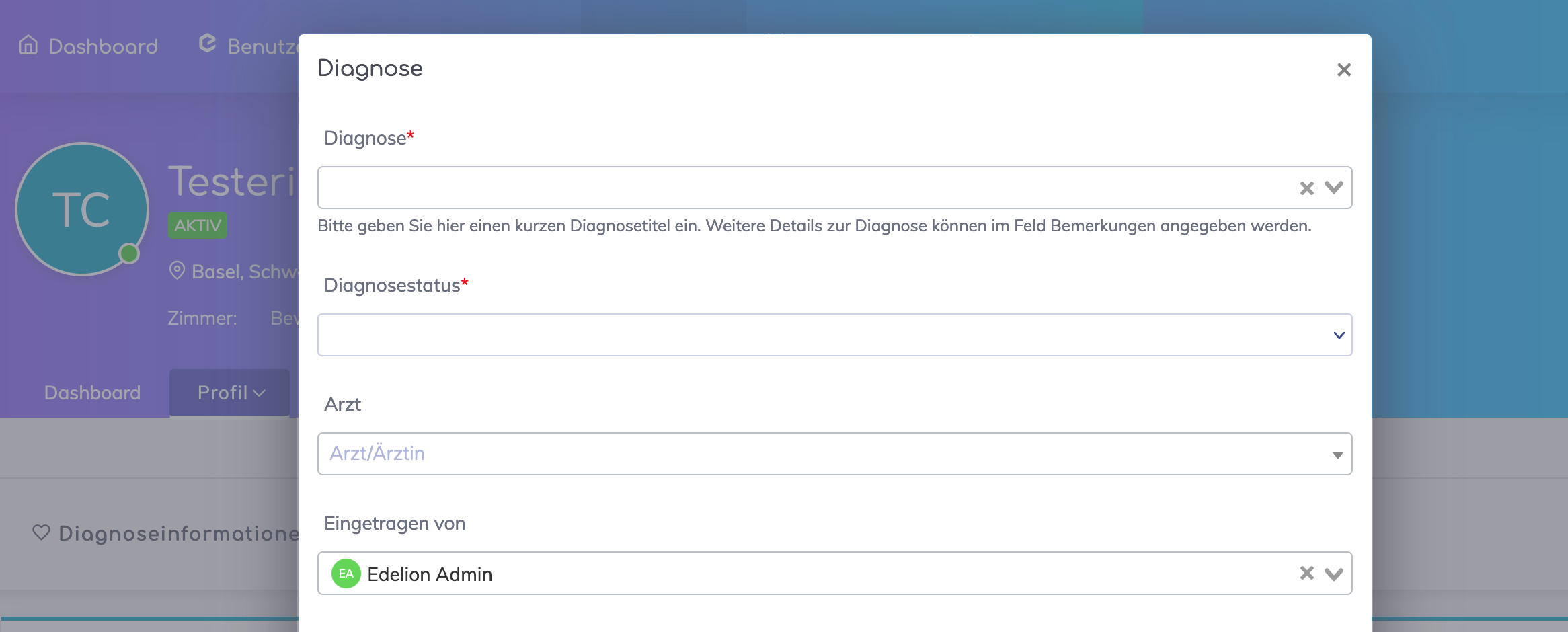
The "Entered By" field on various forms through out the application was previously an editable field. In order to prevent misuse and for traceability purposes, this field will not be editable anymore and the user will be detected automatically.
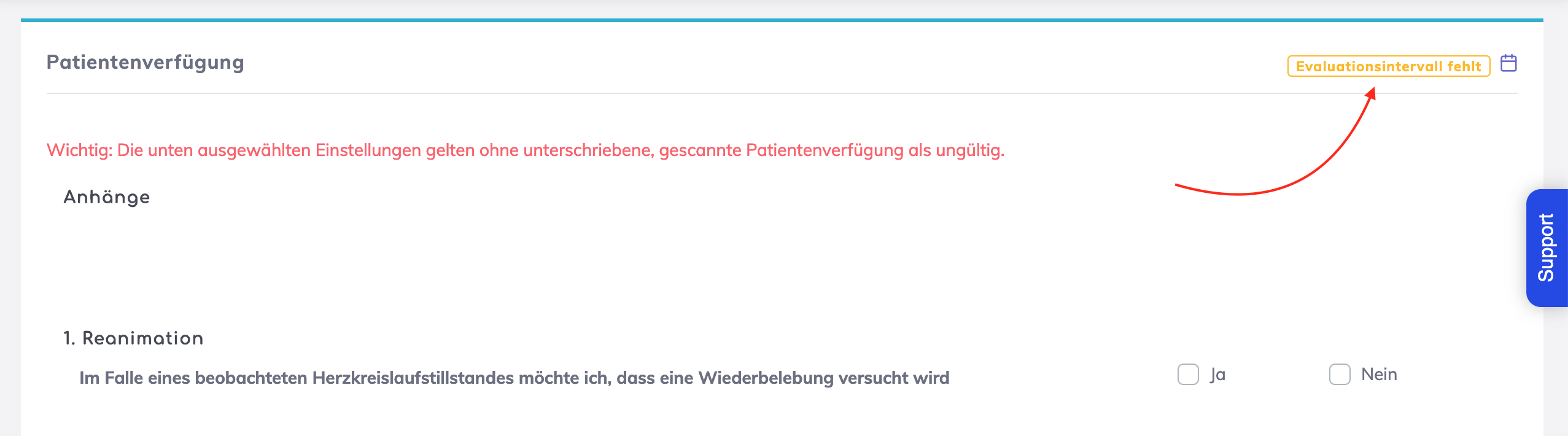
An evaluation of the resident's Patient Living Will and Freedom Restricting Measures forms should be done at regular intervals. For this purpose, we can define the Evaluation interval in the respective forms. For forms that miss these Evaluation Inteval settings, an amber colored label will be shown.

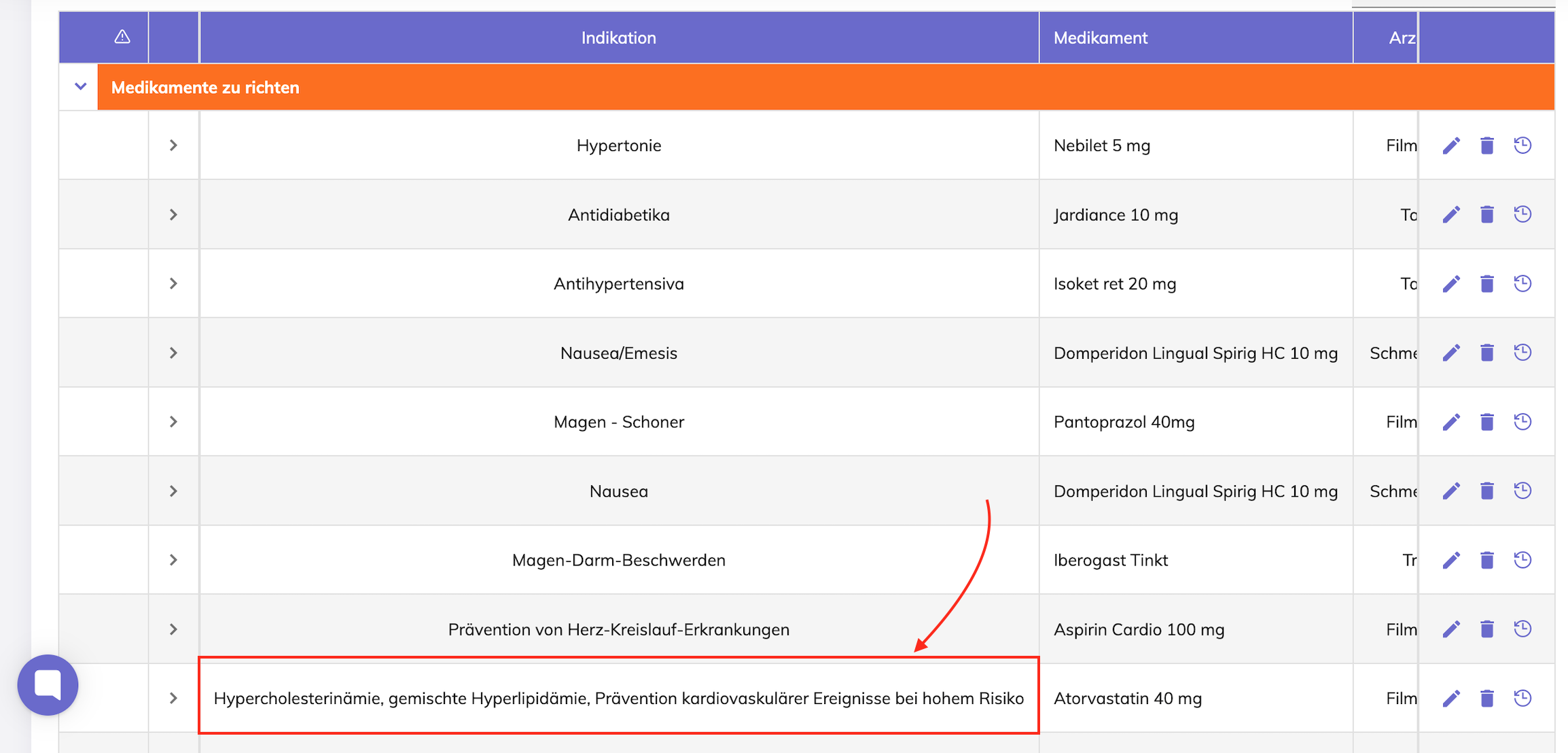
Formatting improvement of long text on the Indication field for Medications
Before - column width is wide due to the field contents
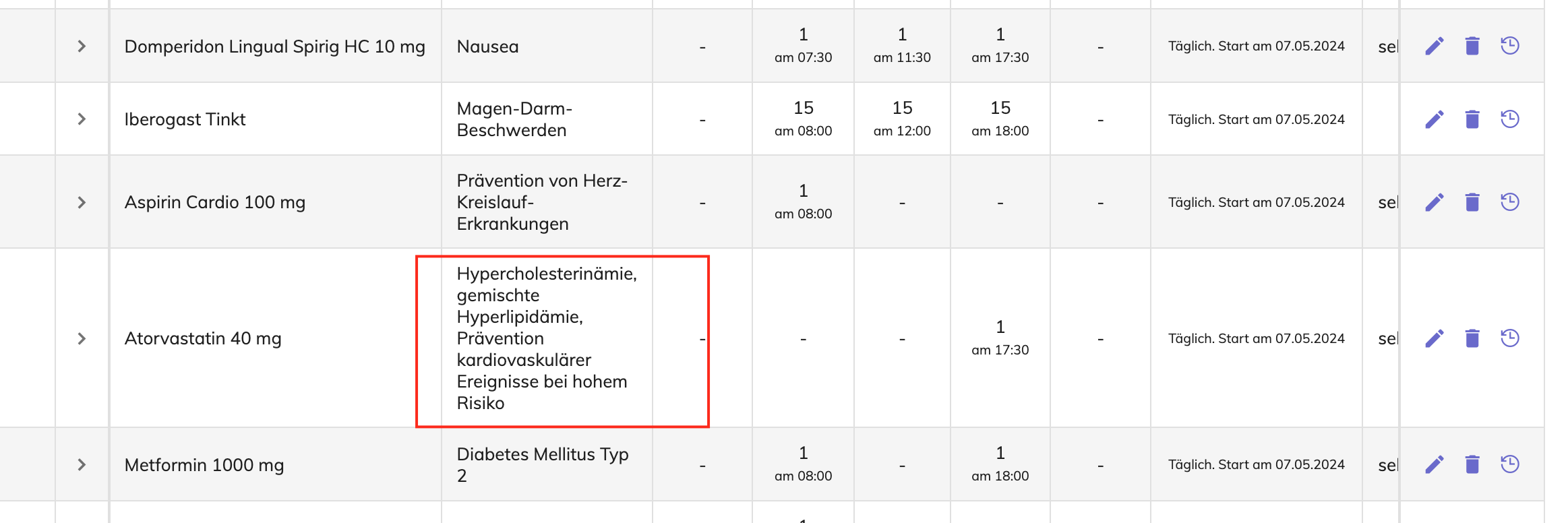
After - text is wrapped
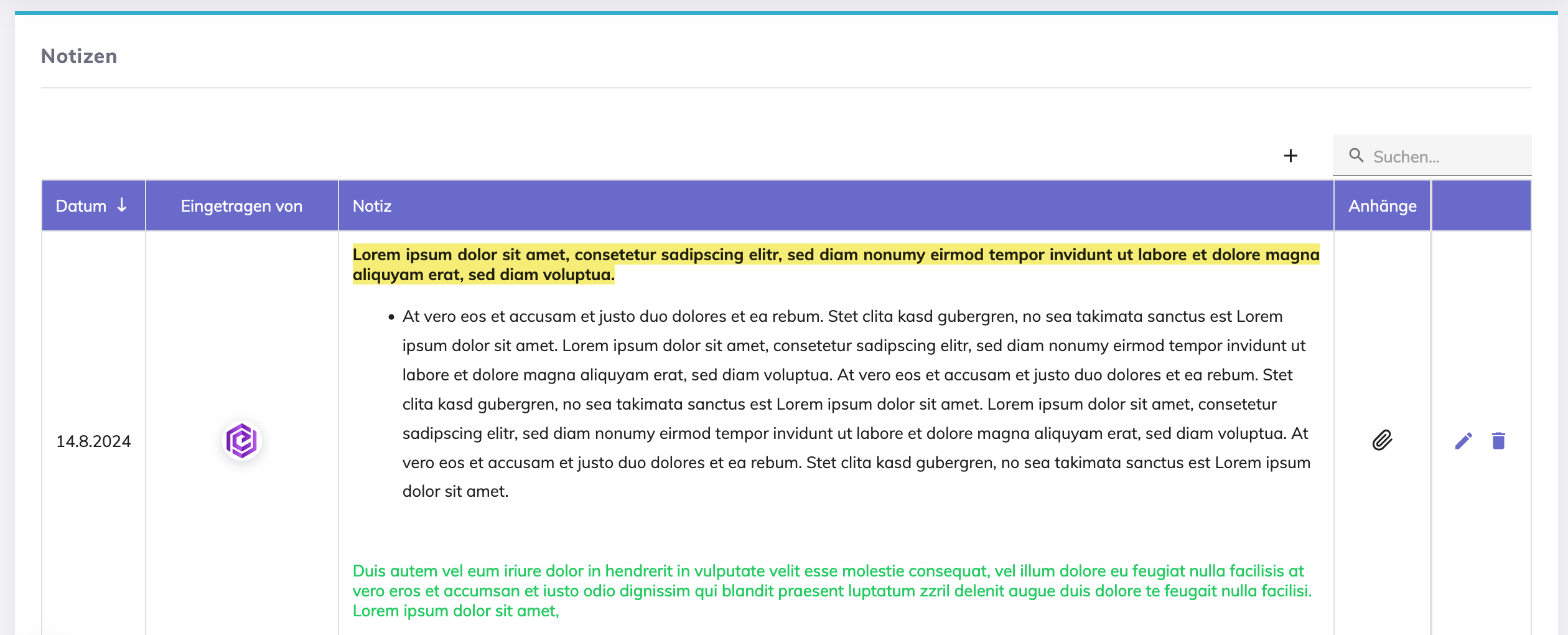
Long text formatting for Notices on Resident Profile
Before - text not wrapped, user scrolls to view the full text.
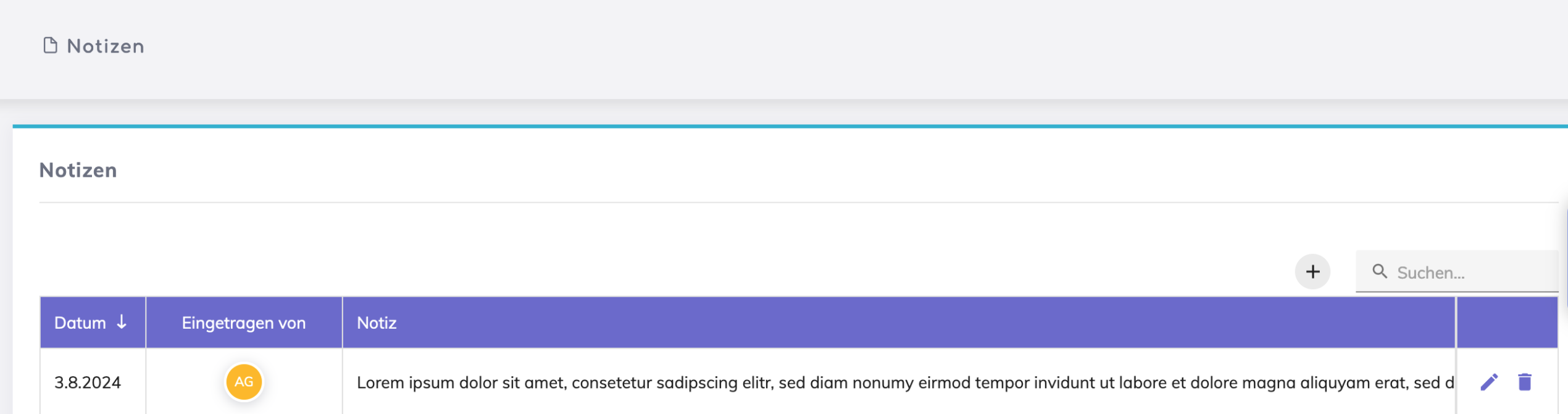
After - text is wrapped, and html editor added to the Notice field so that text formatting is possible.
Sturzrisiko Assessment S Huhn fields were previously all mandatory. Some questions on this assessment may not be applicable for the resident, and hence the score calculated is misleading. Hence the fields on this assessment are not mandatory now.
Care plan opens in display mode now when accessing it from a received in-app notification.
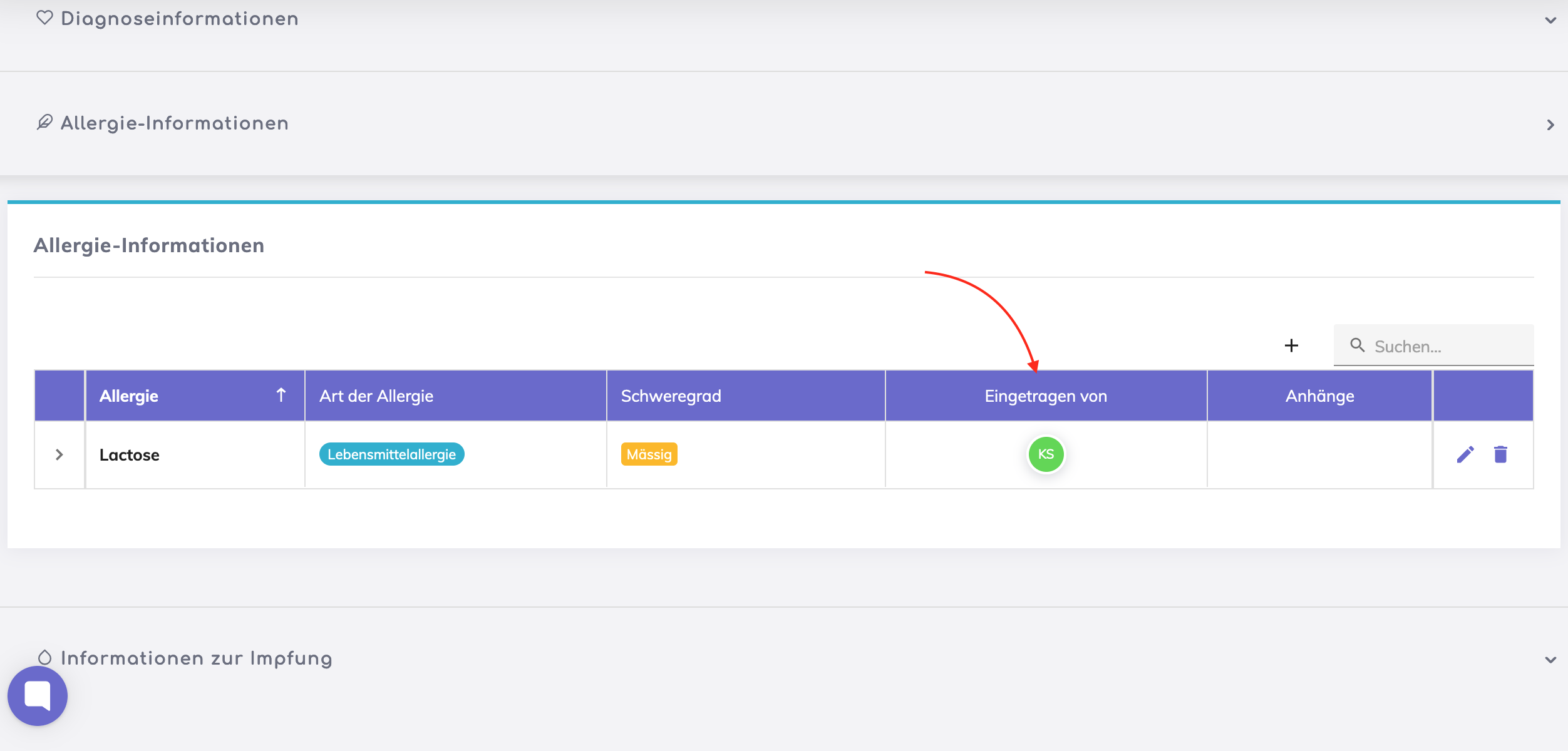
The column “Entered By" is now added for Diagnoses, Allergies and Vaccinations sections
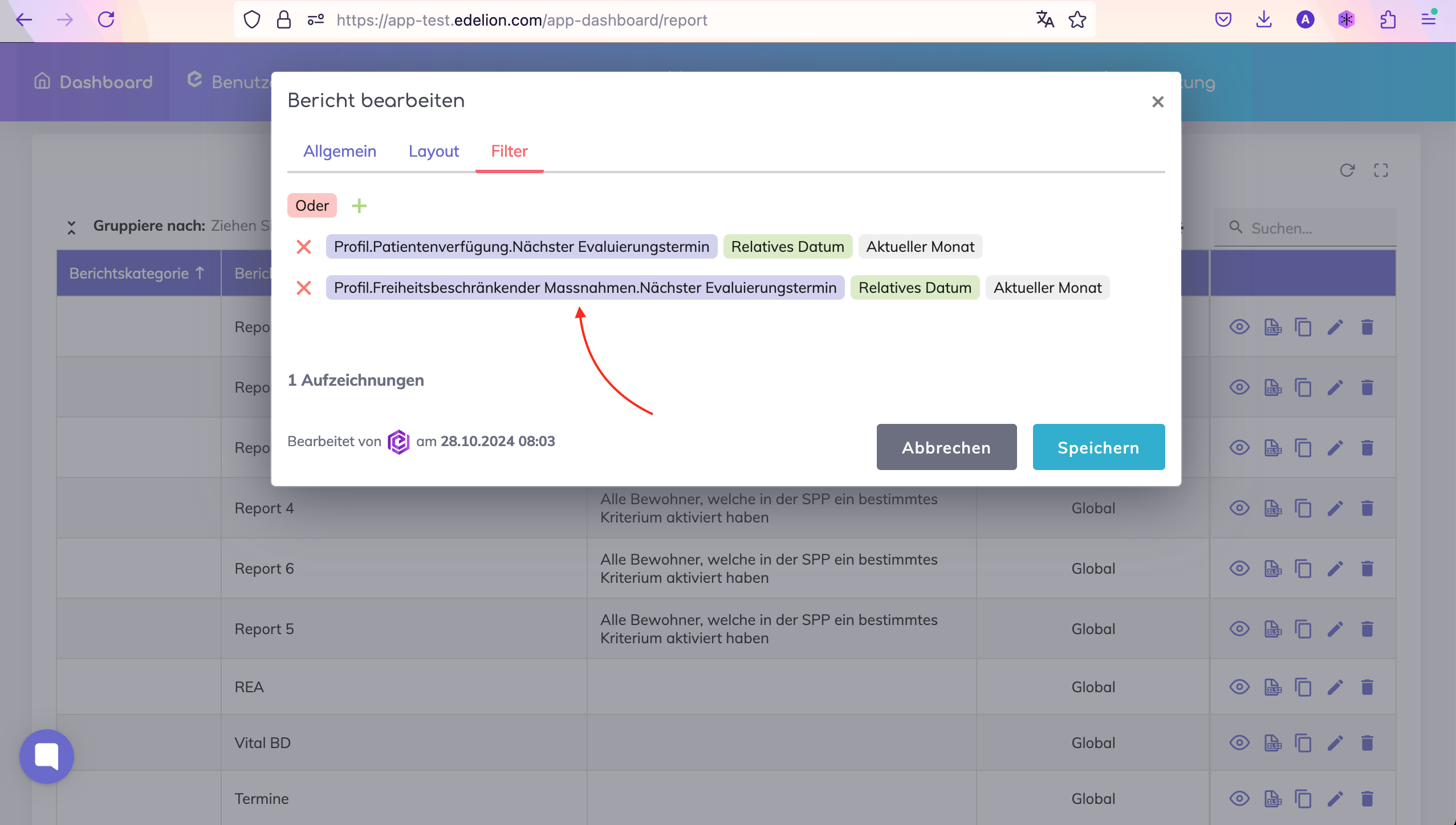
Dashboard Reports - Next Evaluation Dates for the Patient Living Will, Freedom Restricting Measures form and IPP are added.
Authentication error resolved when user clicks on forgot password on the login page.
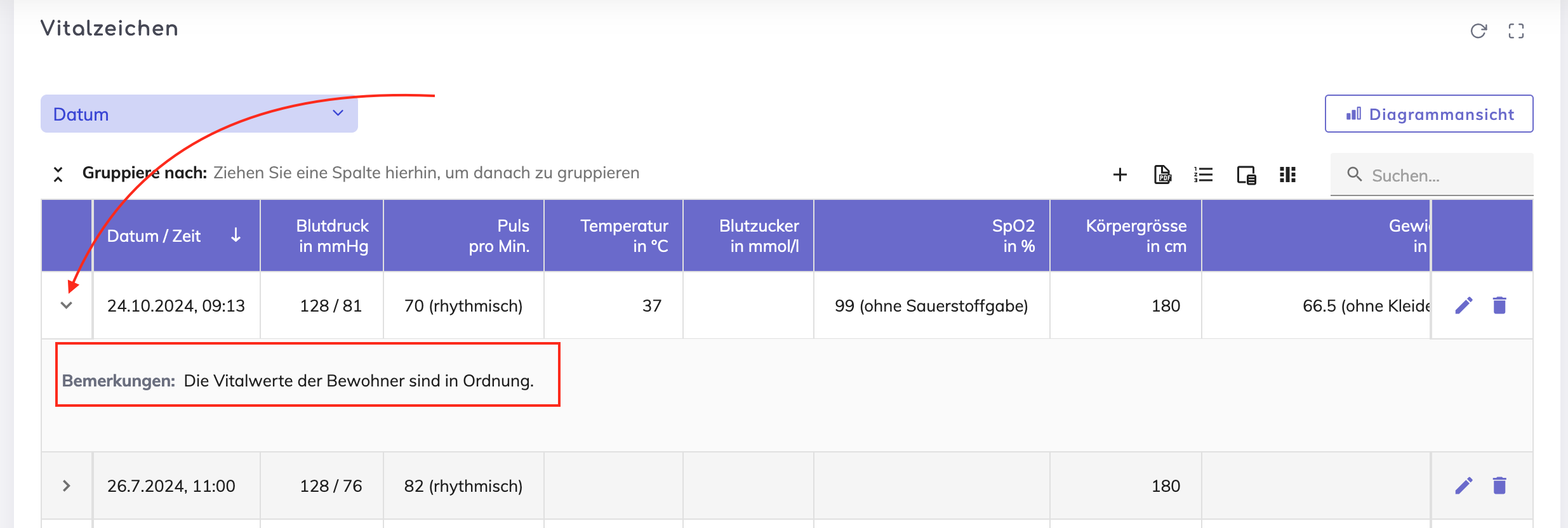
Vitals - Earlier, comments appeared on the overview table as a field and sometimes appeared on the overview table in the expandable section. Now, the comments will always be displayed in the expandable section.
We're here to help. Please feel free to contact us.

