

An announcement banner is a great way for Administrators to communicate important information like scheduled downtime or upcoming maintenance periods. When turned on, it appears at the top of every page until the user turns it off, helping to make sure you get your message out.

Turning on the announcement banner
You can set up and turn on the announcement banner through the Administration > System Announcements page.
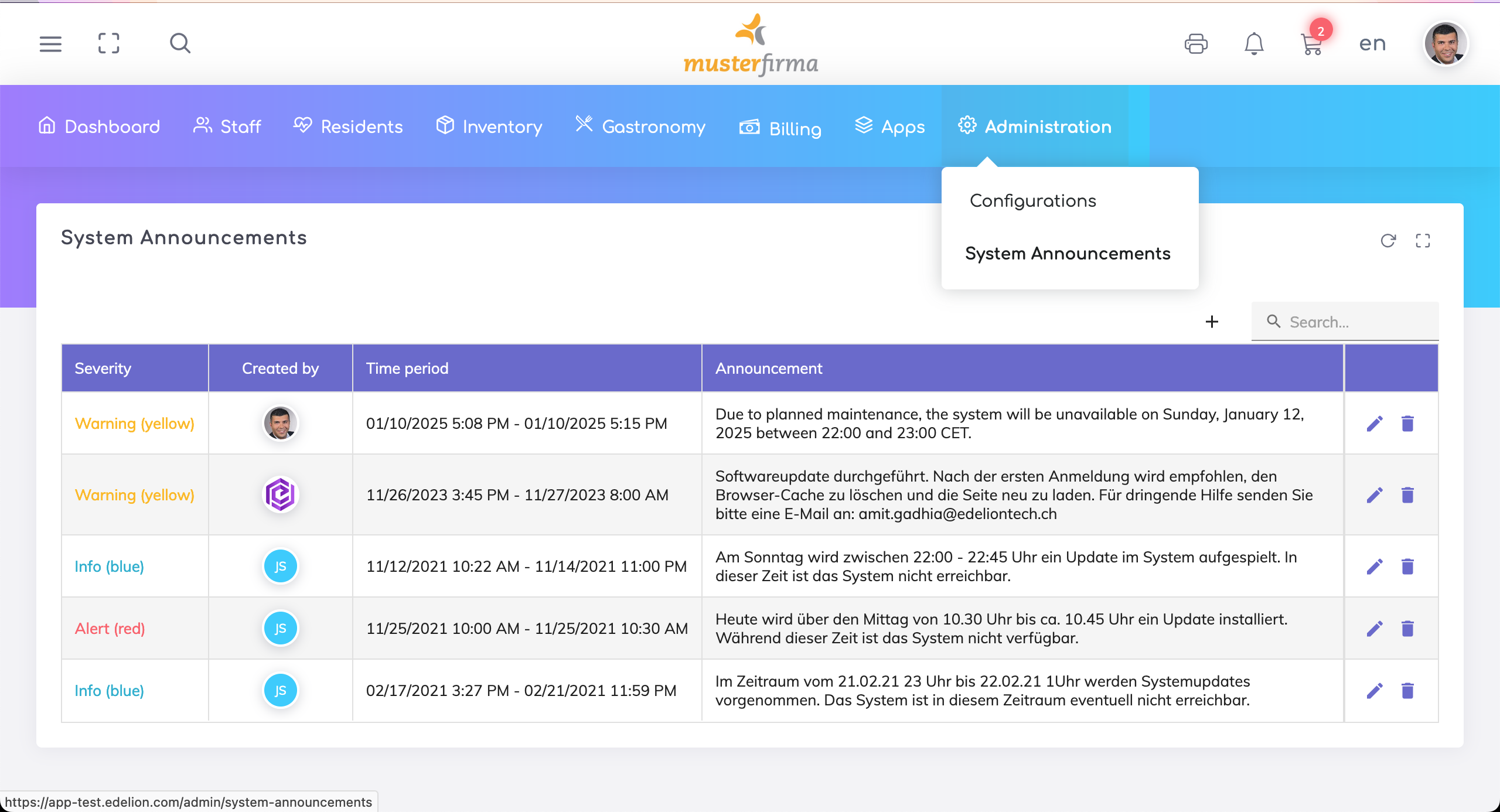
Then click on the + icon to add a new announcement.
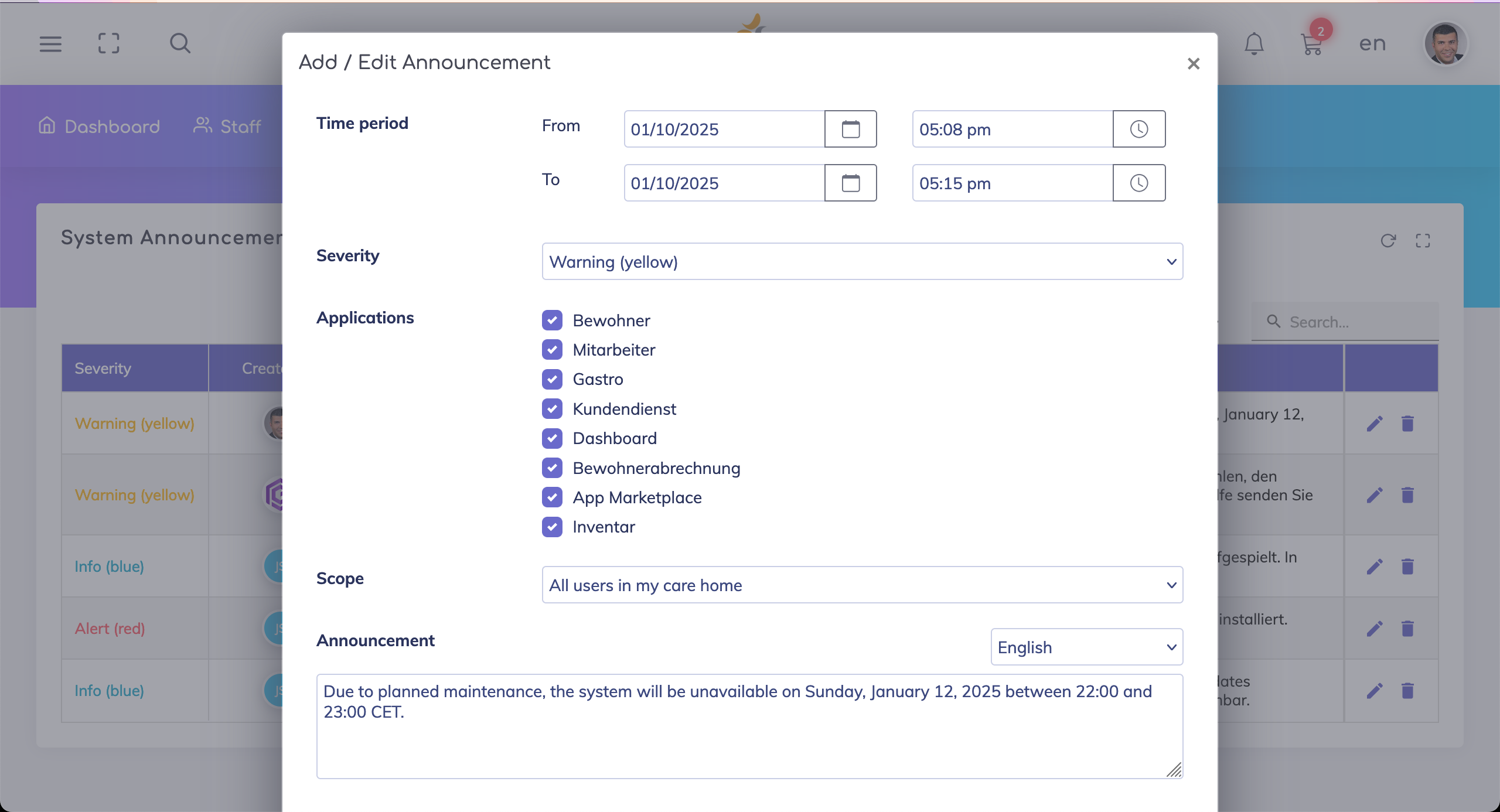
Specify the period (date and time) when the banner is to be displayed. After this period is elapsed, the banner is automatically turned off.
Specify the banner color (blue, yellow or red).
Select the applications on which the banner is to be shown.
Select the users who would see this banner (all or specific users).
Enter the announcement text. The translated text can be entered in either English or German.
Save the announcement.


Still got questions?
We're here to help. Please feel free to contact us.