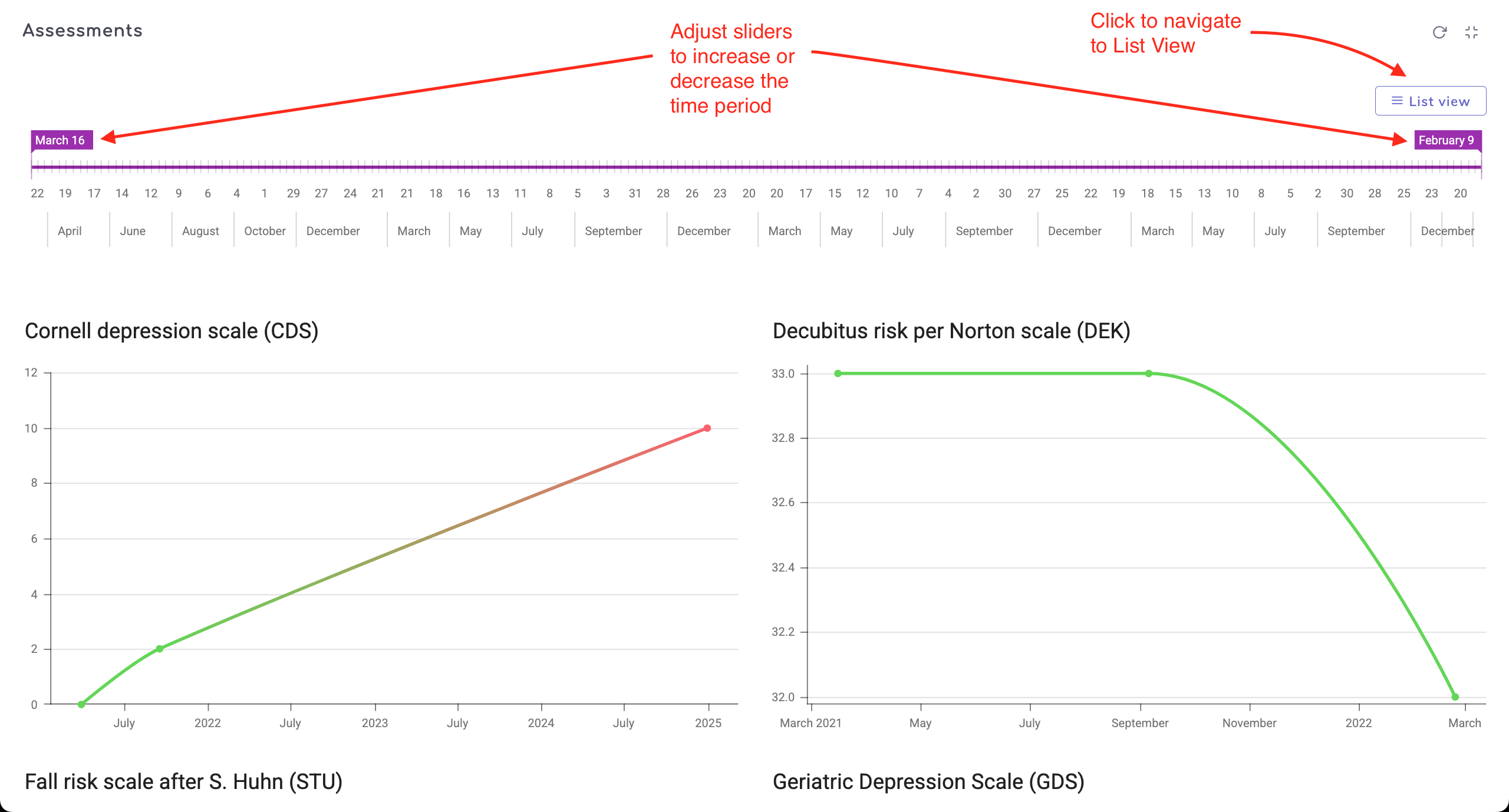
The assessments overview shows all the assessments carried out for a resident. The default view is a Table/List View as shown below and it is possible to view all the assessments in a Chart View as well.
The main functions available on the overview table are:
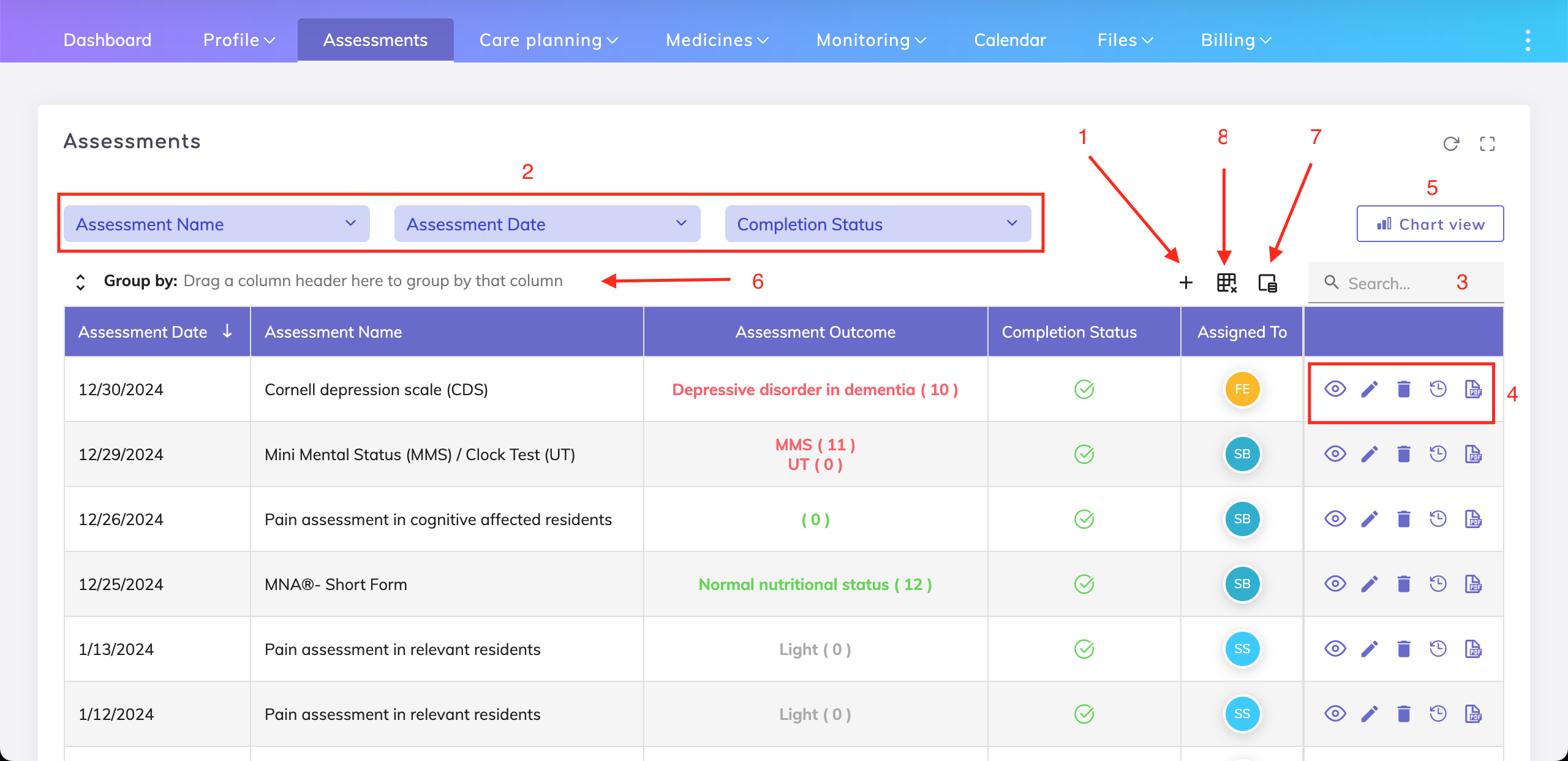
Create a new assessment - You can find more information on focus assessments here.

Filter fields - You can filter the data in the overview table using the assessment name, assessment date and/or completion status.
Search function - Search the overview table for an assessment name or an assessment outcome (numerical score).
Assessment options - Display, edit or delete an assessment, view change history and download the assessment to a PDF.
Chart view - View the assessment outcomes in a chart format over a defined period of time.
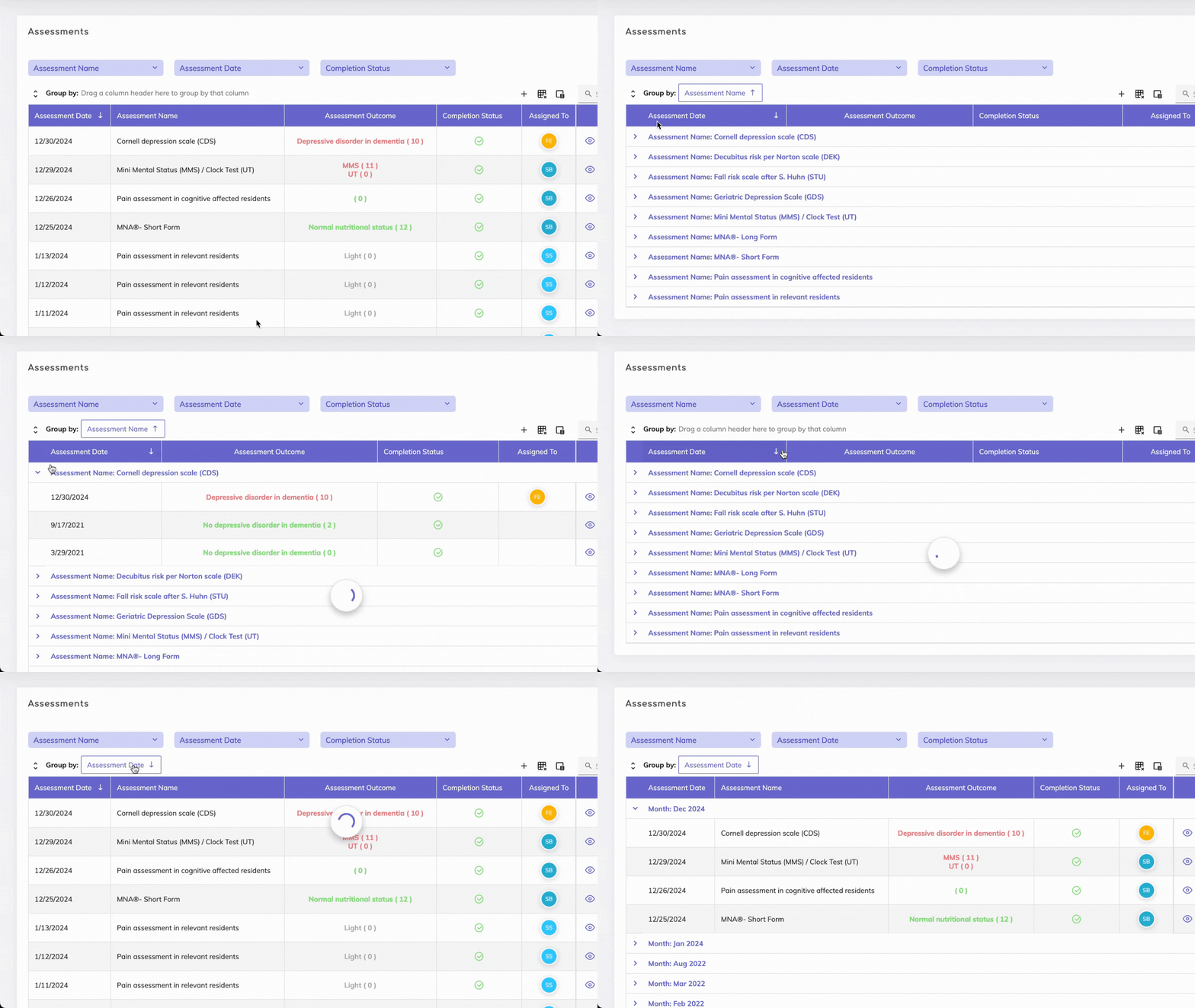
Grouping - Group records by specific fields e.g. by assessment date. To group, simply drag the desired column header to the grouping area. Grouping records using more than one field is also possible e.g. first by assessment date, then by assessment name (drag both column headers to the grouping area in the order desired).
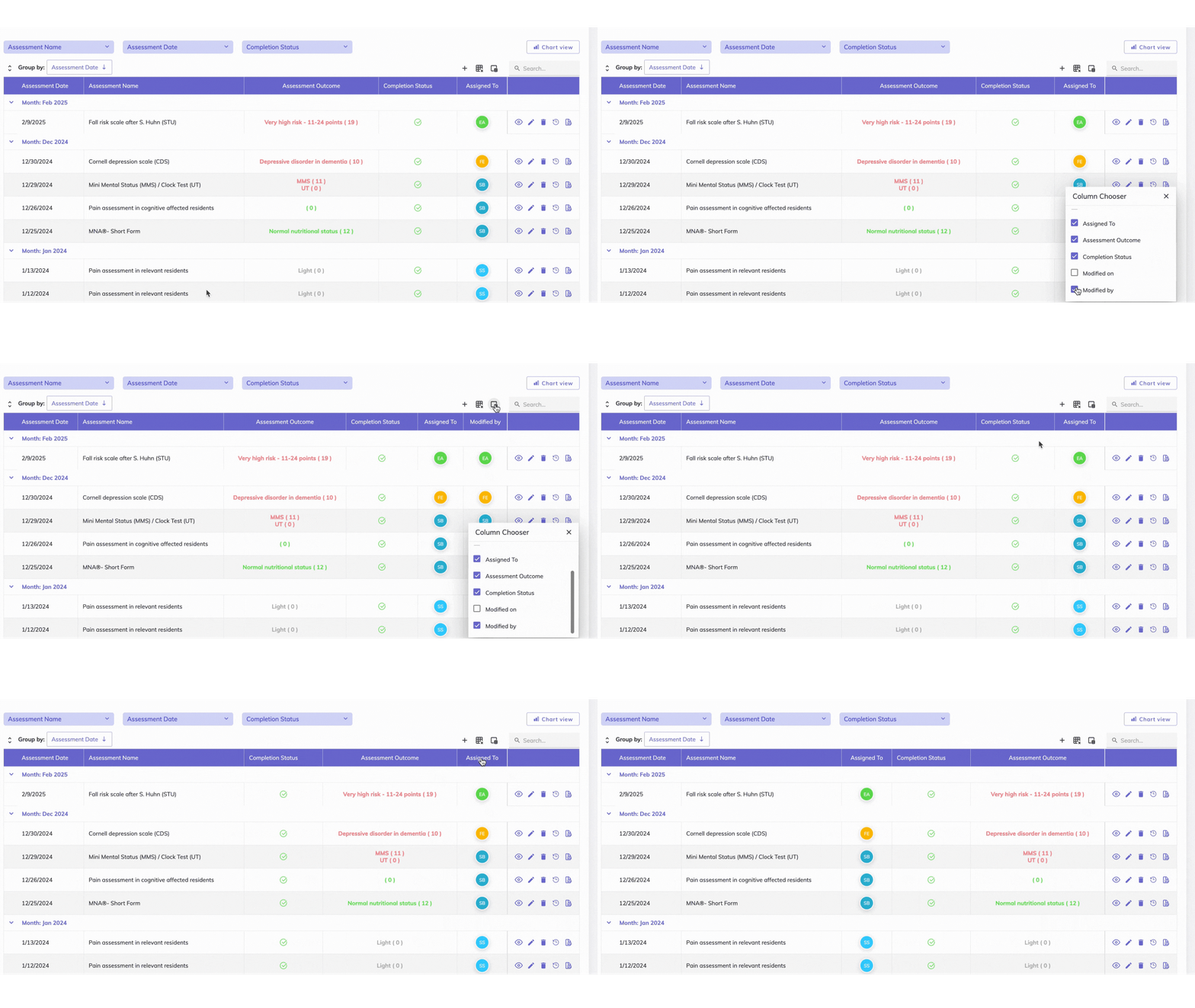
Column Chooser - Columns to be shown or hidden on the overview table can be controlled from here.
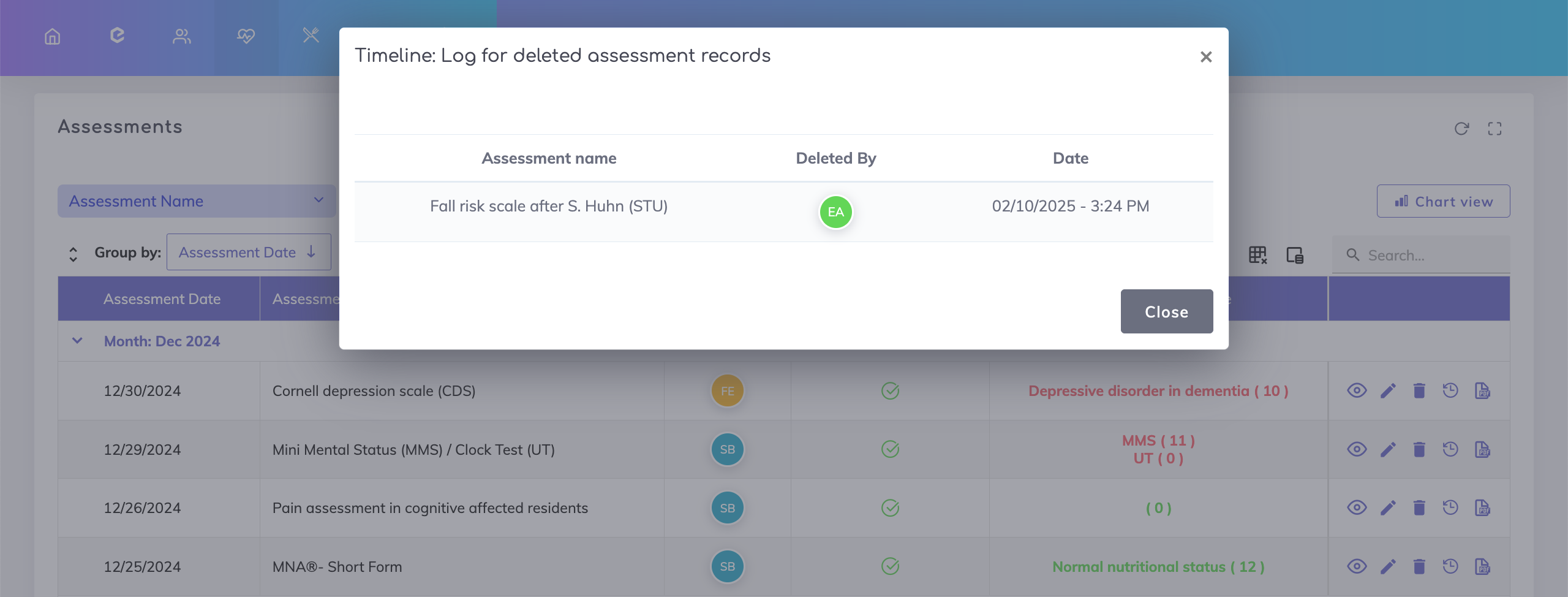
Deletion Log - Shows the assessments that were deleted by a user including the deletion date and time.
We're here to help. Please feel free to contact us.

