The Activity List helps you keep track of tasks that need to be performed for residents. These tasks are categorized as follows:
Care – Includes care measures recorded in both the Individual Care Plans and the Standard Care Plan for each resident.
Medications – Displays Fixed Medications prescribed to residents. (Reserve medications are not shown, as they are administered only when needed.)
Calendar – Lists scheduled events recorded in a resident’s Calendar.
Evaluations – Includes required evaluations for the Living Will, Freedom-Restricting Measures, and the Individual Care Plan.
Workflows – Displays tasks recorded under the Workflows feature, such as checklists for:
New resident admission
Resident discharge
Changes in master data
General – Covers ad hoc tasks that are not part of the other categories. These tasks can be added manually from the Activity List. A general task may also be used for performing handovers between personnel from one shift to another.
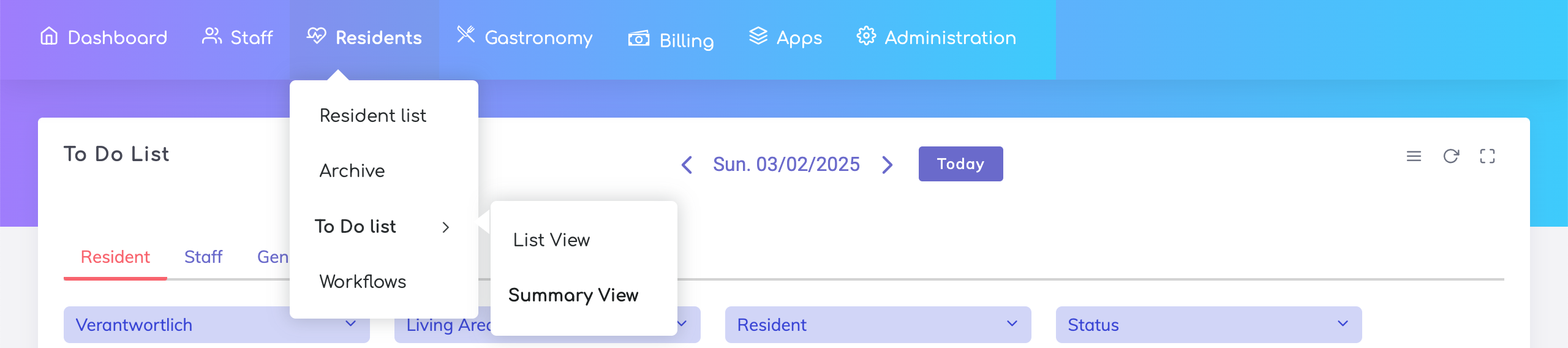
Open the Activity List from the Residents App menu: Residents > To Do List > List/Summary View.

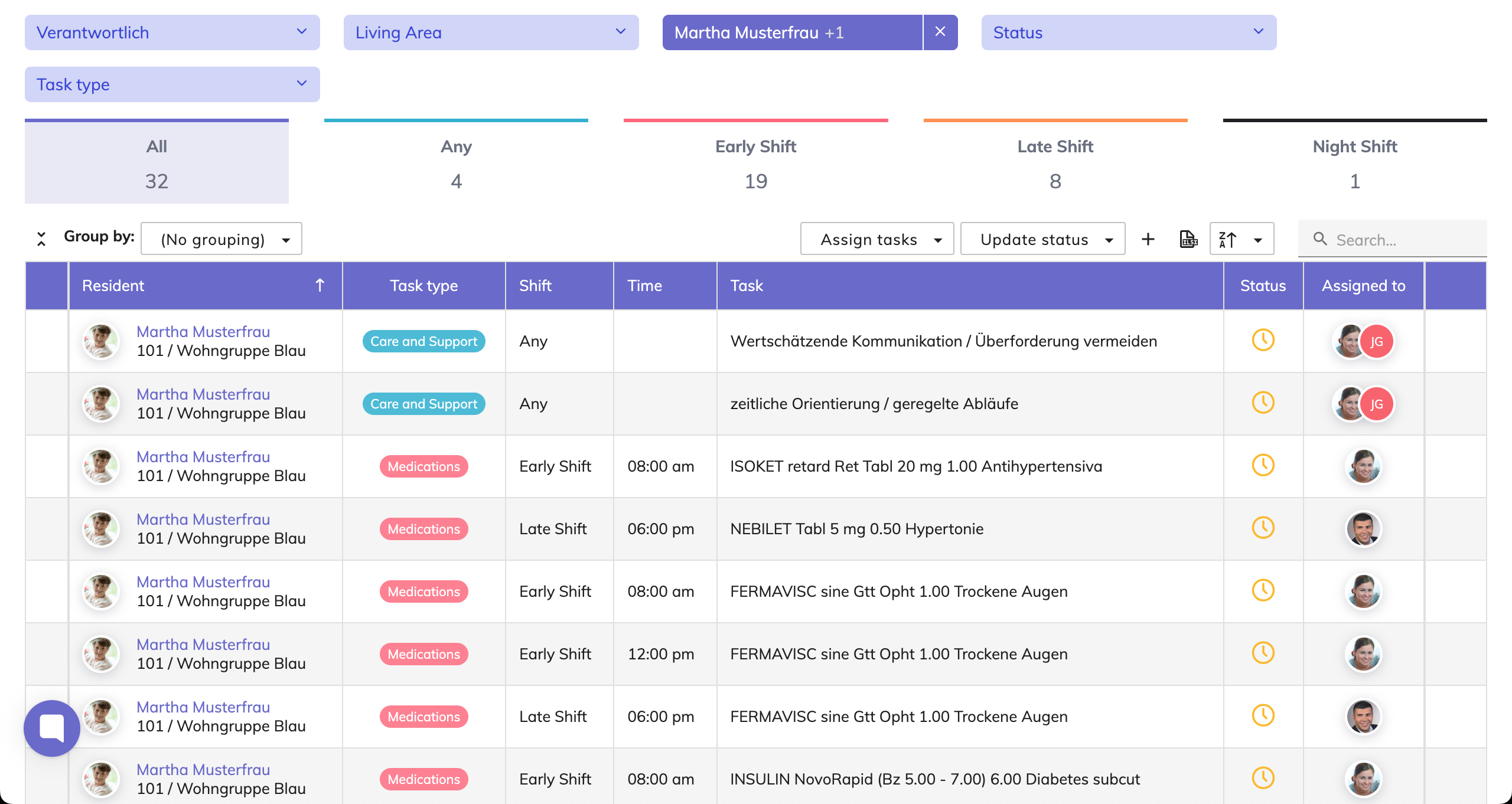
List View
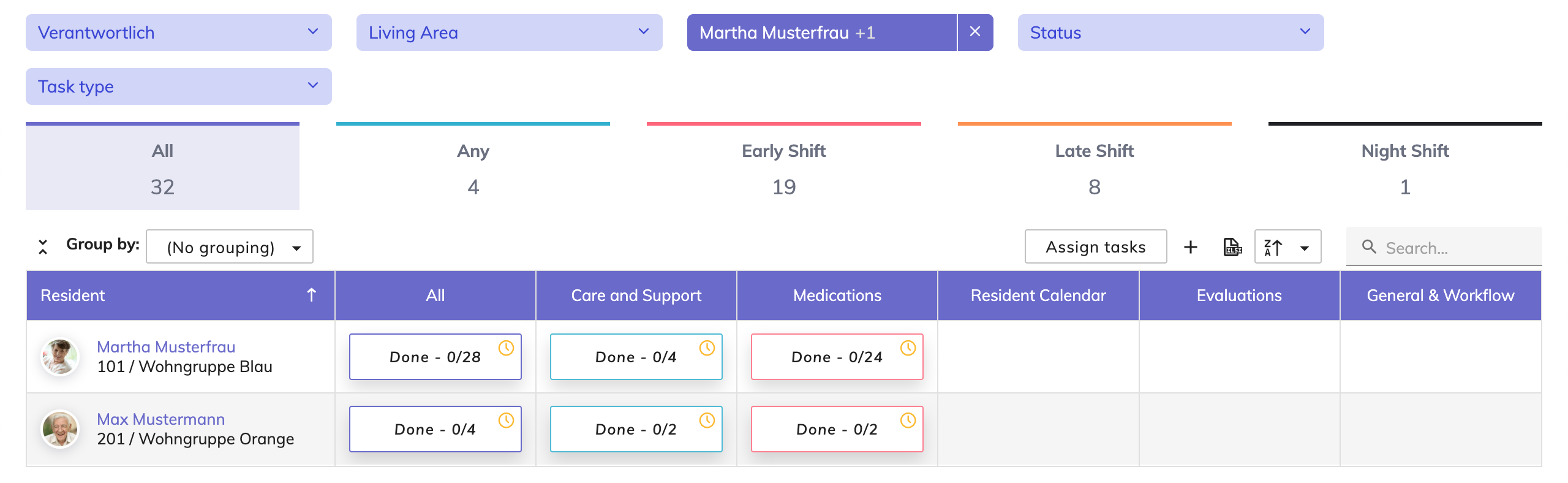
Summary View
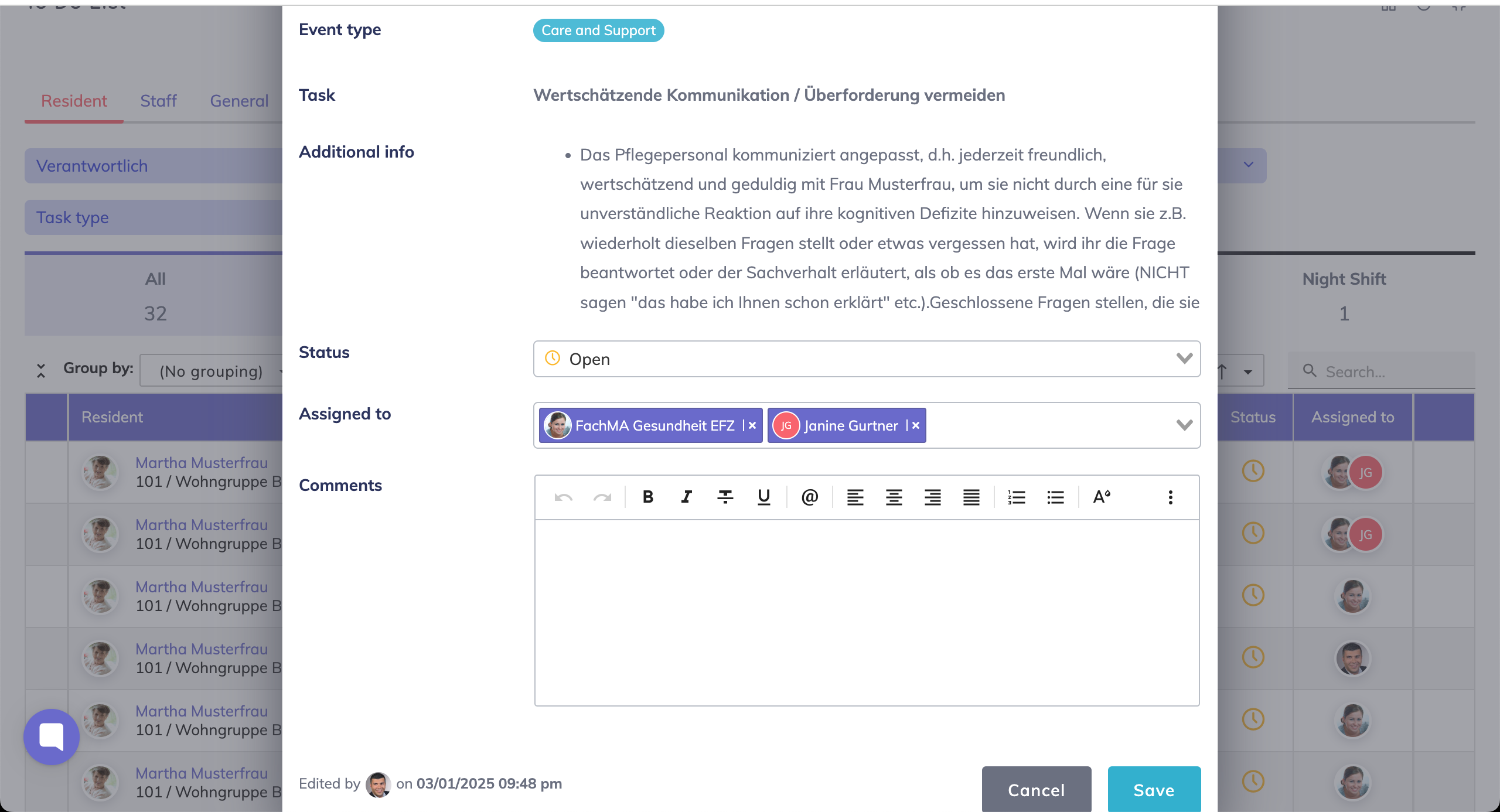
Select a task from the list.
List View: Click on the Status icon to open the task in a pop-up, then update the status and save.

Summary View: Click on a tile to view the relevant tasks in a pop-up, then change the status of the task by clicking on the status icon. Comments may be added by clicking on the message icon as shown. Note: changes made here are automatically saved.
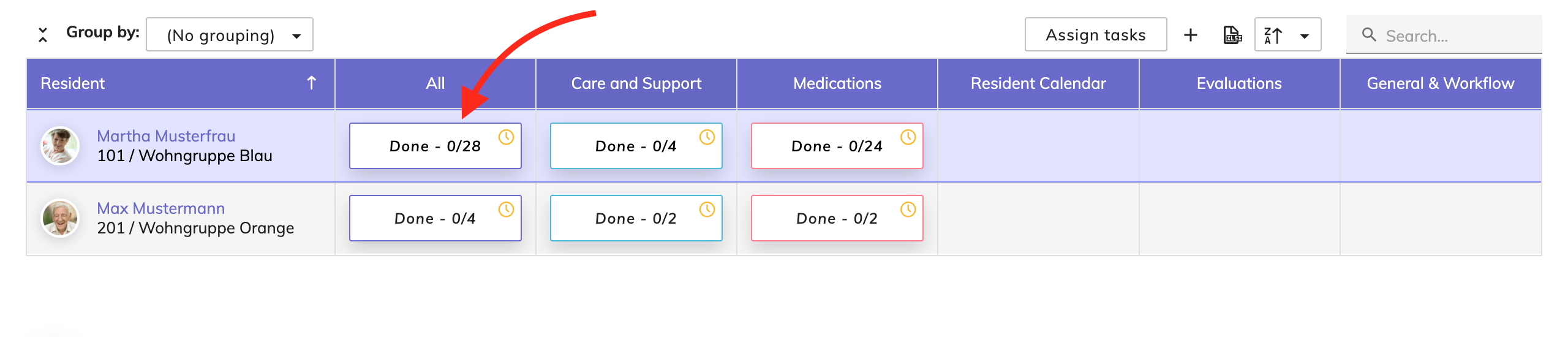
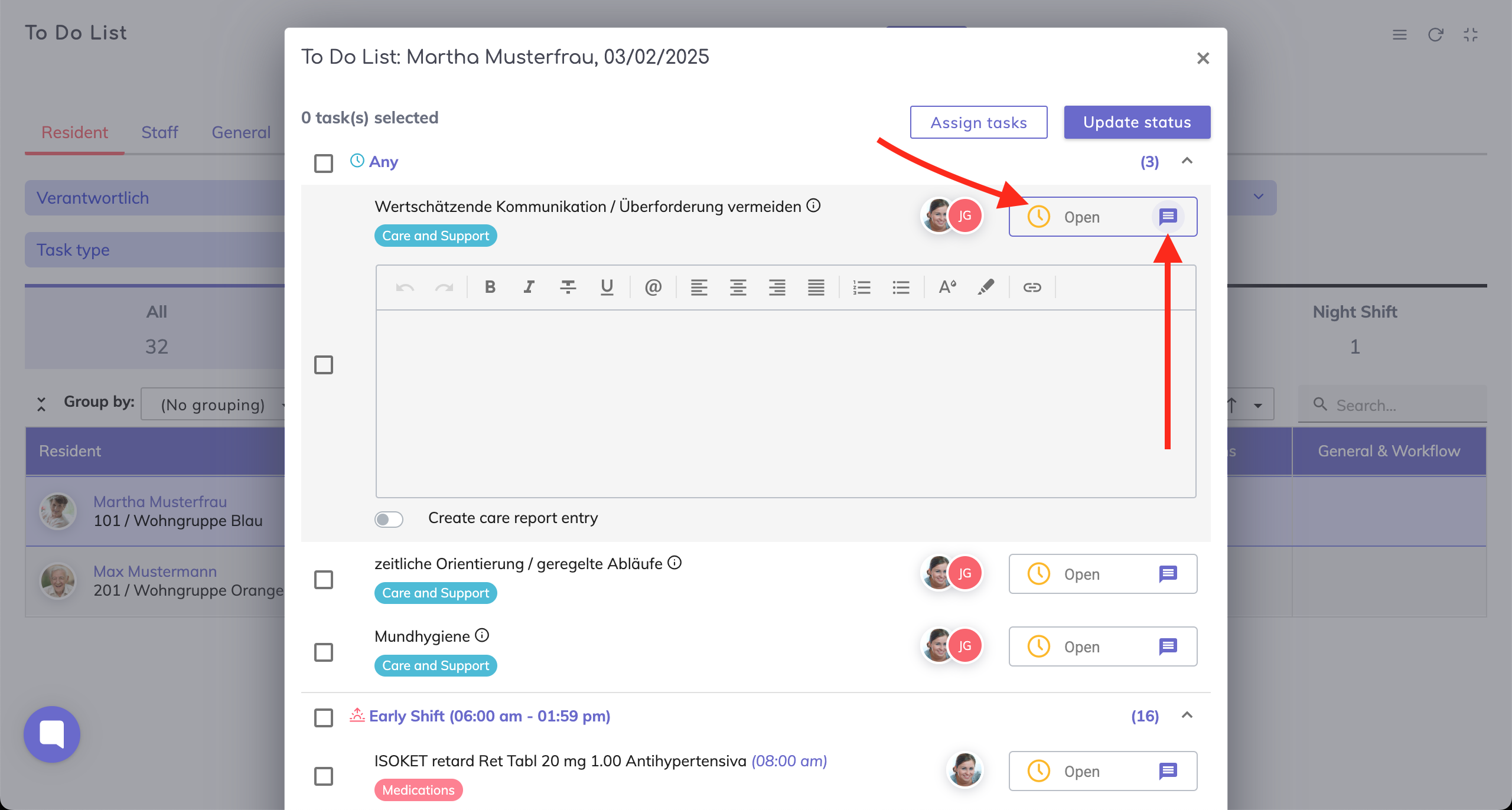
It is possible to assign individual or multiple tasks for a resident to one or more caregivers as shown.
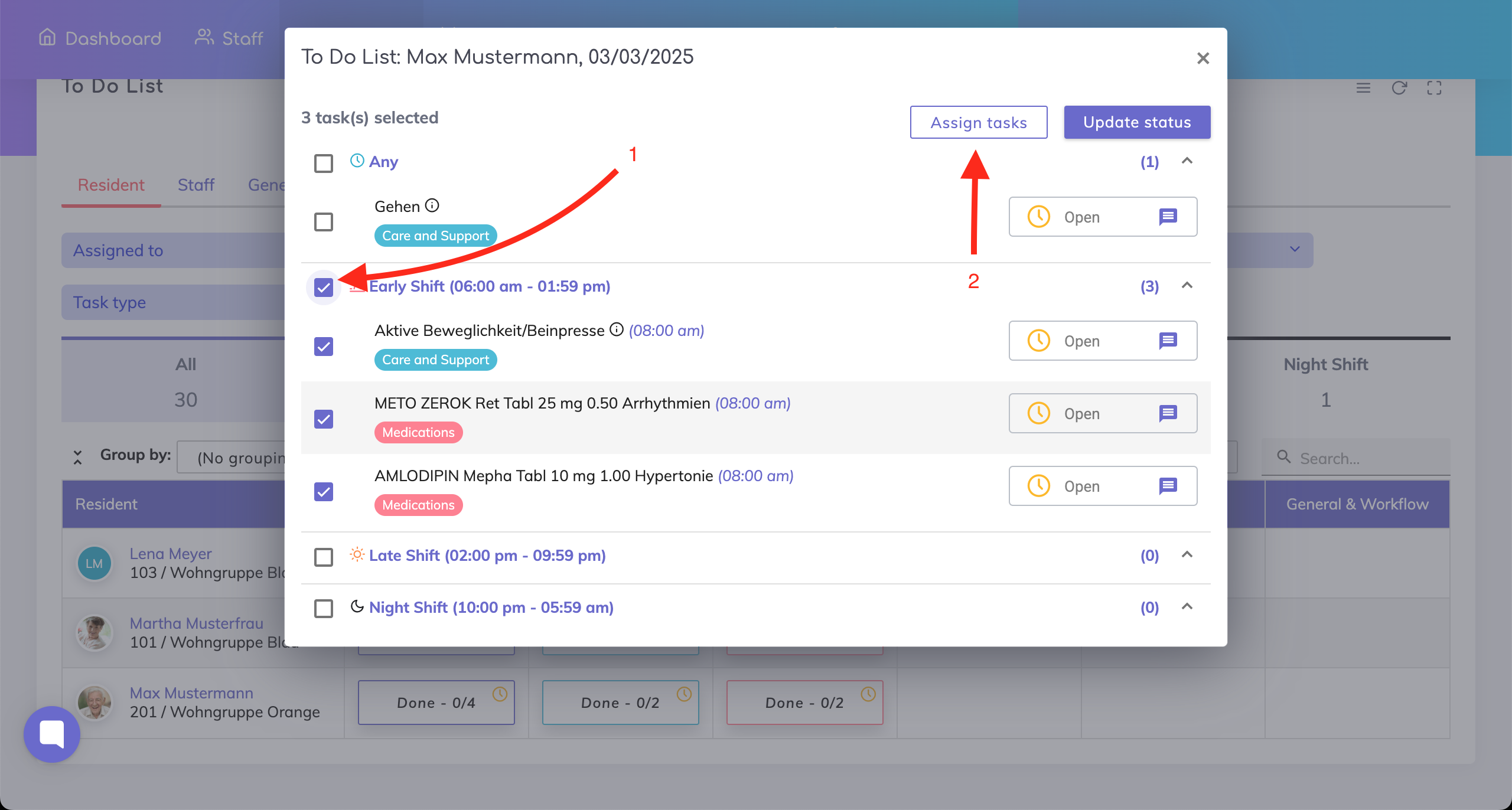
Similarly, it is also possible to update the status of multiple tasks at once by clicking on the “Update status” button.
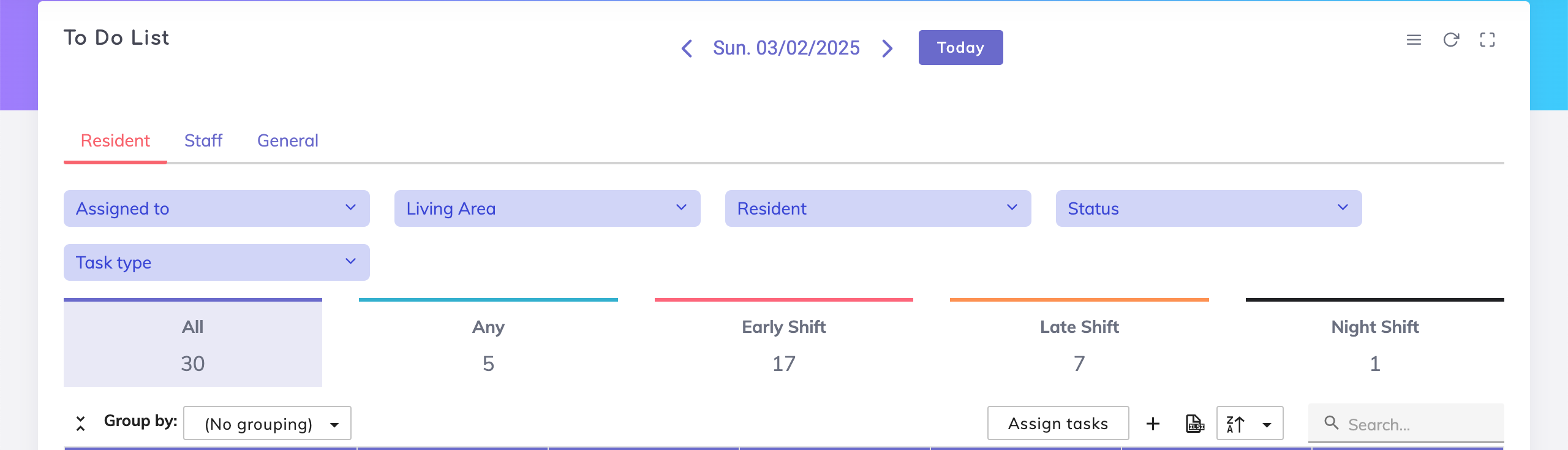
Date Navigator - The tasks are shown by default for the current day. Click on the < > icons to go to the previous or next date, or click on the date to navigate to a specific date.
Filter Fields - Filter tasks by who the tasks are assigned to, department, resident, task status, task type/category and the shift type.
Grouping - Group the data in the view.
Assign Tasks - Multiple tasks for multiple residents may be assigned to your team members at once using this function for a single day or a range of days.
Create General Tasks - Click on the + icon on the Activity List to create a task of the category type General.
Excel Export
Search - Search for residents using the search bar.
We're here to help. Please feel free to contact us.

