The Customer Service Widget is your go-to tool for staying informed, accessing help, and communicating with Edelion’s support team. Whether you need the latest updates, assistance with app features, or want to request new functionality, this widget ensures seamless interaction with our support resources.
Open the App (Residents, Gastro etc.) on your device.
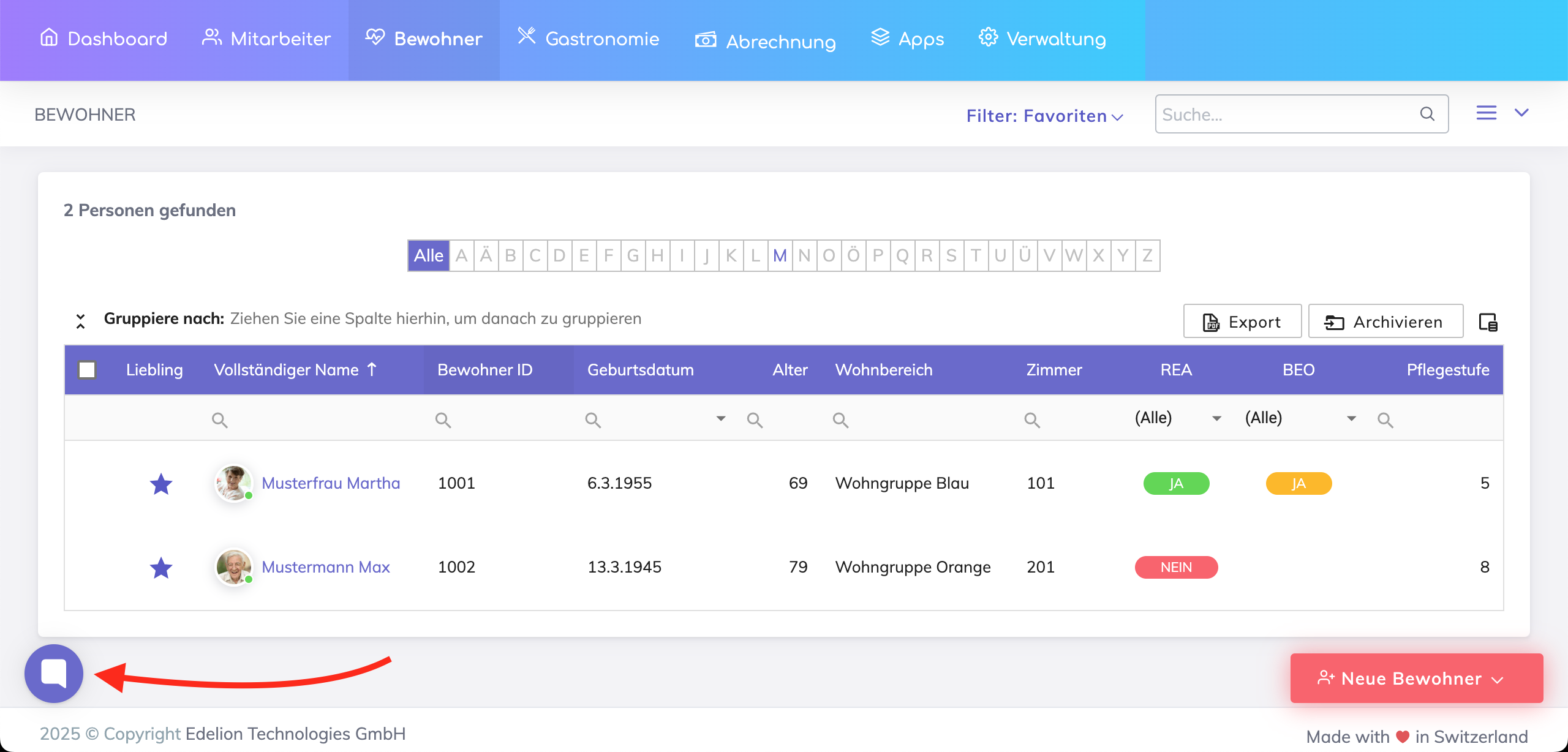
Tap the Message Icon (💬) from the main menu to open the Customer Service Widget.
Select the feature you need from the available options.
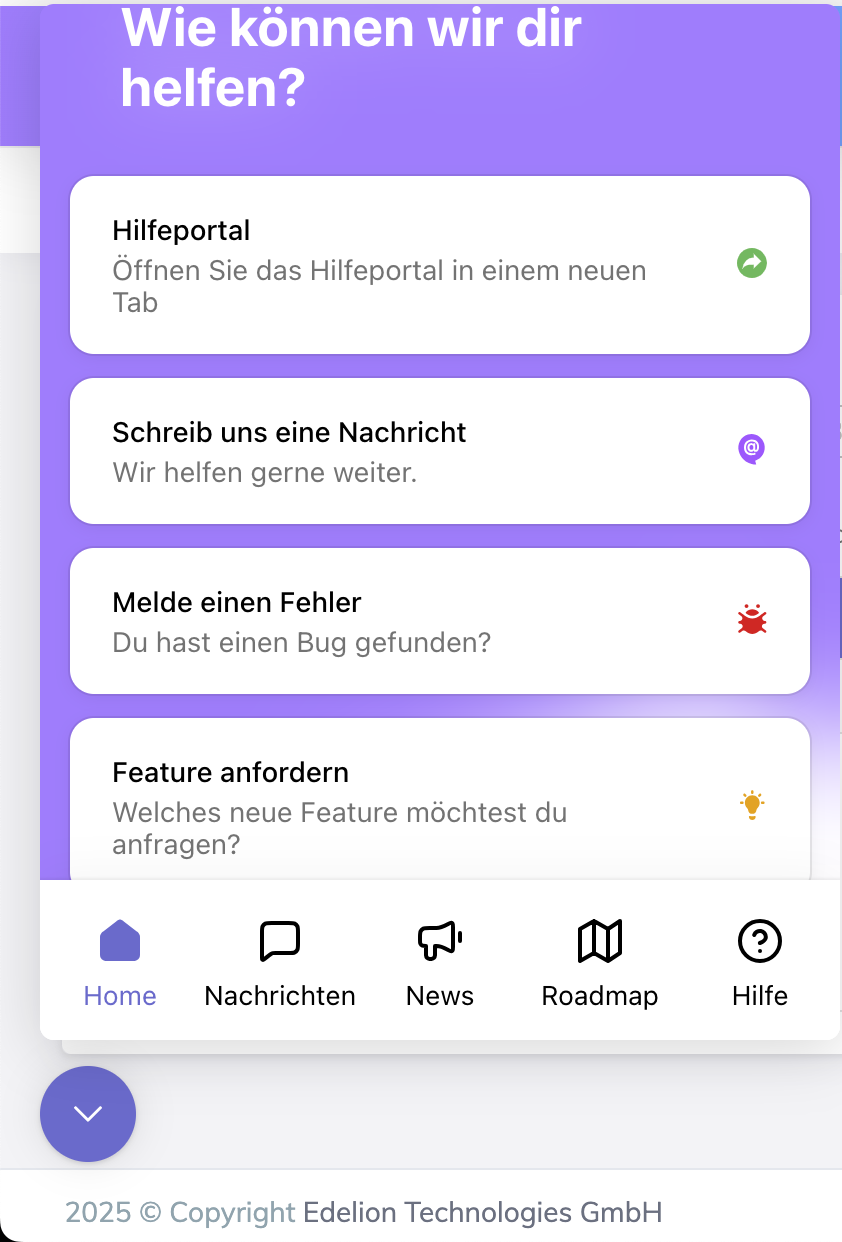
All communication with the customer service team happens here. In this section, you can:
View your past conversations with Mia, the AI-powered chatbot.
Track bug reports submitted to Edelion.
Monitor the status of your feature requests and follow up if needed.
Stay up to date with new features, enhancements, and important announcements related to Edelion’s Apps. The News Section provides real-time updates on software releases, ensuring you're always aware of the latest features and improvements.
Curious about upcoming features? The Roadmap section provides insight into Edelion’s planned developments for the Residents App. You can see which features are in progress and what’s coming soon.
Need guidance? Tap Help to access detailed user guides, FAQs, and troubleshooting steps for common issues. This is the fastest way to find answers to your questions.
The Customer Service Widget also includes Mia ("My Intelligent Assistant"), an AI-powered chatbot designed to assist you 24/7.
Provide instant answers about app features.
Guide you through how-to steps for using different functionalities.
Help troubleshoot common issues.
If Mia doesn’t find an answer to your query, it will automatically route your request to Edelion’s Customer Service team, ensuring you get human assistance as soon as possible.
We're here to help. Please feel free to contact us.

