Use this feature during the initial setup of billing.
👉 This step is part of the Initial Setup Checklist and forms the foundation for all further configurations.
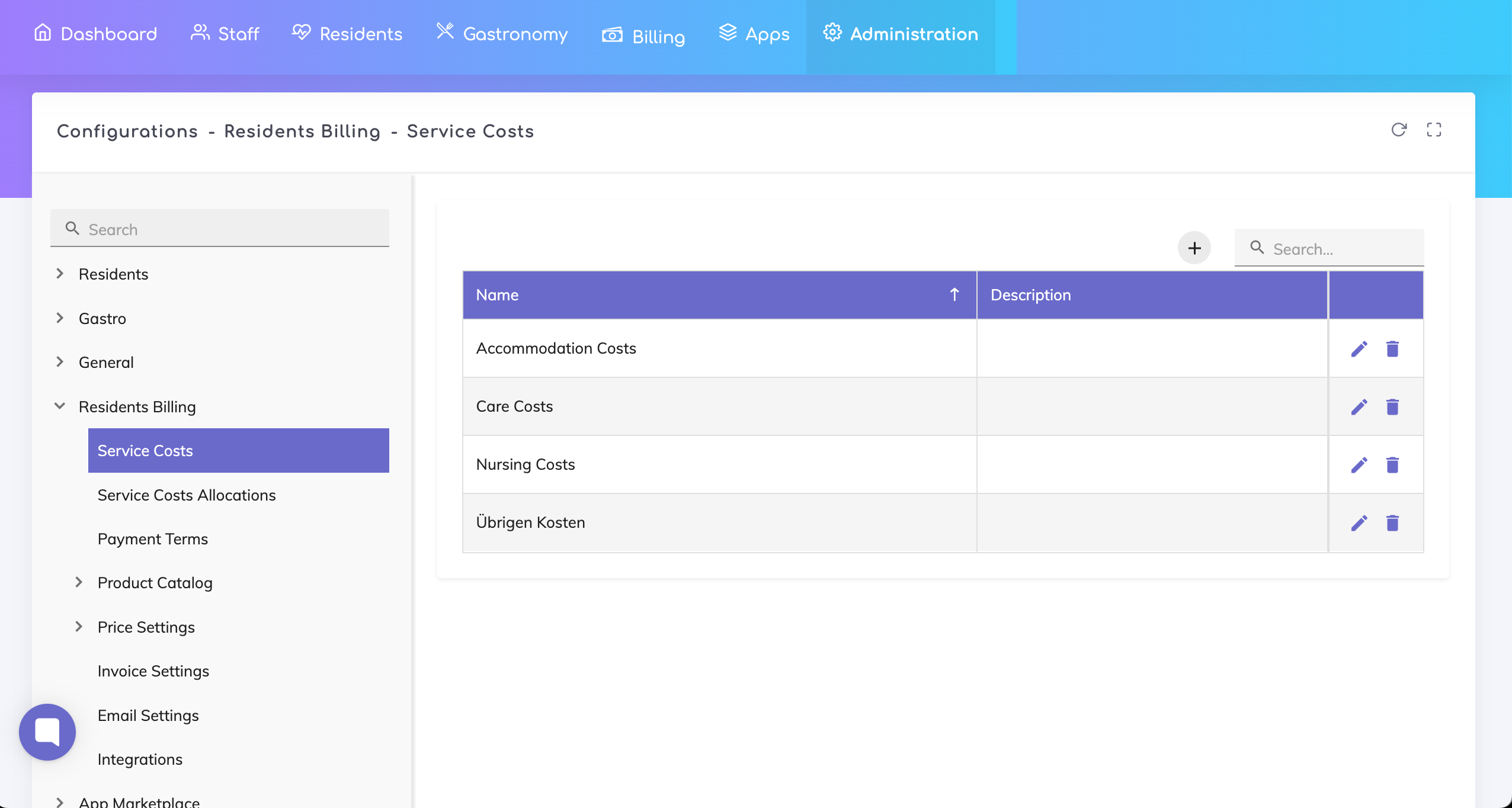
Service cost types represent the main categories used to bill services provided to residents.
They are required for:
Structuring invoices
Tracking costs
Complying with regulatory requirements in Switzerland
The following four cost types are typically used:
Support Costs
General assistance, social interaction, supervision
Accommodation Costs
Housing and meals
Care Costs
Medical care and nursing services
Other Costs
Additional services (e.g. laundry, special requests)
Navigation
Go to: Administration → Configurations → Residents Billing → Service Cost Types
Add cost types
Click on Add Cost Type
Create the four standard cost types. For each cost type:
Name: Enter the name (e.g. Support Costs)
Description: Short description of the included services
Click Save after entering each cost type.
Use official terminology based on cantonal guidelines or billing standards
Avoid modifying or deleting cost types that are already in use
Additional custom cost types can be created if needed
The four main categories should always be maintained
Checklist: Initial Setup for Services & Billing Configuration
Set up the required configurations so that services can be recorded and billed correctly.
We're here to help. Please feel free to contact us.

