Lunch and dinner are typically included in the accommodation costs. However, additional items like wine, soft drinks or beers are considered extras and should be billed to the resident.
Open the Gastro App
Navigate to the Menu Orders for residents in the Gastro App.
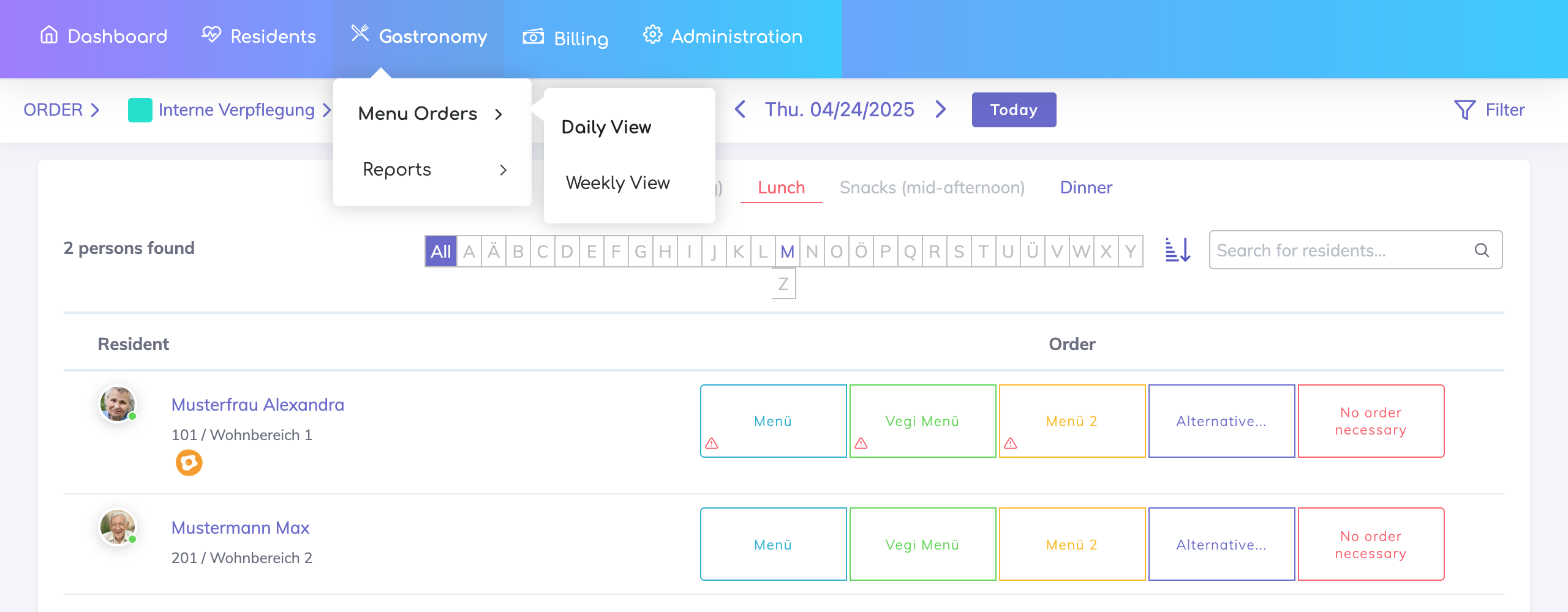
Choose the Resident
Select the resident from the list on the left.
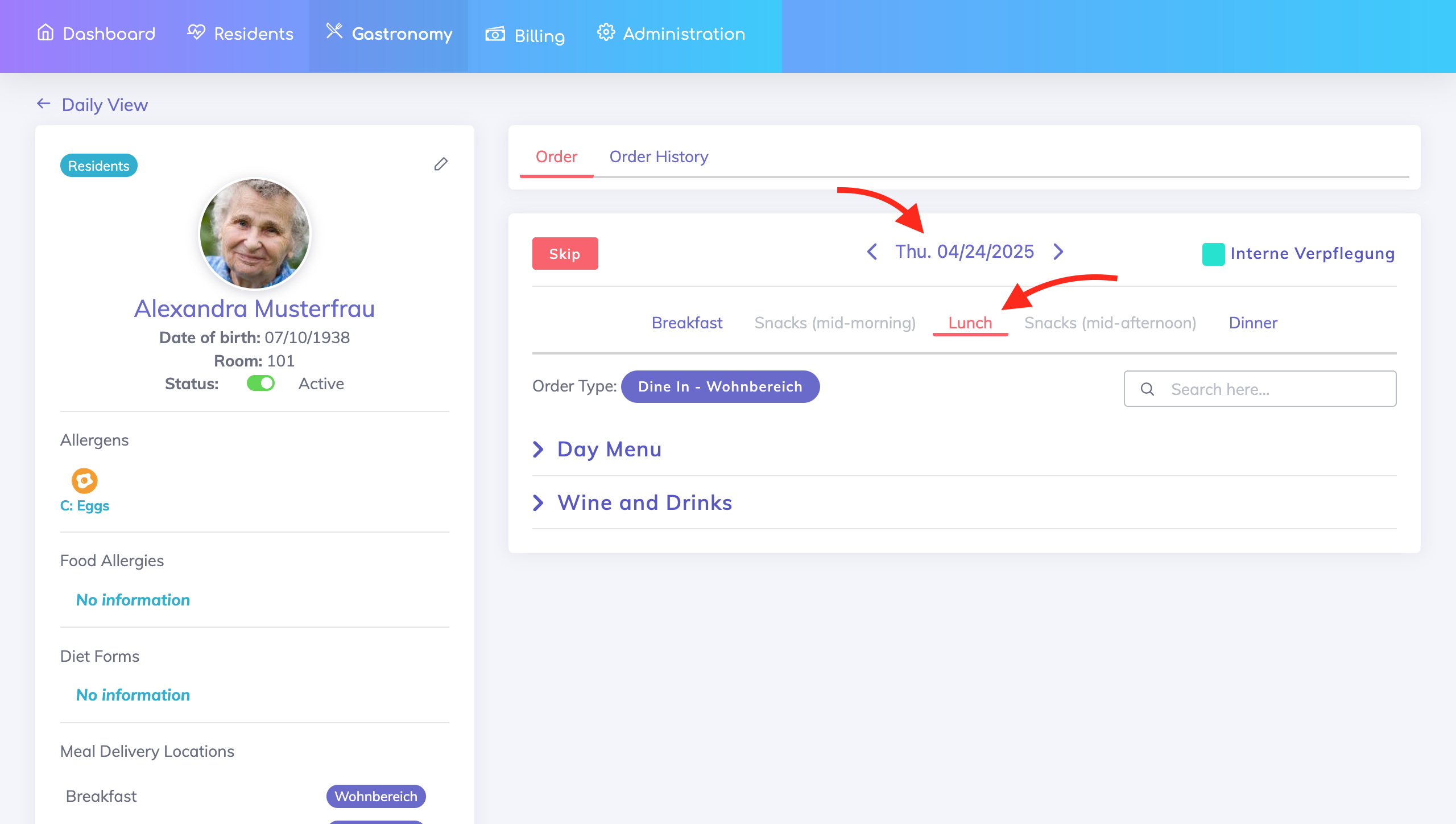
Select the Day
Choose the date and meal time for which the extra item was provided. The order type can also be changed from here if required.
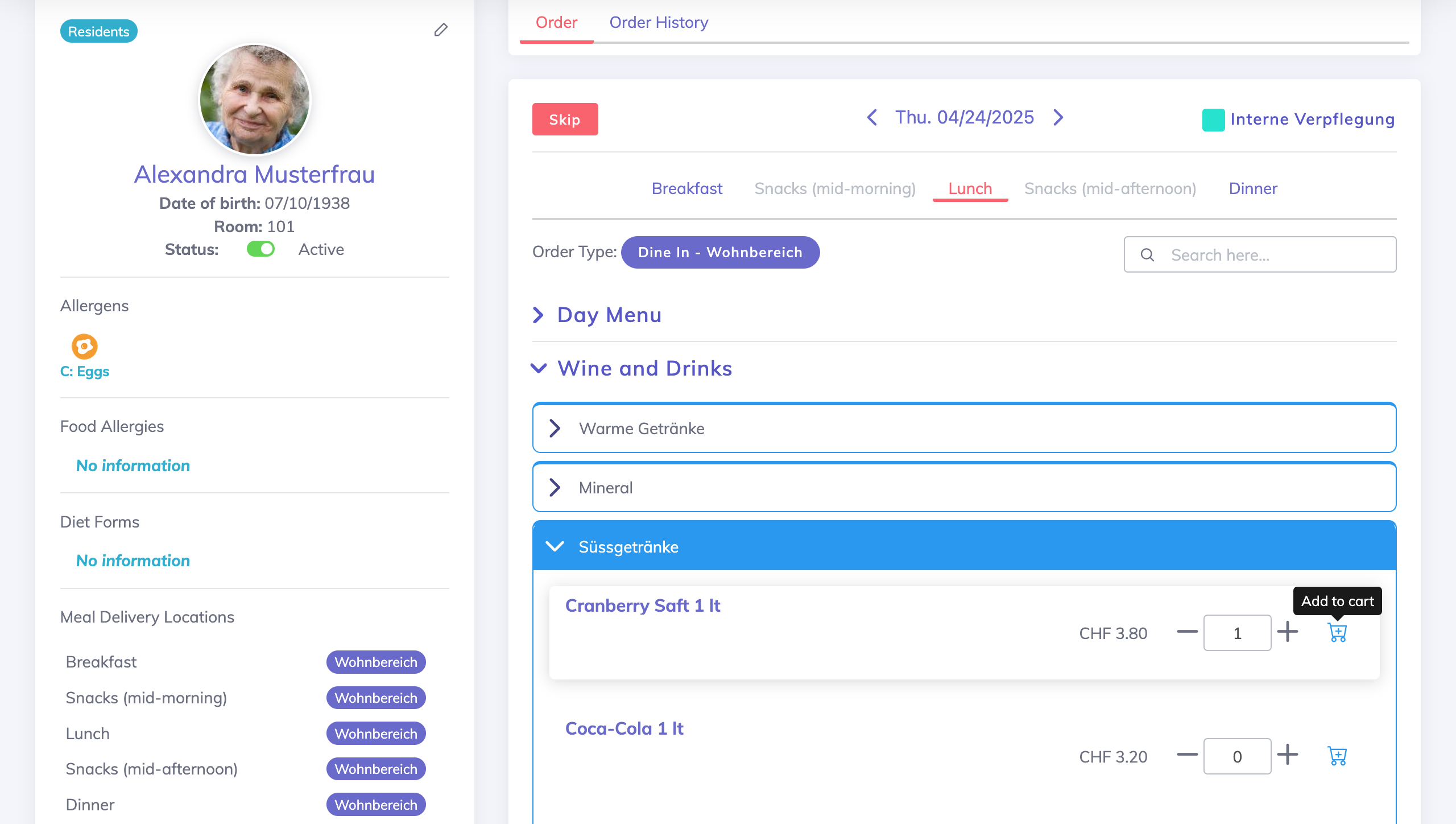
Add Extra Items
Choose the Product (e.g., wine, dessert)
Enter the Quantity
Remarks may be added optionally
Click on the Add to Cart icon
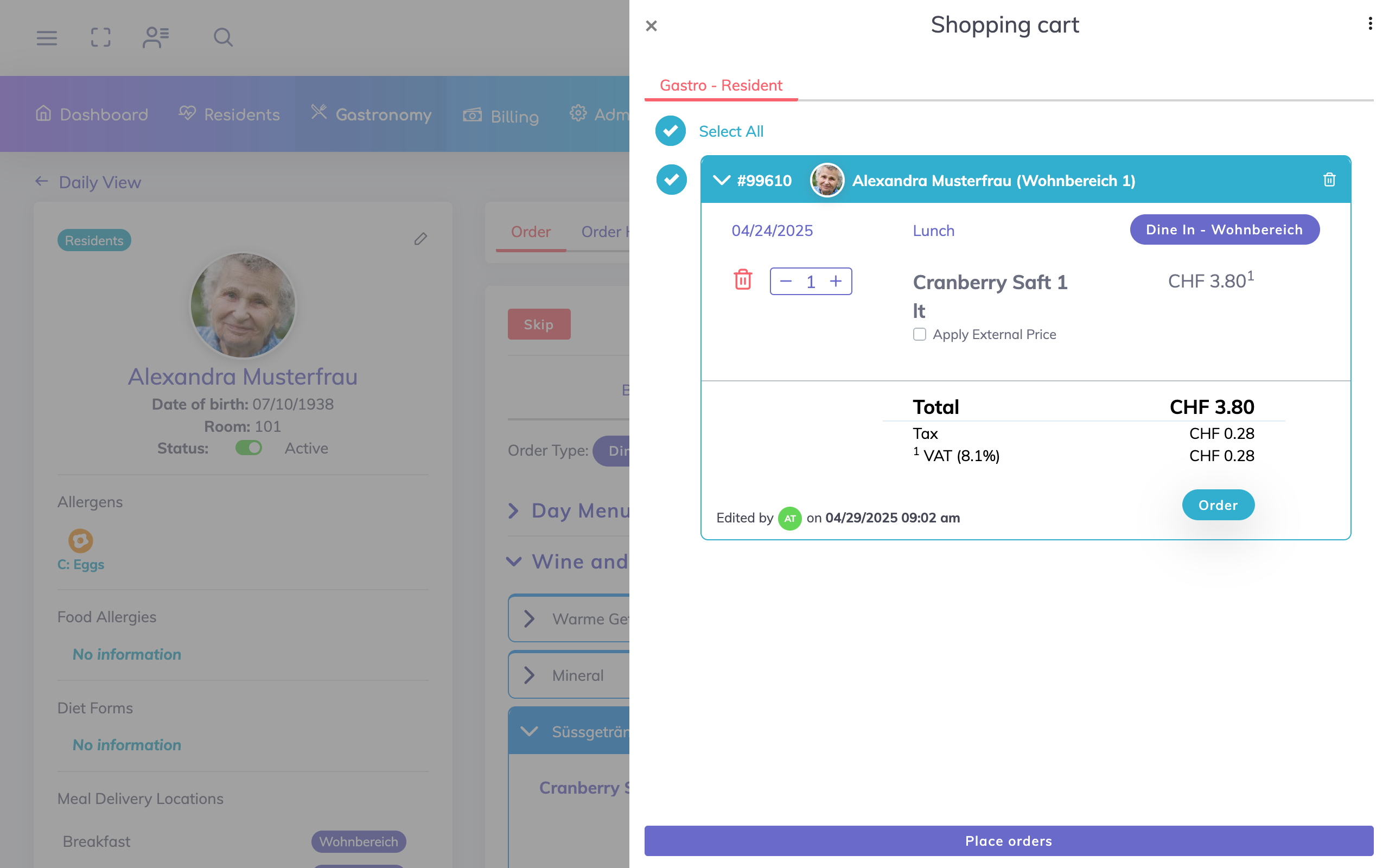
Order
Review the order on the Shopping Cart, make any adjustments (order type, delivery location, quantity or price) here if required, and click Order when done.
Important: Send to Billing
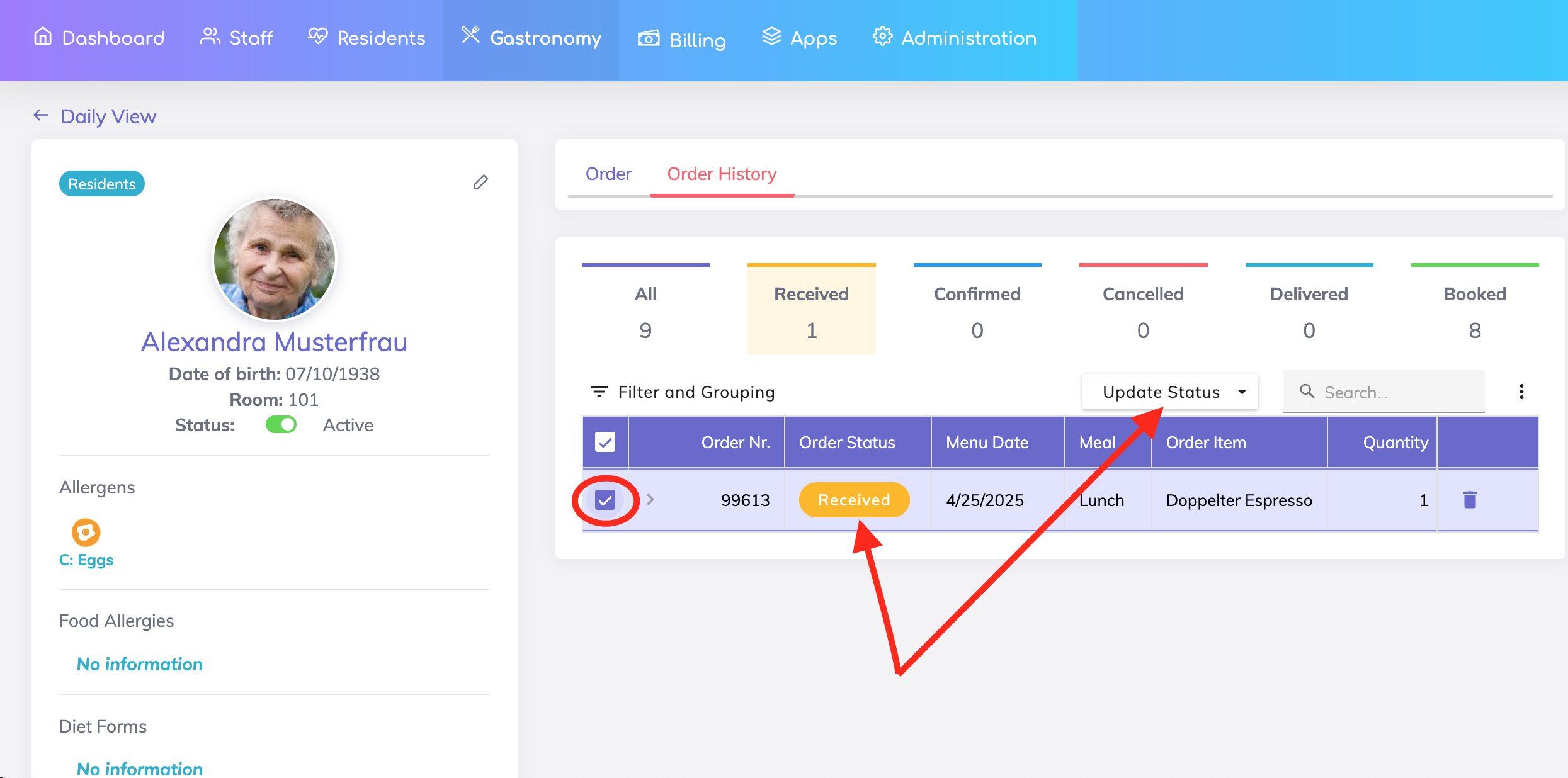
Once the order is placed, it is not sent to Billing until the order status is changed to Booked. Go to the Order History. Select the required orders with the initial status Received and update the status to Booked.

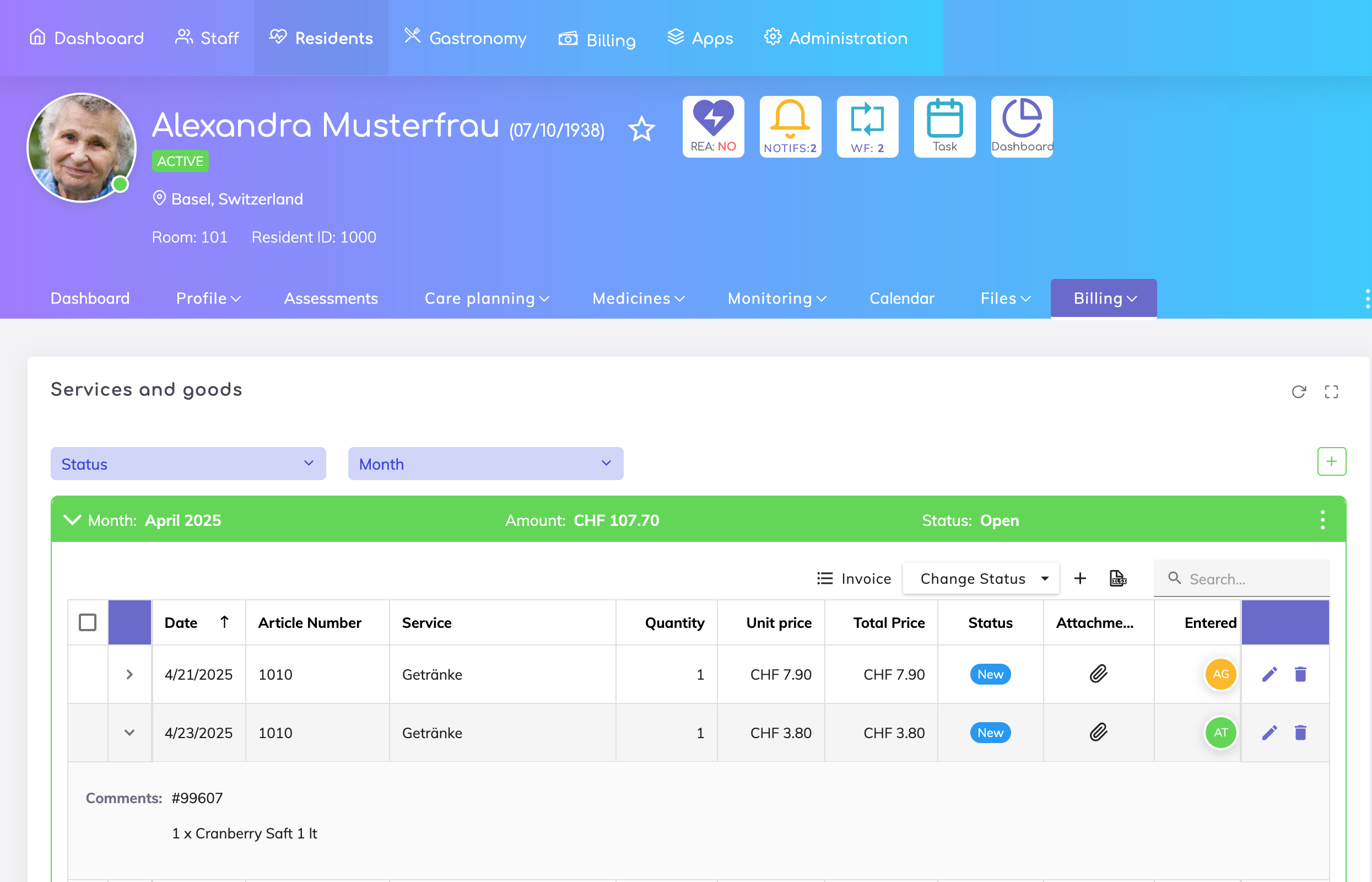
Resident’s Billing Account
Review and edit items in the billing account if required from here.
After placing an order, why isn’t this order visible in the Order History as a Received order?
Why is the Order Status column not visible in the Order History?
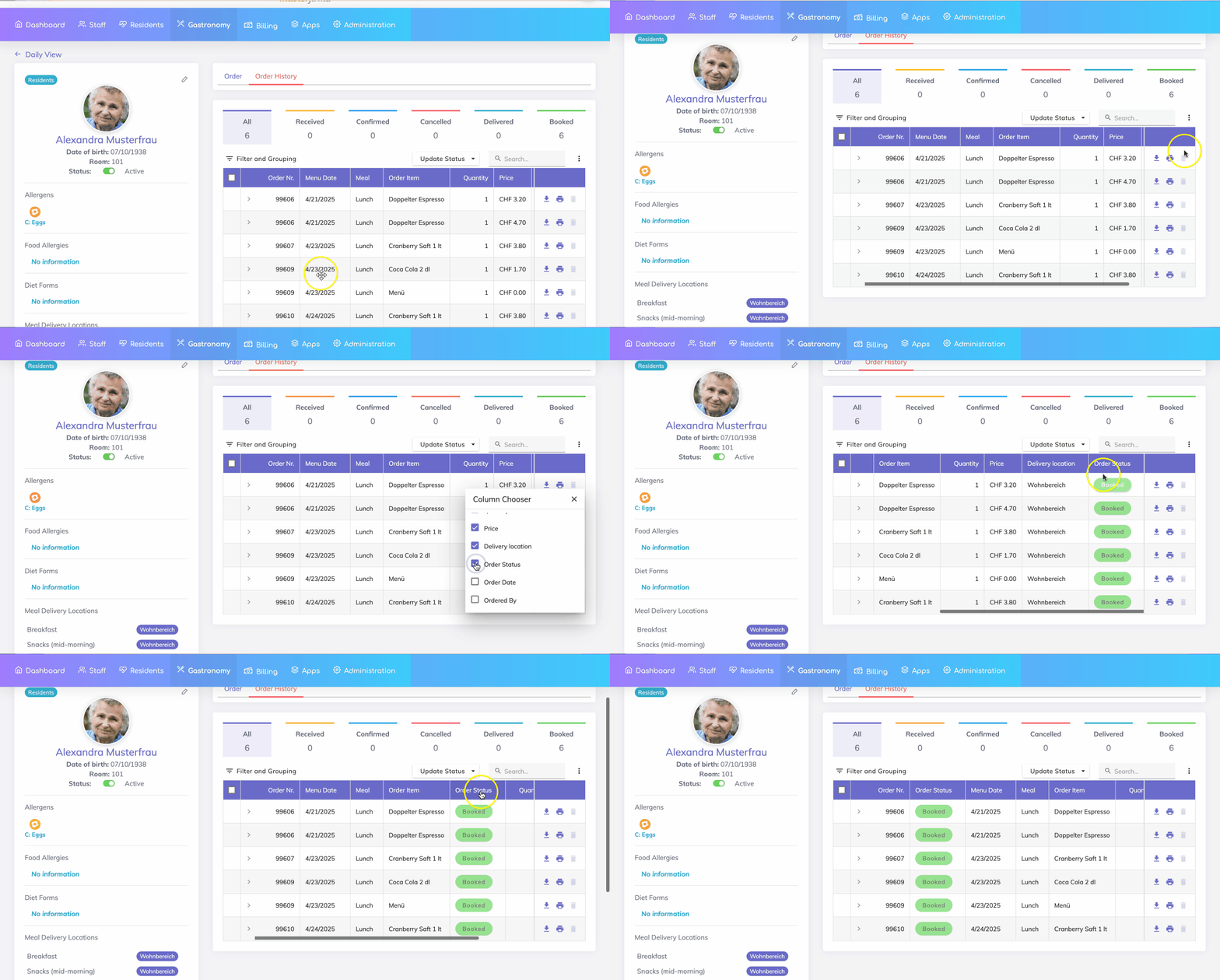
Only Booked items are transferred to the Billing App.
Once items are Booked, the statuses cannot be changed anymore from the Gastro App.
Each entry is linked to the selected resident and date for accurate billing.
We're here to help. Please feel free to contact us.

