Use this feature during the initial setup of the product catalog.
👉 This step is part of the Initial Setup Checklist and should be completed before creating products.
Product attributes are additional fields assigned to products.
They enable:
Structured data capture
Extended product information
Filtering and search capabilities
In addition to individual attributes, they can be grouped into attribute groups.
👉 An attribute group is a collection of attributes used together.
💡 Benefit:
Reuse across multiple categories
Reduced setup effort
Consistent structure
👉 Attribute groups can be assigned to product categories.
Attribute examples include:
Tariff Level
MiGeL Category
MiGeL Position Number
An example of an attribute group:
A MiGeL group could include:
MiGeL Category
MiGeL Position Number
👉 Especially important for:
Billing
Reporting
Integrations
Administration → Configurations → Residents Billing → Product Catalog → Product Attributes
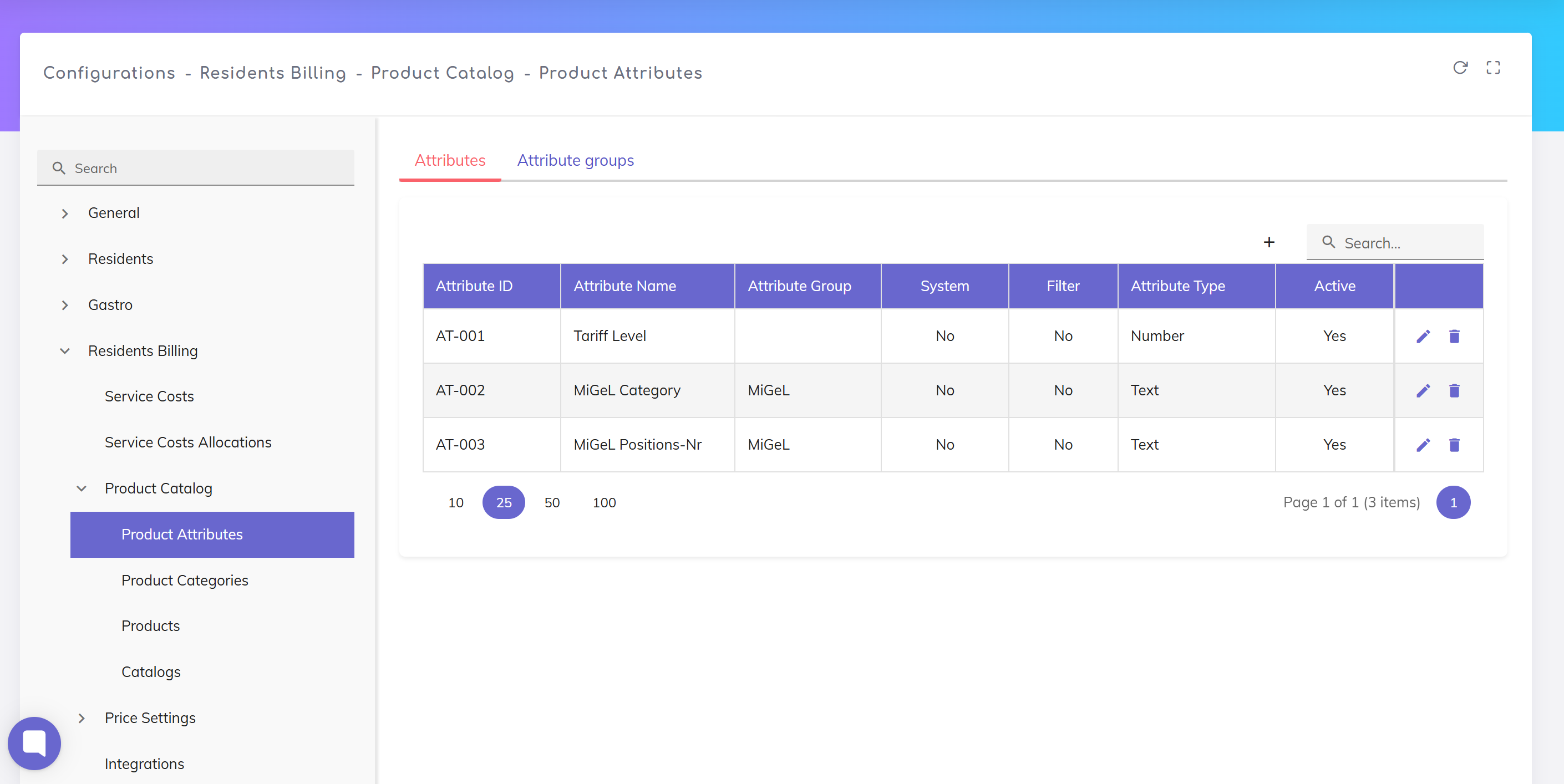
Click +
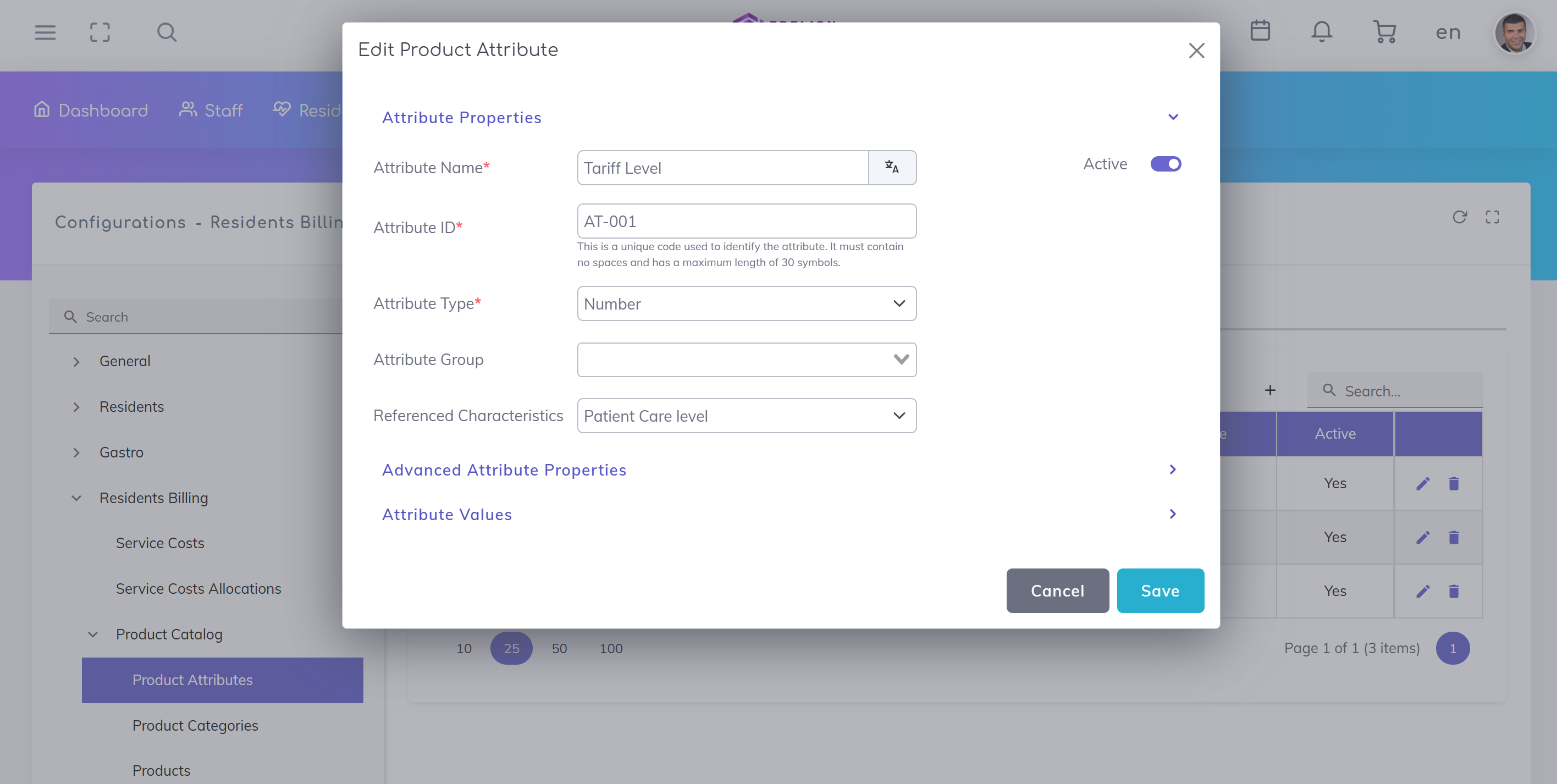
Create a new product attribute
Attribute Name
Name of the attribute (e.g. Tariff Level)
Attribute ID
Unique technical identifier
👉 Must not contain spaces
Attribute Type
Data type, e.g.:
Text
Number
Attribute Group
Optional grouping
Referenced Properties
Link to predefined system values (e.g. care levels)
Active
Enable to make the attribute usable
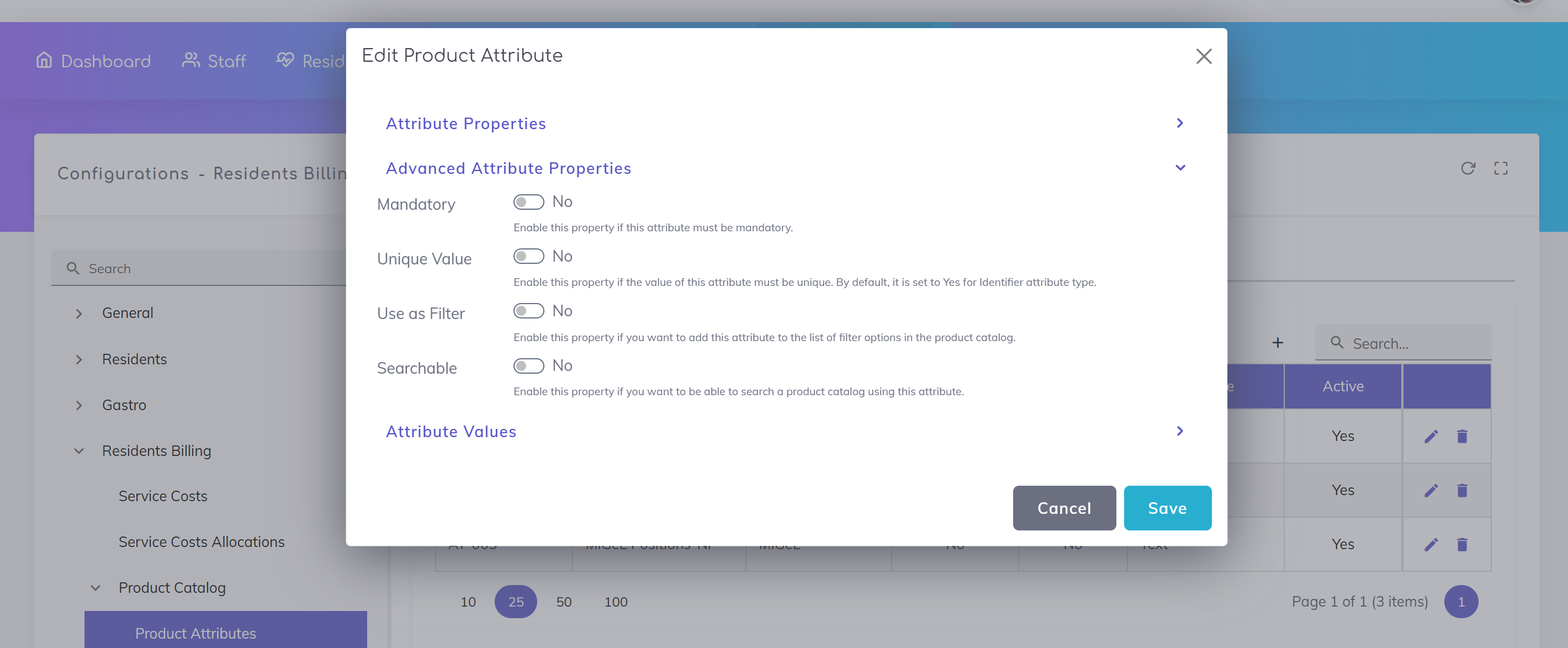
(Optional)
Required Field
Must be filled when used
Unique Value
Value must be unique
Use as Filter
Available as filter in lists
Searchable
Included in search
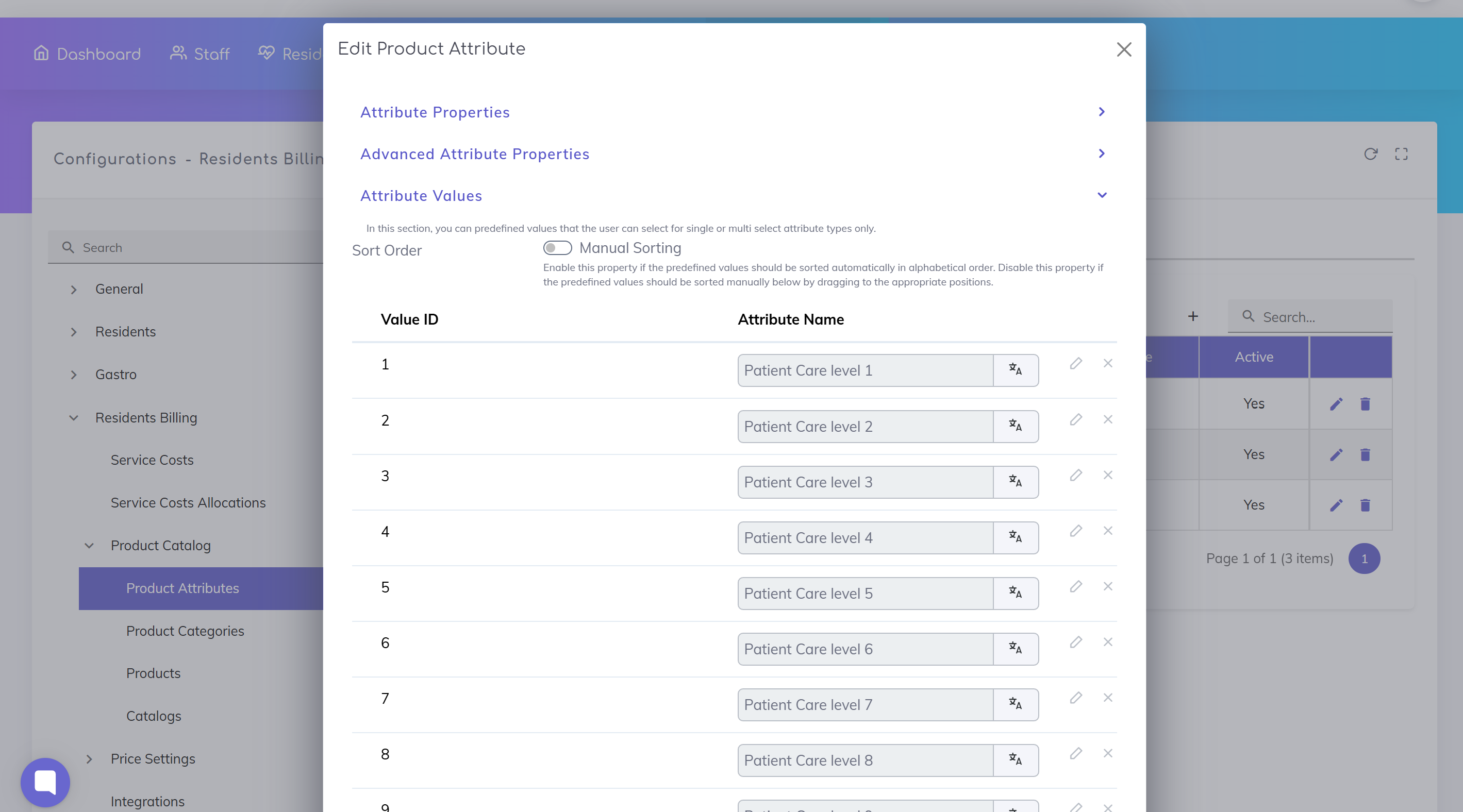
For attributes with predefined values:
Define possible values (e.g. care levels 1–9)
Enable manual sorting if needed
Arrange values in desired order
👉 Useful for:
Dropdown selections
Standardized input
Click Save to apply the attribute.
Changes to existing attributes may affect products
Attribute ID should not be changed after creation
Prefer deactivation over deletion
Only define necessary attributes
Use clear naming conventions
Group attributes logically
Use predefined values where standardization is required
Set Up Product Catalog
Set up the core catalog structure that defines the products and services available for billing in your care home.
Configure Product Categories
Create product categories to organize your products (services and physical items) in a clear and structured
We're here to help. Please feel free to contact us.

