Use this feature during the product catalog setup.
👉 This step comes after creating a catalog and before creating products.
Product categories group products within a catalog.
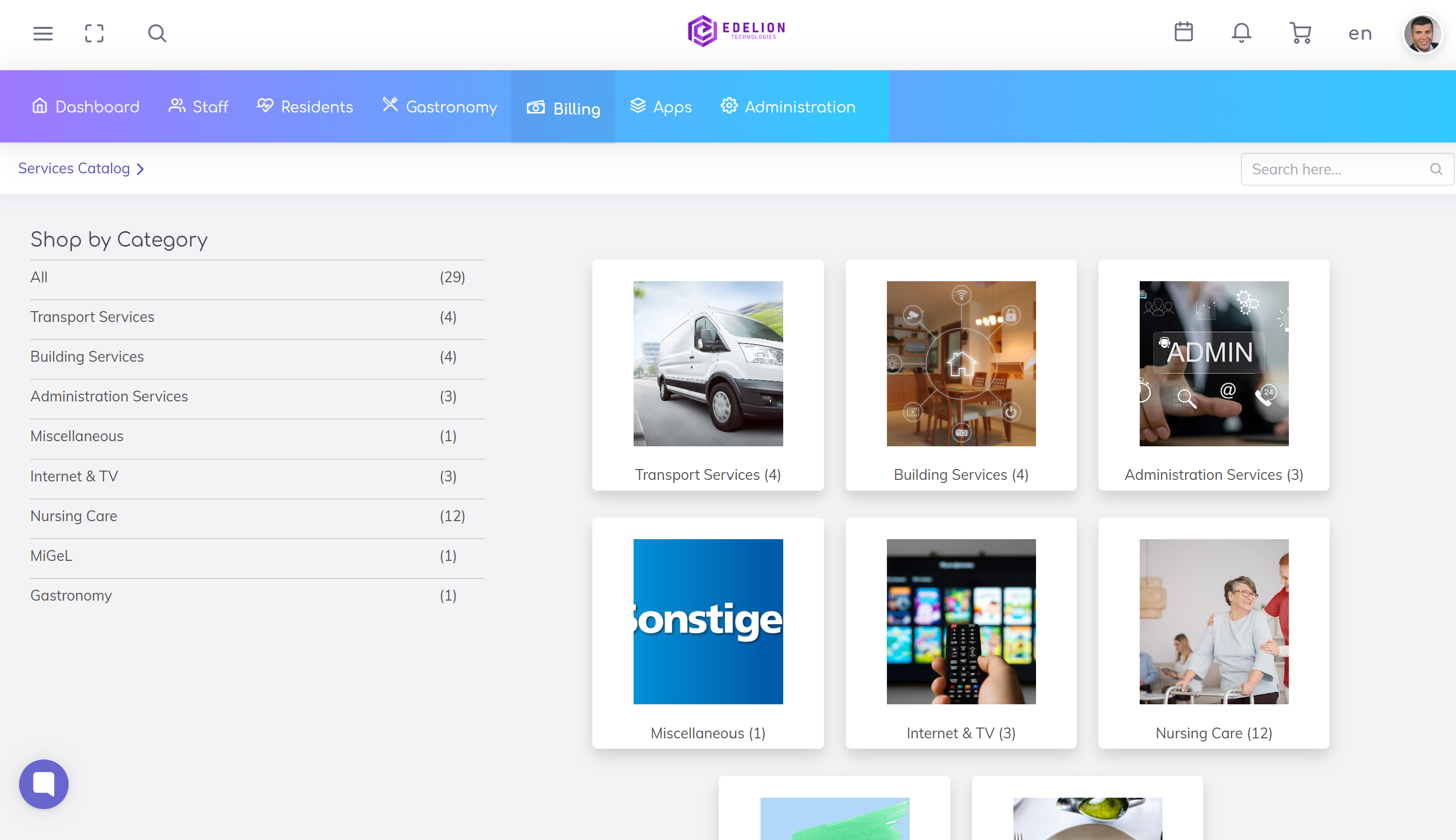
👉 They help to:
Find products more easily
Keep the catalog structured
Improve usability
Care Services
Therapies
Transport Services
Gastro Extras
👉 Categories should be intuitive and easy to understand.
Go to:
Administration → Configurations → Residents Billing → Product Catalog → Product Categories
Click the + icon
Create a new category
Parent Category: Allows hierarchical structure (subcategories).
👉 Example:
Care Services
→ Basic Care
→ Treatment Care
Name: Name of the category (e.g. Care Services, Transport)
Category Code: Unique identifier
👉 Can be used for:
Integrations
Reporting
Active: Defines whether the category is available for use
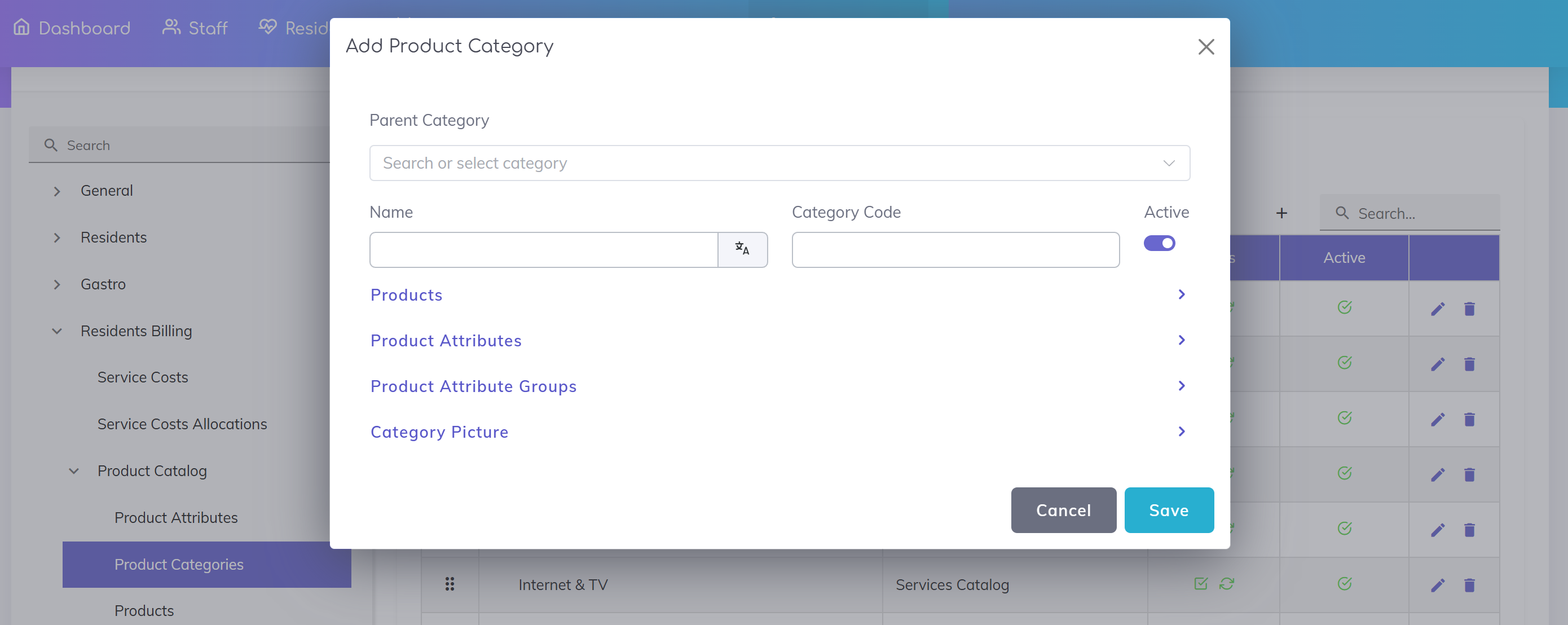
Products: Assign existing products to the category
Product Attributes: Defines which attributes are available for products in this category.
👉 These attributes will appear as input fields when creating products.
Example:
For the category MiGeL, you may define attributes such as:
MiGeL Category
MiGeL Position Number
👉 When creating a product in this category, these values can be entered.
💡 Note: Whether an attribute is required depends on its configuration (e.g. required field).
💡 Benefit:
Consistent data entry
Structured products
Better support for billing and reporting
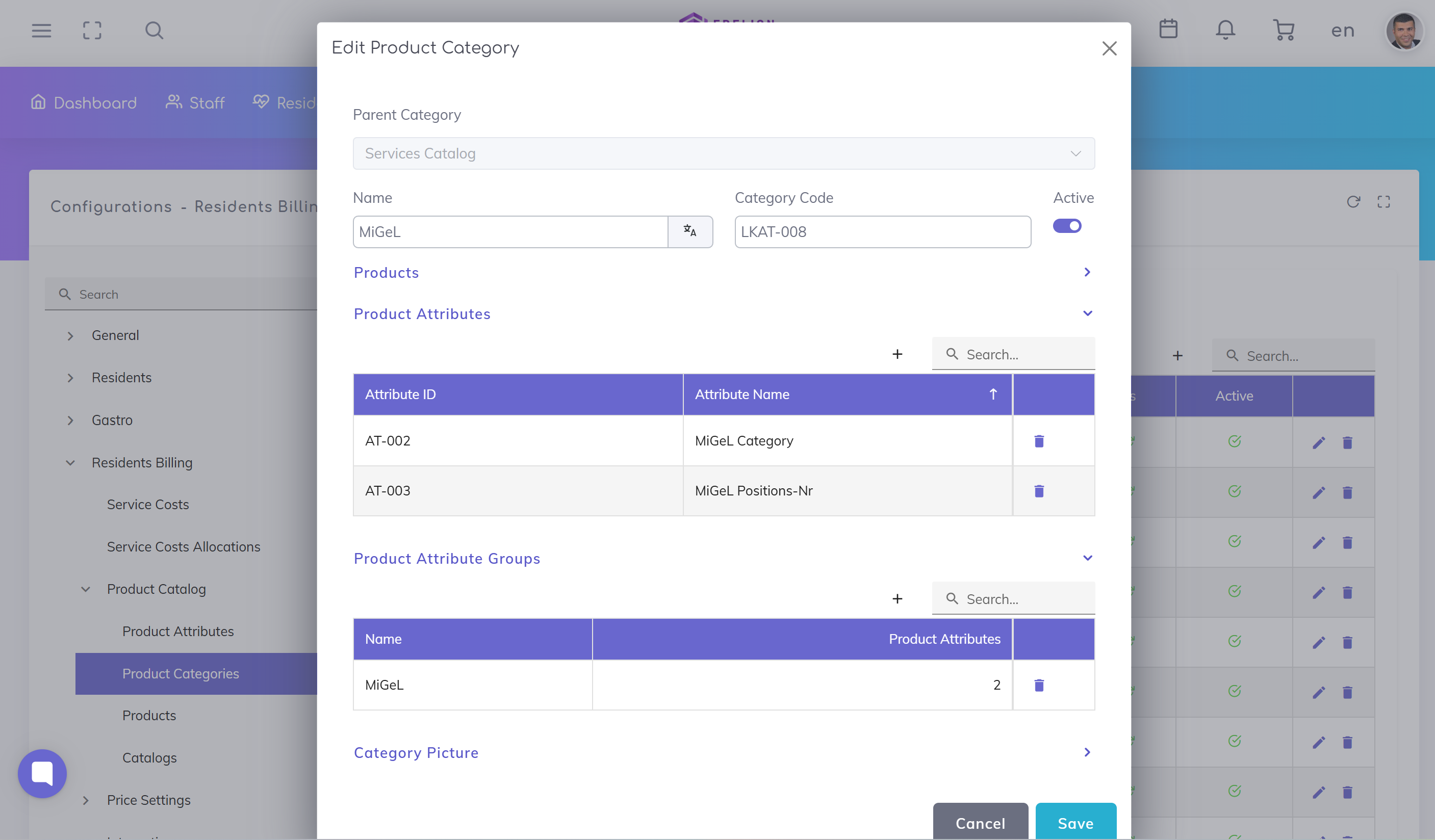
Attribute Groups: Allows assigning predefined attribute groups to this category.
👉 Attribute groups bundle multiple attributes that are used together.
💡 Benefit:
If the same attributes are required across multiple categories, they can be grouped once and reused instead of assigning them individually each time.
Category Picture: Image for visual representation on the catalog.
Click Save to create the category.
Categories must be assigned to a catalog
Products can only be created once categories exist
Changes affect how products are structured and displayed
Use clear and intuitive category names
Keep the structure simple
Avoid deep hierarchies
Group similar products logically
Set Up Product Catalog
Set up the core catalog structure that defines the products and services available for billing in your care home.
Configure Product Attributes
Define product attributes to capture additional information and control product behavior within the catalog.
We're here to help. Please feel free to contact us.

