January 19, 2025
We are excited to share with you the features we added most recently!
Resident Dashboard - The resident’s dashboard offers a summary of the following key care metrics and can be accessed from the two places as shown:
last measured vitals,
upcoming calendar appointments for the current week,
number of falls in the current month and year,
ongoing wound care
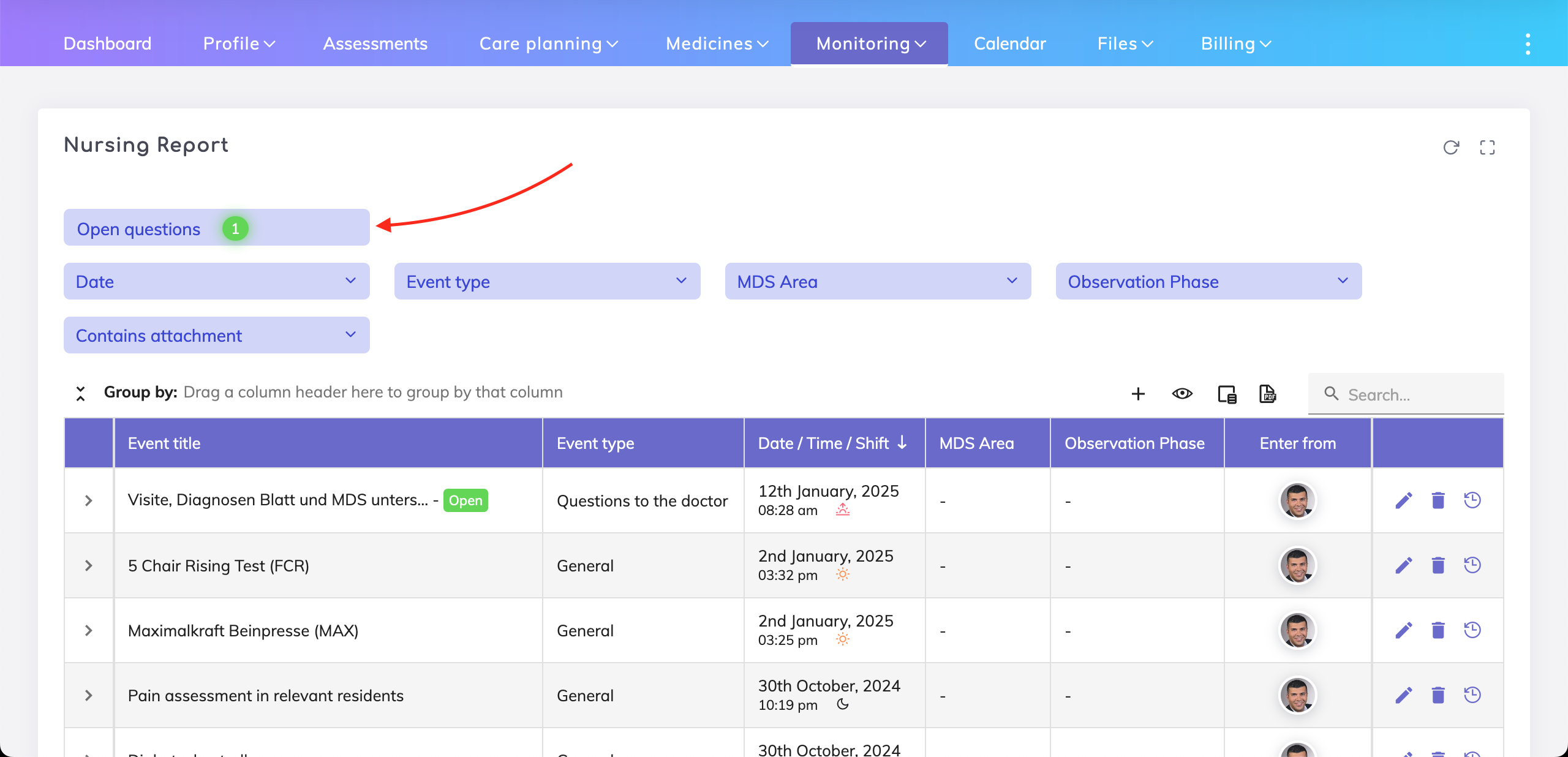
open questions for doctors and relatives
upcoming evaluations in the next 7 days and current month for IPP, Living Will and the Measures During Restricted Freedom
care report timeline for today, yesterday and a custom date.

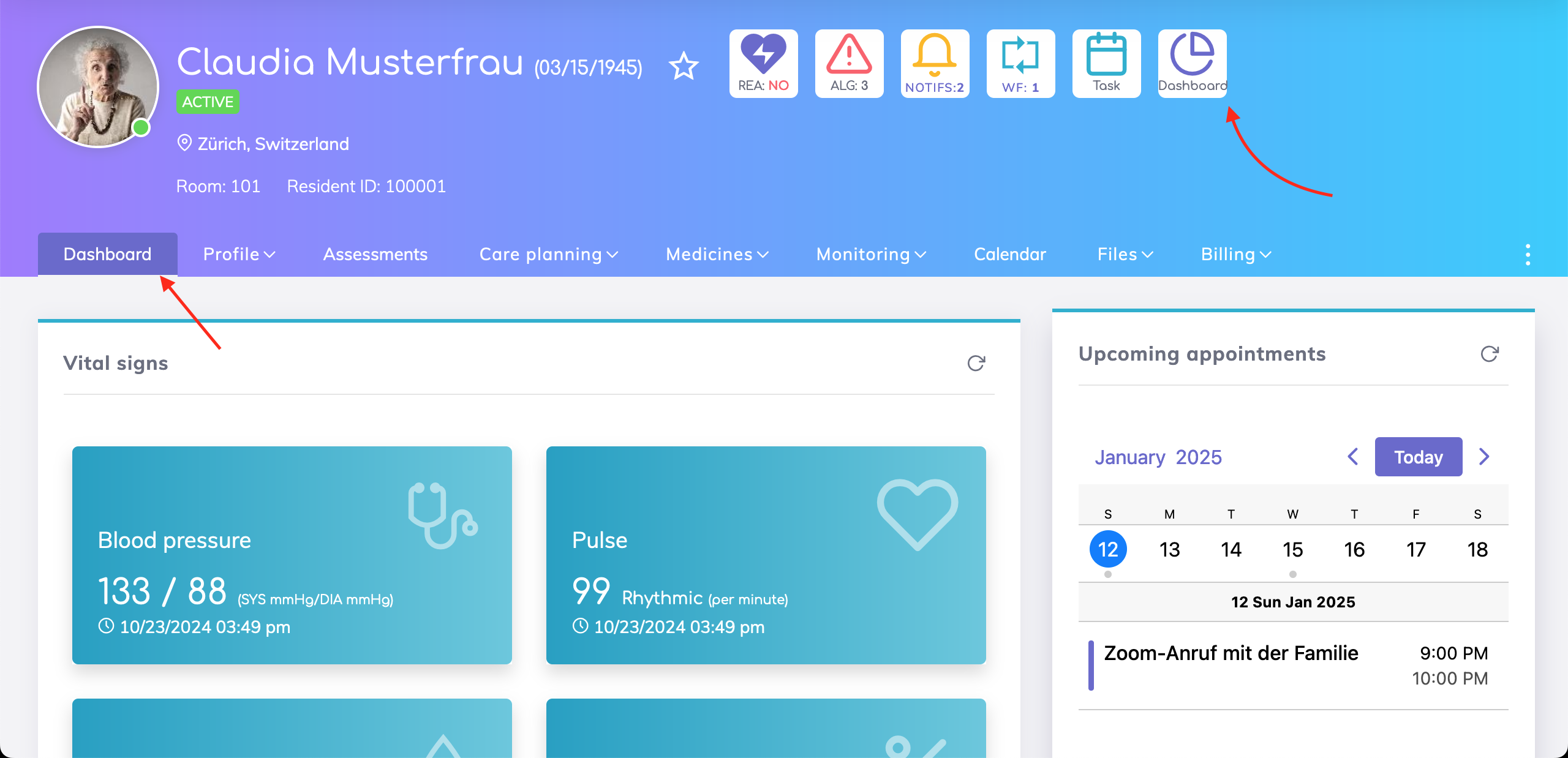
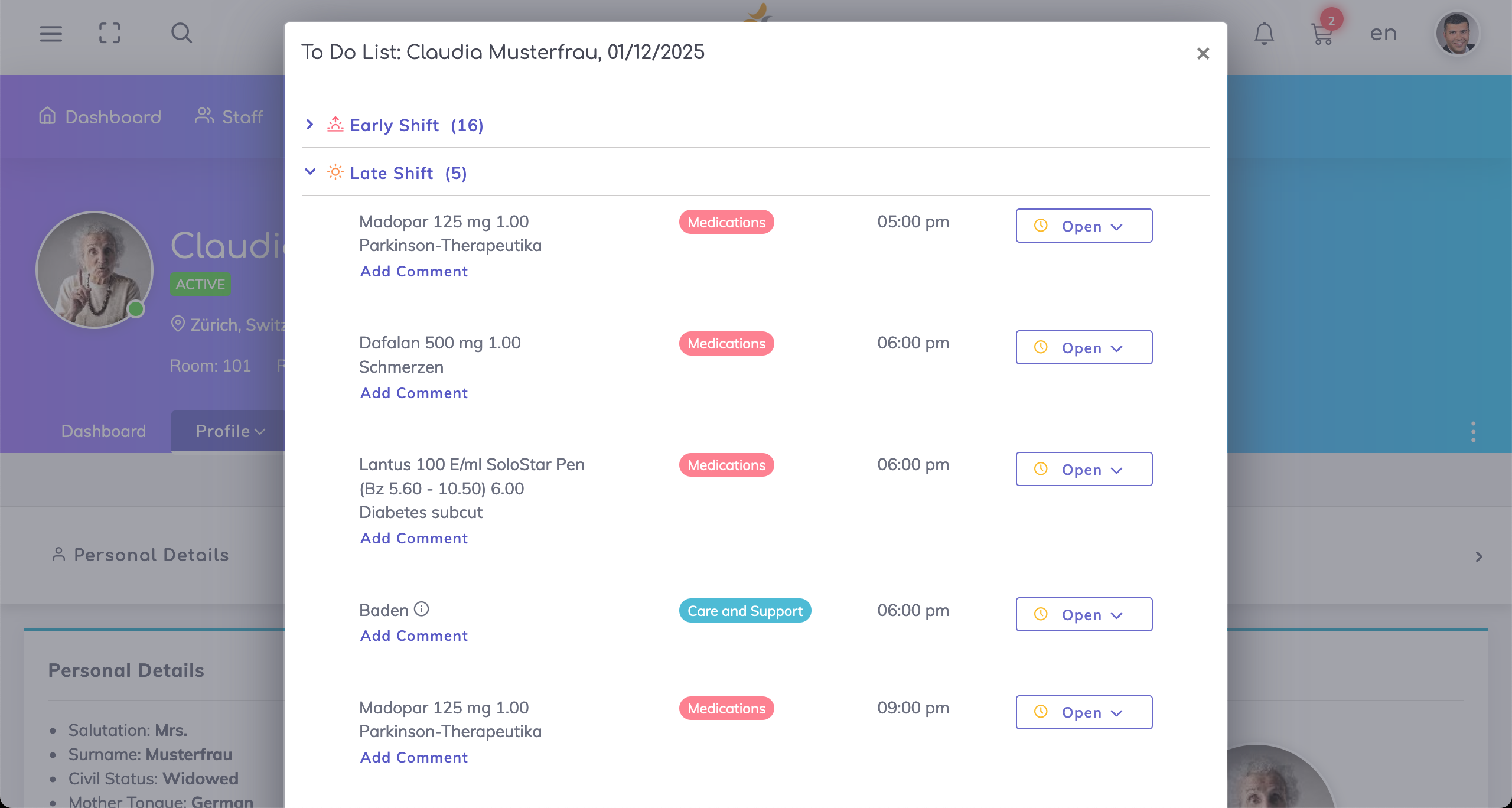
The Resident’s tasks can now be accessed directly from the Resident Profile as shown below.

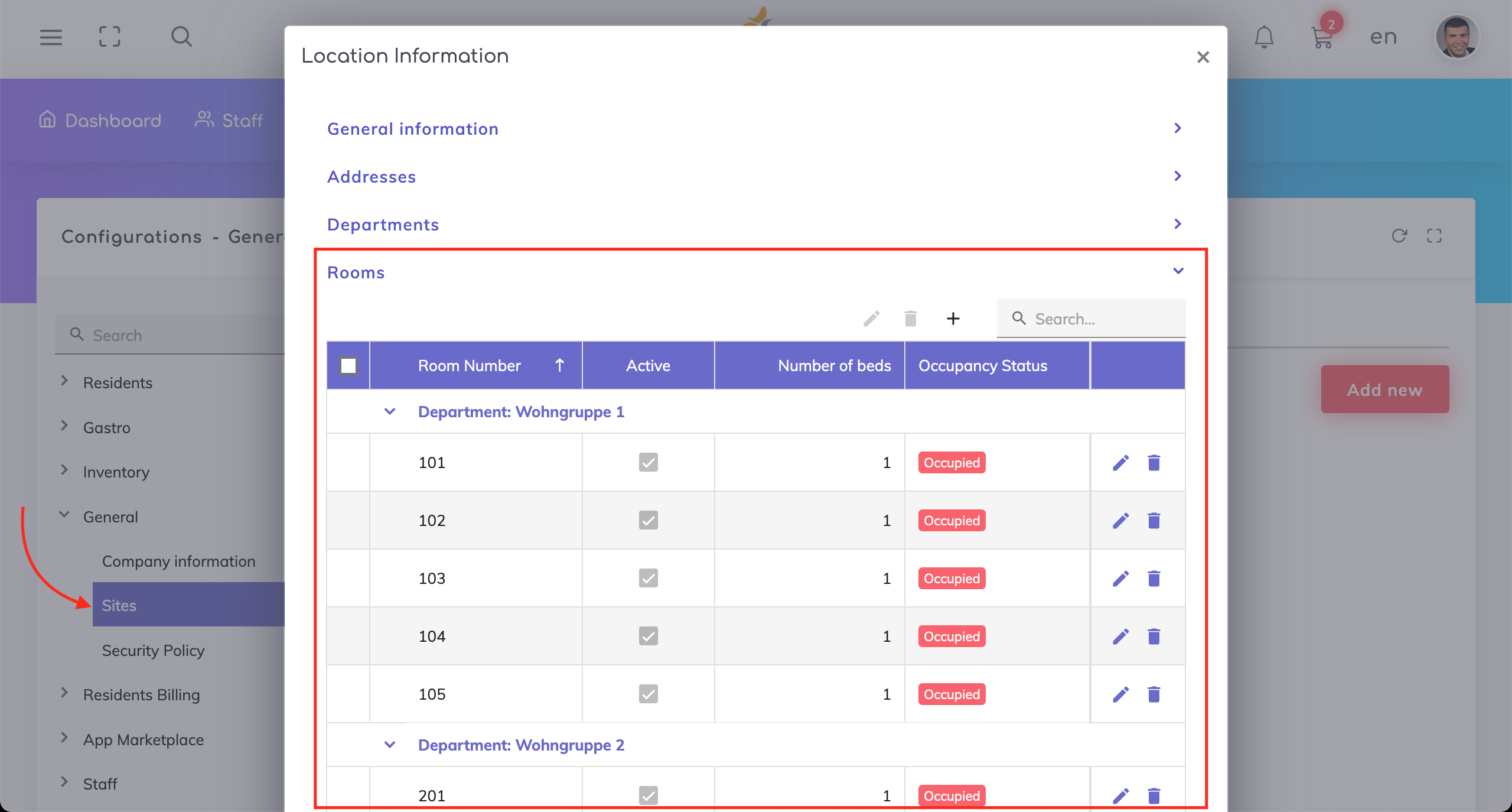
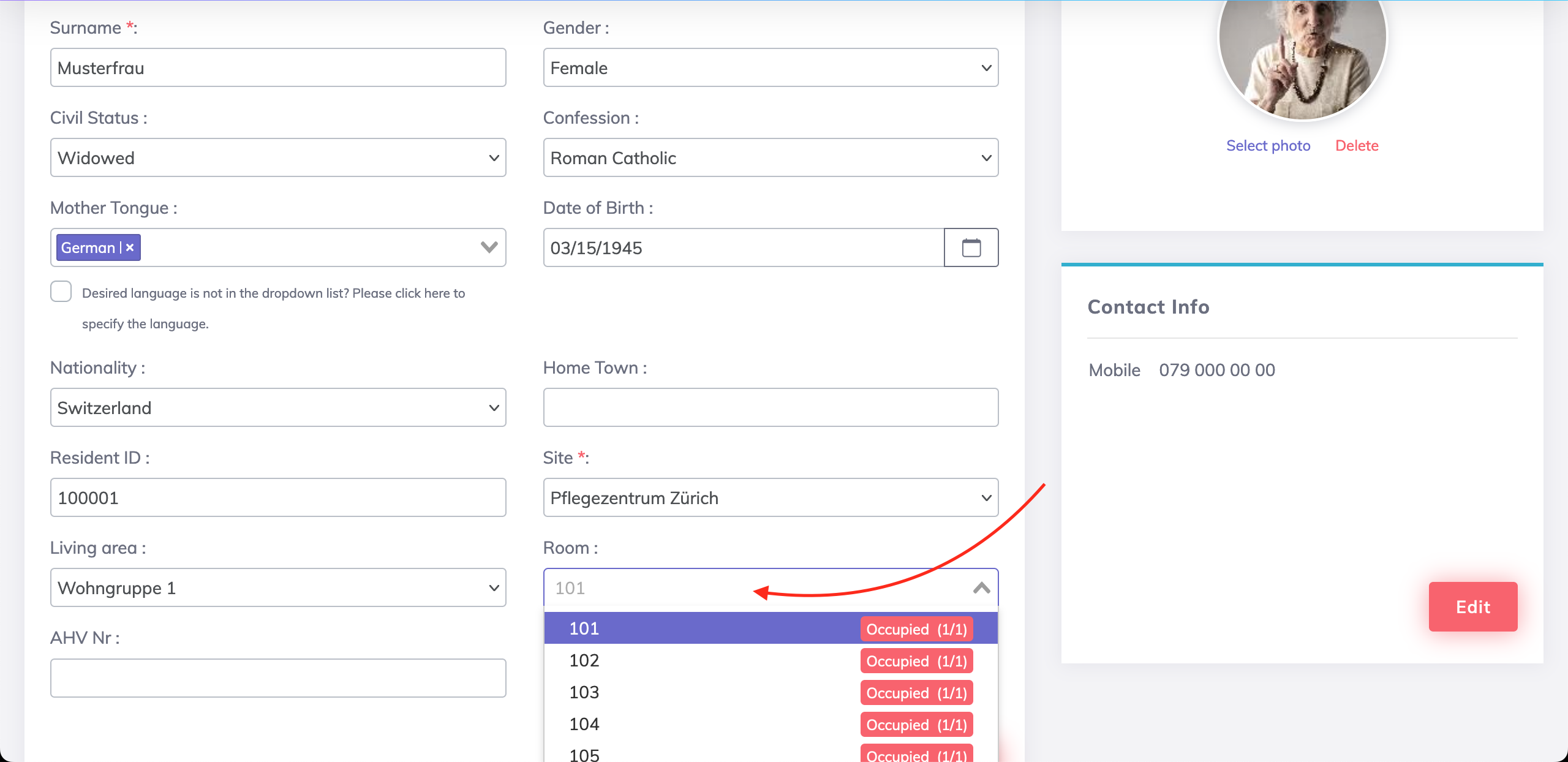
Administrator Configuration of Room Numbers in the Care Center - It is now possible to maintain the room numbers across the different departments and view the current occupancy of each room (if the room is occupied, partially occupied or available). Once configured, these rooms appear in the dropdown list for the Room field on the Resident Profile. If rooms are not configured by the Administrator, then free text entry in the Room field is possible. More info here.
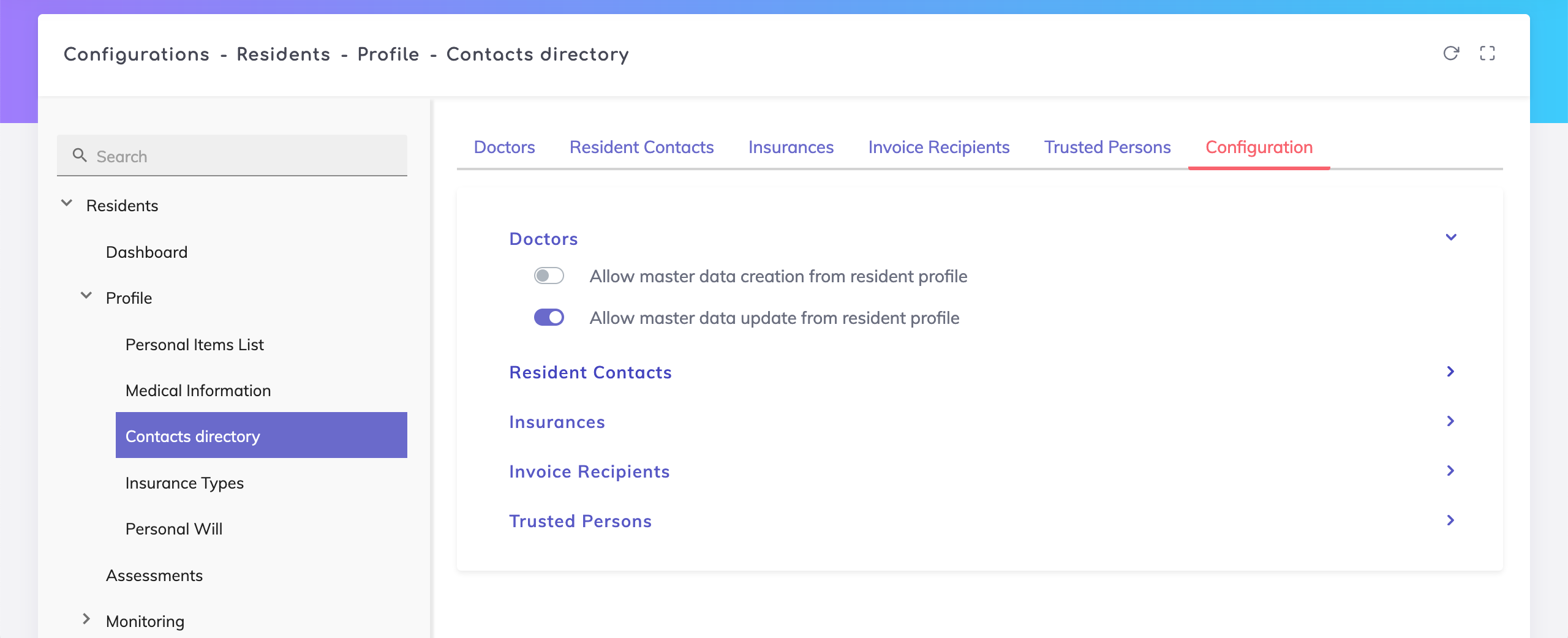
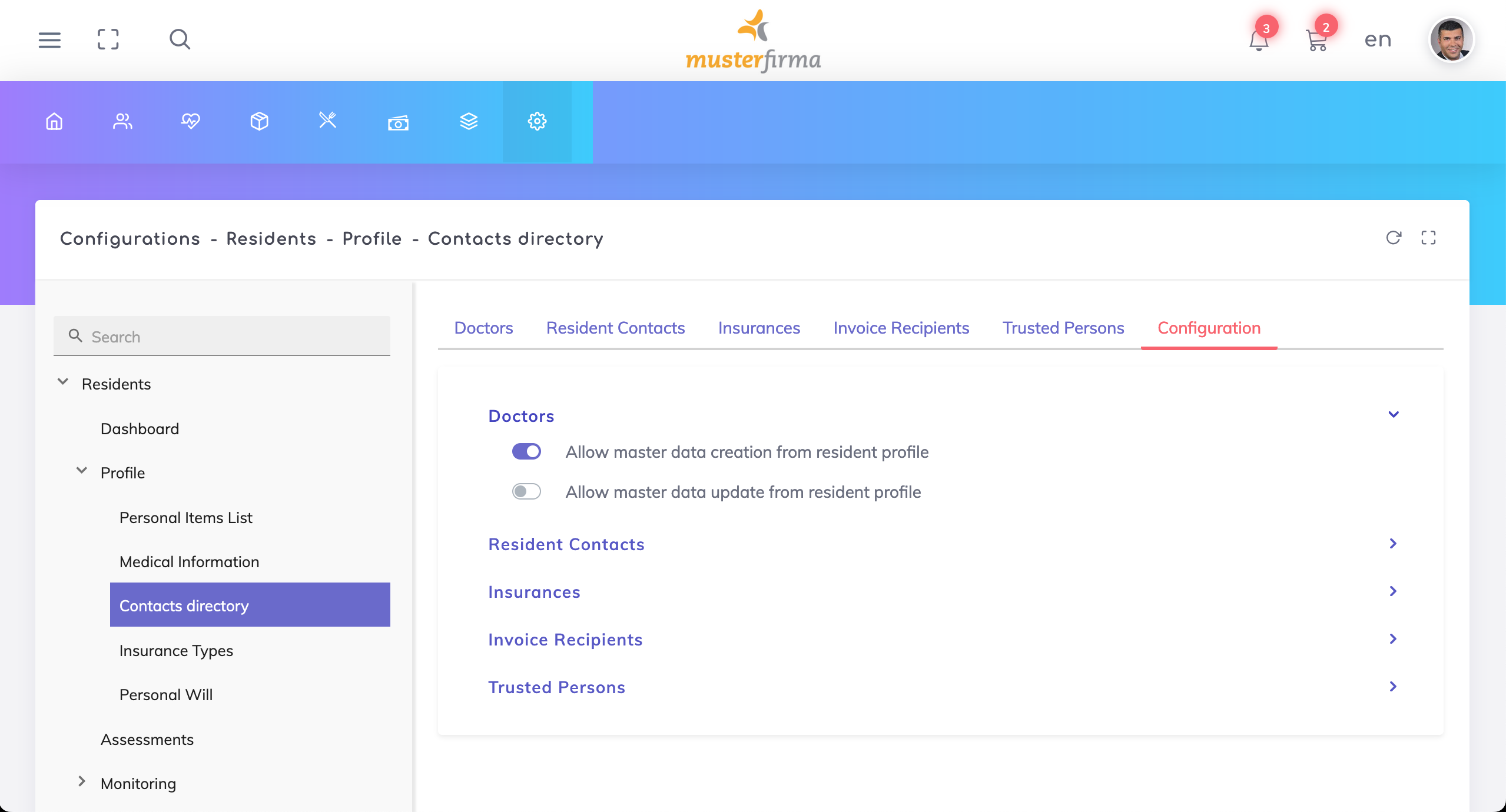
Within the Doctors, Contact Persons, Insurances and Invoice Recipients sections, it is possible to deactivate the creation or update of master data via the Resident Profile. If deactivated, then creation or update of master data would only be possible on the Contacts Directory via the Administrator Configuration. Note that it shall still be possible for resident specific information such as remarks or attachments to be updated on the Resident Profile.
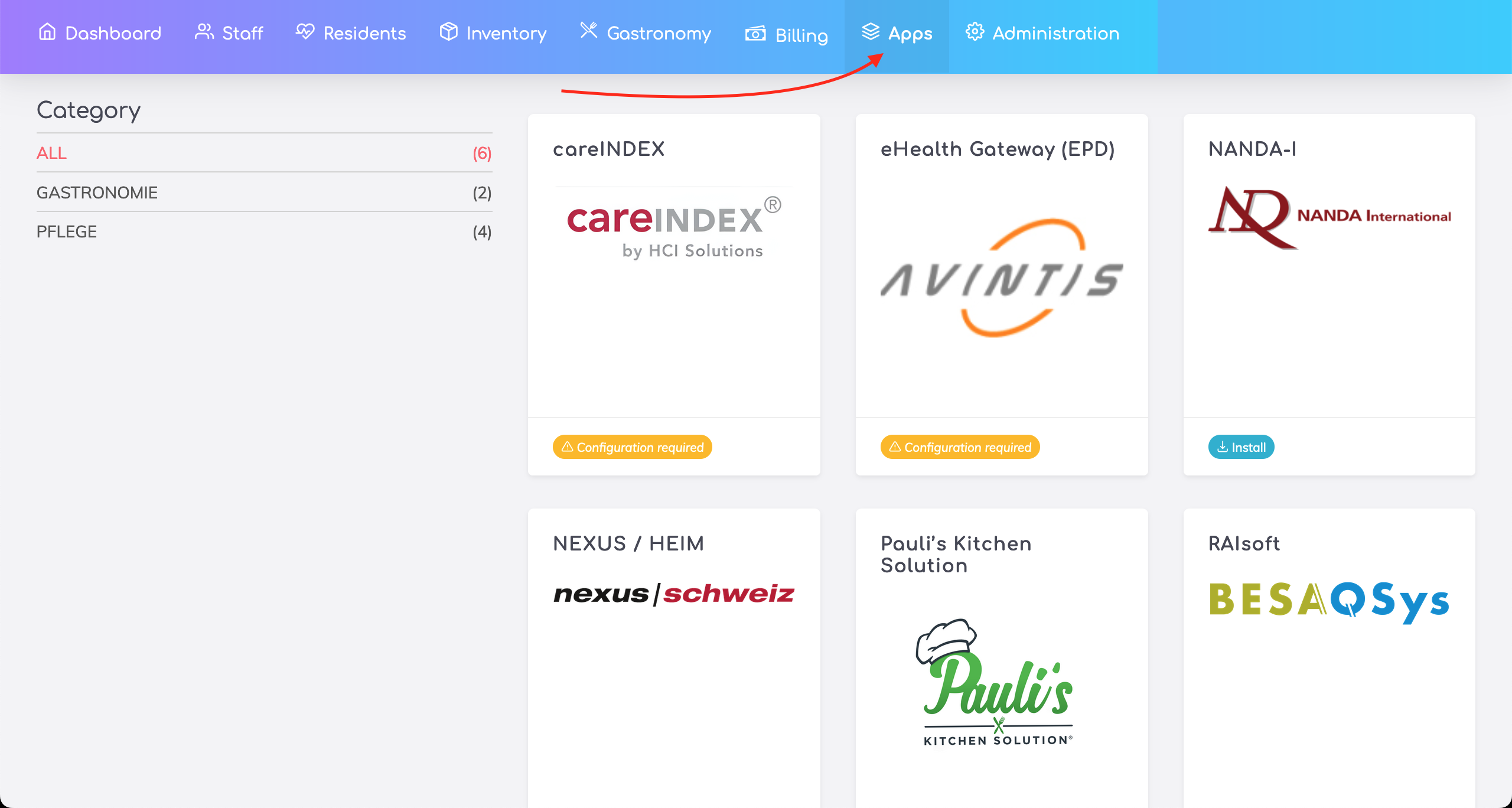
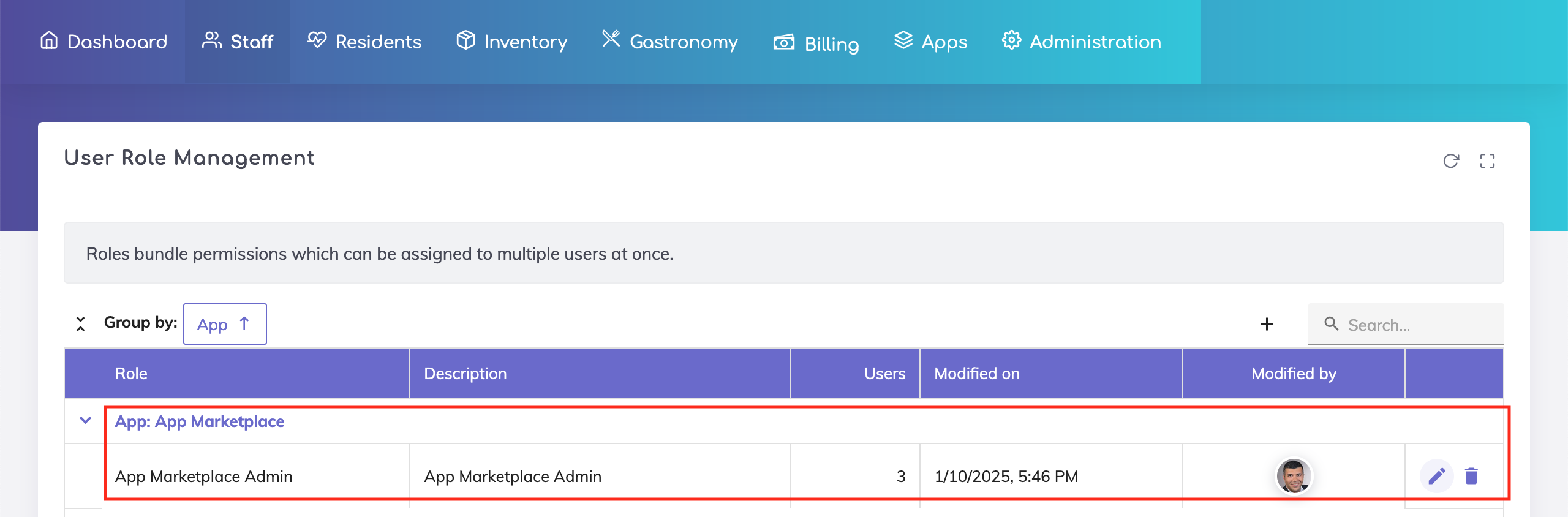
Edelion’s App Marketplace is available using the “Apps” menu. Integrations with 3rd party applications shall be listed here. The access can be controlled via User Role Management.

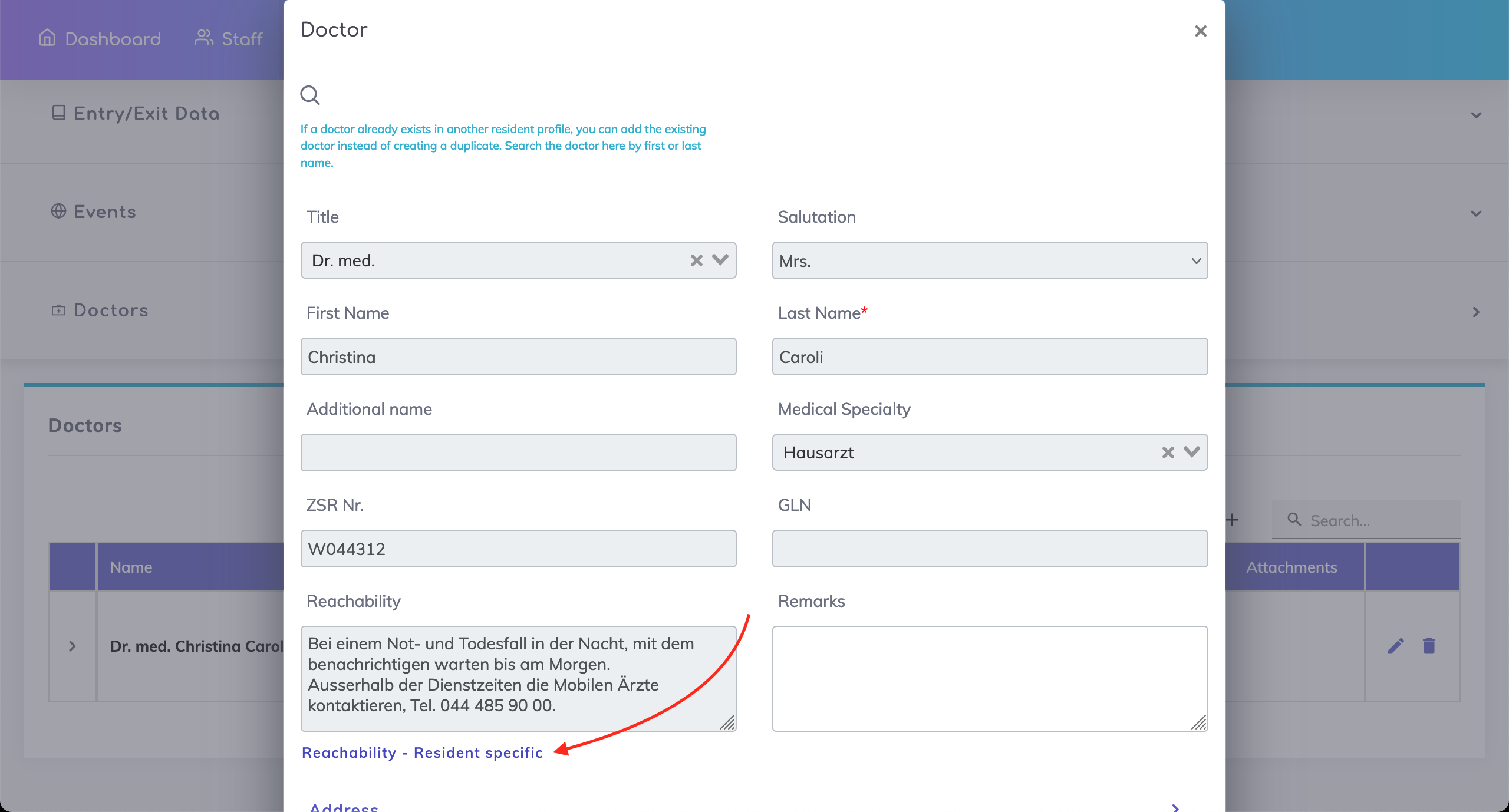
Resident Profile Doctors - It is now possible to add resident specific reachability information provided by the respective doctor.
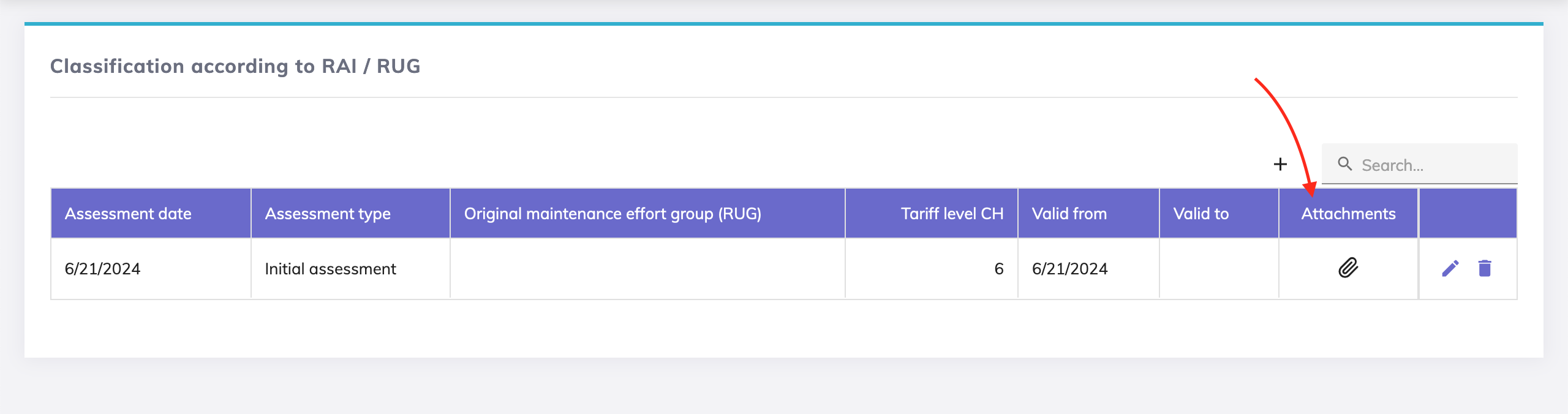
Resident Profile RAI/RUG Classification - Possibility to add attachments to assessment entries.
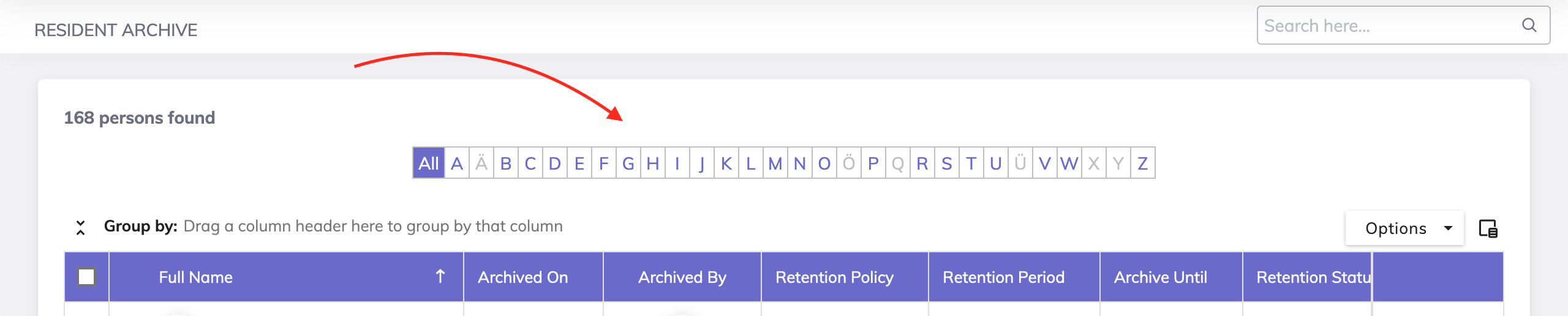
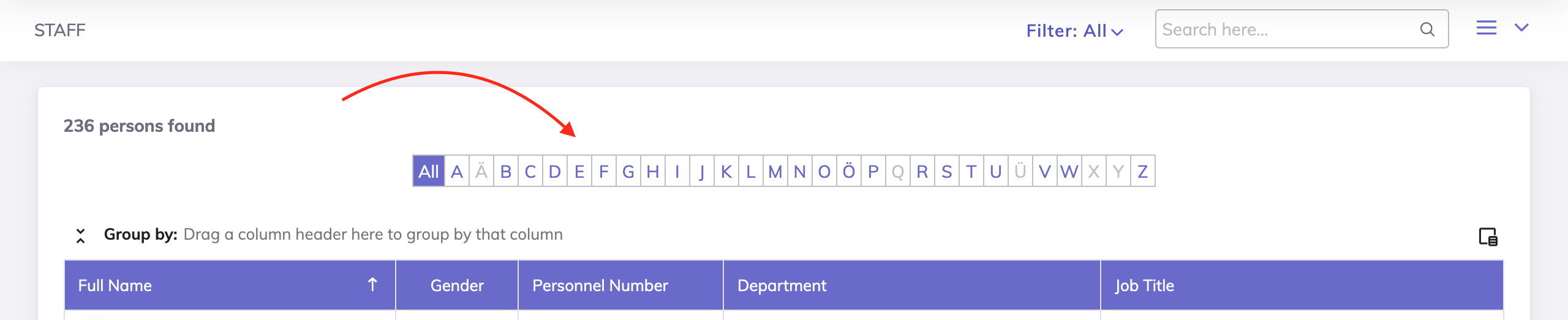
The A-Z alphabetical filter on the Residents Archive and Staff lists has been updated to filter the names by last names instead of by first names.
Updates to the Five Chair Rising Test (FCR) assessment
Previously, if a resident used a walking stick and time taken was less than 15 seconds, then the outcome was “no risk of falling”. Now, if a resident uses a walking stick, then the outcome is “risk of falling” even if the time taken is less than 15 seconds.
PDF updates: Evaluation system text updated, use of a walking stick and the time taken in seconds included.
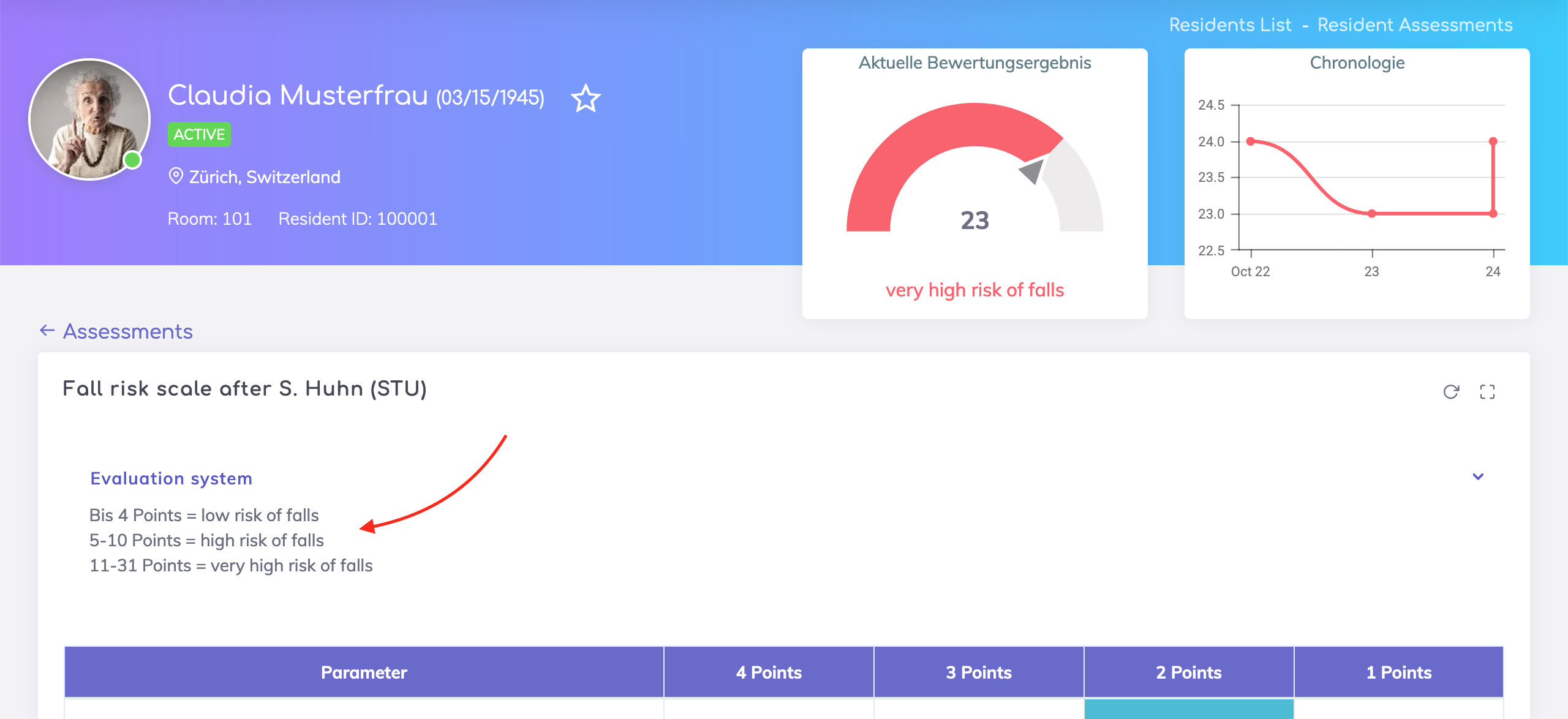
Information about the evaluation/scoring system for the assessment Fall Risk Scale by S. Huhn (STU) added.
Standardised Care Plan (SCP) - The text fields on Section G text now support unlimited characters.
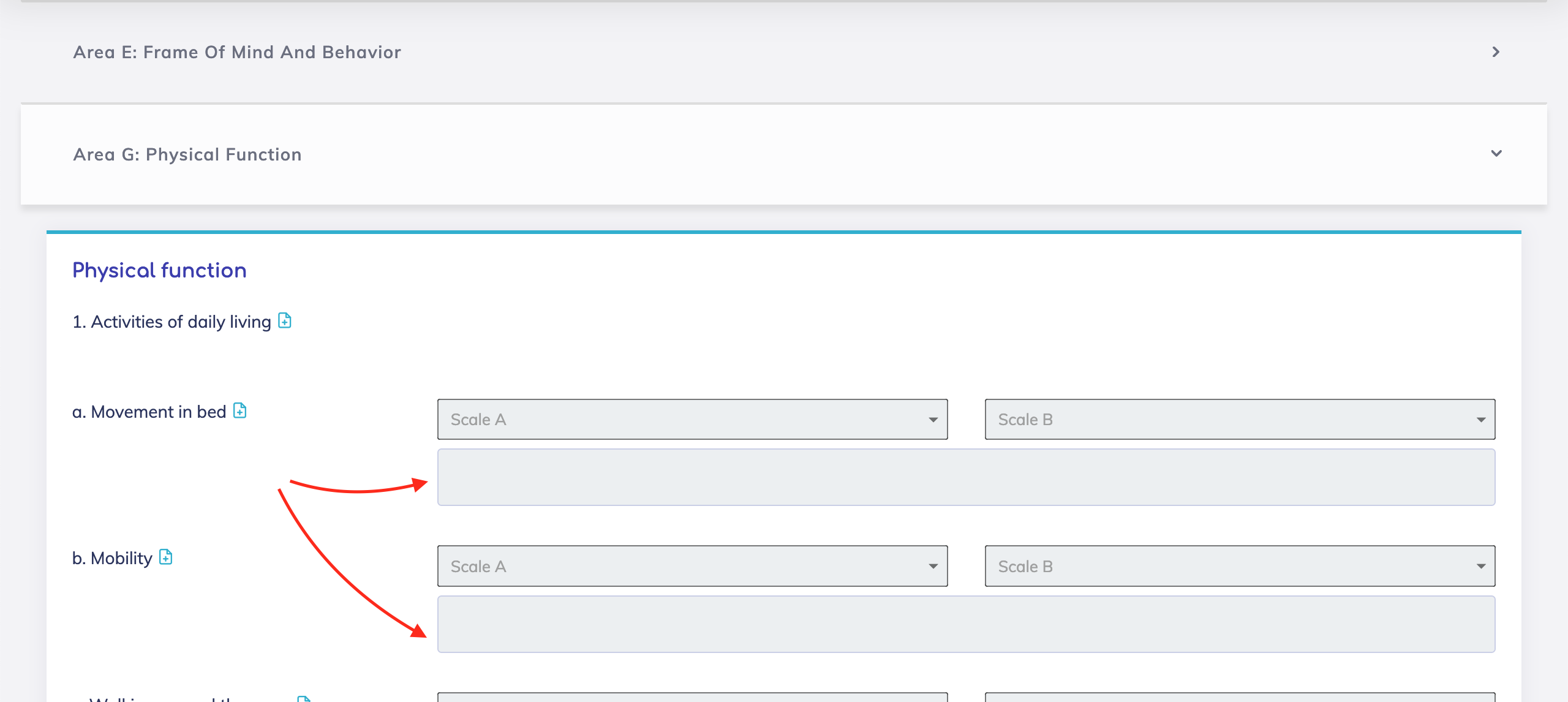
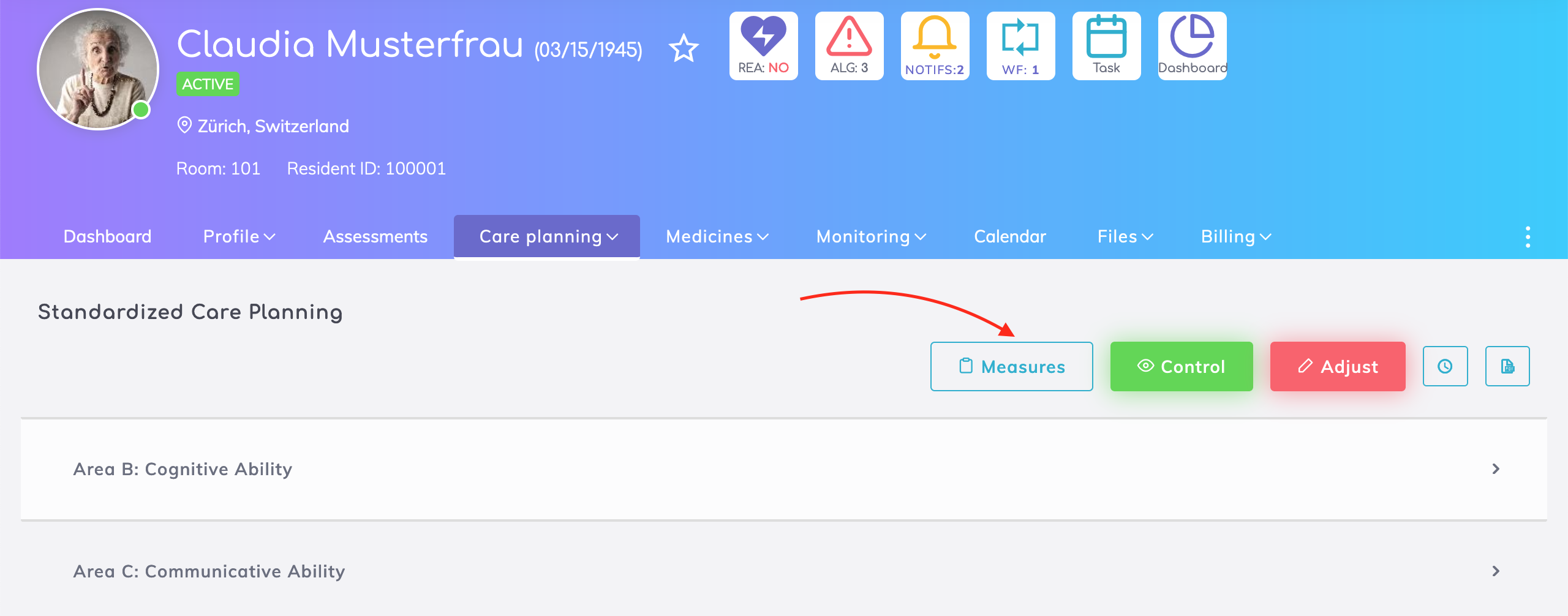
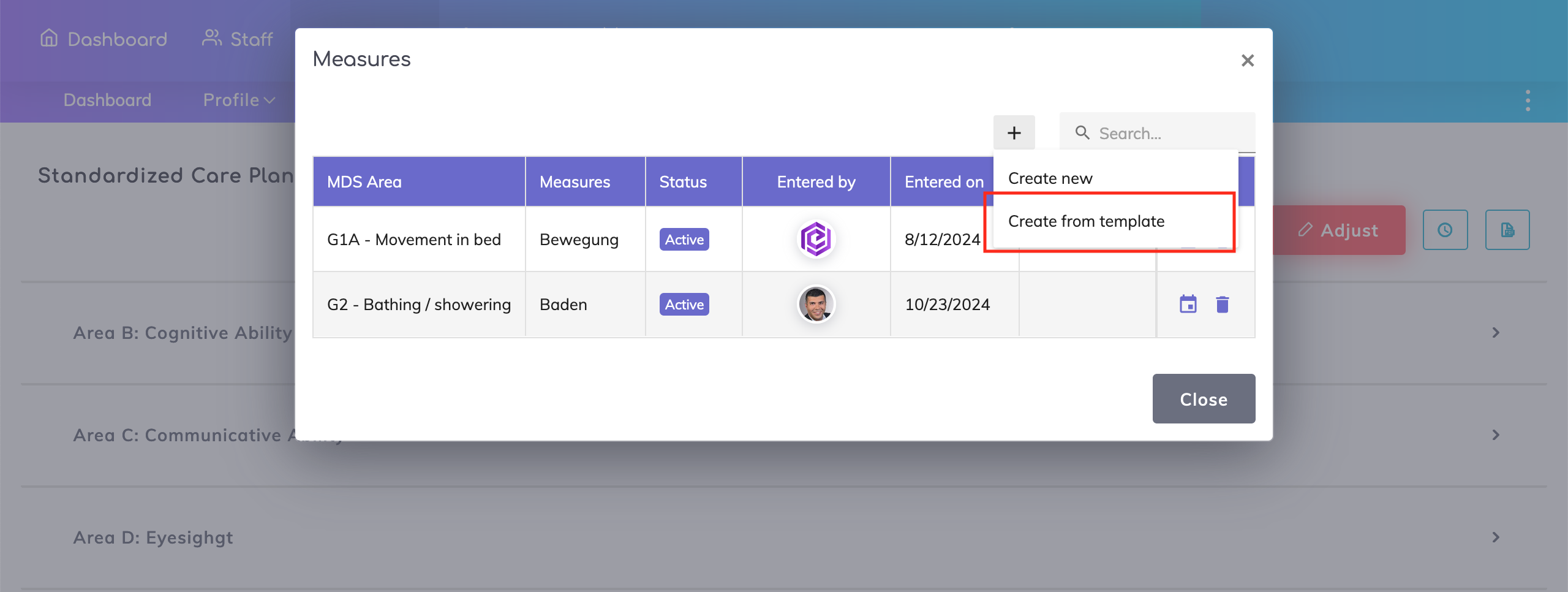
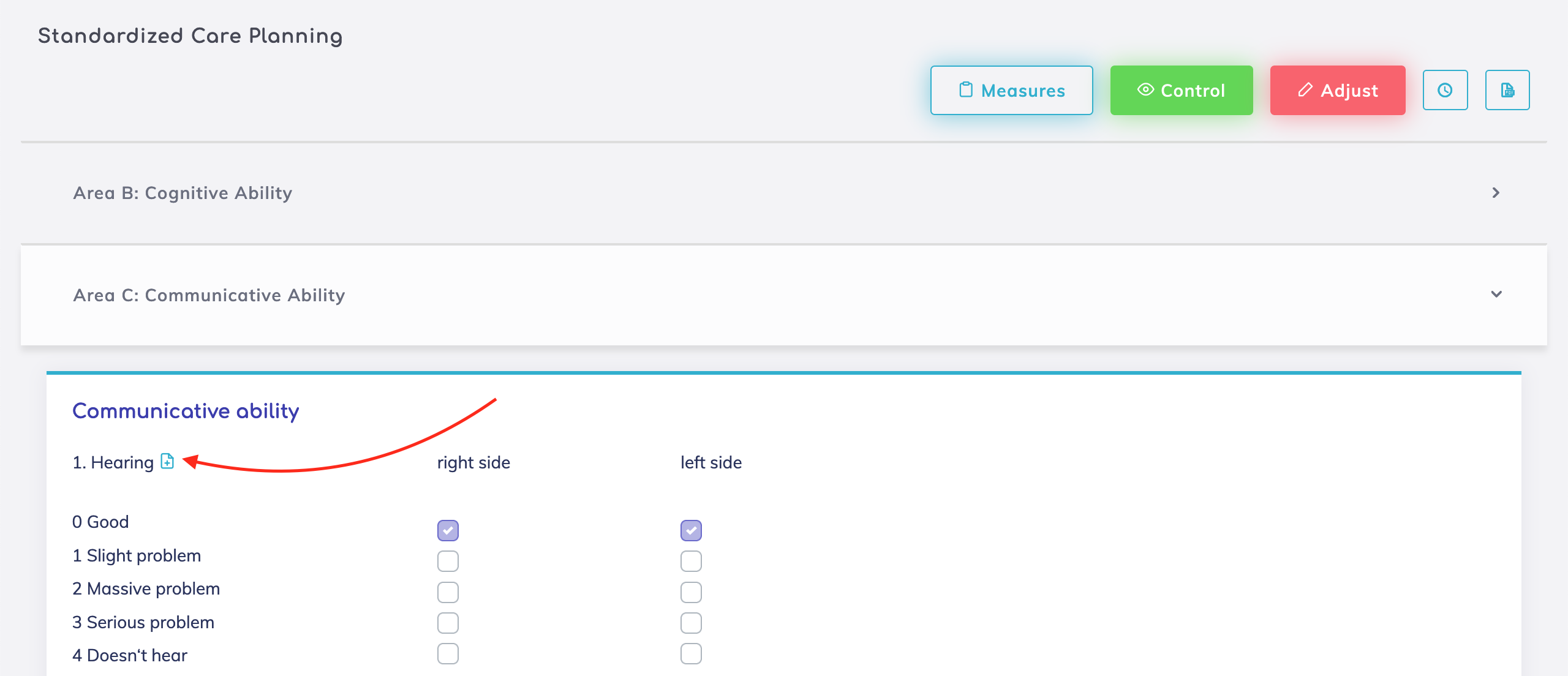
More ways to add measures to a Standardized Care Plan:
A template of standard measures that may generally be applicable for most residents can be created by an Administrator in the System Configurations. Once done, this can imported to the resident’s list of measures.
Within each of the sections, simply click on the “Add Measure” icon to add this to the resident’s list of measures.
Note: All measures will automatically appear on the To-Do List.
Individual Care Plan (ICP) Measures - When the status of a care plan changes to Closed, then the measures for this care plan shall be stopped as well.
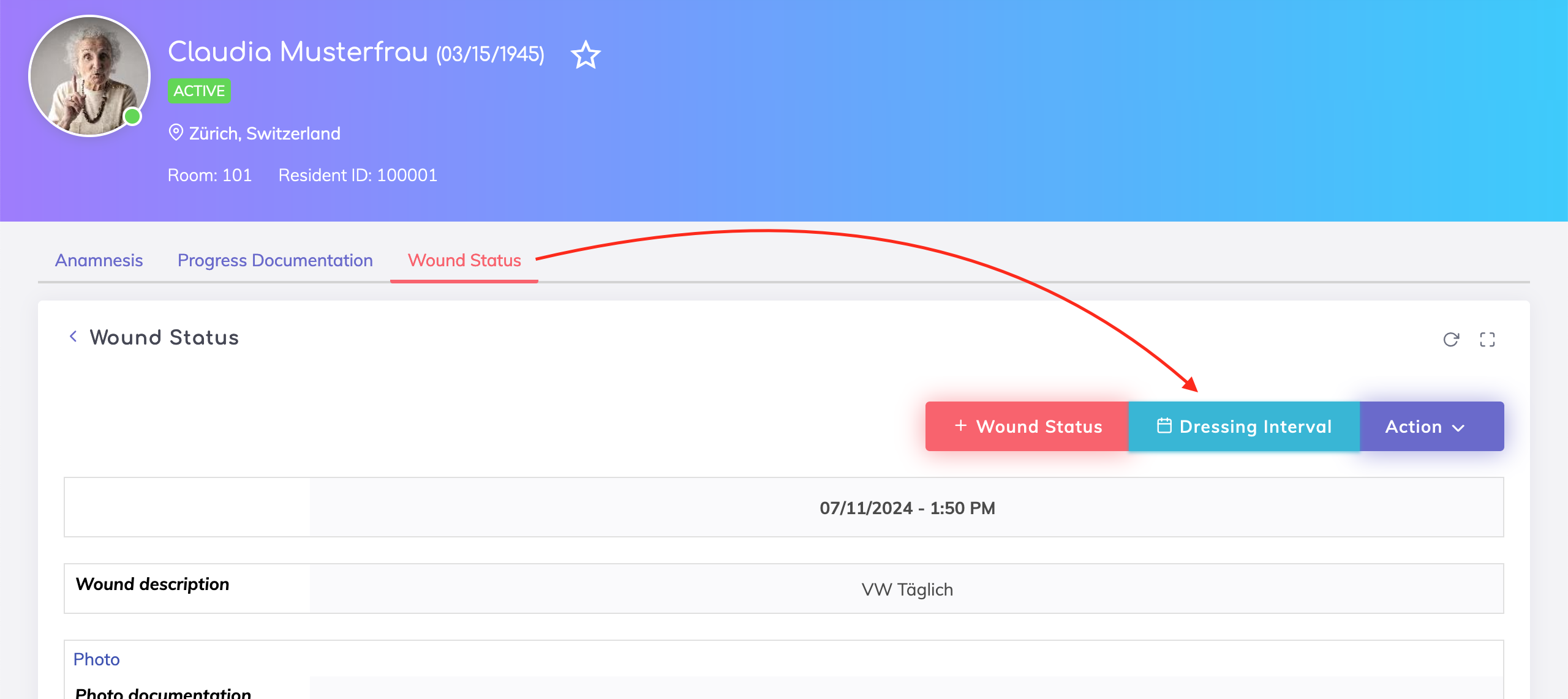
Wound Evaluations - Evaluation Settings moved to the Wound Status tab and renamed to Dressing Interval to make it clearer and easier to find for caregivers. Dressing Intervals will also be listed on the To-Do List for this resident.
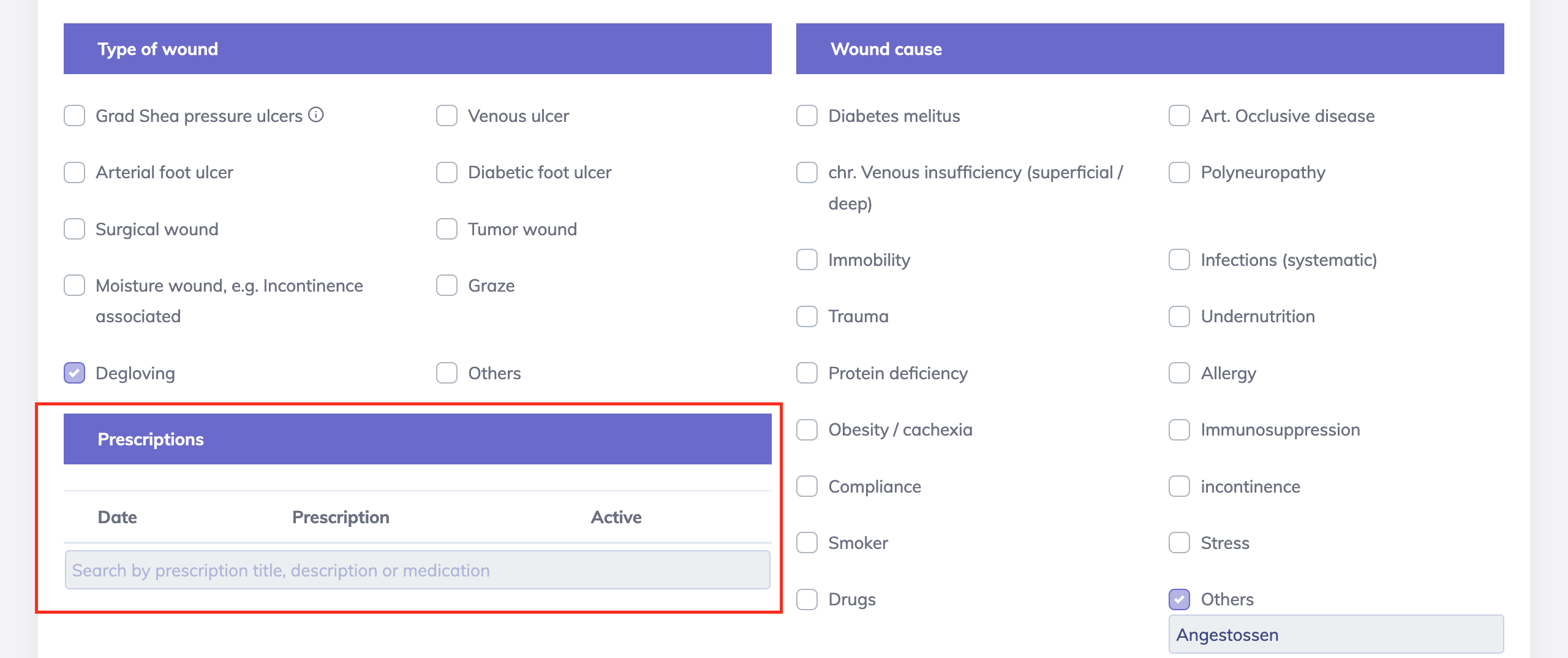
Prescriptions for Wounds - It is possible to link any prescriptions relevant for the wound therapy.
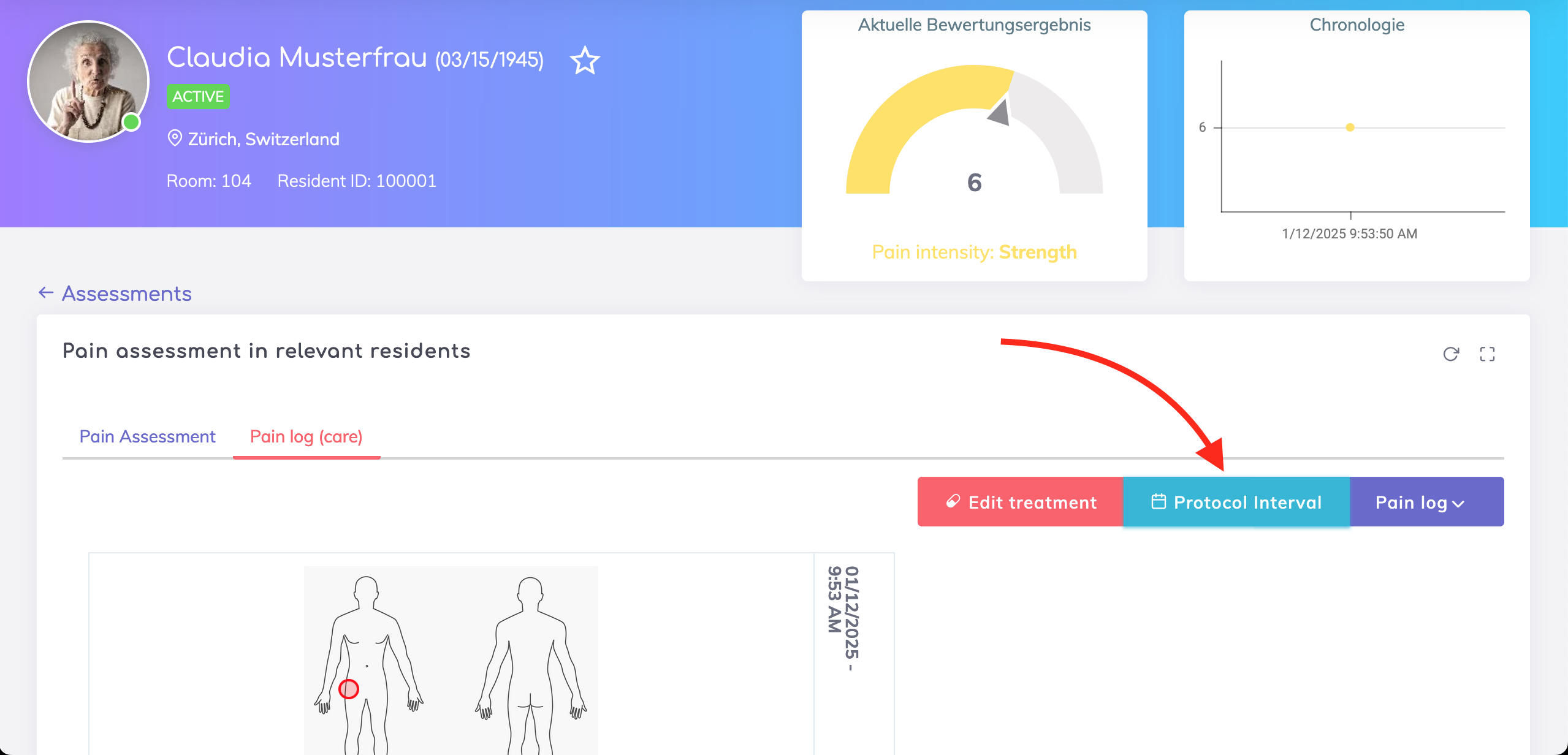
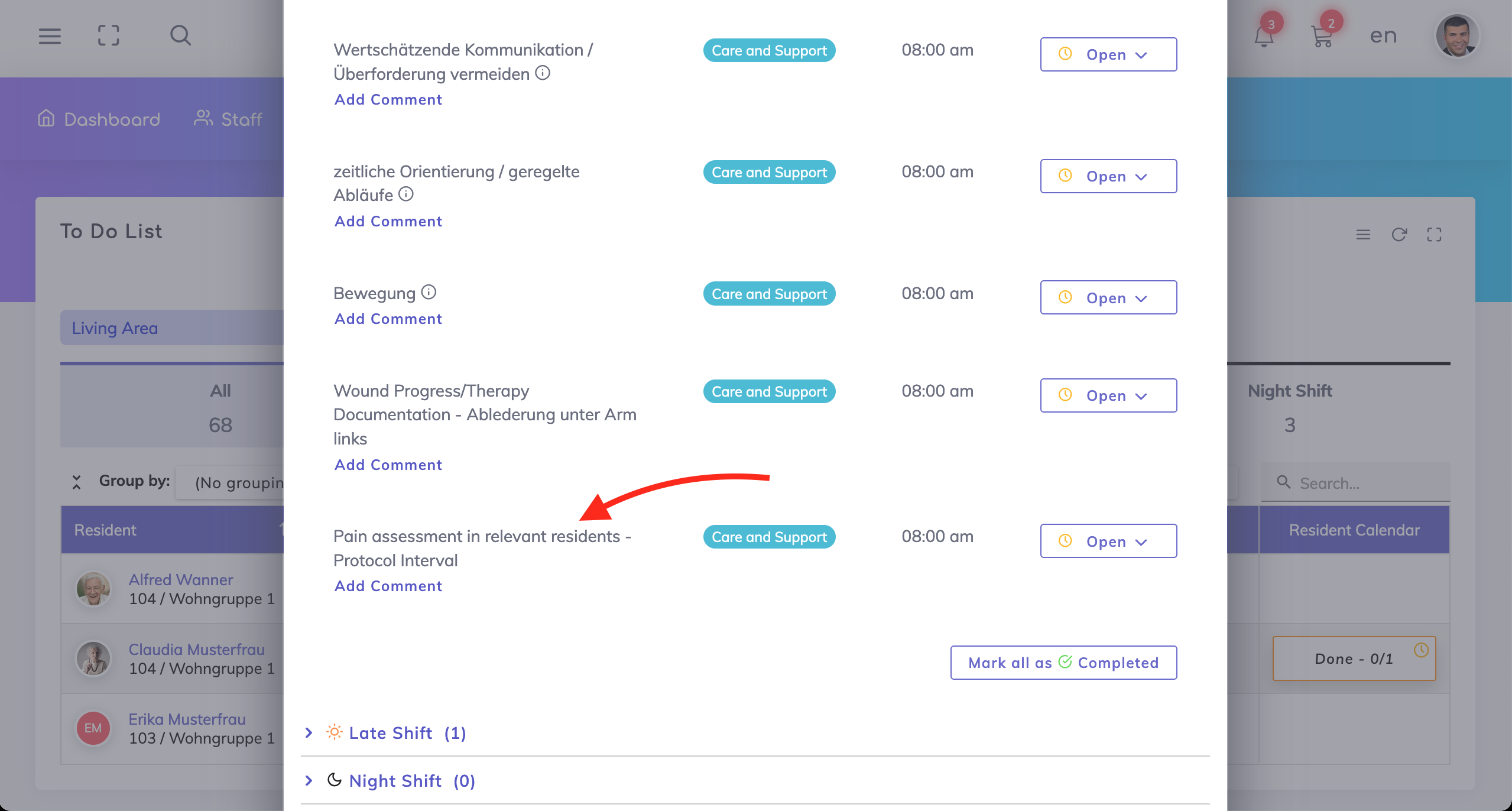
Similar to the Wound Status, filling of the Pain Protocol can also be tracked on the Activity List by specifying the Protocol Interval.
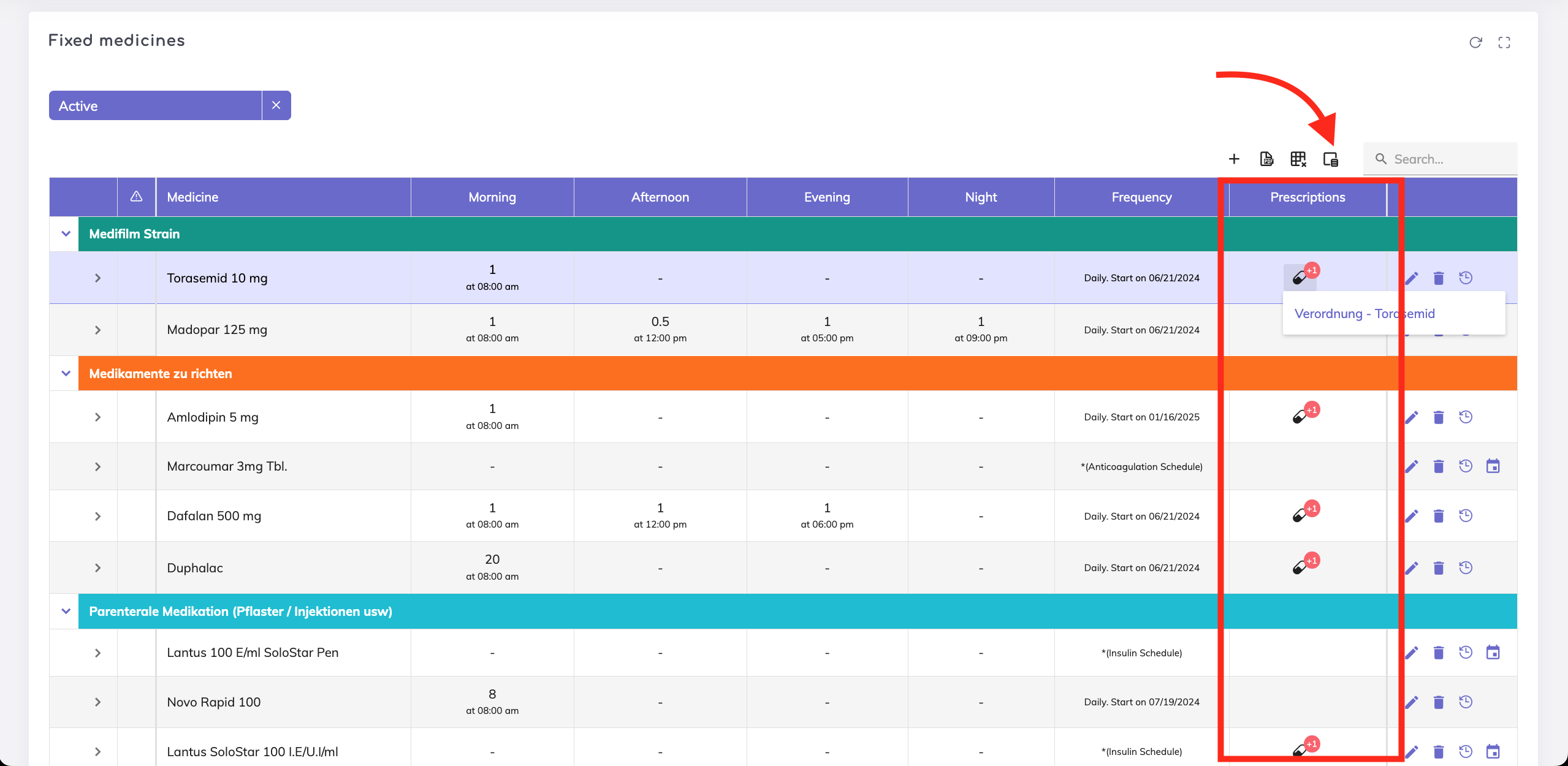
Prescriptions - The prescriptions column is now available on the medications overview table as shown. Click on the Column Chooser icon to select this column in case you don’t see it.
Administrators can now control whether the master data for doctors, contact persons, insurance companies, invoice recipients and truster persons can be created or updated from the resident profile.
For example, in the example below, adding new doctors who are not yet on the Contacts Directory, shall be possible from the Resident’s Profile. However, editing the master data for a doctor from the Resident’s Profile is not possible. Note that editing of resident-specific information such as comments, attachments etc. would still be possible.
Care Report Open Questions filter - The “Open Questions” filter appears when there are open questions for followup with either doctors or relatives otherwise it won’t appear. If this filter is selected, then only the open questions are shown in the care reports overview table.
Previously: If you navigate to another resident’s care report and if there were open questions, then the Open Questions filter was pre-selected and open questions were displayed in the overview table. However if there weren’t any open questions, then the care reports overview table appears empty without any option to reset the filter.
Now: When navigating to another resident’s care report, then Open Questions filter state is reset. Hence all care reports are shown in the overview table.
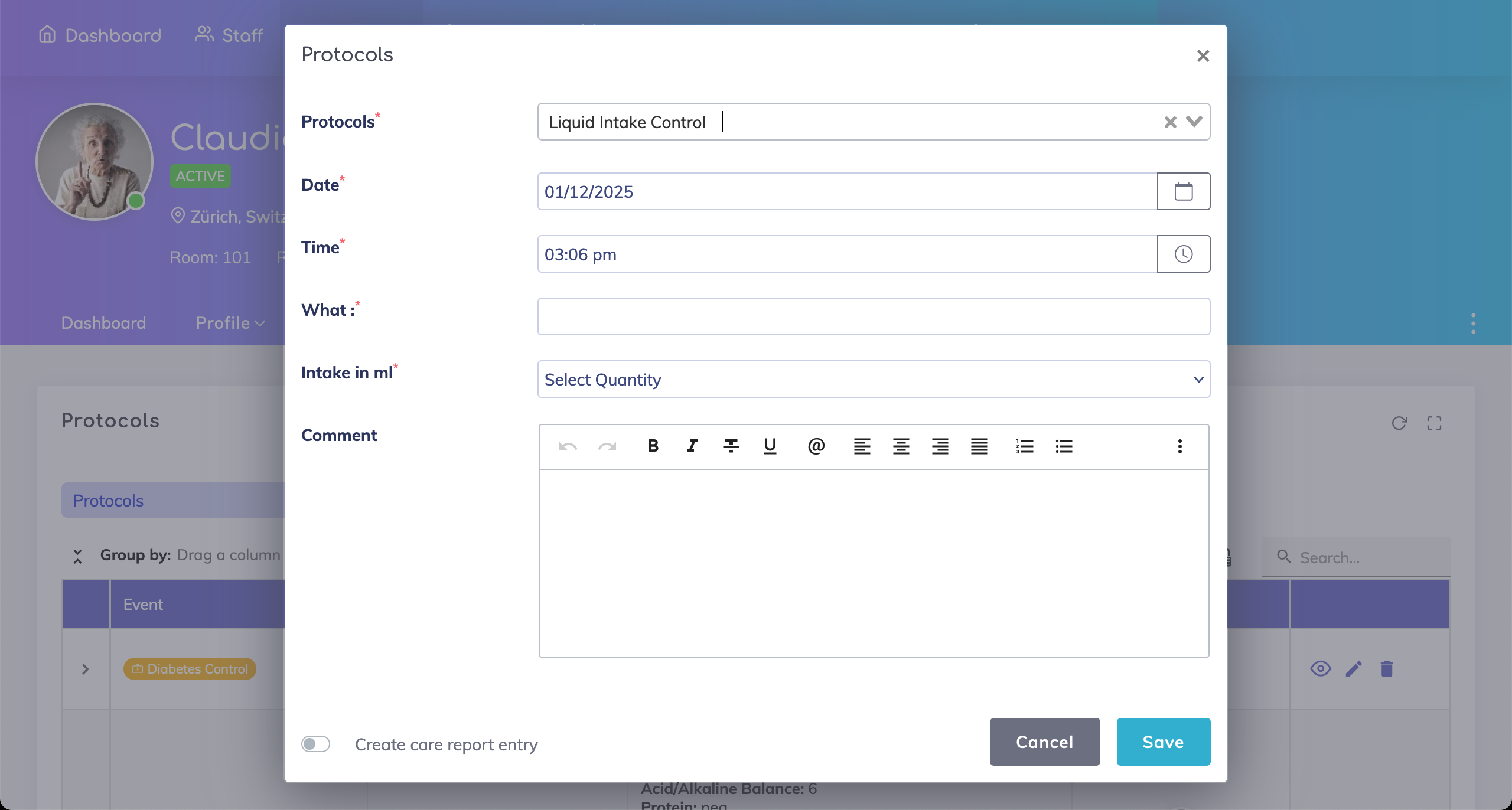
Liquid Intake Control Protocol Form - The issue while saving a new form is resolved.
We're here to help. Please feel free to contact us.

