Use this feature when a resident receives a service or product (e.g. transport services, haircuts) that needs to be billed. These items must already be set up in the product catalog by your Administrator.
Open the Catalog
Navigate to: Billing → Catalogs
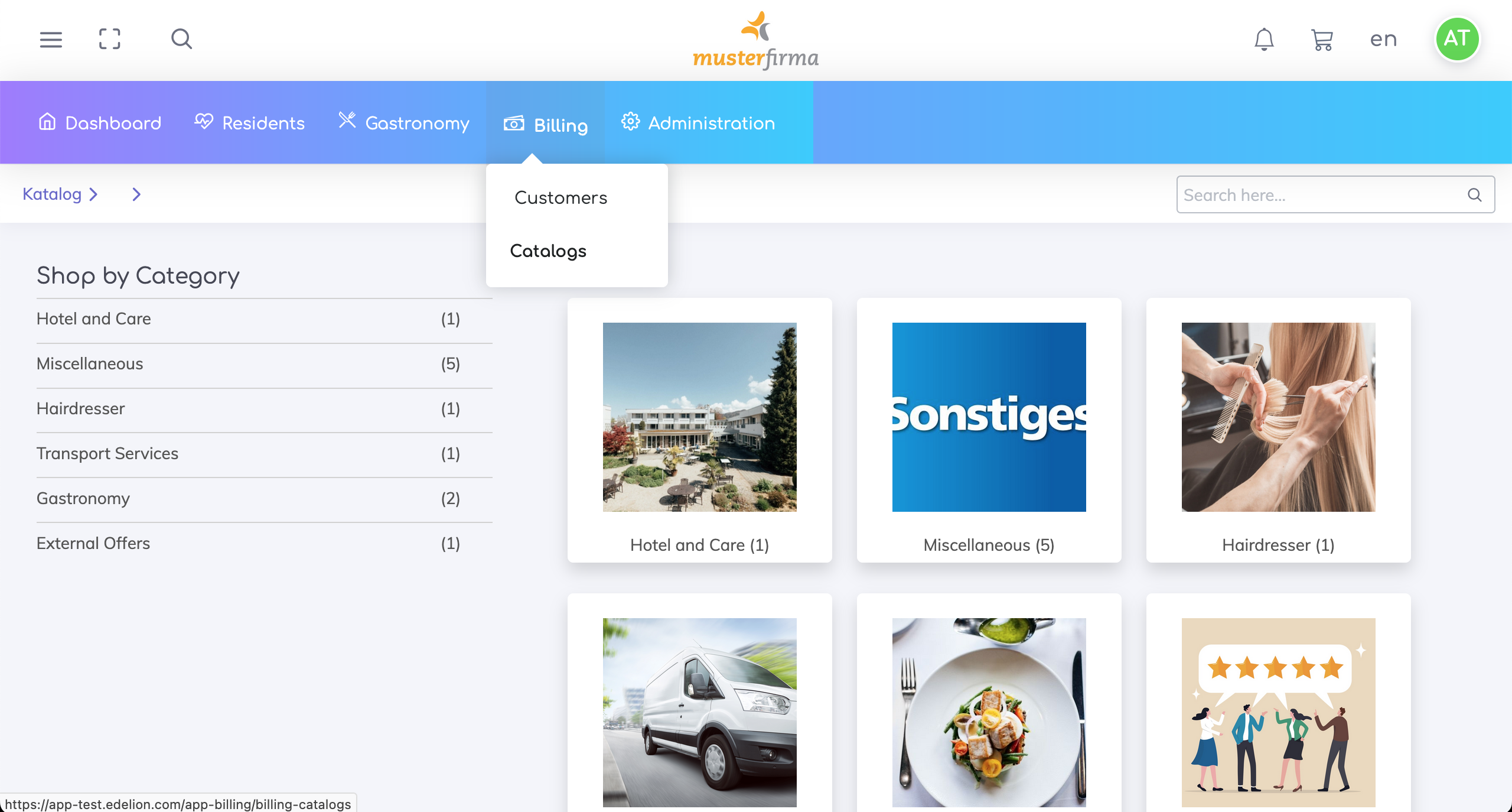
Browse Categories & Select Product
All product categories are displayed.
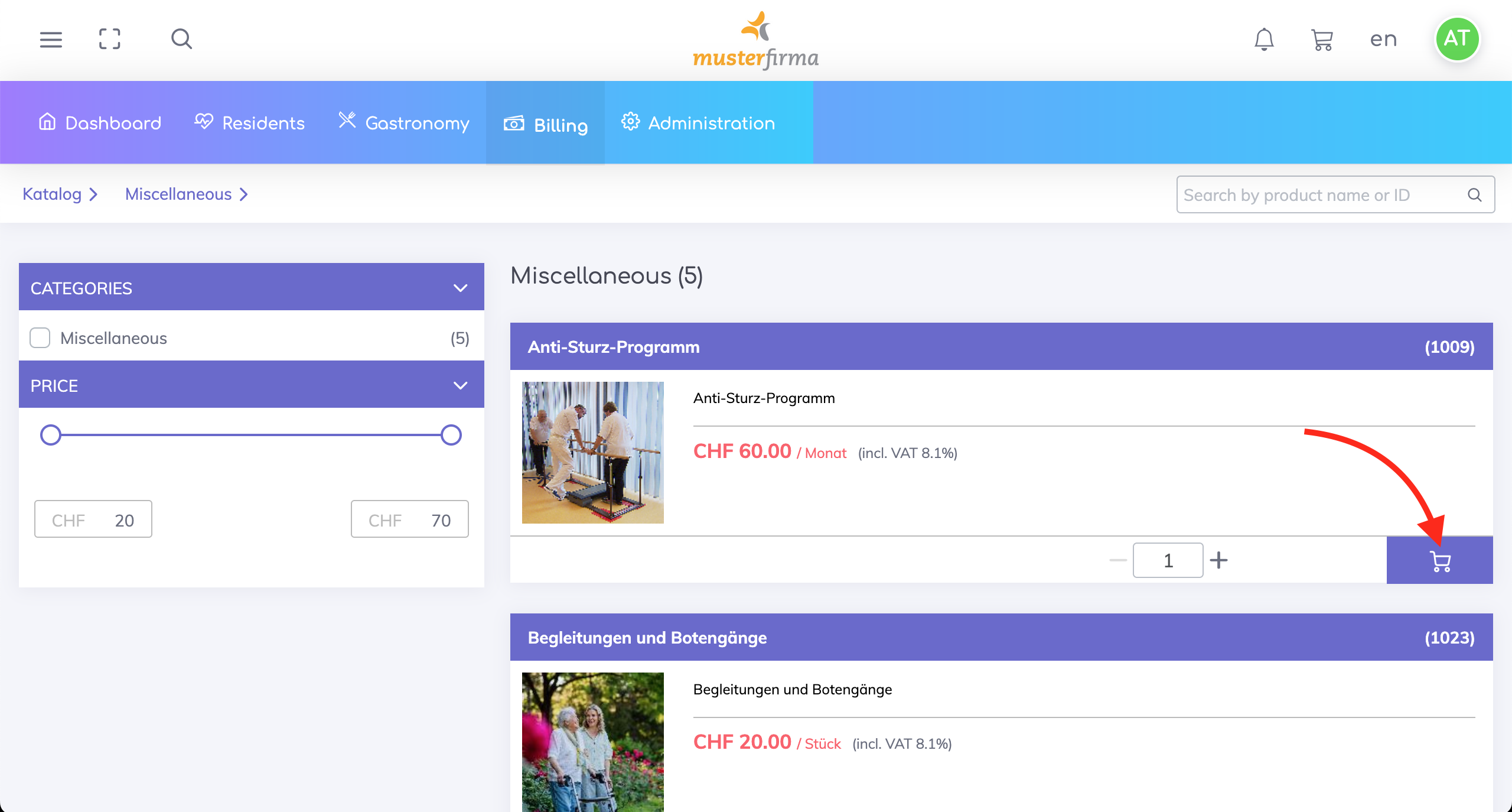
Navigate to the relevant category, then click the Add to Cart symbol next to the product you want to bill.
Browse other categories
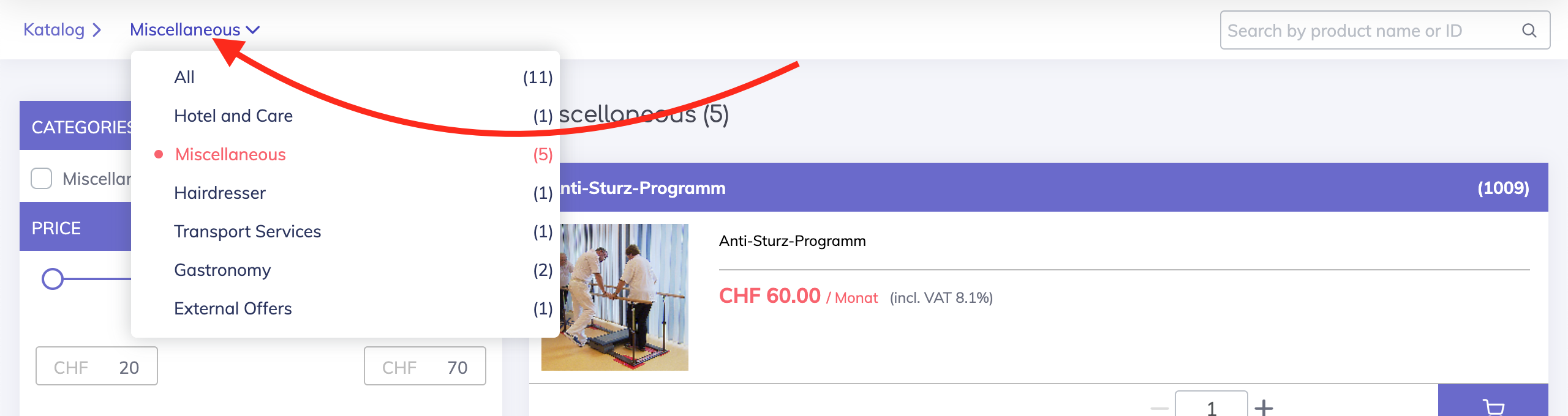
When you hover over the current category as shown, the other categories will be displayed. Click on a specific category to navigate accordingly or click on All to display all the products and services.
Display the Shopping Cart
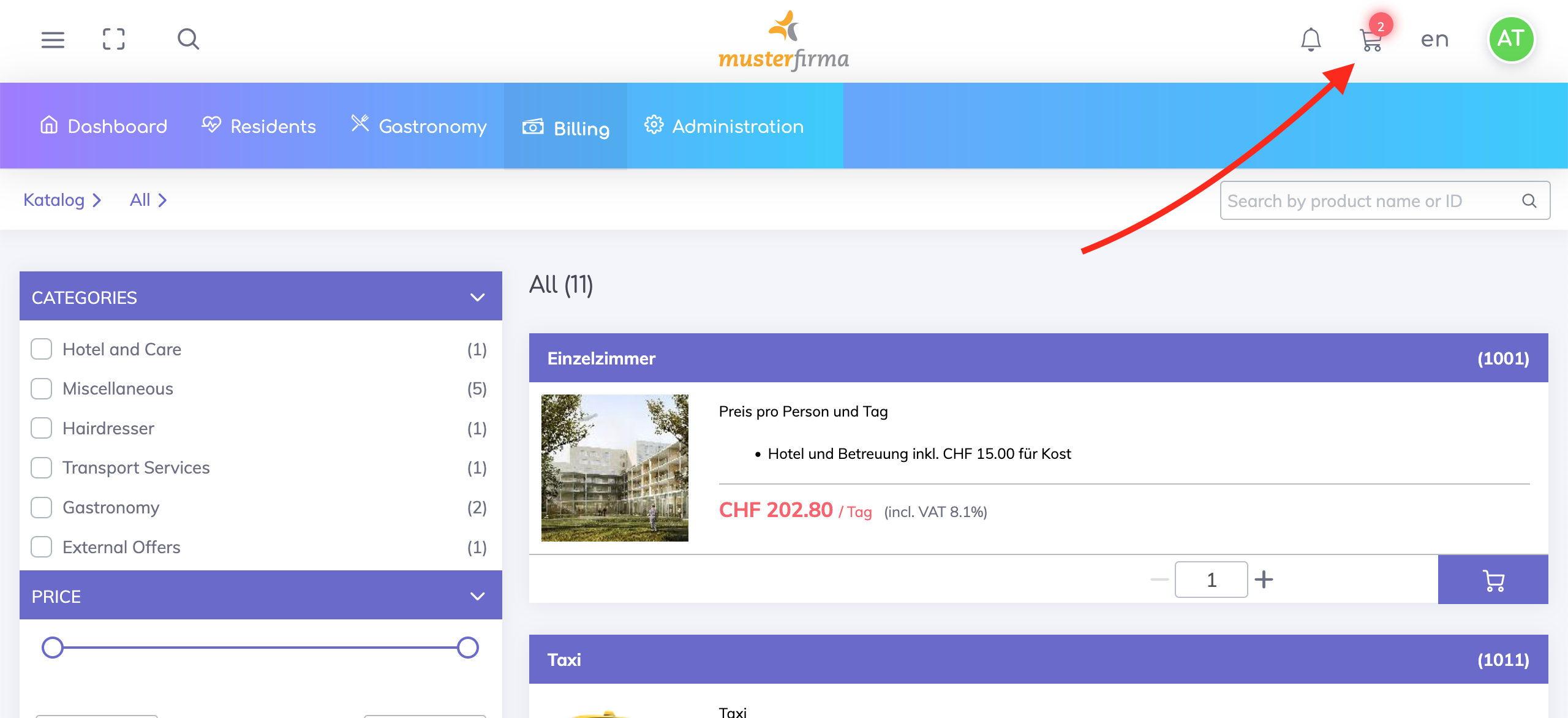
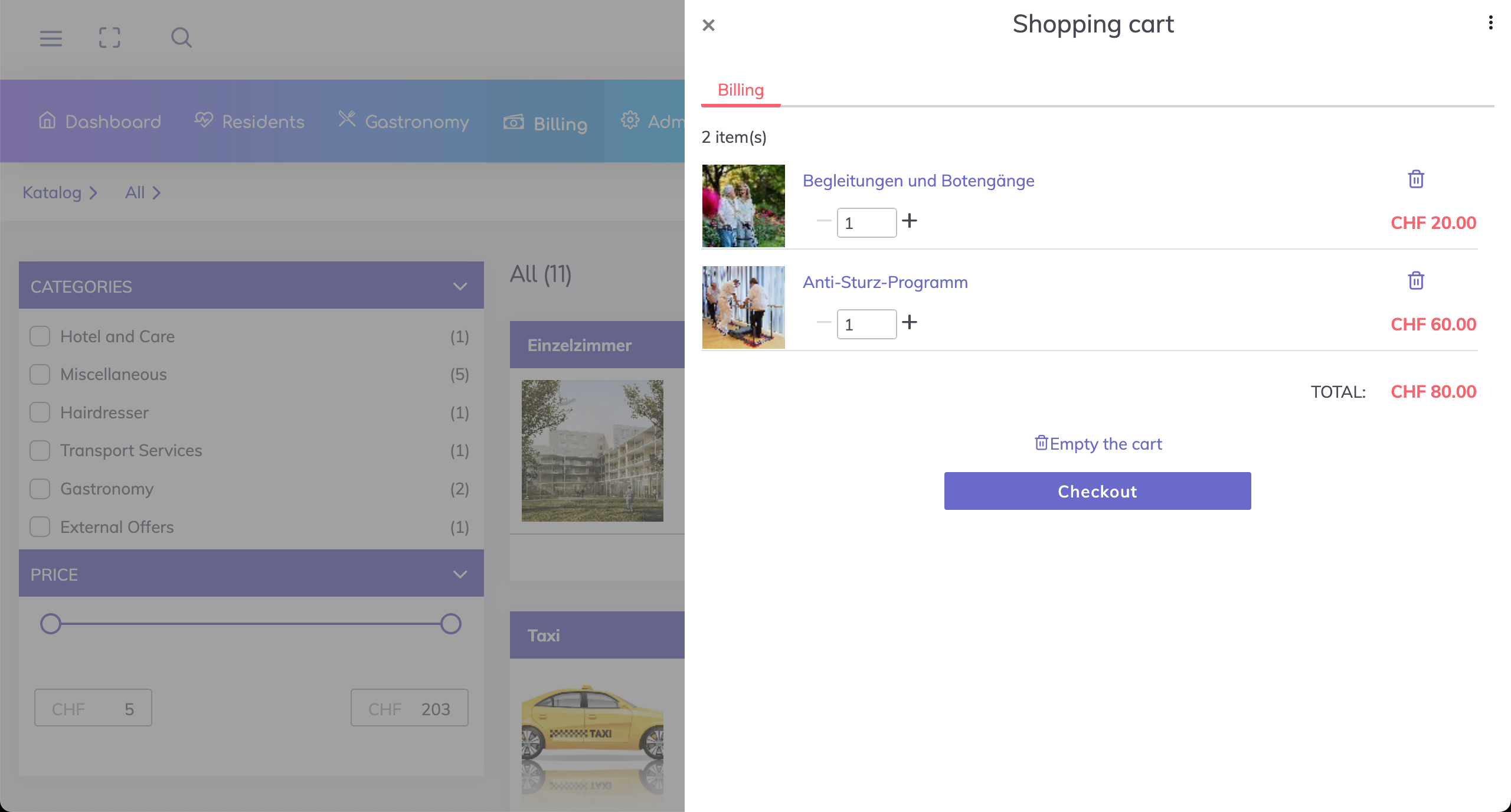
Click on the Cart icon at the top to view the items added in the Shopping Cart.
The quantities can be adjusted if required or the products and services can be removed. Once done, click on Checkout.
Select the Resident
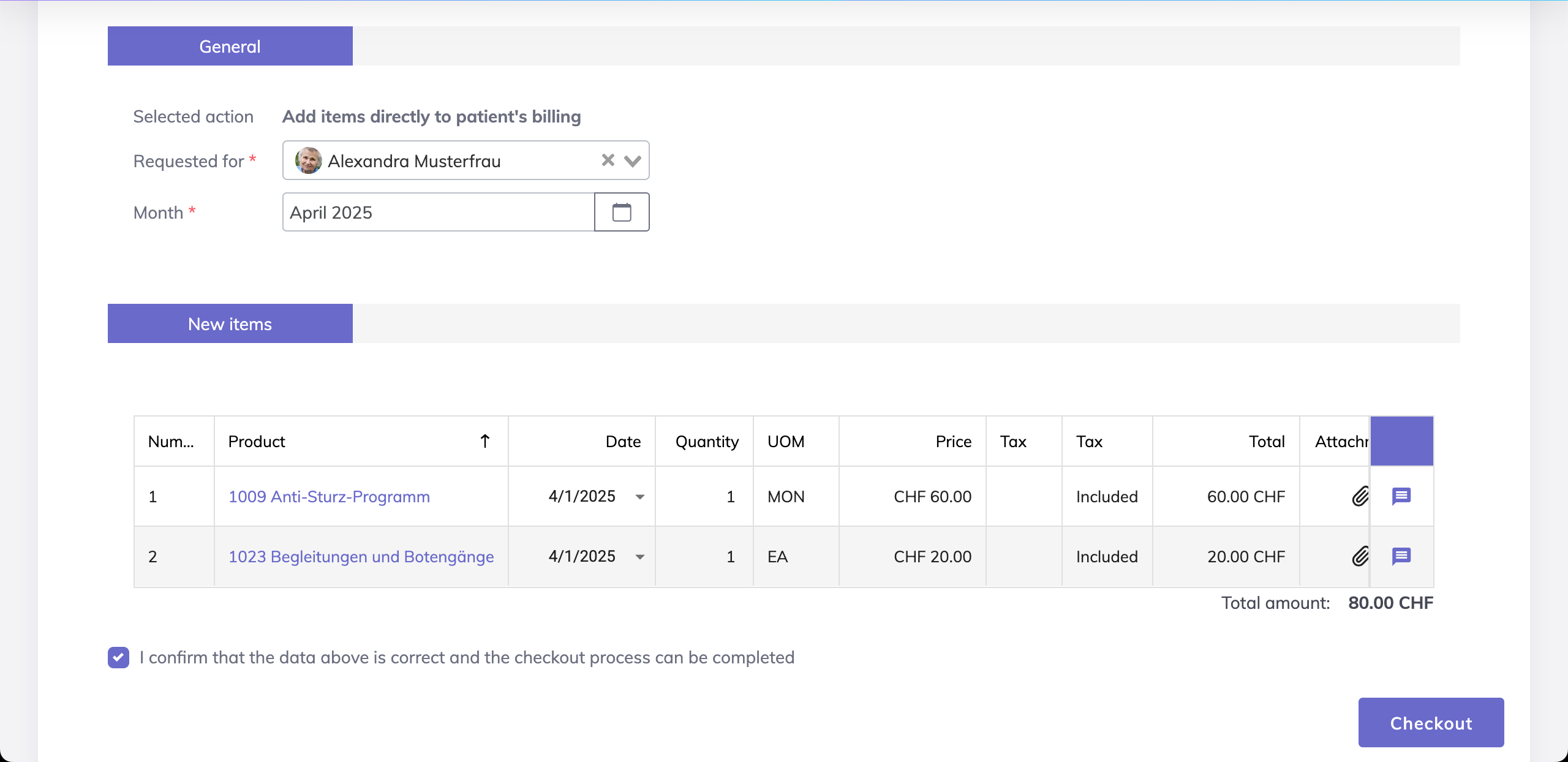
On the Checkout screen, choose the resident who received the product or service and the billing period.
Add Details
Date: Specify the date when the service was provided
Remarks: Optionally, click on the message symbol to add any comments or notes
Attachments: Optionally, click on the clip symbol to upload supporting documents
Checkout & Send to Billing
Review all entries carefully
Tick the confirmation checkbox to confirm the data is correct
Click “Checkout” to send the item to the resident’s billing items list.
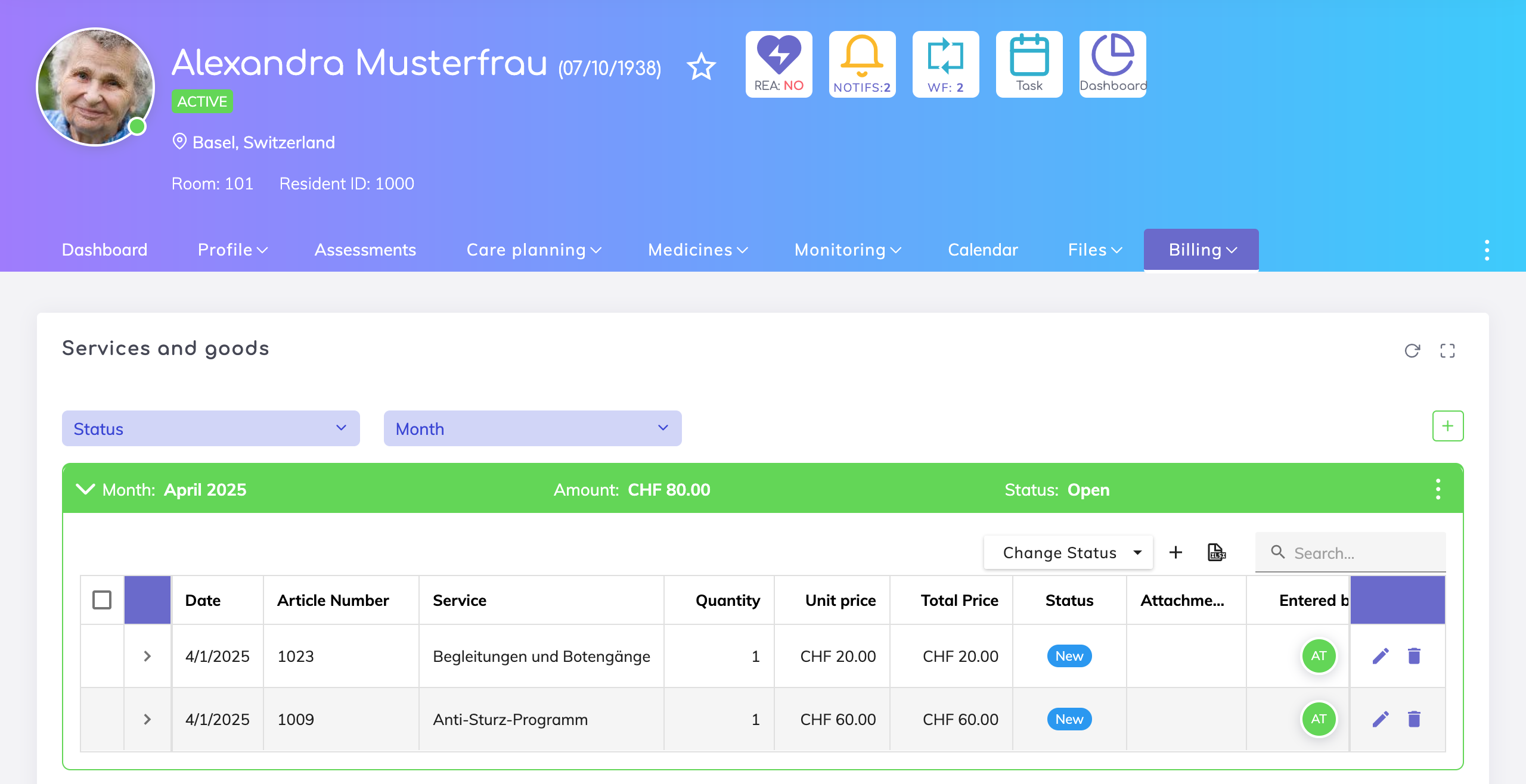
You can review and edit billing items under the resident’s profile.
Services can also be recorded in other ways in Edelion. Depending on the situation, a different workflow may be more suitable.
👉 See overview of all methods:
Recording Billable Services for Residents – Overview
Record billable services and products for residents using different workflows in Edelion.
Or go directly to other guides:
Resident based workflow: Add Service from Resident Profile
Add a service directly from the resident profile to the resident’s billing items list.
Overview based workflow: Add Service from Services Overview
Add a service from the services overview to the billing list.
We're here to help. Please feel free to contact us.