

✅ When should this feature be used?
Use this feature when you want to manage service entries centrally and select both the resident and the service in one place.
📊 Step by Step: Add Service from Services Overview
Open services overview
Go to: Billing → Services Overview
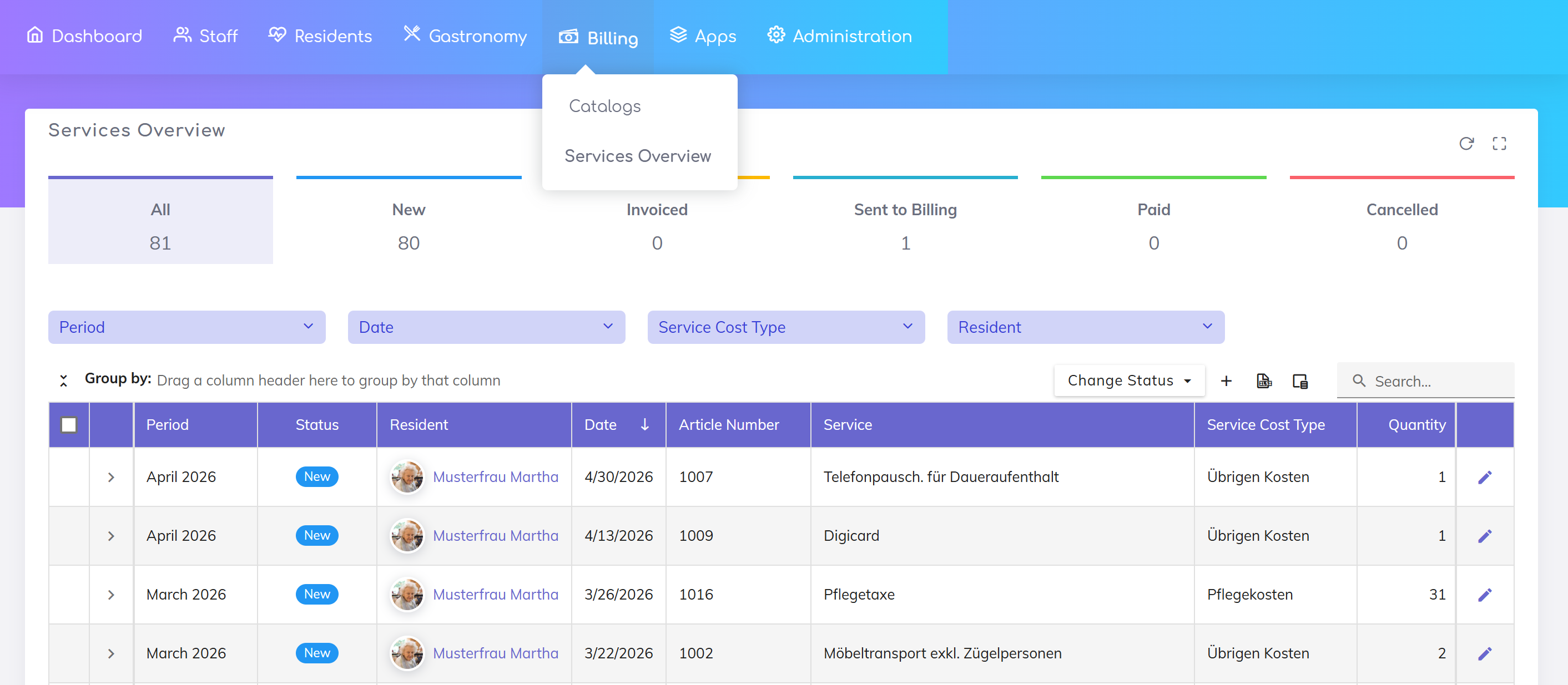
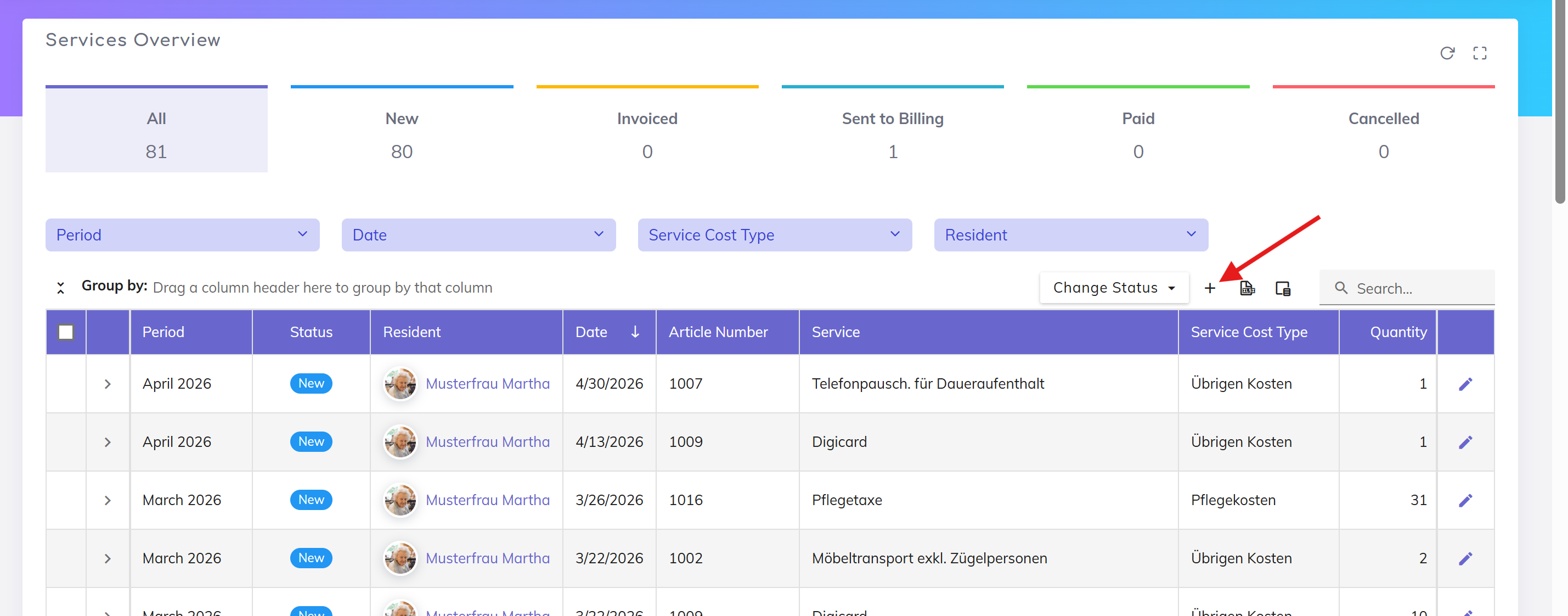
Add service
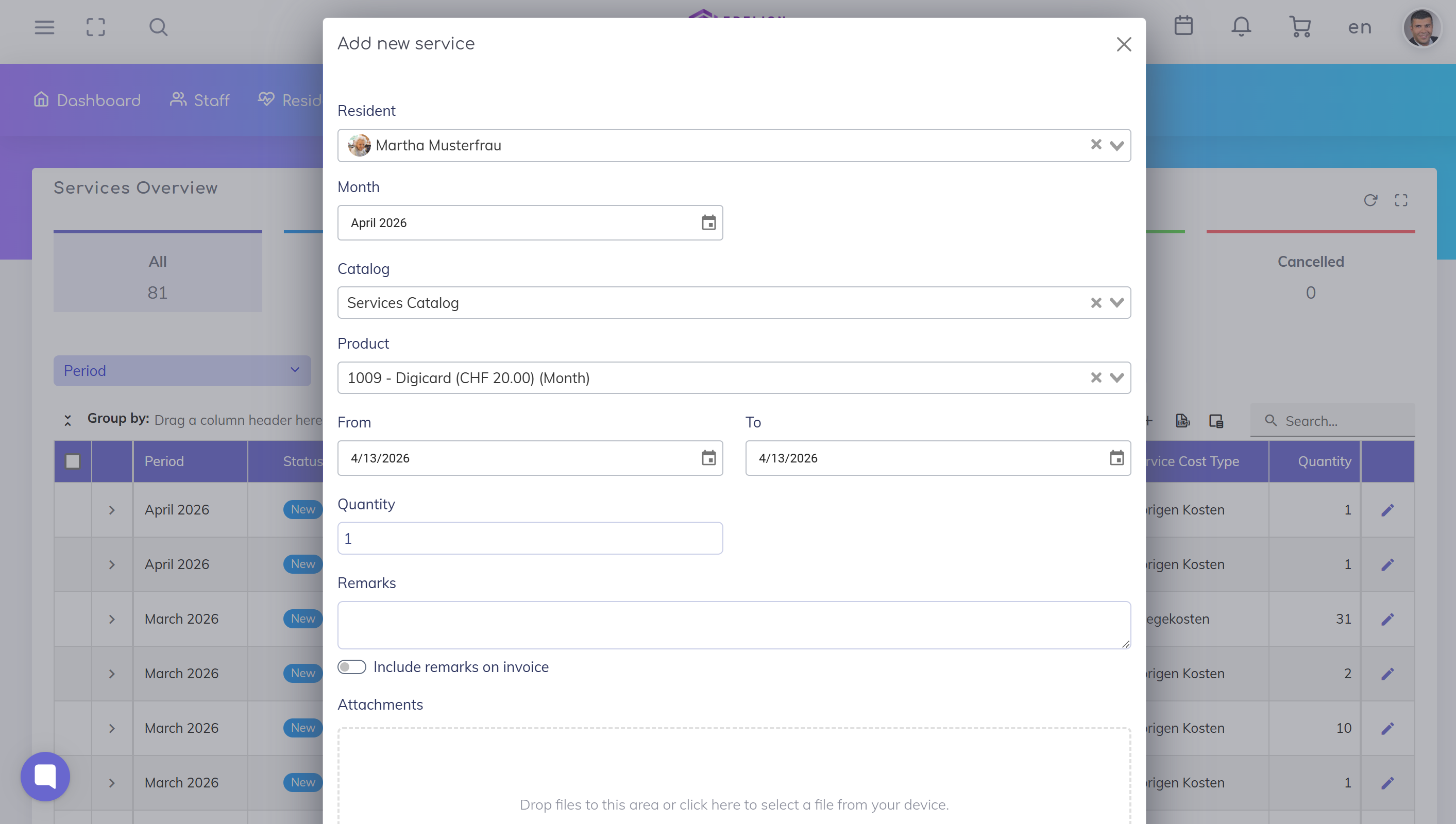
Choose the resident for whom the service should be recorded. Select the required service from the list.
Add details
Date: Enter the date when the service was provided
Notes: Optionally add comments
Attachments: Optionally upload supporting documents
Save and confirm
Review the details and click Save to add the service to the billing list.
📚 Other Ways to Record Services
Services can also be recorded in other ways in Edelion. Depending on the situation, a different workflow may be more suitable.
👉 See overview of all methods:
Recording Billable Services for Residents – Overview
Record billable services and products for residents using different workflows in Edelion.
Or go directly to other guides:
Catalog based workflow: Add Service from Catalog
Add a product or service from the catalog to a resident’s billing items list.
Resident based workflow: Add Service from Resident Profile
Add a service directly from the resident profile to the resident’s billing items list.
Still got questions?
We're here to help. Please feel free to contact us.